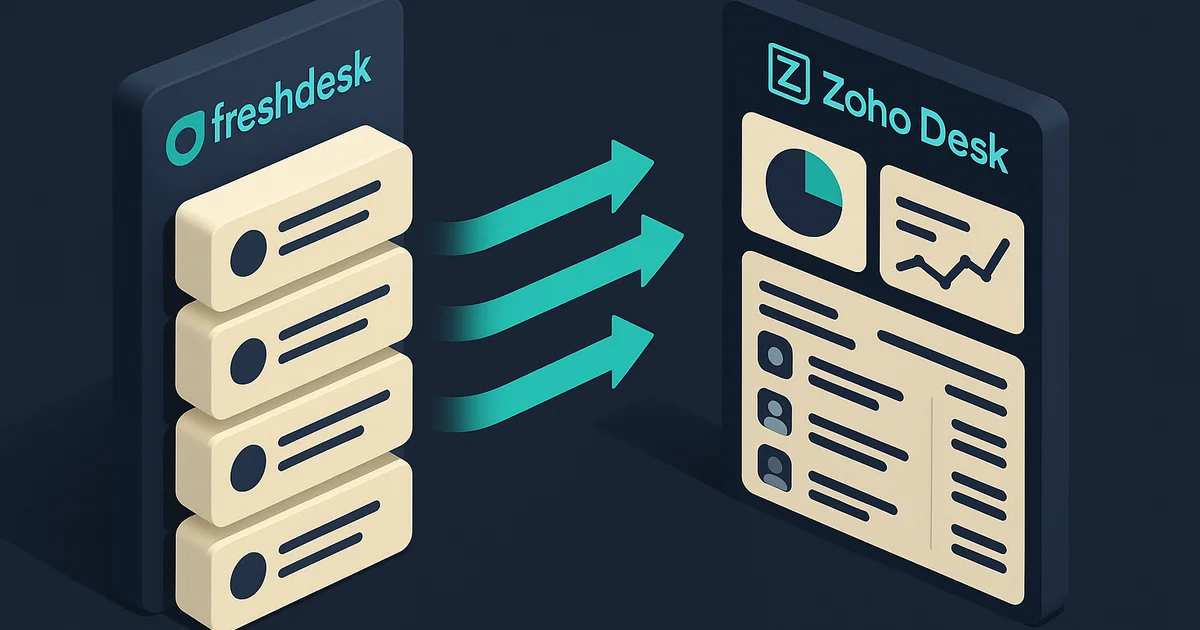
Freshdesk to Zoho Desk Migration: Complete Guide (2026)
Step-by-step guide to migrating from Freshdesk to Zoho Desk. Covers ticket migration, automation rebuilds, SLA transfer, pricing comparison, and common pitfalls.
Freshdesk got popular for the same reason most tools do: it was easy to start with and the free plan was generous. But as your support team grows and your needs get more specific, the cracks show. Features you assumed were included turn out to be on higher tiers. The pricing jumps are steep. And if you are already using Zoho CRM, Books, or other Zoho tools, running Freshdesk alongside them means maintaining integrations that should not need to exist.
Zoho Desk Professional costs $23 per agent per month. Freshdesk Pro costs $49. That is 53% less, and Zoho Desk comes with native CRM integration, built-in AI (Zia), and no per-agent upcharge for features like SLA management and round-robin assignment.
This guide covers how to move your support operation from Freshdesk to Zoho Desk without losing tickets, breaking automations, or leaving your customers without support during the switch.
Why Support Teams Leave Freshdesk
The pricing jump from Growth to Pro is steep
| Tier | Freshdesk (per agent/month) | Zoho Desk (per agent/month) | Savings |
|---|---|---|---|
| Free | $0 (up to 2 agents) | $0 (up to 3 agents) | - |
| Growth / Standard | $15 | $14 | 7% |
| Pro / Professional | $49 | $23 | 53% |
| Enterprise | $79 | $40 | 49% |
The jump from Freshdesk Growth ($15) to Pro ($49) is a 227% increase. That is where most teams feel it. You need features like round-robin assignment, custom roles, or SLA reminders, and suddenly you are paying over three times more per agent.
Zoho Desk's pricing scales more gradually. You get SLA policies, round-robin, and custom dashboards on Professional ($23) without the sticker shock.
Features that should be standard are locked behind higher tiers
On Freshdesk, you need the Pro plan ($49/agent) for:
- Round-robin ticket assignment: Professional only
- Custom roles: Professional only
- SLA reminders and escalations: Professional only
- CSAT surveys: Professional only
- Average handling time tracking: Professional only
- Custom ticket forms: Professional only
Zoho Desk includes most of these on Standard or Professional at a lower price point. Round-robin, SLA management, and customer satisfaction ratings are available from $14 to $23 per agent.
The Zoho ecosystem advantage
If your sales team uses Zoho CRM, your support tickets should be visible to sales reps without any middleware. Zoho Desk and Zoho CRM integrate natively. A sales rep can see open tickets on a deal record, and a support agent can see the customer's purchase history and pipeline status.
With Freshdesk, you need a connector or Zapier to bridge the gap. It works, but it is an integration to maintain, and it breaks more often than a native connection.
How the Migration Works
Zoho Desk has a built-in migration tool called Zwitch (under Setup > Data Administration) that includes a dedicated Freshdesk migration option. Zwitch handles tickets, contacts, organizations, and knowledge base articles. For ticket conversations and attachments, the Freshdesk API gives you more complete data and control than the standard Zwitch process.
What you need to migrate
| Data Type | Export Method | Import Method |
|---|---|---|
| Contacts | CSV export from Freshdesk | CSV import into Zoho Desk Contacts |
| Companies | CSV export | CSV import into Zoho Desk Accounts |
| Tickets | CSV export (basic) or API (full) | CSV import or API into Zoho Desk |
| Ticket conversations | API only | API or manual for small volumes |
| Knowledge base articles | Manual copy or API | Manual creation or API |
| Canned responses | Manual copy | Recreate as Zoho Desk response templates |
| Attachments | API download | API upload linked to tickets |
Third-party migration tools
If you want a more automated approach:
- Help Desk Migration. A dedicated helpdesk-to-helpdesk migration service that supports Freshdesk → Zoho Desk. Handles tickets, contacts, conversations, and attachments. Paid service based on record count.
- Custom API scripts. For teams with developer resources, write a script that reads from the Freshdesk API and writes to the Zoho Desk API. Both APIs are well-documented.
Data Mapping: Freshdesk to Zoho Desk
Object mapping
| Freshdesk | Zoho Desk | Notes |
|---|---|---|
| Contacts | Contacts | Direct mapping |
| Companies | Accounts | Direct mapping |
| Tickets | Tickets | Core data maps cleanly |
| Ticket Conversations | Ticket Comments/Threads | Threading structure differs |
| Groups | Teams | Similar concept |
| Agents | Agents | Direct mapping |
| Products | Departments or Products | Depends on how you use Freshdesk Products |
| Knowledge Base (Categories/Folders/Articles) | Knowledge Base (Categories/Sections/Articles) | Structure maps but formatting needs attention |
| Canned Responses | Response Templates | Must recreate |
| Ticket Fields | Ticket Fields | Custom fields must be created first |
Ticket field mapping
| Freshdesk Field | Zoho Desk Field | Notes |
|---|---|---|
| Subject | Subject | Direct mapping |
| Description | Description | Direct mapping |
| Status | Status | Values must match (map custom statuses) |
| Priority | Priority | Low/Medium/High/Urgent, direct mapping |
| Type | Classification or Custom Field | Zoho uses Classification; map accordingly |
| Group | Team | Direct mapping |
| Agent | Agent/Owner | Map by email or name |
| Requester | Contact | Link to imported contact |
| Company | Account | Link to imported account |
| Created At | Created Time | Direct mapping |
| Due By | Due Date | SLA-calculated; may need reconfiguration |
| Tags | Tags | Direct mapping |
| Source | Channel | Email, Phone, Web, Chat, direct mapping |
| Custom Fields | Custom Fields | Must create in Zoho Desk first |
What does not map directly
- Freshdesk Automations (Dispatch'r, Supervisor, Observer) → Rebuild as Zoho Desk Workflow Rules, Assignment Rules, and SLA policies. The concepts are similar but the configuration interfaces differ.
- Freshdesk Scenario Automations → Rebuild as Zoho Desk Macros.
- Freddy AI features → Zoho Desk has Zia AI (sentiment analysis, anomaly detection, ticket auto-tagging). The capabilities are comparable but need fresh configuration.
- Freshdesk Marketplace apps → Check Zoho Marketplace for equivalents. For gaps, Zoho Flow can bridge many integrations.
- Customer Portal customization → Rebuild in Zoho Desk's Help Center (ASAP). The portal builder is different.
Step-by-Step Migration Process
Step 1: Audit your Freshdesk account
Document what your support team actually uses, not everything that is configured.
- Ticket fields. List every custom field, its type, and its values. Note which fields are required.
- Statuses. Document custom statuses beyond the defaults (Open, Pending, Resolved, Closed). Map each one to a Zoho Desk status.
- Automation rules. Document every Dispatch'r rule (new ticket assignment), Supervisor rule (time-based triggers), and Observer rule (event-based triggers). Note the trigger, conditions, and actions for each.
- SLA policies. Document your SLA targets: response time and resolution time by priority level. Note business hours and escalation rules.
- Canned responses. Export the text of each canned response. You will recreate them as Zoho Desk templates.
- Knowledge base structure. Map your category → folder → article hierarchy. Note article count per folder.
- Email channels. List every support email address and its forwarding configuration.
- Integrations. What connects to Freshdesk? Slack, JIRA, Shopify, your CRM, phone system. List everything.
Step 2: Clean up your data
- Close stale tickets. Tickets that have been open with no activity for 6+ months should be resolved or closed before migration.
- Merge duplicate contacts. Same person with multiple email addresses showing as separate contacts. Merge them.
- Standardize custom field values. Inconsistent values in dropdown fields will cause mapping issues.
- Archive or delete test tickets. Internal test tickets, spam tickets, and junk data have no place in your new helpdesk.
Step 3: Configure Zoho Desk
Set up your Zoho Desk portal before importing anything.
- Departments. If you use Freshdesk Products to separate support queues, create corresponding Departments in Zoho Desk.
- Channels. Configure email channels. Set up forwarding from your support email addresses to Zoho Desk.
- Custom fields. Create every custom ticket field that matches a Freshdesk custom field. Match field types and picklist values exactly.
- Ticket statuses. Add custom statuses to match Freshdesk. The defaults (Open, On Hold, Escalated, Closed) may not cover your custom statuses.
- SLA policies. Set up SLA targets for each priority level. Match your Freshdesk SLA timings.
- Teams and agents. Create teams that mirror your Freshdesk groups. Add agents and assign them to the correct teams.
- Business hours. Configure support hours, holidays, and time zones to match your Freshdesk setup.
Step 4: Export data from Freshdesk
For tickets (basic):
- Go to Tickets in Freshdesk
- Filter by the tickets you want to export
- Click Export and download as CSV
- This gives you ticket fields but not conversations or attachments
For tickets with conversations (complete): Use the Freshdesk API (v2). The endpoint GET /api/v2/tickets?include=conversations returns tickets with their full conversation history. You will need to paginate through results and write the output to a structured file.
Freshdesk API rate limit: 80 calls per minute on Pro, 100 on Enterprise. For 10,000 tickets with conversations, expect the export to take 2 to 3 hours.
For contacts and companies: Export from Freshdesk's Contacts page as CSV. Companies export similarly.
For knowledge base articles: Freshdesk does not have a bulk KB export. Use the API (GET /api/v2/solutions/categories → /folders → /articles) to pull articles programmatically, or copy them manually if you have fewer than 50 articles.
Step 5: Run a trial import
Import 100 to 200 tickets into Zoho Desk.
Check:
- Ticket statuses mapped correctly (not defaulting to "Open" for everything)
- Priority levels matched
- Requester (contact) linked correctly
- Agent assignment worked
- Custom field values populated
- Tags transferred
- If you imported conversations, check that replies and internal notes display correctly
Fix mapping issues before the full import.
Step 6: Execute the full migration
Import in this order:
- Contacts. The requesters who submitted tickets
- Accounts (Companies). Linked to contacts
- Tickets. Linked to contacts and assigned to agents
- Ticket conversations. Linked to tickets (if using API migration)
- Knowledge base articles. Import into the correct category/section structure
- Attachments. Linked to tickets (separate API process)
Verify after each import:
- Contact count matches Freshdesk
- Ticket count matches (minus any you intentionally skipped)
- Spot-check 20 tickets for correct field values, contact links, and agent assignments
- Check SLA timers. Imported tickets may trigger SLA rules; decide whether to pause SLAs during migration
Step 7: Rebuild automations and go live
Assignment rules
Freshdesk's Dispatch'r rules map to Zoho Desk's Assignment Rules. Both assign tickets based on criteria (channel, subject keywords, contact properties). Rebuild each Dispatch'r rule as a Zoho Desk assignment rule.
For round-robin assignment, Zoho Desk supports round-robin on Professional and above. Configure it in Setup > Assignment Rules.
Workflow rules
Freshdesk Supervisor rules (time-based) and Observer rules (event-based) map to Zoho Desk Workflow Rules. Common ones to rebuild:
- Auto-close tickets with no reply for X days
- Escalate tickets approaching SLA breach
- Notify manager when a high-priority ticket is created
- Send satisfaction survey after ticket resolution
Macros
Freshdesk Scenario Automations → Zoho Desk Macros. These are one-click multi-action shortcuts (e.g., change status + assign to agent + add tag). Recreate the ones your team uses regularly.
SLA policies
Rebuild your SLA targets in Zoho Desk: response time and resolution time by priority, with business hours applied. Set up escalation rules for SLA breaches.
Canned responses → Response templates
Recreate your most-used canned responses as Zoho Desk response templates. Most teams actively use 10 to 20 responses, so this takes a couple of hours.
Go live: Switch email forwarding
This is the moment of truth. Update your support email MX records or forwarding rules to send incoming emails to Zoho Desk instead of Freshdesk. From this point, new tickets arrive in Zoho Desk.
Keep Freshdesk active in read-only mode for 1 to 2 weeks so agents can reference old ticket conversations during the transition.
Common Pitfalls and How to Avoid Them
1. Custom statuses default to "Open"
If your Freshdesk tickets have a custom status like "Awaiting Customer" but Zoho Desk does not have that status created, the ticket imports as "Open." Create all custom statuses in Zoho Desk before importing.
2. Ticket conversations lose threading
Freshdesk stores conversations (replies and internal notes) in a threaded format. When exporting via CSV, this threading is lost. You get flat text without the reply/note distinction. Use the API export to preserve conversation structure, or accept that imported historical conversations will display differently.
3. SLA timers trigger on imported tickets
When you import tickets, Zoho Desk may start SLA timers based on the ticket creation date. This can make old imported tickets appear as SLA breaches. Pause SLA rules during import, then reactivate them after.
4. Knowledge base formatting breaks
Freshdesk KB articles often use Freshdesk-specific formatting or embedded images hosted on Freshdesk's CDN. After migration, images may break if Freshdesk URLs stop resolving. Download all KB images and re-upload them to Zoho Desk's file hosting before cancelling Freshdesk.
5. Email channel switch causes a brief gap
When you redirect support email from Freshdesk to Zoho Desk, there can be a brief window (minutes to hours, depending on DNS propagation) where emails might go to neither system. Schedule the switch during low-volume hours and monitor both inboxes during the transition.
6. Agent training on a different interface
Zoho Desk's interface is structured differently from Freshdesk. The ticket view, navigation, and keyboard shortcuts are not the same. Budget half a day of hands-on training for your agents. Focus on the workflows they do 50 times a day (reply to ticket, change status, assign to colleague, add internal note).
What Zoho Desk Does Better Than Freshdesk
- Native CRM integration. Zoho Desk connects to Zoho CRM out of the box. Support agents see customer context (deals, purchase history, account health) without switching tabs. Freshdesk needs a connector or Zapier for CRM data.
- Zia AI included. Sentiment analysis, anomaly detection, auto-tagging, and response suggestions, bundled on Enterprise at no extra cost. Freshdesk charges extra for Freddy AI features.
- Blueprint process enforcement. Guide agents through mandatory steps for specific ticket types (e.g., refund requests must collect order number → verify purchase → process refund). Freshdesk has no equivalent structured workflow.
- Better value at mid-tier. Round-robin, SLA management, and custom dashboards at $23/agent versus $49/agent on Freshdesk.
- Zoho One ecosystem. Helpdesk, CRM, accounting, project management, and 40+ more apps for $37/user/month (billed annually). Running Freshdesk alongside other tools costs multiples of this.
- Headquarters (HQ) view. A command-center view showing real-time ticket traffic, response times, and agent availability across departments. Freshdesk has dashboards but not this level of real-time operations visibility.
What Freshdesk Does Better (Worth Knowing)
- Marketplace ecosystem. Freshdesk has a larger app marketplace with more pre-built integrations, especially for eCommerce and IT service management.
- Freshdesk-Freshservice bridge. If you use Freshservice for internal IT, the integration between Freshdesk (external support) and Freshservice (internal IT) is tighter than what Zoho offers between Desk and its project management tools.
- Gamification. Freshdesk's built-in gamification (Freshdesk Arcade) with points, leaderboards, and badges for agents is more developed. Zoho Desk has gamification features but they are less mature.
- Onboarding experience. Freshdesk's initial setup and agent onboarding is slightly smoother for non-technical teams. The interface feels more polished out of the box.
- Field service management. Freshdesk's field service add-on is more mature if you manage on-site technicians or service appointments.
If field service management or internal IT integration is critical to your operations, evaluate carefully before switching.
Realistic Timelines
| Team Size | Tickets | Timeline | Key Variables |
|---|---|---|---|
| Small | Under 5,000 | 1-2 weeks | Basic setup, few automations |
| Medium | 5,000-50,000 | 3-5 weeks | Custom fields, automations, SLA policies, KB migration |
| Large | 50,000+ | 6-8 weeks | Complex automations, multiple products, heavy KB, API migration |
Phase breakdown (medium team)
| Phase | Duration | What Happens |
|---|---|---|
| Audit and planning | 2-3 days | Document fields, automations, SLAs, integrations |
| Data cleanup | 2-3 days | Close stale tickets, merge duplicates, standardize values |
| Zoho Desk setup | 3-5 days | Configure departments, fields, statuses, SLAs, teams |
| Data migration and testing | 3-5 days | Export, trial import, full import, validation |
| Automation rebuilds | 1-2 weeks | Assignment rules, workflows, macros, templates |
| Email switch and parallel run | 1-2 weeks | Switch forwarding, monitor, train agents |
DIY vs. Getting Help
DIY works when:
- Under 5,000 tickets to migrate
- Standard ticket fields, no complex custom fields
- Fewer than 5 automation rules
- Small KB (under 50 articles)
- You have time to learn Zoho Desk configuration
A partner helps when:
- Large ticket volume requiring API-based migration
- Complex automation rules that need careful translation
- Multiple email channels and products/departments
- Knowledge base with 100+ articles and embedded media
- Your support team cannot afford any downtime during the switch
- You want the CRM-to-Desk integration configured properly from day one
We have handled helpdesk migrations — including Freshdesk setups with complex SLA structures and multi-department routing — as part of our Zoho Desk customer support implementations. The tricky part is not the ticket data. It is getting the automations, SLAs, and email routing right so your support quality does not dip during the transition.
Talk to us about your Freshdesk to Zoho Desk move →
Also see: Zoho Desk setup guide | Zendesk to Zoho Desk migration guide
Frequently Asked Questions
Small teams with under 5,000 tickets can finish in 1 to 2 weeks. Mid-size support operations with 5,000 to 50,000 tickets and active automations typically need 3 to 5 weeks. Larger operations with custom apps, complex SLA policies, and multiple products can take 6 to 8 weeks. The ticket data import is the faster part. Rebuilding automation rules and SLA policies takes the most time.
No. Ticket records including subject, description, status, priority, agent assignment, and creation date can be exported from Freshdesk and imported into Zoho Desk. Ticket conversations (replies and notes) can also be migrated, though the formatting of threaded conversations may differ between platforms. Attachments need to be handled separately.
Yes. Zoho Desk has a migration tool called Zwitch (under Setup > Data Administration) that includes a dedicated Freshdesk migration option. It handles tickets, contacts, organizations, and knowledge base articles. You can also use the APIs on both platforms for a more customized transfer, or third-party tools like Help Desk Migration.
Automation rules (Dispatch'r, Supervisor, Observer), SLA policies, canned responses, satisfaction surveys, custom apps, knowledge base articles with formatting, and Freddy AI configurations do not transfer automatically. These must be rebuilt in Zoho Desk using its equivalent features: assignment rules, SLA policies, response templates, and Zia AI.
Freshdesk Pro costs $49 per agent per month. Zoho Desk Professional costs $23 per agent per month, a 53% saving. At the enterprise level, Freshdesk Enterprise is $79 per agent versus Zoho Desk Enterprise at $40, saving you 49%. For a 10-agent support team on Pro plans, that is over $3,100 per year in savings.
See exactly where your Shopify, Amazon, or WooCommerce ops are leaking — free.
Get a personalised eCommerce Ops Audit: inventory gaps, accounting leaks, and order-flow bottlenecks — with a Zoho fix roadmap. Delivered in 48 hours, at no cost.