Marketplace Fee Reconciliation in Zoho Books: Amazon, Shopify, eBay & Etsy
Most eCommerce sellers record the net marketplace deposit as revenue. That single mistake overstates income, understates expenses, and corrupts every margin calculation downstream. This guide shows how to reconcile each fee type across Amazon, Shopify, eBay, and Etsy in Zoho Books, with account mapping tables and automation options.
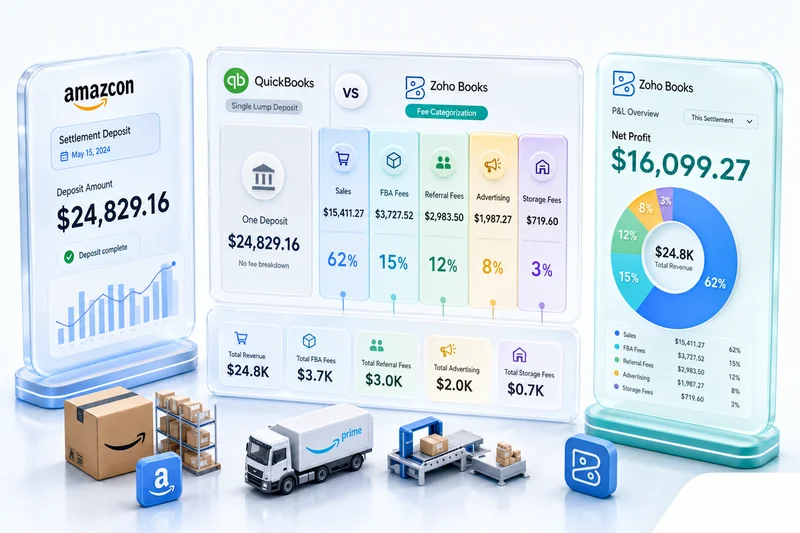
Most eCommerce sellers record the net marketplace deposit as revenue. That's wrong, and it's the single most consequential accounting mistake in eCommerce. The deposit that lands in your bank account is not your revenue. It's your gross sales, minus referral fees, minus fulfillment fees, minus advertising deductions, minus refunds, plus any reimbursements Amazon or eBay owe you for lost inventory. Recording the net figure inflates reported income and buries every fee type inside a number that looks fine until your accountant or the IRS asks you to explain it.
Marketplace fee reconciliation means separating each fee type from a settlement report into its correct accounting category before recording anything. What follows covers how to do that in Zoho Books for Amazon, Shopify, eBay, and Etsy — with specific account mapping tables for each platform, a recommended chart of accounts structure, and three automation approaches scaled to your volume.
Why getting this wrong costs more than you think
Wrong fee categorization produces three compounding problems. First, your revenue is overstated: every fee that should be an expense instead inflates your top line. Second, your expenses are understated, meaning those same fees never appear in your P&L as costs and your margins look better than they are. Third, your tax filing is incorrect because your 1099-K from each marketplace reports gross sales, not net deposits. If your books show the net deposit as revenue and the 1099-K shows gross sales, the IRS sees a discrepancy and may initiate an audit.
Amazon issues 1099-K forms showing gross unadjusted sales to any seller who processes more than $600 in a calendar year. Shopify, eBay, and Etsy do the same. Your CPA has to reconcile your reported revenue against those forms. When your books show net deposits and the 1099-Ks show gross sales, the gap can run into tens of thousands of dollars on a mid-size account, and explaining it requires reconstructing months of incorrectly recorded transactions. That reconstruction costs more in accounting fees than setting up the right system from the start.
Why marketplace settlements are harder to reconcile than regular invoices
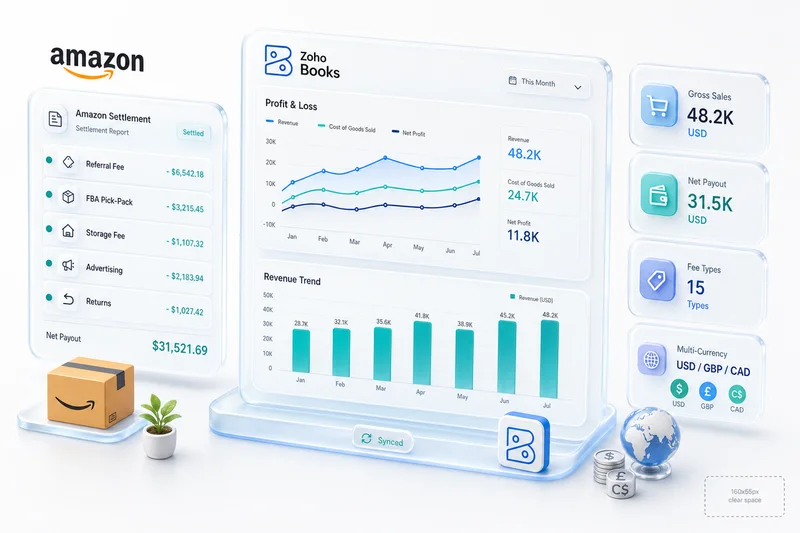
Amazon settlements arrive every two weeks and contain 15 or more fee line item types in a single document. This is not how regular business revenue works. A standard invoice comes in, gets paid, gets recorded as income. A marketplace settlement arrives containing a mix of sales activity across dozens or hundreds of transactions, layered fee deductions that apply at different rates, refunds processed since the last settlement, reimbursements for inventory lost at a fulfillment center, and advertising spend charged against that settlement period.
The timing creates an additional problem. Settlements do not correspond to individual orders. An Amazon settlement covering May 1 through May 14 includes orders placed during that period, but also fee adjustments for returns processed on orders from April, storage fees calculated at month end, and reimbursements approved at any point during the cycle. Matching a settlement back to individual transactions requires either trusting the settlement report's aggregation or maintaining order-level records in Zoho Inventory alongside settlement-level records in Zoho Books.
Returns and reimbursements mixed with new sales add another layer. A positive line item in a settlement could be new revenue, a reimbursement for a lost unit, or a fee reversal on a returned order. Treating all positive lines as revenue and all negative lines as fees produces incorrect books. Each item needs to route to its specific account. For the complete returns workflow behind those reversals, including inventory adjustments and credit notes, see the eCommerce returns management with Zoho guide.
Amazon settlement reconciliation in Zoho Books
Amazon settlements must be split into at minimum six account categories: Sales Revenue, Referral Fees (Cost of Sales), FBA Fees (Cost of Sales), Advertising Expense, Storage Fees Expense, and Other Income for reimbursements. A proper setup uses more, because storage fees and long-term storage fees behave differently as costs, and because separating Sponsored Products from Sponsored Brands spend is valuable for advertising analysis.
Here is how each Amazon fee type maps to a Zoho Books account:
| Amazon Fee Type | Zoho Books Account | Account Type |
|---|---|---|
| Gross Sales | Sales Revenue: Amazon | Income |
| Promotional Rebates | Sales Returns / Contra-Revenue | Income (contra) |
| Referral Fees | Cost of Sales: Referral Fees | Cost of Sales |
| FBA Pick & Pack | Cost of Sales: FBA Fulfillment | Cost of Sales |
| FBA Weight Handling | Cost of Sales: FBA Fulfillment | Cost of Sales |
| FBA Monthly Storage | Operating Expenses: Storage | Expense |
| FBA Long-Term Storage | Operating Expenses: Storage (LTS) | Expense |
| Closing Fees | Cost of Sales: Marketplace Fees | Cost of Sales |
| Refund Administration Fees | Cost of Sales: Marketplace Fees | Cost of Sales |
| FBA Removal / Disposal | Operating Expenses: Fulfillment Ops | Expense |
| Sponsored Products | Operating Expenses: Advertising | Expense |
| Sponsored Brands | Operating Expenses: Advertising | Expense |
| Sponsored Display | Operating Expenses: Advertising | Expense |
| FBA Inventory Reimbursements | Other Income: Reimbursements | Other Income |
| A-to-Z Guarantee Claims | Other Expenses: Claims | Other Expense |
| Chargeback Fees | Other Expenses: Claims | Other Expense |
| Sales Tax Collected by Amazon | Sales Tax Payable | Liability |
| Currency Conversion Fees | Other Expenses: FX | Other Expense |
The classification logic behind this table matters as much as the table itself. Referral fees and FBA pick-and-pack fees are Cost of Sales because they are directly variable with each unit sold: they move proportionally with revenue and represent the direct transaction cost of selling through Amazon. Storage fees and long-term storage fees are Operating Expenses because they are periodic costs tied to inventory holding, not to individual transactions. Advertising is always Operating Expenses (never Cost of Sales) because it is a discretionary spend category, not a unit cost. Reimbursements belong in Other Income, not as a reduction to Cost of Sales, because they represent Amazon compensating you for an inventory loss event rather than a normal part of the selling cycle.
One mistake worth calling out explicitly: sales tax collected by Amazon is not your income. Amazon collects and remits sales tax on behalf of sellers under marketplace facilitator laws in all 45 US states (plus DC) with a general sales tax. The correct entry is a credit to Sales Tax Payable, a liability account. Recording it as revenue inflates your top line by the full tax amount collected and creates a filing discrepancy on your sales tax returns.
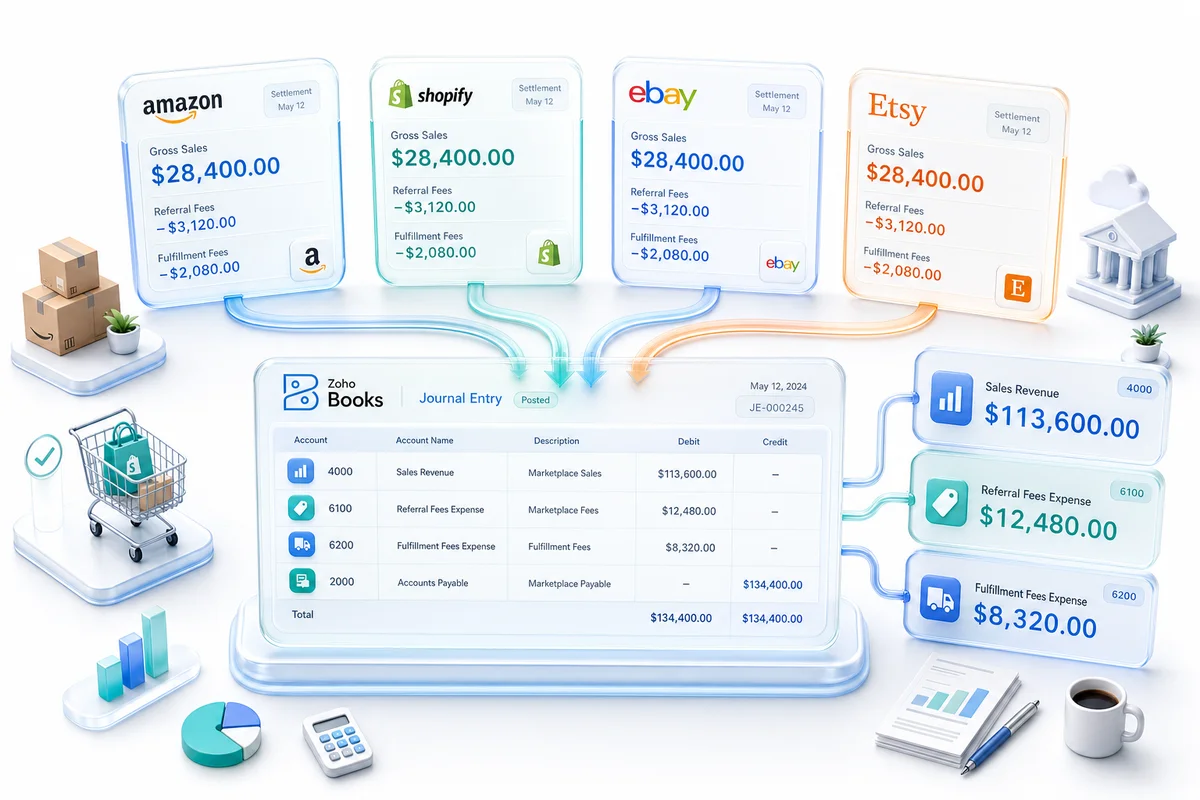
The workflow in Zoho Books: download the V2 settlement flat file from Seller Central under Reports > Payments > Date Range Reports. Aggregate rows by the amount-type and amount-description columns. Create a compound journal entry with one line per fee category. The net debit/credit balance should equal the bank deposit amount for that settlement period. Match that journal entry to the bank feed transaction during your next reconciliation.
For sellers doing Amazon seller accounting with Zoho Books, Zolify's CA maps this account structure at setup and reviews it quarterly to catch any new fee types Amazon introduces.
Shopify payout reconciliation in Zoho Books
Shopify payouts are net figures. Shopify Payments deducts processing fees before any money leaves their system, so the deposit in your bank account is always less than your gross sales for that period. The common mistake is recording the deposit as revenue, which means every processing fee is silently absorbed into a lower revenue number rather than appearing as an expense.
Shopify's fee structure varies by plan and payment method:
- Shopify Payments processing fees: 2.4% to 2.9% + $0.30 per transaction, depending on your Shopify plan
- Third-party gateway fees: 0.5% to 2% additional, charged when you use a payment processor other than Shopify Payments
- Shopify Payments interchange fees: apply for certain card types and business account configurations
- Refunds: reduce gross sales and reverse the associated processing fee
- Disputes and chargebacks: reverse revenue and may carry a $15 dispute fee
The correct Zoho Books approach for Shopify payouts is to record gross sales as revenue and expense the fees separately. Do not record the net payout as income.
| Shopify Transaction Type | Zoho Books Account | Account Type |
|---|---|---|
| Gross Sales | Sales Revenue: Shopify | Income |
| Shopify Payments Processing Fee | Cost of Sales: Payment Processing | Cost of Sales |
| Third-Party Gateway Fee | Cost of Sales: Payment Processing | Cost of Sales |
| Shopify Interchange Fee | Cost of Sales: Payment Processing | Cost of Sales |
| Refunds | Sales Returns / Contra-Revenue | Income (contra) |
| Refunded Processing Fees | Cost of Sales: Payment Processing (reversal) | Cost of Sales |
| Dispute / Chargeback | Other Expenses: Chargebacks | Other Expense |
| Dispute Fee ($15) | Other Expenses: Chargebacks | Other Expense |
| Sales Tax Collected | Sales Tax Payable | Liability |
Shopify does provide payout reports (accessible under Analytics > Finances in the Shopify admin) that show gross sales, fees, refunds, and net payout broken out. These reports are the source data for your journal entries. If you are processing 100+ orders per month, recreating this manually from individual transaction records is impractical. Either use Zoho Flow to automate the payout report import, or use Zoho Books' bank feed reconciliation rules to catch the net deposit and create the gross/fee split automatically.
One nuance specific to Shopify: if you use Shopify Payments, your processing fees are deducted before payout. If you use a third-party gateway (Stripe, PayPal, etc.), Stripe or PayPal deposits the gross amount to your bank account and issues a separate statement for fees. In the third-party gateway scenario, your bank feed shows the gross amount and you have a separate expense entry for fees. The timing differs, but the same accounting logic applies. For the full Shopify automation workflow covering invoice creation, COGS recording, and bank reconciliation, see the Shopify order-to-cash guide for Zoho Books.
eBay managed payments reconciliation in Zoho Books
eBay completed its transition to Managed Payments across all sellers. Sellers no longer receive a PayPal deposit and a separate eBay invoice. eBay now processes the full payment, deducts all applicable fees, and issues a single daily or weekly net payout. This simplifies cash flow but does not simplify accounting. Every fee type still needs to route to its own account.
eBay's fee structure includes:
- Final value fees: variable by category, typically 12.9% + $0.30 per order, though some categories cap at lower rates
- Listing fees (insertion fees): apply when you exceed your free listing allotment, typically $0.35 per listing
- Store subscription fees: $7.95 to $349.95 per month depending on the tier
- Regulatory operating fees: applied in certain states to cover compliance costs
- International transaction fees: 1.65% on sales to buyers in certain countries
- Returns credits: fee reversals on returned transactions
| eBay Fee Type | Zoho Books Account | Account Type |
|---|---|---|
| Gross Sales | Sales Revenue: eBay | Income |
| Final Value Fee | Cost of Sales: Marketplace Fees | Cost of Sales |
| Managed Payments Processing Fee | Cost of Sales: Payment Processing | Cost of Sales |
| Insertion Fee | Operating Expenses: Listing Fees | Expense |
| Store Subscription | Operating Expenses: Platform Subscriptions | Expense |
| Promoted Listings Standard | Operating Expenses: Advertising | Expense |
| Promoted Listings Advanced | Operating Expenses: Advertising | Expense |
| Regulatory Operating Fee | Operating Expenses: Compliance | Expense |
| International Transaction Fee | Cost of Sales: Marketplace Fees | Cost of Sales |
| Returns Credit (Fee Reversal) | Cost of Sales: Marketplace Fees (reversal) | Cost of Sales |
| Below Standard Seller Fee | Other Expenses: Penalties | Other Expense |
One distinction worth emphasizing: eBay's promoted listings fees are advertising expenses, not transaction costs. They do not scale directly with each sale in the same way final value fees do. A promoted listing fee applies when a buyer clicks and purchases through a promoted result, and the rate (typically 2-5% on top of the sale price) is set by the seller, not dictated by eBay per-transaction. Keeping these separate from final value fees lets you analyze your advertising spend as a percentage of eBay revenue independently from your base marketplace cost.
For a deeper walkthrough of eBay-specific accounting configuration, see the full eBay seller accounting with Zoho Books guide, which covers multi-currency international sales, returns reconciliation, and the specific timing issues with eBay's payout schedule. For the complete month-end close sequence covering all six eBay fee types, COGS posting, returns, and clearing account reconciliation, see the eBay monthly bookkeeping guide for Zoho Books.
Etsy fee reconciliation in Zoho Books
Etsy sellers face a different fee structure from Amazon or eBay but the same core problem: the deposit does not equal revenue. Etsy's fees apply at multiple points in the transaction lifecycle and include a category most platforms do not have: offsite ads fees, which apply only when Etsy promotes your listings externally and a sale results.
Etsy's fee structure:
- Transaction fee: 6.5% of the sale price (including shipping if charged to the buyer)
- Listing fee: $0.20 per listing, renewed every 4 months
- Payment processing fee: 3% + $0.25 per transaction for Etsy Payments
- Offsite ads fee: 12% if your shop has made less than $10,000 in the past 365 days; 15% if you've made $10,000 or more (this fee only applies when a sale originates from an Etsy offsite ad)
- Shipping label fee: actual cost of labels purchased through Etsy
| Etsy Fee Type | Zoho Books Account | Account Type |
|---|---|---|
| Gross Sales | Sales Revenue: Etsy | Income |
| Transaction Fee (6.5%) | Cost of Sales: Marketplace Fees | Cost of Sales |
| Listing Fee ($0.20) | Operating Expenses: Listing Fees | Expense |
| Payment Processing (3% + $0.25) | Cost of Sales: Payment Processing | Cost of Sales |
| Offsite Ads Fee (12–15%) | Operating Expenses: Advertising | Expense |
| Shipping Label Fee | Cost of Sales: Shipping & Fulfillment | Cost of Sales |
| Sales Tax Collected | Sales Tax Payable | Liability |
| Refunds | Sales Returns / Contra-Revenue | Income (contra) |
The offsite ads fee is the fee type Etsy sellers most often misclassify. Because it looks like a marketplace fee (charged by Etsy, applied per sale), sellers often put it in the same account as the transaction fee. But the offsite ads fee is advertising spend: it only applies when Etsy's promotion of your listings drives a sale. The distinction matters for margin analysis: transaction fees are a fixed cost of selling on Etsy; offsite ads fees are a variable marketing cost that you can partially manage by opting out (available to sellers under $10,000/year in Etsy revenue).
Setting up your Zoho Books chart of accounts for marketplace sellers
The account structure determines what you can measure. A correctly built chart of accounts in Zoho Books makes gross margin by channel calculable, makes advertising spend as a percentage of channel revenue visible, and makes your CPA's work straightforward at tax time. A generic chart of accounts makes none of that possible.
The core principle: record gross sales as revenue, record fees as expenses in their correct category. Never record a net deposit as revenue. This applies to every marketplace: Amazon, Shopify, eBay, Etsy, and any others you sell on.
Recommended top-level structure for multi-marketplace sellers in Zoho Books:
Income (4000s)
- 4100 - Sales Revenue: Amazon
- 4200 - Sales Revenue: Shopify
- 4300 - Sales Revenue: eBay
- 4400 - Sales Revenue: Etsy
- 4900 - Sales Returns & Allowances (contra-revenue, all channels)
Cost of Sales (5000s)
- 5100 - COGS: Product Cost
- 5200 - Cost of Sales: Amazon Referral Fees
- 5210 - Cost of Sales: Amazon FBA Fees
- 5300 - Cost of Sales: Shopify Payment Processing
- 5400 - Cost of Sales: eBay Final Value Fees
- 5410 - Cost of Sales: eBay Payment Processing
- 5500 - Cost of Sales: Etsy Transaction Fees
- 5510 - Cost of Sales: Etsy Payment Processing
- 5600 - Cost of Sales: Shipping & Fulfillment
Operating Expenses (6000s)
- 6100 - Advertising: Amazon (Sponsored Products / Brands / Display)
- 6200 - Advertising: Etsy Offsite Ads
- 6300 - Advertising: eBay Promoted Listings
- 6500 - Platform Subscriptions (eBay Store, Shopify plan)
- 6510 - Listing Fees (eBay, Etsy)
- 6600 - Storage Fees: Amazon FBA Monthly
- 6610 - Storage Fees: Amazon FBA Long-Term
- 6700 - Fulfillment Operations (FBA removal, disposal)
Other Income (7000s)
- 7100 - FBA Inventory Reimbursements
- 7200 - Marketplace Credits & Adjustments
Liabilities (2000s)
- 2300 - Sales Tax Payable: Marketplace-Collected
For a deeper look at structuring these accounts with the right codes and parent groupings, the eCommerce chart of accounts setup guide for Zoho Books covers the full account hierarchy across all four marketplaces with example numbering.
Why gross-up matters. Recording gross sales and expensing fees separately means your gross revenue line matches your 1099-K forms. It means your gross margin reflects what you keep before overhead and advertising, which is the cleanest measure of channel economics. It means your advertising expenses are visible as a standalone P&L line, not absorbed into a net revenue number. And it means your COGS captures the true per-unit cost of selling through each channel, including transaction fees that vary directly with revenue.
Sellers who record net deposits as revenue often have gross margins that look 15-25 percentage points higher than they actually are. When those sellers go to calculate true profitability or compare channel performance, the numbers do not mean what they appear to mean.
Automating marketplace fee reconciliation in Zoho Books
Three approaches exist, and the right one depends on your volume and complexity.
Manual: download, map, and journal-enter
At under 50 orders per month across all channels, manual reconciliation is workable. Download the settlement report or payout report from each marketplace, aggregate fee totals by type, and create a compound journal entry in Zoho Books for each settlement period. This approach has no software cost beyond Zoho Books itself and keeps you close to the source data.
The failure mode is scale. At 200+ orders per month, or with 3+ marketplaces, manual journal entries become a monthly project that grows with volume and creates compounding risk. A mis-entered figure in February affects every month's reconciliation that follows. Manual entry also produces no audit trail beyond the journal entry itself; tracing a discrepancy back to the source requires pulling the original settlement files again.
Zoho Flow automation: partial automation without custom code
Zoho Flow can watch a designated folder in Google Drive or Dropbox for new settlement files, parse the content, aggregate fee amounts by type, and trigger journal entry creation in Zoho Books via the Books API. This eliminates the manual data entry step for sellers who download settlement files on a consistent schedule.
The limitation is parsing complexity. Amazon's settlement flat file has 50+ column types and hundreds of row types across a typical settlement period. Zoho Flow's built-in parsing handles simple CSV structures well; Amazon's settlement format requires preprocessing logic to aggregate correctly. Shopify's payout reports are simpler and map more cleanly to a Flow automation. eBay's payout reports fall somewhere in between.
For Shopify-only or single-marketplace operations, Zoho Flow automation handles 70-80% of the reconciliation work with a few hours of setup time. For multi-marketplace operations with Amazon as a primary channel, Flow alone is typically not sufficient.
Custom integration: the Zolify approach for 100+ eCommerce clients
The most reliable approach for sellers processing $250K+ in annual marketplace revenue is a custom integration that connects the marketplace settlement APIs to Zoho Books' journal entry API. Zolify builds this integration for clients across Amazon, Shopify, eBay, and Etsy as a single pipeline that parses each platform's settlement format, applies CA-reviewed account mapping rules, creates journal entries with the correct debits and credits, and flags any line items that fall outside expected patterns for manual review.
The setup involves three components: a CA reviewing and approving the account mapping for each marketplace, integration code that parses settlement data and maps it to the approved accounts, and automated quality checks that compare journal entry totals to expected bank deposits. Once live, the bookkeeper's role shifts from data entry to exception review, examining the small percentage of transactions that the automation flags rather than processing every entry.
For eCommerce bookkeeping operations processing millions in annual revenue across multiple channels, this approach eliminates the primary sources of reconciliation error: manual entry mistakes, missed fee types, and settlement period timing mismatches.
What Zolify found in an eBay and Amazon seller's books
An eBay and Amazon seller came to Zolify as part of a migration from QuickBooks. During the initial audit, Zolify's CA reviewed 18 months of settlement history and found $34,000 in mis-categorized fees recorded as sales revenue. The seller's previous bookkeeper had recorded each settlement's net deposit as income: a single debit to the bank account and a single credit to a catch-all "Marketplace Sales" account. Every fee deducted from every settlement had been absorbed into a lower revenue number rather than appearing as an expense.
The financial impact was significant on multiple dimensions. The seller had overpaid income taxes by approximately $8,500 over those 18 months, based on overstated revenue figures. Gross margin calculations in the seller's management reporting were inflated by 22 percentage points, masking the actual profitability of their FBA operation versus their eBay listings. The seller also had no visibility into advertising spend as a cost category. Amazon Sponsored Products costs had been folded into the same net deposit figure and never appeared as an advertising expense.
The fix required reconstructing journal entries for every settlement period across both channels. Zolify built the corrected chart of accounts, backdated the entries with proper audit documentation, and set up the custom integration so the same mis-categorization could not happen going forward. This is the recurring pattern across eCommerce accounting engagements where the setup was done by a generalist: technically recorded transactions that produce structurally wrong books.
Get an eCommerce Ops Audit
If your current accounting setup records marketplace deposits as revenue, or if you have never audited whether your fee categorization is correct, the risk is not theoretical. Mis-categorized fees produce wrong margins, wrong tax filings, and wrong channel profitability data. At scale, those errors are expensive to find and more expensive to fix.
Zolify's CA has mapped every Amazon fee type across 100+ eCommerce client implementations. Our finance reconciliation service covers the full setup for Amazon, Shopify, eBay, and Etsy — as an Official Zoho Finance Partner with a Chartered Accountant on staff. This is not general business accounting or generic Zoho consulting.
An eCommerce Ops Audit with Zolify reviews your current chart of accounts, identifies mis-categorized fee types, and produces a corrected account mapping with estimated impact on reported margins and tax exposure. For sellers already on Zoho Books, the audit takes 2-3 business days and does not require a full migration. For sellers migrating from QuickBooks or spreadsheets, the audit is the first step in a complete setup.
Book your eCommerce Ops Audit today.
For sellers approaching Q4, the eCommerce peak season readiness guide explains how fee reconciliation health connects to the full pre-peak operations audit across Zoho Inventory, Books, and your integration stack. For the full year-end close sequence in Zoho Books — including settlement reconciliation verification, chart of accounts review, and period locking — see the eCommerce year-end accounting checklist for Zoho Books.
Frequently Asked Questions
Marketplace fee reconciliation is the process of separating each fee type in a marketplace settlement (referral fees, fulfillment fees, storage fees, advertising deductions, refunds, reimbursements) into its correct accounting category, rather than recording the net deposit as a single revenue figure. It matters because recording the net deposit as revenue overstates your income, understates your expenses, and produces a profit margin that does not reflect what you actually keep per sale. At tax time, your 1099-K will not match your reported revenue, which can trigger IRS questions and penalties.
Zoho Books does not pull Amazon settlement data natively in the way it connects to bank feeds. The practical workflow involves three approaches: manual journal entries from settlement CSVs, Zoho Flow automations that parse settlement files and create journal entries, or a custom integration that uses the Amazon SP-API and Zoho Books API together. Zolify builds the third approach for clients with over $250K in annual Amazon revenue; it parses every fee line item and maps it to the correct chart of accounts account automatically.
Download the V2 settlement flat file from Amazon Seller Central. Aggregate amounts by fee type: gross sales, referral fees, FBA fees, storage fees, advertising, reimbursements, sales tax collected. Create a compound journal entry in Zoho Books that credits Sales Revenue for gross sales, debits each fee account for the correct amount, credits Sales Tax Payable for marketplace-collected tax, and credits Other Income for reimbursements. The net of all entries equals the bank deposit. Match this journal entry to the bank transaction during reconciliation.
The most useful structure separates revenue, cost of sales, and operating expenses by channel. Revenue accounts record gross sales per marketplace (not net deposits). Cost of Sales accounts capture transaction-level fees (referral fees, fulfillment fees, payment processing fees) that vary directly with each sale. Operating expense accounts capture fixed and periodic costs like storage fees, advertising, and platform subscriptions. Other Income captures reimbursements and credits. This structure lets you calculate true gross margin per channel and gives your CPA the granularity needed for accurate tax filing.
Yes. The level of automation depends on your volume. Zoho Flow can watch for new settlement files and trigger journal entry creation via the Zoho Books API. For higher-volume sellers, custom Deluge functions inside Zoho Books can parse settlement data, apply account mapping rules, create journal entries, and flag anomalies for review. Zolify's custom integration approach handles all three major marketplaces (Amazon, Shopify, and eBay) from a single pipeline, with a CA-reviewed account mapping at setup.
See exactly where your Shopify, Amazon, or WooCommerce ops are leaking — free.
Get a personalised eCommerce Ops Audit: inventory gaps, accounting leaks, and order-flow bottlenecks — with a Zoho fix roadmap. Delivered in 48 hours, at no cost.