5 Signs You've Outgrown QuickBooks for eCommerce (And What to Do About It)
QuickBooks works fine for simple single-channel stores. But most growing eCommerce sellers hit a wall where the accounting stops making sense and the workarounds start stacking up. These 5 signs tell you when that wall is real and what it's actually costing you.
If you run an eCommerce store and something feels off about your books, there's a good chance you've already outgrown QuickBooks for eCommerce. The signs are specific, and they tend to arrive quietly before they start costing real money.
Why staying on QuickBooks past its limits has a dollar cost
The cost of mismatched accounting tools is not a software subscription line item. It's wrong profit numbers, slow month-end closes, inventory discrepancies that trigger stockouts or overselling, and decisions made on data that doesn't reflect reality. A Shopify seller at 300 orders a month running through a misconfigured QuickBooks setup can be off by $2,000 to $5,000 per month on gross revenue alone, without ever knowing it.
That approach works at 20 orders a month. At 200, it starts leaking money. At 500, the leak is structural.
The dollar cost compounds in three ways that don't appear on any QuickBooks report. Overreported revenue means you pay taxes on income you never received. Wrong profit-per-SKU data means you reorder losing products and underorder winning ones. And the hours your team spends manually reconciling CSV exports and chasing settlement reports don't show up as a cost line anywhere; they show up as a ceiling on how fast the business can grow.
None of these costs show up on a QuickBooks report. That's part of the problem.
Sign 1: Your marketplace deposits don't reconcile
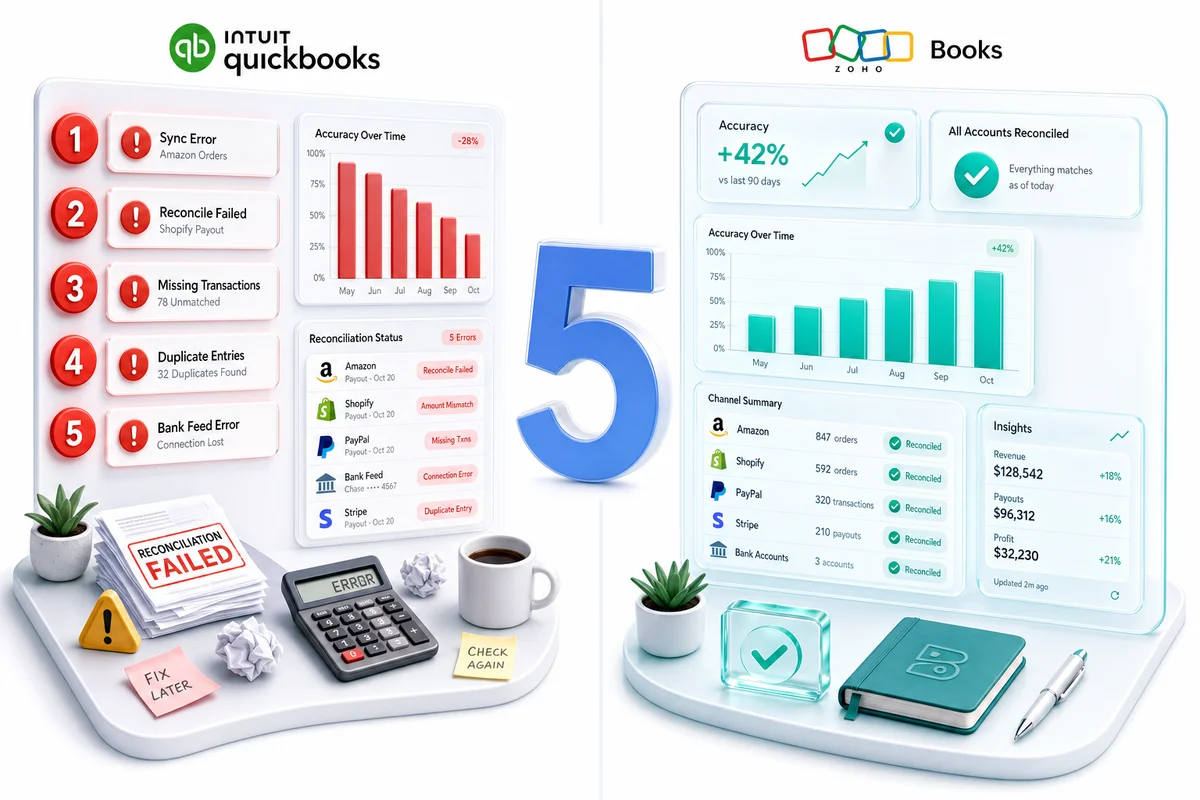
The problem here is not a sync error. Settlement deposits from Amazon or Shopify are not revenue. They're net payouts after fees, refunds, advertising deductions, and storage charges have already been subtracted. When sellers record the deposit as revenue, the profit number is wrong from the first entry of every period.
Amazon settlements contain more than 15 distinct fee line items: referral fees, FBA fulfillment charges, storage fees, reimbursements for lost inventory, refund administration fees, and promotional adjustments. Each belongs in a different account on your chart of accounts. Shopify payouts are cleaner but still contain payment processing fees (2.4% to 2.9% plus $0.30 per transaction) that should never land in the same income account as gross product revenue.
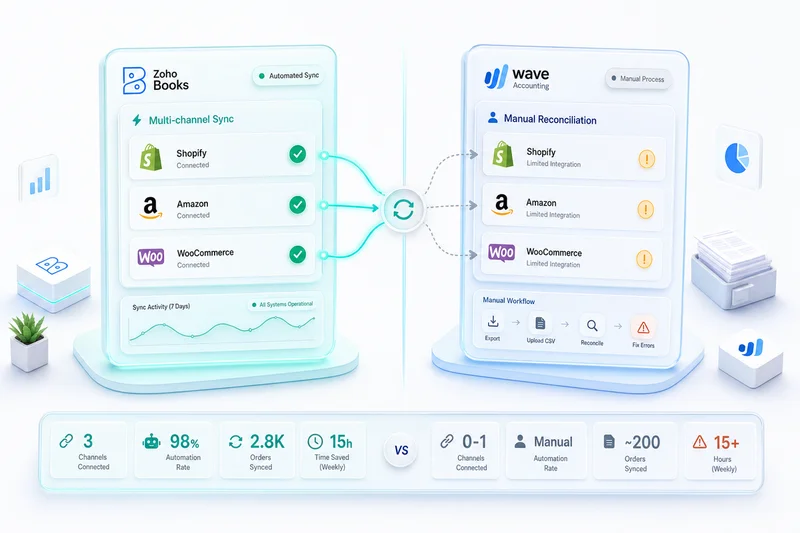
QuickBooks does not natively connect to Amazon or Shopify. To import settlement data at all, you need a third-party app like A2X or Webgility. Those apps sync the accounting side only. They do not touch inventory, CRM, or any other part of the business. You end up with settlement data in QuickBooks and everything else living somewhere else, connected by manual exports or a sync that breaks without warning.
If QuickBooks is working for you and you have A2X configured cleanly, A2X is a reasonable stopgap. It is a stopgap, not a solution for a scaling operation. Sellers processing 500 or more orders per month on multiple channels regularly find that A2X covers about 70% of what they actually need, and the remaining 30% requires manual correction every settlement cycle. For sellers ready to replace A2X with a unified Zoho stack that handles accounting, inventory, and CRM in one system, our A2X alternative guide covers the difference and transition process. Our eCommerce bookkeeping guide covers what proper account mapping looks like at the settlement level, including the 15 fee types that need separate treatment.
What this looks like in practice
A seller deposits $18,400 from Amazon in a given period. They record $18,400 as revenue. The actual gross sales for the period were $26,500. The difference is $8,100 in Amazon fees, refund adjustments, and storage charges that were deducted before the deposit. The reported gross margin is wrong. The COGS as a percentage of revenue is wrong. The pricing decisions based on that margin are wrong. The tax filing based on that revenue number is wrong.
This happens every settlement cycle, every month, until someone catches it. For Amazon FBA sellers, the full breakdown of what Amazon accounting software needs to handle covers each fee type, settlement structure, and the clearing account method that separates gross sales from net deposits.
Sign 2: You sell on more than one channel and inventory is a mess
QuickBooks Inventory is a ledger, not an inventory system. That is not a criticism. It's a description of what it was built to do. QuickBooks tracks quantities for accounting purposes. It does not prevent overselling, does not sync real-time stock counts across Shopify and Amazon simultaneously, and does not adjust inventory when a return comes in on one channel and needs to be reflected across all others.
For a business on a single channel with under 100 SKUs and low order volume, the ledger approach works well enough. The moment you add a second channel, the gaps become operational problems. You get the same unit sold twice because Amazon didn't see the Shopify sale fast enough. You get incorrect reorder triggers because the inventory count in QuickBooks is three days behind actual warehouse stock. You get customer service complaints about orders that showed as in stock at purchase but weren't when the pick ticket printed.
The workaround most sellers try is a third-party inventory tool alongside QuickBooks. That solves the inventory problem but creates a new one: now you have two systems that need to stay in sync with each other, and neither one is designed to be the source of truth for both. Inventory discrepancies between the two systems require manual reconciliation, which brings back the same manual workload that the third-party tool was supposed to eliminate.
The Zoho alternative is Zoho Inventory, a full warehouse management system that connects natively to Shopify, Amazon, eBay, and Etsy without middleware. When a unit sells on Amazon, Shopify stock adjusts in real time. One inventory count. One source of truth. Zoho Inventory connects directly to Zoho Books, so the accounting entry reflects the actual stock movement rather than a batch import from the night before.
The cost of an oversell
A single oversell costs more than the refund. It costs the original customer (who gets a cancellation and a bad experience), the review risk (negative feedback on a marketplace can affect your ranking for months), and the opportunity cost of lost revenue if the product was discontinued or limited stock. At 500 orders per month with a 0.5% oversell rate from inventory sync delays, you're generating roughly 2 to 3 oversell incidents per month. At 1,500 orders, that's 7 to 8. These are not edge cases. They're predictable failures from a tooling gap.
Sign 3: You can't see profit margin by channel, SKU, or period
QuickBooks reports are designed for service businesses. The standard P&L gives you total revenue and total expenses, which is useful. It is not useful enough for an eCommerce operator who needs to know whether their Amazon channel is actually profitable after fees, whether SKU 4417 is worth reordering at current margins, or whether Q4 storage costs are eating into a product line that looked good in Q2.
Getting that information out of QuickBooks requires custom reports, manual CSV exports, and usually a spreadsheet that someone maintains by hand every month. The data is stale by the time it's usable. The connections between channels, SKUs, and time periods require work that your accounting software should be doing automatically.
This matters more than it sounds. Sellers routinely discover, after migrating to a proper reporting setup, that one of their top-revenue SKUs is actually a net money-loser after Amazon fees, storage costs, and return rates are factored in. That SKU looked fine in QuickBooks because all the fee categories were buried in a single expense line. The unit economics only become visible when the reporting layer is built correctly.
Zoho Analytics solves this directly. It pulls data from Zoho Books, Zoho Inventory, and Zoho CRM into a single reporting layer with prebuilt eCommerce dashboards for channel profitability, SKU-level margin, customer lifetime value, and inventory turnover. You're not looking at accounting exports assembled in a spreadsheet. You're looking at a live operational view that refreshes as new transactions come in. See how to build those dashboards in practice in our eCommerce reporting guide with Zoho Analytics. For a full breakdown of how the feature sets compare, our full Zoho vs QuickBooks comparison covers reporting, inventory, and pricing in detail. For an eCommerce-specific cost breakdown, including what Shopify and Amazon sellers actually pay on QuickBooks once connectors are included, see Zoho Books vs QuickBooks for eCommerce Sellers.
The reporting question to ask yourself
If someone asked you right now: "Which of your top 10 SKUs has the lowest net margin after all channel fees?" How long would it take to produce an accurate answer? If the answer is "more than an hour" or "I'm not sure I can," you've outgrown QuickBooks for eCommerce reporting.
Sign 4: Month-end close takes more than 3 days
If close takes longer than 3 days, the accounting stack is behind your sales velocity. That is the diagnostic. The cause is almost always the same: manual reconciliation of CSV exports, bank feeds that didn't pull correctly, marketplace payouts that need to be sorted into the right accounts by hand, and reports that require a developer or a very patient bookkeeper to produce.
The signs are recognizable. You spend the first week of every month fixing the prior month. Your books are "closed" but the numbers keep changing because late transactions keep coming in from marketplace settlements that span month boundaries. Your accountant is waiting on you to export something before they can start. Month-end closes that run long are a tax on operations: they delay your visibility into actual business performance at exactly the moment you need it for planning.
A long close also means decision-making with old data. If you're making inventory purchasing decisions in early May based on April numbers that aren't finalized until May 9th, you're operating on a 9-day lag at minimum. At 500 orders per month with a 15% month-over-month variance in sales, that lag translates to real purchasing errors.
On a properly configured Zoho Books setup with automated bank feeds, marketplace sync, and rule-based categorization, month-end close for a 1,000-orders-per-month eCommerce business typically runs one to two days. The difference is not accounting skill. It's how much of the categorization and reconciliation work the system handles before anyone touches it. Bank rules in Zoho Books cover routine transactions automatically. Marketplace sync categorizes fees into the correct accounts as settlements arrive. By month-end, there's relatively little left to do manually. For a step-by-step walkthrough of how automation handles categorization and reconciliation on Zoho, see our eCommerce accounting automation guide.
Sign 5: You're paying $200 to $400 per month for tools that still don't fully work together
Add it up honestly. QuickBooks Online Plus runs $90/month at standard pricing. A2X or Webgility for marketplace sync adds $50 to $150/month. A separate inventory management tool (TradeGecko, Cin7, Linnworks) adds another $100 to $300/month. A CRM (HubSpot, Salesforce) adds $50 to $500/month. Zapier or Make to connect the pieces adds another $20 to $100/month. That's a conservative $310 to $1,140 per month, and none of those tools share a database. Every sync between them is a potential failure point.
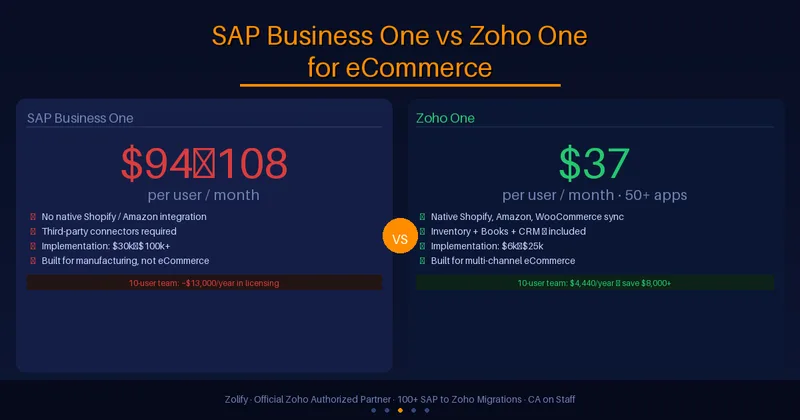
Zoho One consolidates accounting, inventory, CRM, analytics, marketing, and helpdesk into a single subscription at approximately $45 per user per month. For a 3-person eCommerce operation, that's roughly $135/month for a stack that previously cost $400 to $800/month, and the data is actually unified this time. Our full Zoho vs QuickBooks comparison cites a 57% savings figure for a representative multi-tool eCommerce setup when consolidating onto Zoho One. The math holds across most configurations we see.
The deeper issue is not the monthly spend. It's that disconnected tools mean disconnected data. When your inventory tool doesn't know what your accounting tool knows, and your CRM doesn't know what either of them knows, every operational decision is made with partial information. You're not running a unified eCommerce operation. You're running three or four separate systems that happen to sell the same products.
The real cost of the middle category
The sellers most at risk here are not at the extremes. Sellers at 20 to 50 orders per month can get by on QuickBooks with a basic Shopify integration. Sellers at 2,000+ orders per month have usually already replaced QuickBooks with something better. The danger zone is 200 to 800 orders per month, where QuickBooks is technically handling the volume but the workarounds are multiplying, the manual work is growing, and the data quality is deteriorating. This is the group that tends to discover, at tax time or during a funding round or an acquisition, that the books don't actually reflect the business accurately.
What to do instead: the Zoho migration path
The migration from QuickBooks to Zoho Books is mostly a planning problem, not a technical one. Your chart of accounts, customer and vendor lists, open invoices, and balances move cleanly. What takes time is mapping your existing QuickBooks setup accurately, choosing the right migration date, configuring marketplace connections, and running both systems in parallel for one full accounting period to verify the numbers match before cutting over.
Our QuickBooks to Zoho Books migration guide covers the full process step by step, from audit and chart of accounts mapping through bank feed configuration and parallel operation. For eCommerce sellers specifically, the migration also includes setting up Zoho Inventory marketplace connections, replacing A2X or Webgility with native Zoho sync, and configuring multi-channel tax handling for marketplace facilitator states.
The migration does not require downtime. Most businesses continue operating on QuickBooks during the setup and run both systems simultaneously until the Zoho numbers reconcile cleanly against QuickBooks for at least one period. For eCommerce sellers, January is the cleanest migration date: Q4 is already closed, there is no mid-year fiscal-year split, and Zoho Books holds the full calendar year from day one. The January eCommerce implementation guide covers the week-by-week plan.
What the migration covers for eCommerce sellers
A standard QuickBooks-to-Zoho migration for an eCommerce seller covers: chart of accounts migration and restructuring to support per-channel and per-SKU reporting, Zoho Inventory marketplace connections for each active channel, replacement of A2X or Webgility with native marketplace sync, sales tax configuration for marketplace facilitator states, bank rules and categorization setup, and a parallel operation period to verify accuracy before cutover. The accounting history stays in QuickBooks for reference. Zoho gets a clean starting point with the right structure from day one.
Why Zolify for this migration
Zolify has completed 100+ QuickBooks to Zoho Books migrations, with a Chartered Accountant on staff and Official Zoho Finance Partner status. That matters specifically for eCommerce sellers because the accounting logic for marketplace settlements, COGS treatment for FBA fees, multi-channel tax configurations, and inventory costing methods requires accounting judgment, not just technical setup. A developer can connect the APIs. Getting the chart of accounts right so that every P&L line actually means something requires someone who understands both eCommerce operations and accounting standards.
A Shopify seller processing 1,200 orders per month cut their month-end close from 7 days to under 2 after migrating from QuickBooks to Zoho Books with Zolify. The change wasn't just software. It was a properly configured chart of accounts, automated marketplace sync, and bank rules that categorized 85% of transactions without manual review. The accounting team went from spending the first two weeks of every month on the prior month to closing in under two days and spending the rest of the month on analysis.
Zolify's migration engagements start with a paid discovery session ($500 to $700) that produces an audit of your current QuickBooks setup, a migration plan with timeline, and a fixed-price quote before any data moves. For sellers who want ongoing accounting after migration, our managed accounting service covers CA-led monthly reconciliation and fee categorization.
Ready to find out where your accounting stack stands?
If two or more of these signs apply to your business, the cost of staying on QuickBooks is already larger than the cost of switching. The question is not whether to migrate. It's how to do it without disrupting operations.
Get an eCommerce Ops Audit and we'll review your current QuickBooks setup, identify the gaps, and tell you exactly what migration would cost for your specific configuration. No commitment required.
For the full picture of what the Zoho eCommerce platform covers once you've made the switch - accounting, inventory, CRM, and operations unified across Shopify, Amazon, WooCommerce, eBay, and Etsy - see Zoho for eCommerce: The Complete Operations Platform Guide. For a direct side-by-side evaluation of Zoho One against QuickBooks Enterprise as full operations platforms for $5M–$50M eCommerce businesses — covering total cost of ownership, multi-channel integration, and migration effort — see the Zoho One for eCommerce: Full Platform Guide.
On Sage 50 rather than QuickBooks? The same desktop-to-cloud pain points apply: no native Shopify or WooCommerce connector, annual license costs, and Windows-anchored architecture. The Sage 50 to Zoho Books migration guide covers the full switching process, including the 7-report Sage export sequence and eCommerce channel setup during the parallel run.
Frequently Asked Questions
The clearest signs are: marketplace deposits that don't reconcile cleanly without third-party apps, inventory counts that are unreliable or disconnected from your accounting, no way to see profit by channel or SKU, month-end close taking longer than 3 days, and a monthly software bill above $200 for tools that still don't talk to each other properly. Any two of these together is a strong signal. All five is a certainty.
Migration cost depends on complexity. A single-entity business with opening balances only typically costs $2,000 to $5,000 with a professional partner. Multi-channel setups with historical data, custom integrations, and multiple warehouses run $5,000 to $12,000. Zolify's engagements begin with a paid discovery session ($500 to $700) that produces a fixed-price migration quote before any work starts.
Yes. Zoho Books uses standard double-entry accounting, the same fundamentals your accountant already knows. The interface is different from QuickBooks, and the learning curve is typically one to two weeks for an experienced accountant. Zoho Books includes a dedicated Accountant role with tools similar to QuickBooks Accountant. Zolify includes accountant onboarding in all migration engagements.
A straightforward migration with opening balances takes two to four weeks of setup plus one month of parallel operation (running both systems simultaneously to verify the numbers match). Complex setups with historical data, multi-currency transactions, or multiple integrations take six to ten weeks. For eCommerce sellers with multi-channel inventory, the additional time is spent setting up marketplace connections and testing order sync, not the accounting migration itself.
Your historical QuickBooks data does not disappear. The standard approach is to set opening balances in Zoho Books as of your migration date and keep QuickBooks accessible in read-only mode for historical reference. For most businesses, this is the cleanest option. If you need historical transactions inside Zoho for reporting purposes, those can be imported. Zolify recommends keeping QuickBooks active for at least six months after migration so you have a clean historical reference.
See exactly where your Shopify, Amazon, or WooCommerce ops are leaking — free.
Get a personalised eCommerce Ops Audit: inventory gaps, accounting leaks, and order-flow bottlenecks — with a Zoho fix roadmap. Delivered in 48 hours, at no cost.