Zoho Creator for Custom Apps: When Standard Modules Aren't Enough
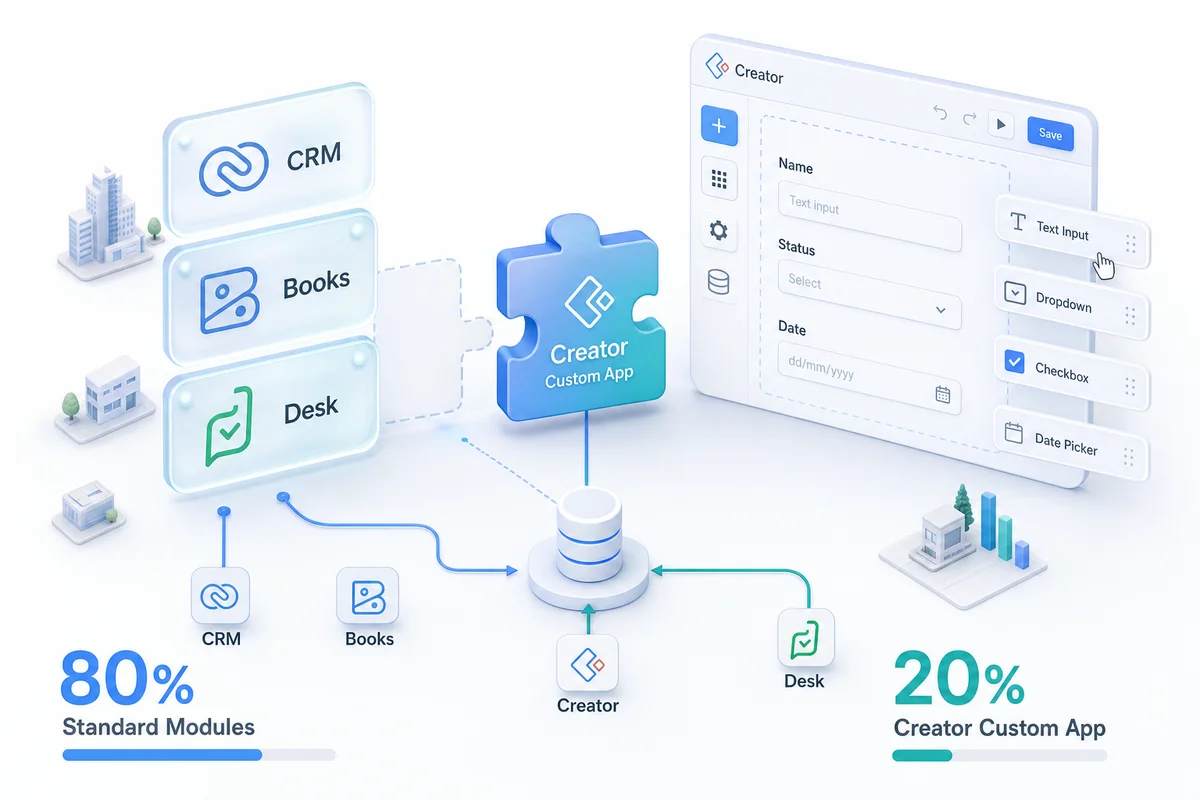
Standard Zoho products handle 80% of business workflows. For the other 20%, Zoho Creator lets you build custom applications that plug directly into your existing Zoho stack.
When your process doesn't fit any standard Zoho module and you can't configure your way around that, Zoho Creator is the answer. Most businesses have one or two processes like this: a multi-party approval chain that spans people outside the CRM, a field data collection app, a wholesale customer portal. Creator lets you build exactly that application, connected natively to CRM, Books, Inventory, and the rest of your Zoho stack — no middleware required.
Zoho CRM, Books, Inventory, and Projects handle most business workflows out of the box. Pipeline management, invoicing, stock tracking, task assignment: these are solved problems. You configure them, you don't build them.
But every business has processes that don't fit neatly into a standard product. The vendor approval workflow that needs four different people to sign off before a purchase order goes out. The field inspection app that captures photos, GPS coordinates, and compliance checklists. The commission calculator that accounts for tiered rates, split deals, and quarterly accelerators.
Creator fills those gaps. It's a low-code platform for building custom applications that plug directly into your existing Zoho ecosystem: same data, same users, same admin panel.
When you need Creator (and when you don't)
You don't need Creator when a standard Zoho product handles your requirement with configuration. Custom fields, workflow rules, Blueprint, and subforms cover more use cases than most people realize. Before building a custom app, exhaust the configuration options in CRM, Books, or Inventory first.
You need Creator when:
- Your process doesn't map to any standard module (it's not a contact, deal, invoice, or project)
- You need a mobile-first interface for field workers who shouldn't access the full CRM
- Multiple approval steps involve people who don't need Zoho CRM licenses
- You need to collect structured data from external parties (vendors, contractors, clients)
- The logic is too complex for standard workflow rules (multi-table lookups, conditional branching, calculated fields)
What we build most often
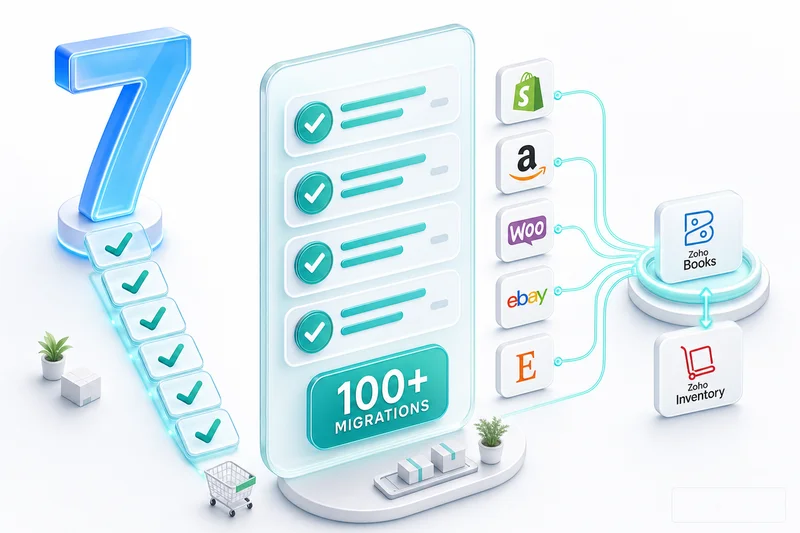
After 100+ implementations across eCommerce, manufacturing, construction, and professional services, these are the Creator apps we build most frequently:
Vendor and supplier portals
The problem: Vendor onboarding involves collecting tax documents, insurance certificates, banking details, and compliance agreements. This happens via email, takes weeks, and requires someone to chase missing documents.
The Creator app: A portal where vendors fill out structured forms, upload required documents, and track their onboarding status. Internal workflows route submissions for approval. Missing documents trigger automated reminders. Approved vendors push directly to Zoho Books and Inventory as vendor records.
Inspection and audit checklists
The problem: Field teams use paper forms or generic apps that don't connect to your business systems. Inspection data lives in a separate tool, disconnected from the customer, project, or asset it relates to.
The Creator app: A mobile checklist app with photo capture, GPS tagging, digital signatures, and conditional question logic. Completed inspections link to the CRM account, Zoho Projects task, or Inventory asset record. Failed inspections auto-create follow-up tasks. Construction and real estate operators find this pattern especially useful alongside Zoho One — see the Zoho One for Construction and Real Estate guide for how the full stack fits together.
Custom approval workflows
The problem: Purchase orders over $5,000 need department head approval. Over $15,000 need VP approval. Over $50,000 need CEO approval. Standard Zoho approval rules handle simple scenarios, but tiered, multi-path approvals with conditional routing need more flexibility.
The Creator app: A request form that routes through the correct approval chain based on amount, department, and type. Approvers get notifications with all relevant data. The audit trail shows who approved what and when. Approved requests auto-create purchase orders in Zoho Inventory or Books.
Commission calculators
The problem: Sales commission calculations involve tiered rates, team splits, quarterly accelerators, product-specific overrides, and clawbacks on cancelled deals. Spreadsheets break. Standard CRM fields can't handle the logic.
The Creator app: A calculation engine that pulls closed deals from CRM, applies the correct commission structure, handles splits and overrides, and generates commission statements. Reps see their own statements. Finance sees the total commission liability. The numbers match because they come from the same deal data.
Delivery and logistics tracking
The problem: Orders ship from multiple warehouses or drop-ship from suppliers. Customers want delivery status. Operations wants exception visibility. The data lives across Zoho Inventory, shipping carrier APIs, and email threads.
The Creator app: A delivery tracking dashboard pulling from Inventory order data and carrier APIs. Customers get a tracking link. Operations sees a board of in-transit, delayed, and delivered orders. Exceptions (delayed more than 48 hours, failed delivery attempt) auto-alert the ops team.
Creator for eCommerce operators
For Shopify, Amazon, and WooCommerce sellers, Creator comes up constantly. Standard Zoho products handle orders, inventory, and accounting (Zoho Inventory as a full multi-channel OMS covers that in detail) — but the workflows around exceptions, wholesale, and supplier management rarely fit standard modules cleanly.
Shopify returns processing with approval routing
Returns on Shopify involve condition assessment, restocking decisions, and credit note creation. A Creator app handles all three: the warehouse team logs the return condition, the manager approves the restocking decision, and an approved return auto-creates a credit note in Zoho Books and updates Inventory stock. No spreadsheet, no email chain.
Amazon FBA exception tracking
FBA inbound shipments have lead times and receiving windows. When a shipment goes silent, most sellers only find out when a customer complains about a stockout. A Creator dashboard pulls your open FBA inbound shipments from Inventory, flags any that haven't received a confirmation within the expected window, and alerts the ops team. Built properly, it connects supplier POs to FBA confirmation status in one view. For Q4 specifically, this kind of visibility matters more — see how to plan FBA inventory against Amazon's holiday restock deadlines using Zoho Inventory.
Wholesale and B2B customer portal for WooCommerce and Shopify
Wholesale customers need quote requests, custom pricing, and order tracking — none of which should go through the same flow as retail customers. A Creator portal lets wholesale buyers submit quote requests, track approval status, and view their order history without needing CRM access. Approved quotes push directly to Zoho Books as estimates.
Have a Similar Workflow You Want to Automate?
Whether it's approvals, inspections, vendor portals, commission calculations, or another custom workflow, we can help you design and build a Zoho Creator application that fits your business processes.
Talk to a Zoho Creator ExpertHow a Creator build works
Creator apps follow a consistent build pattern:
1. Define the data model. What are you tracking? What fields does each record need? How do records relate to each other and to existing Zoho modules?
2. Build the forms. Drag-and-drop form builder for data entry. Multi-page forms for complex submissions. Conditional fields that show or hide based on previous answers.
3. Create the workflows. What happens when a form is submitted? Who gets notified? What approvals are needed? What data pushes to other systems?
4. Configure the reports. Dashboards showing submission volumes, approval times, status breakdowns. These can also feed into Zoho Analytics for cross-system reporting.
5. Set up access controls. Who can submit? Who can approve? Who can view reports? Creator supports role-based access with portal users (external access without full Zoho licenses).
6. Connect to the ecosystem. Link Creator data to CRM contacts, Books invoices, Inventory orders. Use Deluge scripts for complex integrations or Zoho Flow for no-code connections between apps. For cases where you're evaluating whether a third-party automation tool is the right fit, this breakdown of where Zapier falls short for complex eCommerce workflows covers the limits.
Build time varies: simple apps (checklist, basic approval) take 1-2 weeks. Complex apps (multi-role portals, calculation engines) take 3-6 weeks.
Deluge: the scripting layer that handles complex logic
Most Creator apps start with drag-and-drop configuration. Forms, basic workflows, standard reports. That covers straightforward use cases without a line of code.
Complex apps need Deluge.
Deluge is Zoho's proprietary scripting language — the layer that handles conditional routing, external API calls, multi-step data transformations, and anything the visual builder can't do on its own. If you've looked at Creator and wondered how it handles the messy real-world cases, Deluge is the answer.
What you can do with Deluge that configuration alone won't cover:
- Multi-table lookups: Query multiple related records and combine them into a single calculation. Commission calculators that account for deal splits, team hierarchies, and quarterly accelerators need Deluge.
- External API calls: Pull tracking data from a shipping carrier, push invoice data to a payment gateway, or sync records with any REST API from inside a Creator workflow.
- Conditional field population: Populate fields based on logic that goes beyond simple if/then rules. A vendor onboarding form that auto-fills tax category, payment terms, and approval chain based on vendor type and country of registration.
- Cross-app record creation: Create or update records in CRM, Books, Inventory, and Projects from a single Creator workflow submission. One form; four systems updated.
The learning curve is real. Deluge is simpler than Python or JavaScript — the syntax is closer to plain English — but it still requires programming fundamentals: variables, loops, conditionals, error handling. Most clients don't write Deluge themselves. They describe the business logic; we write the scripts.
Where this matters practically: every Creator app we build that touches financial data has Deluge-level logic reviewed by our Chartered Accountant on staff. Purchase order workflows, commission calculations, payment authorisations. The logic has to be accurate. A Deluge error in a commission calculator produces incorrect payouts at scale.
Creator vs alternatives
| Platform | Best for | Zoho integration | Typical build time | Relative cost |
|---|---|---|---|---|
| Zoho Creator | Zoho-native custom apps | Native (no middleware) | 1-6 weeks | Baseline |
| Microsoft Power Apps | Microsoft 365 environments | Via connector or API | 2-8 weeks | Higher |
| Airtable | Shared database, small teams | Via Zapier or Make | Days to weeks | Lower (less capable) |
| Bubble / OutSystems | Complex web apps | Via REST API | 4-12 weeks | Much higher |
| Custom development | No-platform-limit builds | Via API | 3-6 months | 5-10x Creator |
The honest answer: if your business runs on Zoho, Creator is the obvious choice. No middleware, no connector maintenance, no sync lag. Power Apps integrates with Microsoft; Creator integrates with Zoho. Airtable is a spreadsheet-database hybrid for small teams — different weight class entirely. Custom development costs 5-10x more and takes 3-5x longer for the same functionality.
Cost
Zoho Creator Professional: $20/user/month (20 apps). Creator Ultimate: $25/user/month (unlimited apps, AI features, offline access). Both are included if you're already on Zoho One at $45/user/month.
Portal users (external access for vendors, contractors, or clients) are priced separately and typically cost less than full user licenses.
Implementation cost through Zolify depends on app complexity. Simple apps: $2,000-$4,000. Complex multi-role applications: $5,000-$12,000. See our pricing page.
How Zolify scopes Creator builds
We've built Zoho Creator apps as part of 100+ eCommerce implementations across Shopify, Amazon, and WooCommerce sellers. Our team includes a Chartered Accountant who reviews workflow requirements wherever financial controls are involved — approvals, purchase orders, payment authorisations. As an Official Zoho Finance Partner, we scope Creator builds against your existing Zoho Books, CRM, and Inventory setup, so the app fits the data model you already have rather than creating a parallel system.
Before recommending Creator, we check whether configuration within your existing Zoho setup would solve the problem. Most of the time, something in Blueprint or custom fields can handle it. When it can't, Creator is the right tool and the build scope stays tight.
If you've got a workflow that doesn't fit into standard Zoho products, book a free consultation. We'll evaluate whether Creator is the right solution or whether configuration within your existing setup would work instead. Our implementation process covers the full build from requirements through deployment.
Frequently Asked Questions
Zoho Creator is a low-code application development platform that lets you build custom business applications. It connects natively to the entire Zoho ecosystem (CRM, Books, Inventory, Analytics) and supports external integrations through REST APIs. You design forms, define workflows, and build reports using a drag-and-drop interface, with Deluge scripting for complex logic.
Not for basic applications. The drag-and-drop form builder and pre-built workflow templates handle simple use cases. For complex logic, such as conditional routing, API integrations, and multi-step calculations, you'll need Deluge, Zoho's proprietary scripting language. Deluge is simpler than Python or JavaScript but still requires programming knowledge.
Zoho Creator Professional costs $20/user/month with 20 apps. Ultimate costs $25/user/month with unlimited apps and advanced features like AI predictions and offline access. It's also included in Zoho One at $45/user/month. For most businesses, the Zoho One bundle is more cost-effective than a standalone Creator subscription.
Yes. Creator has native integration with every Zoho product. You can pull data from CRM, push records to Books, update Inventory, and trigger workflows across apps. The integration uses Zoho's internal APIs, which are faster and more reliable than third-party connectors.
Common apps we build: inspection and audit checklist systems, custom approval workflows, vendor portals, project intake forms, asset tracking systems, commission calculators, delivery management apps, and custom dashboards. Anything that follows a form to workflow to reporting pattern is a good fit for Creator. eCommerce operators use it for wholesale customer portals, returns processing workflows, and FBA exception tracking dashboards.
See exactly where your Shopify, Amazon, or WooCommerce ops are leaking — free.
Get a personalised eCommerce Ops Audit: inventory gaps, accounting leaks, and order-flow bottlenecks — with a Zoho fix roadmap. Delivered in 48 hours, at no cost.