Amazon Accounting Software: Why FBA Sellers Need More Than QuickBooks
QuickBooks and Xero work well for businesses that send invoices and receive payments. Amazon FBA sellers don't do that. They receive settlement payouts every two weeks that bundle revenue with 15-plus fee types, and most accounting software treats the whole deposit as income. This guide covers why that matters, what FBA-specific accounting actually requires, and how Zoho Books handles it in ways that generic tools cannot.
Amazon FBA sellers receive a settlement payout every two weeks. By the time that payment arrives, Amazon has already deducted referral fees, FBA fulfillment costs, storage fees, advertising charges, disposal fees, and return credits. What lands in the bank account is net revenue after all of that. Most accounting software sees one deposit and records it as income. That single misclassification compounds across every settlement period and produces a P&L that looks clean but is structurally wrong.
QuickBooks Online is the most common accounting choice for small businesses. It is well-designed, widely supported, and handles invoices, payments, and bank reconciliation effectively. For an FBA seller, those strengths are largely irrelevant. FBA operations do not generate invoices. They generate settlement reports, each containing up to 100 or more individual line items that require categorization before any meaningful financial picture emerges. The tool built for invoice-based businesses is not the right tool for settlement-based businesses.
This is not a theoretical concern. FBA sellers who run their books through a bank-feed-only setup consistently discover one of three problems: overstated gross margins, understated fee expense, or inventory costs that do not match cost of goods sold. The right amazon accounting software solves all three, without requiring manual intervention after every settlement.
Direct answer: The best accounting software for Amazon FBA sellers handles settlement-level fee parsing, maps each fee type to the correct chart of accounts, tracks COGS per SKU through an integrated inventory module, and consolidates multi-channel revenue if you also sell on Shopify or WooCommerce. Zoho Books, configured by specialists with FBA implementation experience, covers all of these layers. Generic tools require manual workarounds for each one, workarounds that do not scale as order volumes grow.
Why Settlement-Based Revenue Is Different From Regular Revenue
Most businesses receive payment after completing a sale. A service provider invoices, the client pays, and the deposit matches the invoice amount. An Amazon FBA seller completes thousands of individual transactions between settlement periods but receives a single payout that reflects all of them - after Amazon has already taken its share.
That settlement contains multiple distinct financial events that belong in different accounts:
| Event Type | Where It Appears in Settlement | Where It Should Post in Your Books |
|---|---|---|
| Product sales revenue | Principal amount per order | Revenue |
| Referral fees | Deduction per sale, 8–15% by category | Selling expenses |
| FBA fulfillment fees | Per-unit deduction based on weight and size | Fulfillment costs |
| Monthly storage fees | Deduction based on cubic feet used | Warehousing / storage |
| Advertising charges | Deduction from Sponsored Products campaigns | Marketing expenses |
| Return refunds and credits | Added back to payout, then restocking fees deducted | Net against revenue or refunds account |
| Long-term storage fees | Periodic assessment on aged inventory | Storage / inventory penalties |
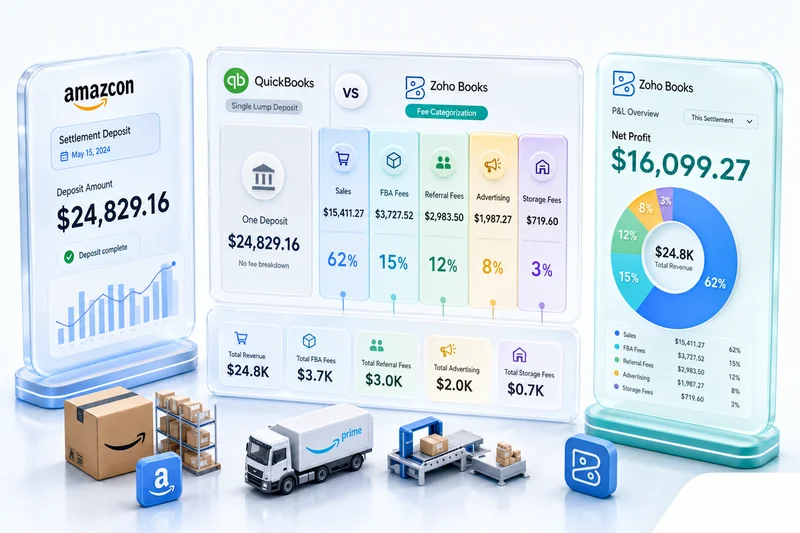
A bank feed sees the net payout after all of this. QuickBooks and Xero record it as income without breaking it out. The result is a P&L where you cannot see actual gross revenue, what Amazon charged in fees by category, or what your net margin looks like per product line.
FBA sellers operating at moderate scale - 500 or more orders per settlement period - often have between $8,000 and $30,000 in fees deducted before disbursement, depending on product category and fulfillment size tier. Recording that net payout as gross income is a material accounting error, and it gets worse as volume grows.
Why QuickBooks Fails FBA Sellers
QuickBooks Online is not designed for settlement-based revenue. Its core workflow assumes businesses create invoices, customers pay them, and bank feeds capture those payments. FBA operations do not work that way.
The bank-feed problem. When Amazon deposits a settlement, QuickBooks' bank feed captures one line: a deposit of, say, $9,340. QuickBooks has no awareness that $14,200 in gross sales occurred, with $4,860 in combined fees reducing it to the disbursed amount. From QuickBooks' perspective, $9,340 in income arrived, and that is what gets recorded.
The fee categorization problem. To correct this, a QuickBooks user must manually create journal entries breaking down the settlement. That requires downloading the settlement report from Seller Central, identifying each fee category, summing them by type, and booking separate expense lines. With biweekly settlements and growing order volumes, this process takes hours per month and is prone to entry errors.
The inventory problem. QuickBooks' inventory module is designed for businesses that track stock in their own warehouse. FBA sellers hold inventory at Amazon fulfillment centers across multiple locations. COGS tracking requires knowing the purchase price per unit and reconciling it against what sold, applying the correct costing method. QuickBooks does not natively handle the FBA inventory cost model without significant manual workaround.
The reporting problem. A QuickBooks P&L for an FBA seller is only as accurate as the manual data entry behind it. Most sellers discover months into the year that their books are inconsistent, usually when they try to file taxes or calculate true profitability per SKU and find the numbers do not add up.
QuickBooks works well for the business it was designed for. Amazon FBA sellers are not that business.
Why Xero Has the Same Limitation
Xero is popular among eCommerce sellers for its clean interface and strong ecosystem of integrations. For FBA accounting, it faces the same structural limitation as QuickBooks: the bank-feed model records the net settlement deposit as income unless it is manually broken out.
Third-party integrations exist to push Amazon transaction data into Xero, but they add cost and introduce a sync dependency that breaks when Amazon changes its settlement report format. They also vary in how accurately they handle fee categorization. Some import gross revenue correctly. Others miss specific fee types or handle multi-currency FBA incorrectly. When the integration breaks or misclassifies, the error is in the books until someone catches it.
Xero's inventory module is similarly limited for FBA cost of goods sold tracking at the SKU level. Sellers who need accurate COGS across a large catalog typically end up managing a separate spreadsheet alongside Xero, which reintroduces the manual work that the software was supposed to eliminate.
What Amazon Accounting Software Actually Needs to Handle
The capabilities that matter for FBA sellers are not the same as what matters for a retail shop or a professional services firm. A practical checklist for evaluating amazon accounting software:
Settlement-level reconciliation. The software needs to import settlement data and map each line to the correct account: gross sales to revenue, each fee type to the correct expense category, and returns to the correct contra-revenue or refund account.
Inventory COGS at the SKU level. COGS needs to track at the individual product level against a consistent costing methodology - typically FIFO or weighted average for FBA operations.
FBA versus FBM cost separation. Sellers who mix Fulfillment by Amazon with Fulfillment by Merchant need cost structures that reflect both, since the fee profiles and fulfillment costs differ between the two models.
Multi-channel consolidation. Sellers who also operate on Shopify, WooCommerce, or eBay need a single P&L that combines all channels without double-counting revenue or misattributing fees.
Sales tax awareness. FBA creates nexus in states where Amazon stores inventory, regardless of where the seller is physically located. The accounting layer needs to handle multi-state tax obligations correctly.
Zoho Books, integrated with Zoho Inventory and configured for marketplace operations, addresses all five. The configuration is not plug-and-play, but the underlying platform is capable of everything on that list.
How Zoho Books Handles FBA Accounting
Zoho Books is a full double-entry accounting platform with a native inventory integration through Zoho Inventory. For FBA sellers, that combination solves the problems that QuickBooks and Xero create.
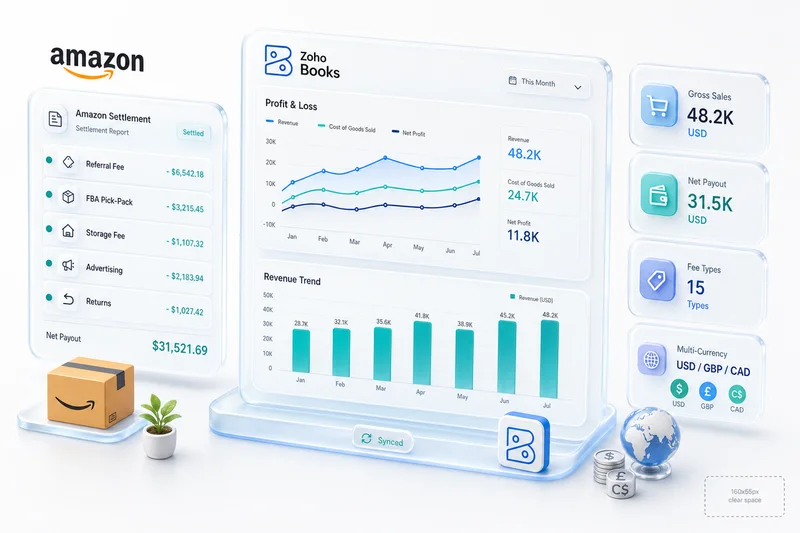
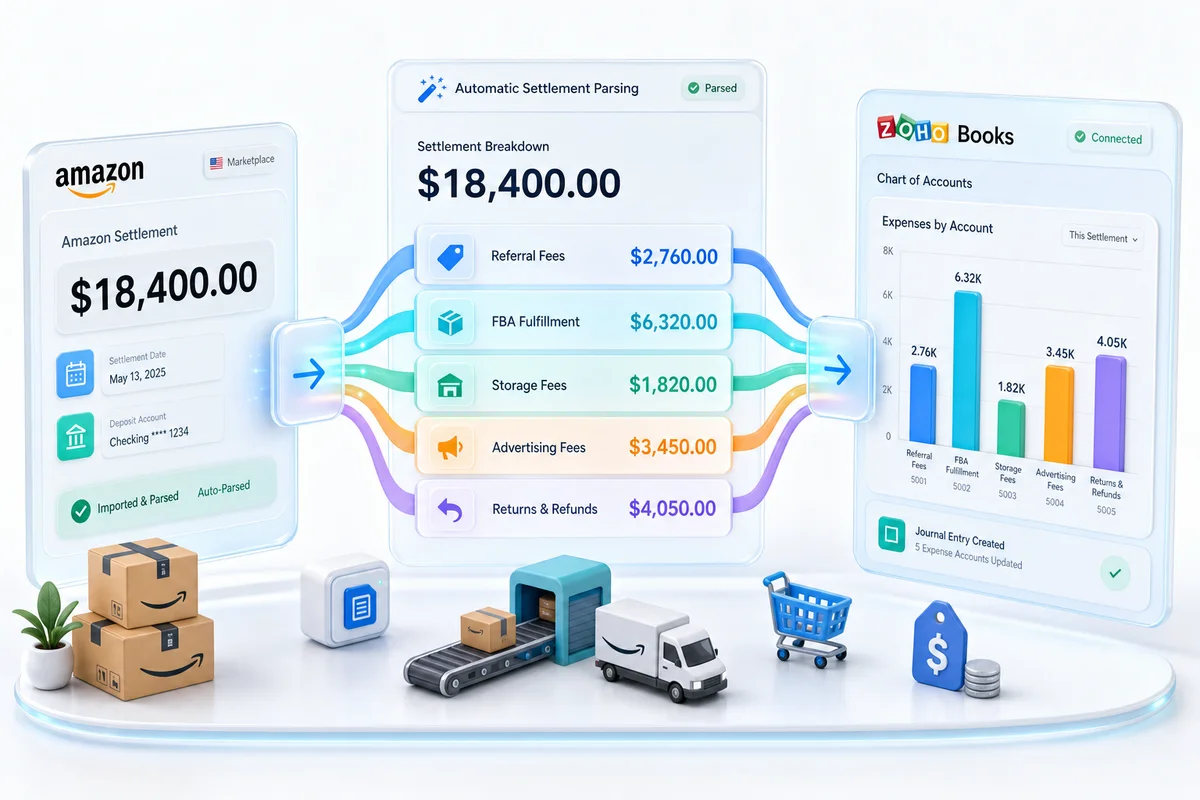
Settlement reconciliation. Zoho Books, connected to Amazon via Zoho's integration layer, processes transaction-level data rather than treating the settlement as a single deposit. Each line item maps to a predefined account: gross sales to the revenue account, referral fees to selling expenses, FBA fees to fulfillment costs, storage fees to warehousing, and advertising to marketing. The chart of accounts is structured at setup to match exactly how Amazon charges fees, so the ongoing categorization requires no manual review for standard settlement lines.
Inventory and COGS. Zoho Inventory tracks cost of goods per SKU using weighted average or FIFO costing. When a unit sells on Amazon, the COGS posts automatically based on the costing method and the purchase price recorded at goods receipt. For FBA sellers managing 100 or more active SKUs, this eliminates the manual COGS calculation that otherwise accumulates until tax time.
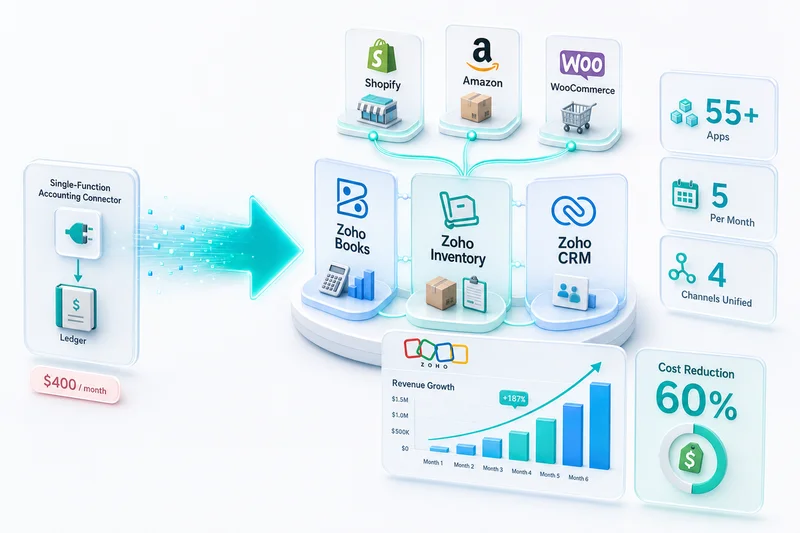
Multi-channel operations. FBA sellers who also sell on Shopify or WooCommerce can connect those channels through the same integration layer, pulling all revenue into one P&L without duplicate entries. For a closer look at how multi-channel eCommerce bookkeeping works, see our eCommerce bookkeeping guide.
Sales tax across jurisdictions. Zoho Books handles sales tax for FBA sellers with nexus in multiple states from Amazon warehouse placements. It applies the correct tax rate by ship-to location and tracks obligations per state for filing. For a broader overview of how tax software fits into eCommerce operations, see our guide to eCommerce tax accounting software.
The configuration requires expertise. The rules for mapping every Amazon fee type to the correct account, structuring the chart of accounts for FBA operations, and setting up multi-channel consolidation correctly are not obvious from inside the software. Getting them wrong at setup compounds through every month that follows.
Zolify's implementation team has completed over 100 such setups, with a CA on staff who validates the accounting structure before the first live settlement is processed. The outcome is a Zoho Books setup that posts correctly from day one. For a full walk-through of what the setup involves, see our Amazon seller Zoho Books guide.
Signs Your Current Amazon Accounting Setup Is Failing
FBA sellers often know their books are not quite right but continue with the existing setup because changing it feels like a project. These are the signs that the current approach is producing real financial problems:
Your gross margin does not match your intuition. If you know roughly what you pay per unit and what you sell it for, your P&L should reflect that math. When the numbers look wrong and you cannot explain why, it usually means fees are posting to the wrong accounts, or COGS is not tracking per SKU.
You spend hours on reconciliation after every settlement. Manual spreadsheet work for each biweekly settlement is time that should not be necessary if the accounting software is configured correctly. That time scales linearly with order volume.
You cannot identify your most profitable SKUs. If you are running 30 or more active products and cannot pull a clean margin report by SKU, the accounting setup is not giving you the data needed to make good sourcing and pricing decisions.
Your accountant needs custom exports every tax season. If your accountant has to work from spreadsheet exports rather than pulling reports directly from the accounting system, the books are not structured to support efficient financial management.
Your P&L changes significantly when your accountant reviews it. This is the clearest signal that the ongoing recording is not accurate and is requiring correction after the fact.
For a broader overview of the tools and approaches that handle these problems at scale, see our eCommerce accounting software guide.
What DIY Amazon Accounting Setup Gets Wrong
Some FBA sellers attempt to configure Zoho Books or QuickBooks themselves rather than working with a specialist. The most common setup errors, in order of how often they appear:
Incorrect chart of accounts structure. Amazon fee types require specific account categories that a standard chart of accounts does not include by default. A setup built on a generic template misses categories, which means manual correction every settlement period or, more commonly, all fees landing in a catch-all account that makes the P&L meaningless.
Wrong COGS methodology. Choosing FIFO versus weighted average is not arbitrary. The methodology needs to match your business model and be applied consistently from the start. Switching methods mid-year requires restating prior period financials. Setting it up correctly at the beginning is significantly easier than correcting it later.
Missing fee categories. Amazon periodically adjusts its fee structure, adding or modifying fee types in the settlement report. A chart of accounts built around last year's fee types will not have accounts for new categories, and those amounts end up unclassified or mismapped.
No systematic reconciliation process. Without a built-in workflow for reconciling each settlement against Amazon's records, errors accumulate month over month. By the time they surface during a tax review, unwinding them is expensive and time-consuming.
The cost of a proper implementation is significantly lower than the cost of correcting two or three years of miscategorized data.
Getting Started with Zoho Books for FBA
For FBA sellers who have outgrown spreadsheets or are spending too much time on manual QuickBooks reconciliation each settlement period, the path forward is a Zoho Books implementation designed specifically for marketplace operations.
The first step is not purchasing a subscription and importing data. It is understanding the chart of accounts structure that works for your specific mix of fee types, fulfillment model, and channel mix. Getting that right at the outset determines whether the ongoing bookkeeping runs cleanly or requires constant manual correction.
Zolify is an Official Zoho Finance Partner with a CA on staff and over 100 Amazon and eCommerce migrations completed. Our Amazon Zoho integration service covers the full implementation: chart of accounts design, settlement fee mapping, inventory cost setup, and the first reconciliation cycle to confirm everything is posting correctly before you go live.
For ongoing settlement reconciliation, FBA fee categorization, and financial close managed by a CA, see Zolify's managed accounting service.
Frequently Asked Questions
Zoho Books is the strongest option for FBA sellers who want a single platform that handles both the accounting and inventory layers. The reason is structural: Amazon FBA sellers receive biweekly settlement payouts that bundle revenue, referral fees, FBA fulfillment costs, storage fees, advertising charges, and return credits in a single deposit. Generic tools treat that deposit as income. Zoho Books, connected to Zoho Inventory and configured for FBA, breaks the settlement into its components and maps each line to the correct account. Combined with a CA-backed implementation that structures the chart of accounts for marketplace operations, it gives FBA sellers financials they can actually use for tax preparation, P&L analysis, and margin decisions per SKU.
QuickBooks is built around invoices, payments, and bank feeds. Amazon FBA operations don't follow that model. Sellers don't invoice Amazon for each sale. They receive a settlement payout every two weeks with 15 or more fee types already deducted before disbursement. QuickBooks bank feeds record the net payout as a single income line, which means referral fees, FBA fees, storage fees, and advertising spend are all buried in a lump-sum deposit. Reconciling that to accurate revenue and expense figures requires manual journal entries every settlement period. For sellers doing high order volumes, that is hours of work per month that proper accounting software should eliminate.
Zoho Books, configured for Amazon FBA operations, imports settlement data and maps each line to a predefined chart of accounts. Referral fees post as selling expenses. FBA fulfillment fees post as fulfilment costs. Storage fees post as warehousing expenses. Advertising charges post as marketing costs. Return credits net against the correct accounts. The setup requires professional configuration to ensure every fee type maps correctly to the right account for your tax jurisdiction and accounting methodology. Zolify's team, which includes a CA on staff and has completed over 100 migrations, handles that initial setup and chart of accounts structure so the ongoing bookkeeping runs without manual intervention each settlement period.
The question is not about the label on the software. It is about whether your accounting stack can parse settlement-based revenue correctly. Any tool that treats an Amazon settlement as a standard bank deposit will produce inaccurate financials. You need a combination of: settlement import capability with line-item fee parsing, a chart of accounts structured for marketplace fees, inventory costing that tracks COGS per SKU, and ideally a CA with Amazon seller experience to validate the setup. Zoho Books covers the first three layers. Zolify provides the fourth. Together, they produce a bookkeeping workflow that requires no manual intervention between settlement periods.
The most common mistake is treating the settlement payout as gross revenue. Amazon deducts all fees before disbursing, so the payout represents net proceeds, not gross sales. Recording it as income understates your fee burden and overstates margin. The second most common mistake is not tracking COGS per SKU accurately. FBA sellers who run multiple product lines need to know which SKUs are profitable after fees and fulfillment costs. Without COGS tracking, margin analysis is guesswork. The third mistake is ignoring sales tax nexus created by FBA inventory stored in Amazon warehouses across multiple states, which creates filing obligations in states where the seller has no other physical presence.
See exactly where your Shopify, Amazon, or WooCommerce ops are leaking — free.
Get a personalised eCommerce Ops Audit: inventory gaps, accounting leaks, and order-flow bottlenecks — with a Zoho fix roadmap. Delivered in 48 hours, at no cost.