Zoho CRM Automation: 12 Workflows That Save Hours Every Week
Your sales team spends half their time on tasks that should be automated. Here are 12 Zoho CRM workflows we configure for almost every client, plus 4 Q4-specific setups for Shopify and Amazon peak season — each one eliminates work your team is doing manually today.
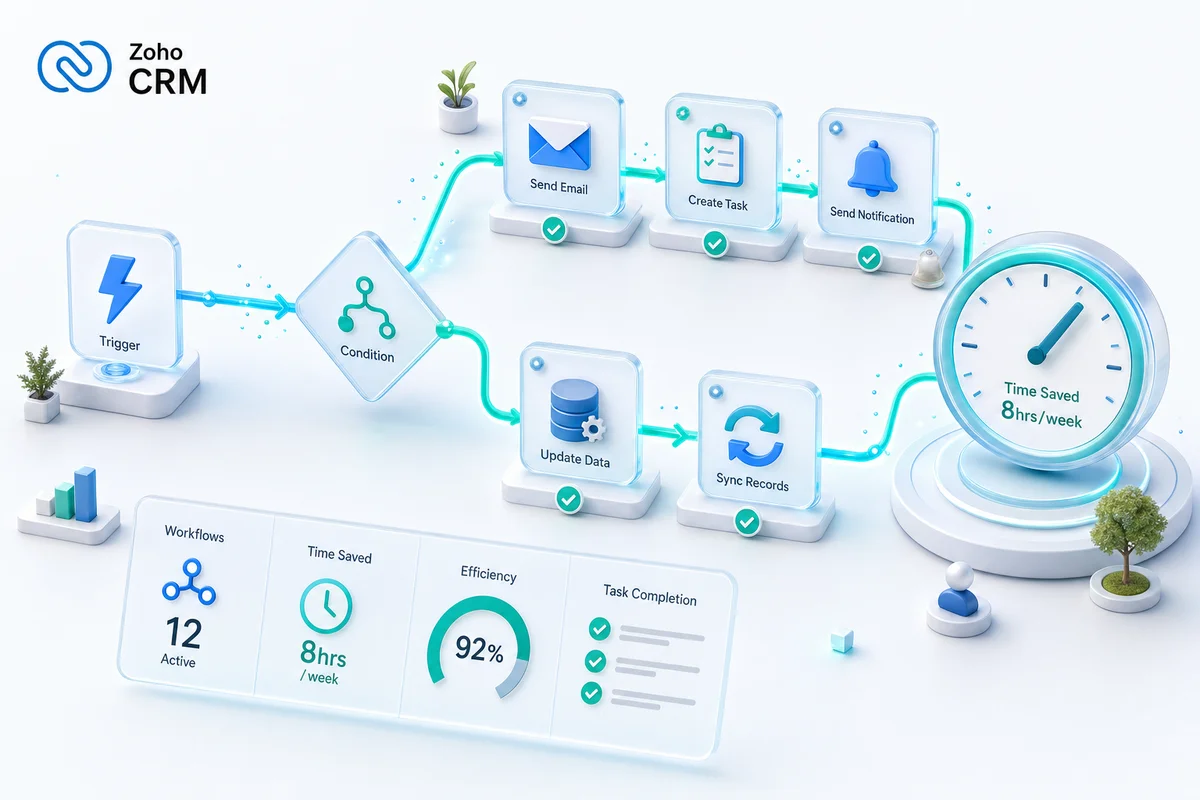
Zoho CRM automates the work your team shouldn't have to touch. Lead assignment, follow-up scheduling, deal stage tracking, cross-team handoffs — all of it runs on rules, not memory.
For eCommerce businesses on Shopify and Amazon, that matters even more. You're not running a linear sales cycle. You're managing post-purchase relationships, repeat buyers, and seasonal surges that can triple your inbound volume in a week. Manual CRM management breaks under that kind of pressure.
Here are 12 automations we set up in nearly every Zoho CRM implementation, plus 4 workflows built specifically for Q4 peak season. Each one replaces a manual task your team is running today.
TL;DR: Zoho CRM's workflow rules, Blueprint, and assignment rules can automate the majority of the manual work in most sales operations. For eCommerce teams on Shopify and Amazon, the highest-ROI automations are lead routing, stale deal alerts, and Q4 order surge workflows. We configure these across 100+ implementations as an Official Zoho Authorized Partner — the 16 setups below are the ones we build for almost every client.
Lead routing and assignment
1. Auto-assign leads by territory and product interest
What it replaces: A manager manually reviewing new leads and forwarding them to the right rep.
How it works: Assignment rules check the lead's location, company size, and product interest. Leads route to the right rep immediately. For Shopify and Amazon businesses, you can add a "primary sales channel" field so leads from each platform automatically go to reps who know how that channel works. If multiple reps cover the same territory, round-robin distributes evenly.
Time saved: 15-30 minutes per day for whoever was doing manual assignment. Leads get a first touch in minutes, not hours.
2. Speed-to-lead alert (4-hour escalation)
What it replaces: Leads sitting uncontacted because the assigned rep was busy, out of office, or missed the notification.
How it works: A time-based workflow checks: if a lead's status is still "New" 4 hours after creation, it sends an alert to the rep and CCs their manager. At 8 hours with no contact, the lead reassigns to a backup rep automatically.
Why it matters: Research found that contacting a lead within the first hour makes you 7x more likely to qualify them (Harvard Business Review, 2011 — still the most-cited benchmark in the industry). After 24 hours, the conversion odds drop sharply. For eCommerce businesses, a buyer can be on a competitor's checkout page in two minutes. Response time is the whole game.
Explore Zoho CRM Implementation Services
3. Web form to CRM with auto-enrichment
What it replaces: Someone copying form submissions from email into the CRM, then manually researching the company.
How it works: Zoho Forms or your website contact form pushes directly to Zoho CRM as a new Lead record. On creation, a workflow fires: it auto-fills known data (company domain lookup, social profiles via Zia enrichment), assigns the lead, creates a follow-up task, and sends the lead an acknowledgment email. The whole sequence runs in under 60 seconds.
Follow-up and deal management
4. Stale deal alerts
What it replaces: Pipeline reviews where someone scrolls through deals asking "what's happening with this one?"
How it works: A scheduled workflow runs daily. Any deal that hasn't had an activity — call, email, note, completed task — in the last 7 days gets flagged. The rep gets a task: "Update or move this deal." At 14 days of no activity, the rep's manager gets notified.
Why it matters: Stale deals inflate your forecast and hide real pipeline health. For eCommerce businesses where seasonality matters, carrying dead deals into Q4 distorts your revenue picture at exactly the wrong moment.
5. Post-proposal follow-up sequence
What it replaces: Reps remembering (or forgetting) to follow up after sending a proposal.
How it works: When a deal moves to "Proposal Sent," three tasks auto-create: Day 2 check-in call, Day 5 follow-up email, Day 10 decision check-in. Each task has a response template attached so the rep isn't writing from scratch every time.
6. Won deal handoff to operations
What it replaces: A sales rep walking over to the ops team after a close, leaving important details in a Slack message that gets buried two hours later.
How it works: When a deal moves to "Closed Won," a workflow creates a record in the Projects module (or Zoho Projects if integrated) with all deal details pre-populated. It notifies the operations team, creates onboarding tasks, and updates the Account record with the new customer's details.
For Shopify or Amazon implementation clients, the workflow includes a platform-specific onboarding checklist automatically. The handoff is complete before the sales rep closes their laptop.
Data hygiene and enrichment
7. Duplicate detection and merge alerts
What it replaces: Discovering duplicates months later when two reps are working the same account without knowing it.
How it works: Zoho CRM's built-in dedup runs on Lead/Contact creation. When a potential duplicate is detected — matching email, phone, or company plus name — it blocks auto-creation and alerts the assigned rep to review and merge. Custom workflow rules extend this to catch company domain matches that the default dedup misses.
8. Mandatory close reasons on lost deals
What it replaces: Lost deals disappearing into a black hole with no insight into why you lost.
How it works: Blueprint enforces it: when a deal transitions to "Closed Lost," the rep must select a close reason from a picklist — Price, Timing, Went with Competitor, No Decision, Feature Gap, Internal Budget Cut. A free-text "Close Notes" field captures specifics. This data feeds a monthly loss analysis dashboard in Zoho Analytics that surfaces patterns your win rate depends on.
9. Account health scoring
What it replaces: Account managers manually tracking which accounts are engaged and which are quietly at risk.
How it works: A scoring rule runs on Accounts. Points accumulate for recent purchases, support ticket resolution, email engagement, and meeting frequency. Points decay with inactivity. Accounts dropping below a threshold trigger a re-engagement task for the account owner.
For eCommerce clients managing post-purchase relationships, this connects directly to the customer retention workflows you can build in Zoho CRM — segmenting by purchase frequency, category, and channel before a buyer goes cold.
Cross-team automation
10. Support ticket visibility in CRM
What it replaces: Sales reps calling clients who have three open support tickets — and discovering it mid-call.
How it works: With Zoho Desk integrated, support tickets appear on Contact and Account records in CRM. A workflow alerts the account owner when a high-priority ticket opens for one of their accounts. The rep doesn't need to check Desk; CRM tells them.
This is especially useful in customer support and CRM integration setups where the same team handles sales and retention, which is common for eCommerce businesses of 5-20 people.
11. Quote-to-invoice automation
What it replaces: Re-entering deal data into the accounting system to generate an invoice after a close.
How it works: When a deal closes, line items from the Products module push to Zoho Books as a draft invoice. Finance reviews and sends. No re-entry, no transposition errors. The deal value in CRM always matches the invoice in Books.
For eCommerce businesses, this connects to a broader finance and reconciliation workflow that consolidates multi-channel revenue from Shopify, Amazon, WooCommerce, and eBay in one place.
12. Monthly pipeline digest
What it replaces: Someone pulling CRM data into a spreadsheet every month to brief leadership.
How it works: A scheduled report runs on the 1st of each month: total pipeline by stage, deals closing this month, win rate trends, and rep activity metrics. It auto-emails to leadership as a formatted summary. No manual work, no data that's already three days old by the time it's read.
See How We Configure Zoho CRM for eCommerce Teams
4 Q4-specific automations for Shopify and Amazon sellers
October is when you should be locking in your automation stack — not scrambling in November when order volume doubles. We cover the full Q4 readiness checklist in our peak season operations guide, but here are the four CRM-side automations that matter most for Shopify and Amazon businesses heading into the holiday season.
If you're looking at where Zoho Flow fits alongside native CRM workflow rules for eCommerce automation, the Zoho Flow eCommerce guide covers that handoff in detail.
13. Holiday order surge routing
What it replaces: Account managers manually triaging inbound requests when Black Friday and Cyber Monday volume arrives.
How it works: A workflow rule monitors inbound lead and contact volume. When daily activity from Shopify or Amazon channel leads crosses a defined threshold, it activates a surge-mode routing rule: high-value accounts (above a deal-value floor you set) go to senior reps; lower-value inquiries route to a shared queue with an auto-response. You define "surge" once in October; the rule handles it in November.
Why it matters now: Configure this in October so you can test it before peak volume arrives. Configuring it during the first week of November — when you're already busy — is building automation while the house is on fire.
14. Returns and refund workflow automation
What it replaces: Your team manually processing return requests, updating inventory records in Zoho Inventory, and issuing refunds as three separate tasks.
How it works: When a Contact submits a return request (via form or email trigger), a workflow creates a Returns sub-record linked to the original deal, generates a task for the warehouse team, and notifies the account owner. If approved, a connected rule in Zoho Books creates a credit note. The whole flow runs without anyone manually coordinating it.
This pairs with the eCommerce returns management workflows we've documented for inventory and accounting teams — the CRM side is just one piece of the full returns operation.
Why Q4 matters: Post-holiday returns typically spike well above the normal monthly baseline. Manual processing doesn't scale through January.
15. Surge-period performance digest
What it replaces: Leadership asking for weekly Q4 pipeline updates — and someone spending Friday afternoons building that report by hand.
How it works: A scheduled workflow runs every Friday from October 1 through December 31: total active deals by stage, win rate for the week, new leads by source channel, and Q4 revenue-to-target tracking. It emails to leadership automatically each week. Set it up once in early October; it runs every Friday through the new year.
16. Post-holiday win-back sequence
What it replaces: Letting one-time holiday buyers go cold in January with no structured follow-up.
How it works: A time-based workflow triggers in January for any Contact created between November 1 and December 31 with a "Closed Won" deal. Three touchpoints fire automatically over 30 days: a thank-you plus Q1 resource email, a check-in around week three, and a "here's how we support ongoing ops" email at day 30.
For eCommerce clients, this connects to the customer retention workflows in Zoho CRM that turn one-time holiday buyers into repeat revenue throughout the year.
How to prioritize these automations
Don't try to build all 16 at once. Sequence them:
Week 1-2: Lead routing (#1, #2, #3) — immediate impact on response time and rep productivity.
Week 3-4: Deal management (#4, #5, #6) — pipeline visibility and process enforcement.
Month 2: Data hygiene (#7, #8, #9) — builds the data foundation for accurate reporting.
Month 3: Cross-team (#10, #11, #12) — connects CRM to the rest of your operations.
Q4 prep (by Oct 15): Holiday workflows (#13, #14, #15, #16) — configure before peak season, not during it.
Each layer builds on the one before it. Clean lead routing creates clean data. Clean data makes deal management reliable. Reliable deal data makes cross-team automation work.
The configuration is what most teams miss
Zoho CRM ships with none of these configured. The infrastructure is there — workflow rules, Blueprint, assignment rules, scheduled actions — but the logic, triggers, field mappings, and escalation conditions are all blank. Most teams get access to the tools and then spend months figuring out how to wire them together correctly. If you haven't structured your pipeline stages and modules yet, work through the Zoho CRM setup guide before enabling automations — the sequence matters.
We've configured these automations across 100+ eCommerce implementations as an Official Zoho Authorized Partner, with CA/CPA staff reviewing the finance-side workflows (quote-to-invoice, close-loss tracking, pipeline reporting) for accuracy. The setups above aren't defaults or template outputs. They reflect how Shopify stores, Amazon sellers, WooCommerce merchants, and eBay businesses actually operate at $500K-$50M in revenue.
Getting started
If you want these automations configured properly the first time, get an eCommerce Ops Audit. We'll audit your current CRM setup and map which automations match your team's workflow, your platform stack, and your Q4 timeline. Our implementation process covers full setup from discovery through training.
Frequently Asked Questions
Workflow rules trigger actions when a record meets a condition (e.g., send an email when a deal stage changes). Blueprint defines a complete process: the sequence of stages a record moves through, with mandatory fields, approvals, and tasks at each transition. Use workflows for one-off actions and Blueprint for enforcing multi-step processes.
Zoho CRM Professional allows up to 100 workflow rules per module. Enterprise allows 200 per module. Most businesses need 15-30 active rules total. If you're approaching the limit, you're likely creating redundant rules that could be consolidated.
Yes. Workflow rules can trigger email notifications using templates, and you can build multi-step email sequences using Zoho CRM's built-in email scheduler or by connecting Zoho Campaigns. Automated emails can be personalized with merge fields (name, company, deal value) and triggered by specific actions (form submission, deal stage change, time-based conditions).
No. Zoho CRM Professional ($35/user/month) includes workflow rules, Blueprint, assignment rules, and email notifications — enough for most automation needs. Enterprise adds multi-user approval processes, custom modules with workflows, and higher automation limits, which matter for larger or more complex teams.
Based on our implementations, teams typically recover 5-10 hours per rep per week by automating lead assignment, follow-up reminders, data entry, and reporting. For a 10-person sales team at $50/hour loaded cost, that's $2,500-5,000/week in recovered productivity. The automation also reduces missed follow-ups, which directly improves conversion rates.
For Shopify and Amazon sellers, the three highest-impact Q4 automations are: holiday order surge routing (so high-volume inbound gets flagged and prioritized automatically), returns workflow automation (so the spike in post-holiday RMAs doesn't require manual processing), and a weekly performance digest that auto-sends to leadership every Friday from October through December.
See exactly where your Shopify, Amazon, or WooCommerce ops are leaking — free.
Get a personalised eCommerce Ops Audit: inventory gaps, accounting leaks, and order-flow bottlenecks — with a Zoho fix roadmap. Delivered in 48 hours, at no cost.