Zoho for eCommerce: The Complete Operations Platform Guide
Zoho is not one product. For eCommerce sellers, it is an integrated stack covering inventory, accounting, CRM, and analytics, all connected to your storefronts. Here is how the full platform works and what a production deployment actually involves.
Most eCommerce sellers discover Zoho through one pain point: inventory data does not match between Shopify and their accounting software, or Amazon settlement reconciliation takes days every two weeks because nothing connects automatically. Zoho for eCommerce solves that at the platform level. For Shopify, Amazon, WooCommerce, eBay, and Etsy sellers, it is the operations backbone - inventory, accounting, CRM, and analytics - connected to your storefronts in a single integrated stack.
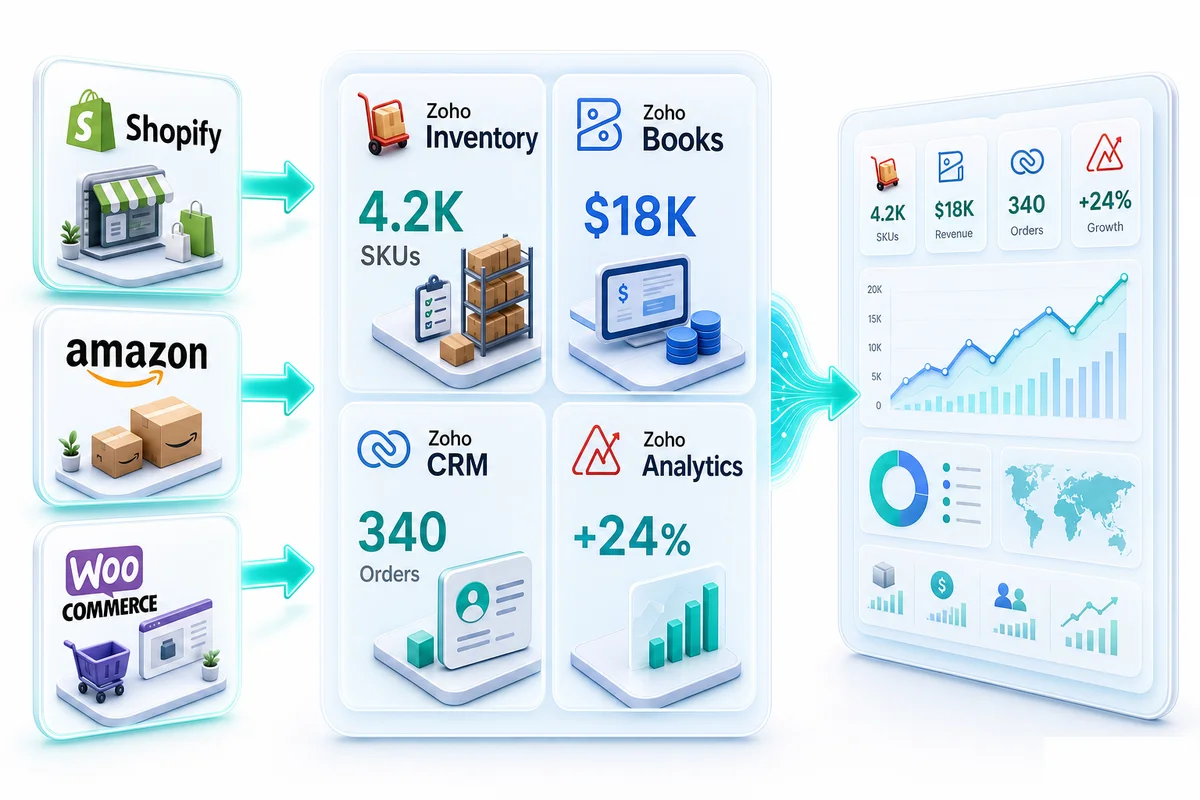
Direct answer: Zoho for eCommerce is a platform of connected apps covering inventory management (Zoho Inventory), accounting (Zoho Books), customer management (Zoho CRM), and analytics (Zoho Analytics). All four connect natively to Shopify, Amazon, WooCommerce, eBay, and Etsy. The result is one operations backend replacing four to six disconnected tools - and accurate cross-channel reporting that none of the individual tools produce on their own.
What Is Zoho for eCommerce?
Zoho Is Not One App - It Is a Connected Operations Stack for Online Sellers
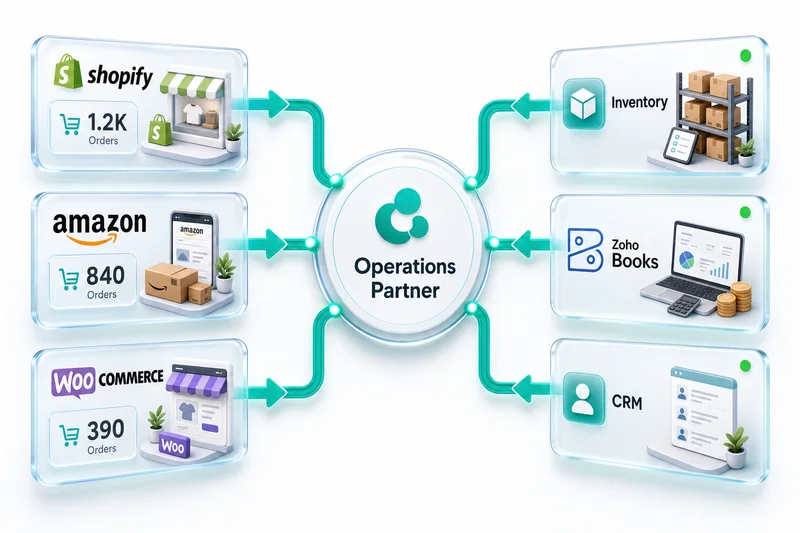
Zoho has 45-plus apps across CRM, accounting, HR, and analytics. Most eCommerce sellers use five to eight of them. What makes Zoho useful for eCommerce is not the breadth of the app suite - it is the integration between the specific apps that cover eCommerce operations. Zoho Inventory passes order data to Zoho Books without re-entry. Zoho Books pulls COGS from Zoho Inventory without a third-party connector. Zoho CRM captures customer data from Shopify and Amazon in one place. None of this requires middleware or separate integration maintenance.
The Five eCommerce Functions Zoho Covers
| eCommerce Function | Zoho Product | What It Handles |
|---|---|---|
| Stock and order management | Zoho Inventory | Multi-channel sync, fulfilment, COGS, multi-warehouse |
| Accounting and reconciliation | Zoho Books | P&L, settlement reconciliation, multi-currency, tax |
| Customer management | Zoho CRM | Post-purchase data, retention workflows, B2B accounts |
| Cross-channel reporting | Zoho Analytics | Channel P&L, inventory dashboards, ad spend vs revenue |
| Custom workflows | Zoho Creator | Returns portals, reorder triggers, vendor access |
For eCommerce sellers whose primary requirement is accounting and inventory — without CRM, HR, or marketing — Zoho Finance Plus bundles Books, Inventory, Expense, Subscriptions, and Billing in one plan priced per organisation rather than per user. For sellers who also need CRM, marketing automation, and helpdesk alongside the finance stack, Zoho One bundles all Zoho apps at a per-user rate — worth evaluating once you are using five or more apps regularly.
How Zoho Connects to Shopify, Amazon, WooCommerce, eBay, and Etsy
Zoho Inventory is the connection point for most eCommerce platforms. It connects to Shopify, Amazon Seller Central, WooCommerce, eBay, and Etsy via their respective APIs. Orders sync to Zoho Inventory; stock levels update across all connected channels from a shared pool. Financial data flows from Zoho Inventory to Zoho Books automatically. The chart of accounts in Zoho Books is configured to separate each platform's revenue and fees correctly - so every settlement, payout, and fee category records in the right account from the first transaction.
Is Zoho Right for Your eCommerce Business?
| Business Type | Fit |
|---|---|
| Single-channel seller, under 200 orders/month | Moderate - simpler tools may suffice |
| Shopify seller, 200 to 2,000 orders/month | Strong |
| Multi-channel (Shopify + Amazon + WooCommerce) | Very strong |
| Amazon FBA-only seller | Strong |
| eBay + Etsy seller, under 100 orders/month | Good |
| B2B eCommerce with wholesale accounts | Very strong |
The Zoho eCommerce Stack: Which Products Do What
Zoho Inventory - Stock, Orders, Fulfilment, and COGS
The operational centre of a Zoho eCommerce setup. Zoho Inventory connects to all five platforms for order sync, stock management, and fulfilment tracking. When a Shopify order arrives, Zoho Inventory records it, decrements stock across all connected channels, and triggers a fulfilment workflow - no manual entry at any step. Multi-channel stock sync means Shopify, Amazon, and WooCommerce draw from the same inventory pool rather than separate counts. That shared pool is how overselling gets eliminated.
For Amazon FBA sellers, Zoho Inventory tracks stock at Amazon's fulfilment centres as a separate inventory location. For Etsy sellers with handmade products, bill of materials calculates COGS from actual material inputs rather than a manual average. Multi-warehouse support covers transfers, warehouse-specific reorder points, and landed cost calculations per shipment.
Zoho Books - eCommerce Accounting, Marketplace Reconciliation, Financial Reporting
The accounting layer. Zoho Books connects to Zoho Inventory natively - every purchase order, sale, refund, and landed cost adjustment flows into accounting without re-entry. For Amazon sellers, it handles settlement import and maps fees to the correct accounts. For Shopify sellers, it processes Stripe and Shop Pay payouts correctly, separating gateway fees from revenue rather than recording the net deposit as income.
Multi-currency is included on all paid plans, not an add-on tier. Amazon settlement import, Shopify payout reconciliation, and Marketplace Facilitator sales tax handling are all built in.
Zoho CRM - Post-Purchase Customer Management and Retention
Customer data for eCommerce sellers lives in the storefront's customer table, disconnected from accounting and order history. Zoho CRM connects to Shopify and Amazon to capture purchase history, lifetime value, and customer segments in one place. Practical uses include identifying high-LTV customers, flagging customers who have not reordered in 60 to 90 days, and managing B2B wholesale accounts with separate pricing and payment terms. Most eCommerce sellers under $1M revenue skip CRM initially. Above that threshold, customer data typically contains the next margin improvement — RFM segmentation, post-purchase workflows, and win-back automation are all handled within Zoho CRM's eCommerce retention features.
Zoho Analytics - Channel-Level P&L, Inventory Dashboards, Sales Reporting
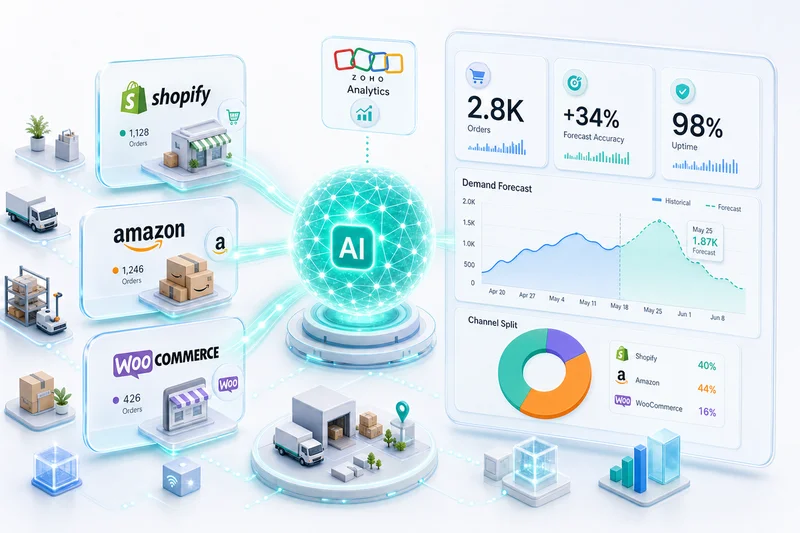
Zoho Analytics pulls data from Zoho Books, Zoho Inventory, Zoho CRM, and your storefronts to answer questions none of the individual tools can: true margin per channel after all fees, which SKUs are profitable across all platforms, where you are losing money on returns, customer acquisition cost by channel. For a multi-channel seller running Shopify, Amazon, and WooCommerce, it produces the channel P&L data that none of the individual tools surface on their own. Zoho's AI layer — Zia demand forecasting in Inventory, anomaly detection in Books, and natural language queries in Analytics — builds on top of this connected stack. For a practical guide to what those features actually deliver for eCommerce sellers in 2026 and where expert configuration is still the deciding factor, see How AI Is Changing eCommerce Operations in 2026.
Zoho Commerce - Zoho's Own Storefront
Zoho Commerce is Zoho's storefront product. For eCommerce sellers already on Shopify or WooCommerce, it is not a replacement. Zoho Commerce makes sense for B2B sellers who want Zoho-native checkout, for businesses building a secondary direct-to-consumer storefront, or for sellers starting fresh who want fewer external dependencies. For existing Shopify or WooCommerce sellers, the right approach is connecting your current storefront to the Zoho backend - not migrating your storefront.
Zoho One - The Full Suite
When you are using five or more Zoho apps, Zoho One's per-user bundled pricing typically costs less than subscribing to each app individually. For eCommerce businesses using Zoho Books, Zoho Inventory, Zoho CRM, Zoho Analytics, and Zoho Creator, Zoho One is often the right licensing structure.
Zoho for Shopify: Inventory, Accounting, and CRM in One Stack
Shopify is the most common starting point for Zoho eCommerce deployments, and the integration covers four distinct data flows.
Connecting Shopify to Zoho Inventory: Real-Time Order and Stock Sync
Zoho Inventory connects to Shopify via Shopify's API. Orders sync to Zoho Inventory in near real time. Stock levels update bidirectionally: a Shopify sale decrements Zoho Inventory; a stock adjustment in Zoho pushes back to Shopify. Products and variants are managed in Zoho Inventory as the master record, then synced to Shopify. Fulfilment status updates in Zoho Inventory reflect in Shopify automatically.
Shopify Payouts to Zoho Books: Reconciling Shopify Payments Correctly
Shopify Payments rolls multiple orders into a single periodic payout after deducting transaction fees and payment processing charges. Recording that net deposit as revenue understates gross sales and makes transaction fees invisible on the P&L. Zoho Books, configured correctly, records gross sales at the transaction level and maps Shopify fees to the correct expense accounts. The payout reconciles to the bank deposit as a net movement rather than being recorded as the revenue figure.
Shopify Customer Data to Zoho CRM: Post-Purchase Lifecycle Automation
Every Shopify customer record can flow to Zoho CRM for post-purchase lifecycle management. Orders become contact activity records. Repeat purchase patterns flag automatically. Customer segments drive different follow-up workflows. For B2B Shopify sellers with wholesale accounts, Zoho CRM handles the account-level relationship that Shopify's customer table was not designed to manage.
Shopify Analytics in Zoho Analytics: Revenue and Profit Dashboard
Zoho Analytics connects to Shopify data and Zoho Books simultaneously to produce revenue and profitability dashboards that neither system provides individually. Which products have the highest gross margin after transaction fees? What is the actual net margin per order category after fulfilment costs? These are answerable with Zoho Analytics but not in Shopify's built-in reports.
Zoho for Amazon: FBA, FBM, and Settlement Reconciliation
Amazon adds complexity that most accounting software cannot handle natively: 14-day settlement cycles, FBA inventory outside your warehouse, and multiple fee categories per settlement report.
Amazon Orders in Zoho Inventory: FBA and FBM Fulfilment Paths
Amazon orders - both FBA and FBM - sync to Zoho Inventory through Amazon's SP-API. FBA orders draw from an Amazon-location inventory record. FBM orders draw from your warehouse. Both update the same stock pool, so Amazon sales decrement the same inventory count as Shopify or WooCommerce orders. Amazon FBA stock at fulfilment centres is tracked as a separate inventory location with its own transfer order workflow when you replenish FBA stock.
Amazon Settlement Import in Zoho Books: Fee Categorisation and Revenue Recording
Amazon's fortnightly settlement report lists gross sales, referral fees (8 to 15% depending on category), FBA fulfilment fees per unit, advertising charges, storage fees, and return activity. Recording the settlement payout as revenue misses the gross-to-net difference and hides each fee category from your P&L. Zoho Books maps each settlement line to the correct account: referral fees to Cost of Sales, FBA fees to Fulfilment Costs, advertising to Advertising Expense, storage to Operating Expense.
Amazon Sales Reporting in Zoho Analytics: Channel P&L vs Shopify
Zoho Analytics pulling Amazon and Shopify data simultaneously produces the channel comparison most multi-channel sellers lack: gross revenue, fee burden, and net margin by channel. Amazon's referral fees run 8 to 15% of gross sales. Shopify's payment processing runs 1.5 to 2.9%. A seller with equal gross sales on both channels may find their Amazon net margin is 15 to 20% lower due to fee structure - a fact that is not visible without cross-channel reporting.
Zoho for WooCommerce, eBay, and Etsy: Multi-Channel Operations
WooCommerce Orders to Zoho Inventory to Zoho Books: The Three-Step Chain
WooCommerce connects to Zoho Inventory for order sync and stock management, and order data flows through to Zoho Books for accounting. For WooCommerce sellers using Stripe, PayPal, or another gateway, fees come from the payment processor rather than the platform itself - a different structure from Shopify Payments. Zoho Books handles both with gateway-specific chart-of-accounts configuration.
eBay Managed Payments in Zoho Books: Fee Reconciliation by Statement
eBay Managed Payments produces a consolidated disbursement covering gross sales minus listing fees, final value fees, promoted listings fees, and payment processing charges. Recording the disbursement as revenue produces the same structural accounting error as Shopify net payouts: gross sales understated, fees invisible. Zoho Books handles eBay reconciliation from the Managed Payments statement rather than from the bank deposit.
Etsy Managed Payments and Handmade COGS: Zoho Inventory Bills of Materials
Etsy's accounting structure adds a layer that eBay and Shopify do not have: handmade product COGS tracked through bills of materials. Zoho Inventory's bill of materials feature tracks input materials and costs for each finished product. When an Etsy order fulfils, COGS calculates from the actual BOM cost rather than a manual estimate. For fee reconciliation, Etsy Managed Payments works similarly to eBay - the net disbursement requires reading the underlying statement rather than the bank deposit.
One Inventory Pool Across All Five Channels: Preventing Oversells
Running Shopify, Amazon, WooCommerce, eBay, and Etsy from separate inventory counts is how overselling happens: an item sells on Amazon while a Shopify order is being picked for the same unit. Zoho Inventory manages one stock pool updated by all five channels simultaneously. When stock falls below a reorder point, a purchase order triggers in Zoho Inventory regardless of which channel drove the depletion.
Zoho eCommerce Setup: What a Production Deployment Looks Like
Getting Zoho working correctly for eCommerce requires mapping your actual channels, fee structures, and accounting requirements before the first transaction syncs. A production deployment follows five phases.
Phase 1 - Architecture: Mapping Your Channels, Products, and Financial Flows
Discovery covers your current storefronts and their connection requirements, your product catalogue and inventory locations, your existing accounting setup and any migration requirements, and your reporting needs. This phase produces an architecture document: which Zoho apps, how they connect, what the chart of accounts looks like, and what custom workflows are needed. No implementation work starts before this document is reviewed.
Phase 2 - Integration: Connecting Each Storefront to Zoho Inventory
Each storefront connects to Zoho Inventory via API. Connection includes order sync, stock sync, product mapping, and fulfilment status. For Amazon, FBA inventory locations are configured separately. For eBay and Etsy, marketplace-specific sync intervals and fulfilment rules are set. This phase ends when orders are flowing from all channels into Zoho Inventory accurately and stock levels are updating correctly.
Phase 3 - Accounting Configuration: CA Reviews Chart of Accounts and COGS Method
Zoho Books is configured with a chart of accounts designed for your specific platforms and revenue structure. A Chartered Accountant reviews the chart before go-live. Fee mapping per platform is validated against actual settlement reports. COGS method (FIFO, weighted average, or specific identification) is set based on your inventory type and jurisdiction. This phase ends when sample transactions produce accurate P&L entries.
Phase 4 - Go-Live: Testing Each Channel's Order-to-Books Flow
Real orders from each channel are traced end-to-end: order placed, inventory decremented, invoice created in Zoho Books, fee recorded in the correct account, bank deposit matched. Edge cases are tested: returns, partial fulfilments, multi-currency orders, platform fee adjustments.
Phase 5 - Ongoing: Monthly CA Review, Platform Updates, Growth Scaling
Go-live is not the end. Platform fee structures change. New channels get added. Zoho releases updates that affect integration behaviour. Monthly CA review catches categorisation drift before it compounds into quarterly variance. For sellers who do not want to manage this internally, managed services cover ongoing sync monitoring, CA-reviewed month-end close, and Zoho update compatibility.
Zoho eCommerce vs QuickBooks + Manual Processes
The most common alternative to a Zoho eCommerce stack is QuickBooks for accounting alongside manual or tool-assisted marketplace reconciliation.
| Factor | Zoho eCommerce Stack | QuickBooks + Manual |
|---|---|---|
| Inventory management | Zoho Inventory (native) | Separate app or spreadsheet |
| Amazon settlement reconciliation | Native import with fee mapping | Manual import or third-party tool |
| Multi-channel stock sync | One pool across all channels | Manual or fragile connector |
| eCommerce COGS | Auto from Zoho Inventory | Manual entry |
| CRM | Zoho CRM (native) | Separate subscription |
| Multi-currency | Included in Zoho Books | QuickBooks Plus tier only |
| Monthly software cost | ~$80 to $150 | $90–$200 QB + $30–$80 inventory + $50–$150 CRM |
Why Multi-Channel Sellers Outgrow QuickBooks
QuickBooks handles single-entity accounting well. The gaps appear at multi-channel scale: no native Amazon settlement import, no multi-channel inventory sync, no bill of materials for handmade COGS, and no cross-channel P&L reporting without manual aggregation. Sellers running QuickBooks alongside spreadsheet-based reconciliation typically find Zoho replaces three to four separate tools, not just the accounting software.
Can You DIY a Zoho eCommerce Setup?
For a single Zoho app with a simple use case - Zoho Books for basic invoicing, no integrations, no multi-channel complexity - the setup wizard is adequate. For eCommerce, the complexity is in the accounting configuration. A chart of accounts designed for your specific platforms and fee structures is a CA-level task. Getting it wrong means wrong P&L figures from day one. Seven in ten self-implemented Zoho Books setups require professional rework within the first year - typically discovered at tax time or during the first financial audit.
How Much Does Zoho eCommerce Setup Cost?
Zoho Product Licensing: Books, Inventory, CRM - Typical Monthly Costs
| Product | Entry Price | Notes |
|---|---|---|
| Zoho Books | From $20/month | Standard tier; Professional at $50/month adds manufacturing |
| Zoho Inventory | From $79/month | Standard tier; includes multi-channel and multi-warehouse |
| Zoho CRM | From $20/user/month | Standard tier |
| Zoho Analytics | From $30/month | 2 users; additional users extra |
| Zoho One | $45/user/month (annual) | All apps bundled; cost-effective at 5-plus apps |
Source: Zoho pricing pages, 2026.
Implementation Cost: Discovery Sprint, Single Storefront, Multi-Channel Full Stack
| Scope | Typical Range |
|---|---|
| Discovery Sprint (architecture and roadmap) | $500 to $700 |
| Single storefront plus Zoho Books plus Inventory | From $2,500 |
| Multi-channel (Shopify plus Amazon plus WooCommerce) | From $6,000 |
| Full stack (all channels plus CRM plus Analytics plus Creator) | From $10,000 |
Ongoing Support: Managed Services vs Internal Team vs Hybrid
Managed services for eCommerce operations - sync monitoring, CA-reviewed month-end close, Zoho updates - typically run $1,500 to $5,000 per month depending on transaction volume and channel count. The internal team alternative requires Zoho expertise and accounting knowledge that most eCommerce businesses do not have in-house. A hybrid approach keeps month-end accounting with Zolify's CA while the internal team handles day-to-day operations.
How Zolify Deploys Zoho for eCommerce Businesses
Discovery Sprint: Mapping Your Stack Before Any Commitment
Zolify's discovery sprint ($500 to $700) produces a complete architecture document before implementation begins: which Zoho apps, how each storefront connects, what the chart of accounts looks like, and what the project will actually cost. For businesses that have attempted a partial Zoho setup and hit problems, the discovery sprint also audits what exists and documents what needs to change. The sprint costs less than a single day of a US consultant's time and eliminates months of trial-and-error configuration.
100+ eCommerce Implementations in Production - What That Means in Practice
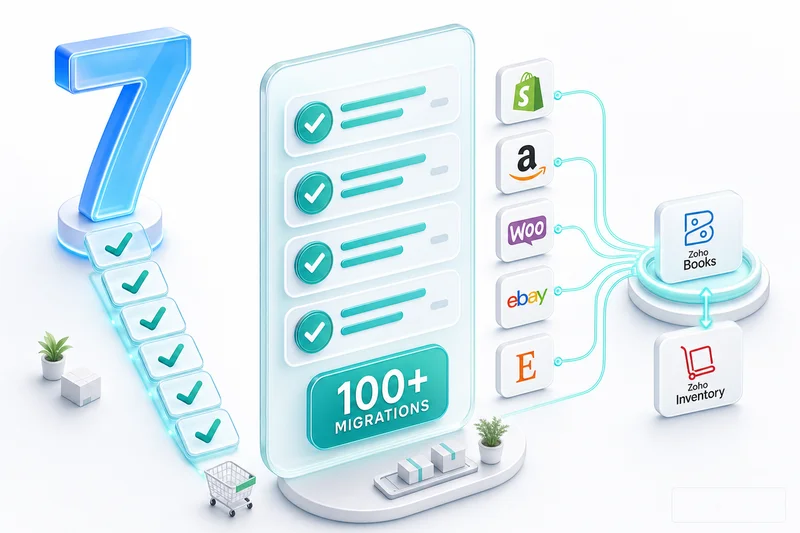
Zolify has deployed the full Zoho eCommerce stack for 100-plus eCommerce businesses across Shopify, Amazon, WooCommerce, eBay, and Etsy. These are production systems processing real financial data - not proof-of-concept setups or demo environments. Implementation patterns from 100-plus deployments cover the edge cases that generic consultants discover during your project: Amazon FBA reimbursement handling, Shopify gift card accounting, eBay partial refunds, Etsy offsite ads fee reconciliation.
CA-Validated Financial Flows: Every Zoho Books Setup Reviewed Before Go-Live
Every Zolify implementation includes a Chartered Accountant reviewing the chart of accounts, fee mapping, and COGS configuration before go-live. The accounting logic is correct from the first transaction. For eCommerce sellers whose previous Zoho setup produced wrong P&L figures, this review step is what separates books you can rely on from books you have to double-check every month.
Official Zoho Authorized Partner: Access, Credibility, and Partner Pricing
Zolify is an Official Zoho Authorized Partner building eCommerce operations on Zoho — listed in Zoho's partner directory. For eCommerce sellers, this means direct access to Zoho's support team for edge cases that general consultants escalate to community forums, access to early product updates and beta programs, and partner pricing on Zoho licensing. When you are processing thousands of orders a month, you cannot wait for a forum response to resolve a sync issue.
Get a Zoho eCommerce Operations Assessment
eCommerce sellers running disconnected tools - separate inventory software, separate accounting, separate CRM - spend hours every week reconciling data that should record itself. Zoho for eCommerce replaces that stack with one integrated backend. The question is whether your current channels, accounting setup, and growth plans fit the platform, and what a deployment would actually look like for your specific operation.
Zolify's eCommerce ops assessment is a 45-minute conversation that produces a concrete map: which Zoho apps, how your storefronts connect, what the implementation involves, and what it costs. Book the assessment.
As an Official Zoho Authorized Partner with 100-plus eCommerce implementations and a CA on staff, Zolify builds Zoho setups that are accurate from the first transaction - not corrected after the first tax filing.
Frequently Asked Questions
Zoho for eCommerce is a connected platform of integrated apps covering the full operations stack for online sellers: Zoho Inventory for stock and order management, Zoho Books for accounting and marketplace reconciliation, Zoho CRM for post-purchase customer management, and Zoho Analytics for cross-channel reporting. All four connect natively to Shopify, Amazon, WooCommerce, eBay, and Etsy. The platform's advantage is the integration between apps - data flows across the stack without re-entry or third-party middleware.
The core eCommerce stack is Zoho Inventory (order management, stock sync, multi-warehouse, COGS), Zoho Books (accounting, settlement reconciliation, multi-currency, tax), and Zoho CRM (post-purchase customer data, retention workflows). Zoho Analytics is added when sellers need cross-channel P&L reporting by channel. Most eCommerce sellers use five to eight Zoho apps rather than the full 45-plus app suite.
No, and it is not designed to. Zoho does not have a consumer-facing storefront that competes with Shopify's front-end. What Zoho does is connect to Shopify to handle back-office operations: inventory sync across all channels, accounting that correctly categorises Shopify Payments fees, CRM for post-purchase lifecycle management, and analytics pulling data from every channel. Shopify handles the customer-facing store; Zoho handles the operational layer behind it.
Single-channel implementations - Shopify plus Zoho Books plus Zoho Inventory - typically take 4 to 8 weeks. Multi-channel setups covering Shopify, Amazon, and WooCommerce together take 8 to 16 weeks. Timeline depends on SKU count, whether you are running a simultaneous accounting migration, and how many custom workflows are required. Go-live means real orders flowing cleanly through the integrated system, which requires testing with actual transaction data.
The core eCommerce stack (Inventory, Books, CRM) runs roughly $80 to $150 per month depending on tier and user count. That compares to QuickBooks ($90 to $200 per month) plus a separate inventory app ($30 to $80 per month) plus a separate CRM ($50 to $150 per month). The Zoho stack eliminates integration overhead between disconnected tools and usually costs less in total monthly software spend for comparable functionality. Implementation is a separate one-time cost.
See exactly where your Shopify, Amazon, or WooCommerce ops are leaking — free.
Get a personalised eCommerce Ops Audit: inventory gaps, accounting leaks, and order-flow bottlenecks — with a Zoho fix roadmap. Delivered in 48 hours, at no cost.