QuickBooks to Zoho Books Migration for eCommerce Sellers: The Complete 2026 Guide
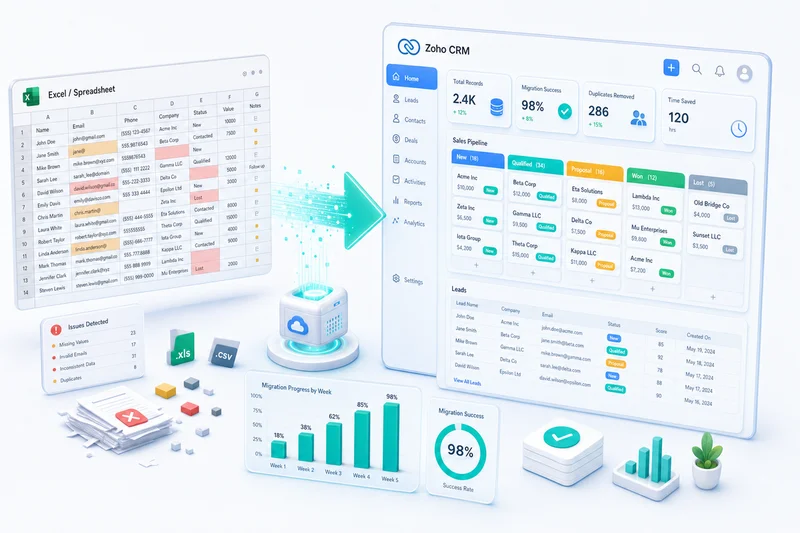
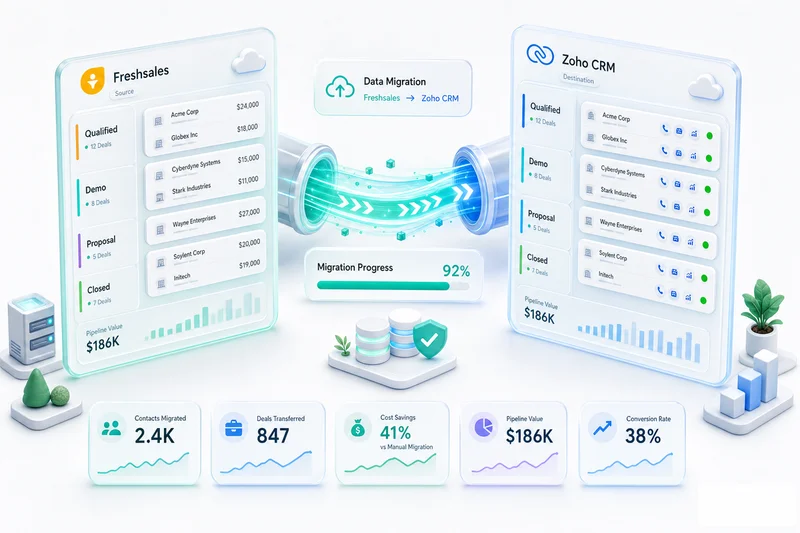
Migrating from QuickBooks to Zoho Books as an eCommerce seller is not a data transfer; it's an accounting rebuild. This guide covers every eCommerce-specific challenge: Amazon settlement re-categorisation, inventory opening balances, Shopify payout setup, and channel integration rebuilds.
For Shopify, Amazon, and WooCommerce sellers, a QuickBooks to Zoho migration isn't a data transfer; it's an accounting rebuild. The chart of accounts configured for a generic small business doesn't hold up under multi-channel eCommerce. Amazon settlements recorded as net deposits need re-categorisation. Inventory carried as a lump sum needs per-item costs. This migration corrects all of that, not just copies it across. Every step is covered here, with extra depth on the eCommerce-specific problems that most migration guides skip over.
In 2026, with margins tighter across every channel and marketplace fees increasing, the structural accounting errors that were tolerable at lower volume are now material. Sellers running 500+ monthly orders on mixed-channel setups are routinely finding that their QuickBooks P&L overstates margins by 8–15% because fee categorisation was never built correctly from the start. The migration window - before the next fiscal year, before the next audit, before the next fundraise - matters more than it did two years ago.
Zolify has completed 100+ QuickBooks to Zoho Books migrations. This guide is built from those engagements. For context on how Zoho's apps connect across the full eCommerce stack before you migrate, see the Zoho for eCommerce guide.
Still evaluating whether to switch? Zoho Books vs QuickBooks for eCommerce Sellers breaks down the real cost per plan tier, the connector tax most sellers miss, and the actual monthly gap between the two platforms. This guide starts where that decision ends.
Why eCommerce Sellers Move From QuickBooks to Zoho Books
QuickBooks Limitations That Hit eCommerce Sellers Hardest
QuickBooks handles invoices and bank reconciliation well. Multi-channel eCommerce operations are a different problem.
There is no native Shopify, Amazon, WooCommerce, or eBay integration. You need third-party connectors, which add cost, create sync delays, and introduce a second system to maintain. Amazon settlements arrive as net deposits in most QuickBooks setups, which buries referral fees, FBA fees, storage fees, and reimbursements inside one revenue line. Inventory tracking in QuickBooks is basic: it does not handle multi-warehouse stock, FBA reserve inventory, or COGS split by fulfillment channel. Channel P&L, seeing whether Amazon or Shopify is actually more profitable, requires manual report manipulation, not built-in reporting.
What Zoho Books Adds for Multi-Channel eCommerce Operations
Zoho Books, connected to Zoho Inventory, gives eCommerce sellers what QuickBooks cannot:
- Native connections to Shopify, Amazon, WooCommerce, and eBay, no middleware
- Settlement reconciliation at the line-item level: gross sales, referral fees, FBA fees, storage fees, and reimbursements in separate accounts
- COGS tracking by fulfillment method: FBA cost vs self-fulfilled cost tracked per order
- Channel P&L reports that show which storefront is actually profitable, not just which one moves the most volume
The eCommerce accounting software comparison covers how Zoho Books sits against the alternatives if you're still in evaluation mode.
The Zoho Ecosystem: Inventory + CRM + Books on One Platform
Zoho Books integrates natively with Zoho Inventory, Zoho CRM, and Zoho Analytics: same login, same database. When an order ships, COGS updates in Zoho Books automatically. There is no connector syncing inventory to accounting, no data lag, no reconciliation between two systems that disagree.
For a multi-channel seller paying for separate inventory software, an accounting connector, and a CRM, consolidating onto Zoho cuts the tool stack substantially, often eliminating two to three monthly subscriptions.
Zoho Books also handles vendor payment automation natively, without a separate tool. See the eCommerce accounts payable automation guide in Zoho Books for how to configure this before your go-live date; it removes a manual reconciliation step that most QuickBooks setups just leave to the bookkeeper.
Before You Migrate: What to Prepare in QuickBooks
Export Your Chart of Accounts and Identify Gaps
Pull your full chart of accounts from QuickBooks (Settings → Chart of Accounts → Export). As you review it, flag:
- Generic income accounts that lump all channels together: these split into per-channel accounts in Zoho (Amazon Sales, Shopify Sales, WooCommerce Sales)
- Missing fee accounts: if Amazon referral fees, FBA fees, and Shopify payment fees are not already broken out, build them into the new Zoho chart from day one
- Lump-sum inventory asset: if your inventory is one balance rather than item-level costs, this needs addressing at the opening balance stage
Export Open Invoices, Bills, and Unpaid Balances
Run the Open Invoices and Unpaid Bills reports in QuickBooks as of your planned migration date. These become your opening AR and AP in Zoho Books. Verify the totals before migrating so you have a clean reconciliation baseline.
Export Customer and Vendor Lists
Export both lists as CSVs. Clean duplicates and update any stale contact details; email addresses in QuickBooks become the address Zoho Books uses for invoice delivery.
Choose Your Migration Date: Fiscal Year, Q-Start, or Mid-Year?
Migration timing matters more for eCommerce sellers than for most businesses. In order of preference:
- Fiscal year start: zero YTD complexity; all channel history starts fresh in Zoho
- Quarter start: three months of YTD data to carry in QuickBooks, not twelve
- Month start: most common, workable, but requires maintaining QuickBooks as a YTD reference
Avoid mid-month and mid-quarter migrations. The reconciliation complexity is not worth it. For eCommerce sellers, January 1 is the cleanest option of all: Q4 is closed, channel settlements have posted, and Zoho Books holds the full calendar year from day one. The January eCommerce implementation guide covers the week-by-week plan.
If you are migrating before Q4 and sell on Shopify or Amazon, the BFCM inventory planning guide covers what needs to be live in Zoho Inventory before November — FBA reserve tracking, purchase order automation, and multi-warehouse stock splits. These should be configured and tested before your first Q4 order wave, not after.
eCommerce-Specific Prep: Inventory Valuation and Channel Transaction History
Before migration day, also complete:
- Document your Amazon settlement mapping. Note which QuickBooks accounts receive Amazon disbursements and how fees are currently categorised (or if they are at all)
- Note your Shopify payout setup. Which accounts receive Shopify Payments deposits? Are processing fees separated?
- Confirm your inventory valuation method (FIFO or average cost): Zoho Inventory needs this set per item from the start
- List all channel integrations currently in QuickBooks. Every one needs to be rebuilt in Zoho Inventory
What Does NOT Migrate, and What to Do About It
Custom QuickBooks Reports
Report configurations, custom dashboards, and saved report templates do not transfer. Rebuild key reports in Zoho Analytics, which provides cross-module analytics (inventory, accounting, and CRM in one view) that QuickBooks cannot match.
QuickBooks Payroll
If you use QuickBooks Payroll, this migrates separately. Zoho does not have a direct payroll import path from QuickBooks; payroll history and year-to-date payroll entries need to be recreated as journal entries in Zoho Books or migrated to a compatible payroll provider.
QuickBooks Channel Integrations
Any Shopify, Amazon, WooCommerce, or eBay connection you have in QuickBooks does not carry over to Zoho. Every channel integration must be reconnected through Zoho Inventory from scratch. Budget one to two additional weeks for a multi-channel seller.
Historical Transaction Detail
For most eCommerce sellers, the practical approach is opening balances only: enter the QuickBooks trial balance as of your migration date and keep QuickBooks in read-only mode for historical lookups. Importing years of mixed-format marketplace transactions is labor-intensive and rarely worth the effort. See the step-by-step guide below for the exception cases.
QuickBooks to Zoho Books Migration: Step by Step
This is the sequence we run for every eCommerce migration.
Step 1: Set Up Your Zoho Books Organisation
Create your Zoho Books organisation before importing anything. Configure: fiscal year start month, base currency, tax settings (sales tax rates, marketplace facilitator rules by state), and invoice numbering. Get base currency right now; it cannot be changed after any transaction exists.
Step 2: Rebuild Your Chart of Accounts for eCommerce
Do not import your QuickBooks chart of accounts as-is. Build a new chart designed for your channel mix:
- Separate income accounts per channel: Amazon Sales, Shopify Sales, WooCommerce Sales, eBay Sales
- Expense accounts per marketplace fee type: Amazon Referral Fees, FBA Fulfillment Fees, FBA Storage Fees, Shopify Payment Processing Fees
- COGS accounts by fulfillment method if you split FBA and self-fulfilled
- Inventory asset account linked to Zoho Inventory for item-level COGS tracking
Step 3: Import Customers, Vendors, and Product Catalogue
Export customer and vendor lists from QuickBooks as CSVs. Clean duplicates and import into Zoho Books. For products, import your item list and set item types (goods vs. services), tax settings, and inventory tracking flags. Set up products in Zoho Inventory with per-unit costs before linking to Zoho Books.
Step 4: Enter Opening Balances as of Migration Date
Run a Trial Balance in QuickBooks as of your migration date. Enter each account balance in Zoho Books under Settings → Opening Balances. Debits must equal credits; Zoho flags imbalances automatically. The inventory asset balance requires special attention: a lump sum in QuickBooks must be allocated to individual product costs in Zoho Inventory for correct COGS going forward.
Step 5: Import Historical Transactions (When and When Not To)
For most eCommerce sellers: import open invoices and bills only. Keep QuickBooks accessible in read-only mode for historical reference. If you have a regulatory requirement for full transaction history (audit in progress, lender due diligence), import the current fiscal year's transactions and leave prior years in QuickBooks. Full historical imports of marketplace settlement data are rarely worth the effort unless the data was correctly categorised in QuickBooks.
Step 6: Connect Zoho Books to Your eCommerce Channels
Reconnect Shopify, Amazon, WooCommerce, and eBay through Zoho Inventory. Map each channel's revenue and fee categories to the chart of accounts you built in Step 2. Run a test order batch on each channel before going live. Migrate channels one at a time; start with your highest-volume storefront. For Shopify setup details, see our Shopify Zoho integration guide.
Step 7: Run Parallel Books for the First Month
Keep QuickBooks running alongside Zoho Books for a full accounting period. Enter all transactions in both systems. Run a P&L and balance sheet comparison at month-end. Do not cut over until the numbers match. For multi-channel sellers, channel integration mismatches typically surface at the first reconciliation, not before; parallel operation is the safety net.
eCommerce-Specific Migration Challenges
These come from actual migrations. Standard guides skip them.
Amazon Settlement History: From Net Deposits to Categorised Revenue
This is the most common structural problem in eCommerce QuickBooks setups. Most Amazon sellers record their settlement disbursements as a single income line: the net deposit that hits their bank account. This buries referral fees, FBA fees, storage fees, and reimbursements inside one number, overstating revenue and understating deductible expenses.
In Zoho Books, correct Amazon accounting separates: gross sales, referral fees (expense), FBA fulfillment fees (expense), FBA storage fees (expense), and reimbursements (separate income account). For a detailed treatment of Amazon seller accounting in Zoho, see Amazon FBA accounting in Zoho Books.
Historical Amazon data in QuickBooks cannot be cleanly migrated if it was recorded as net deposits. The practical approach: enter the opening balance as of migration date and start correct categorisation in Zoho going forward. Your CA can advise on whether prior-year adjustments affect your tax filing position.
Shopify Payout Reconciliation: Rebuilding Your Payment Gateway Setup in Zoho
Shopify Payments disburses net of processing fees. Many sellers record the net bank deposit as revenue, which understates gross sales and hides the payment processing expense. In Zoho Books, configure Shopify Payments reconciliation to record gross sales at the order level, with processing fees as a separate expense account. Zoho Inventory's Shopify connection handles this natively when the chart of accounts is set up correctly in Step 2.
Inventory Opening Balance: FIFO vs Weighted Average in Zoho Inventory
QuickBooks often carries inventory as a lump-sum asset balance: one number, no per-item cost. Zoho Inventory needs per-item costs to calculate COGS correctly on every fulfillment event. At migration, two options:
- Weighted average: Divide your QuickBooks inventory balance by current unit count. Apply this as each item's opening cost in Zoho Inventory. Faster, workable for most sellers.
- Actual cost: Enter per-unit costs from supplier invoices for current stock. More accurate for FIFO COGS tracking, more work to complete.
Zoho Inventory supports both FIFO and weighted average costing. Getting this step right matters: incorrect opening costs mean incorrect gross margin on every sale from migration day forward.
COGS History: What to Bring Forward and What to Leave Behind
COGS history from QuickBooks does not import into Zoho Inventory's fulfillment model. Once you are live in Zoho, COGS calculates automatically from per-item costs on every order. Historical COGS figures stay in QuickBooks as your reference for any prior-period reporting.
Multi-Channel Revenue Categories: Separating Amazon, Shopify, eBay in Zoho
Set up separate income accounts per channel during the chart of accounts rebuild (Step 2), not as an afterthought. Once transactions start posting, retroactive reclassification across hundreds of orders is a significant cleanup job. Proper channel separation from day one enables channel P&L without any manual report work. For eBay-specific accounting setup, see our eCommerce bookkeeping guide.
QuickBooks vs Zoho Books: eCommerce Feature Comparison
| Feature | QuickBooks Online | Zoho Books + Zoho Inventory |
|---|---|---|
| Shopify integration | Third-party app required | Native (Zoho Inventory) |
| Amazon integration | Third-party app required | Native (Zoho Inventory) |
| WooCommerce integration | Third-party app required | Native (Zoho Inventory) |
| eBay integration | Third-party app required | Native (Zoho Inventory) |
| Amazon settlement reconciliation | Manual or via connector | Line-item breakdown natively |
| COGS by fulfillment type | Not available | FBA vs self-fulfilled tracked per order |
| Multi-channel P&L by channel | Manual export required | Built-in reporting |
| Multi-warehouse inventory | Not available | Yes (Zoho Inventory) |
| FBA reserve inventory tracking | Not available | Yes (Zoho Inventory) |
| Monthly cost (mid-tier) | ~$60/month | ~$50/month Books + Zoho Inventory |
| Zoho CRM integration | Not available | Native |
| Zoho Analytics | Not available | Native |
For a deeper feature-by-feature breakdown including pricing across all tiers, see the full Zoho Books vs QuickBooks comparison. For an eCommerce-specific cost breakdown including the connector tax and plan-by-plan pricing for Shopify and Amazon sellers, see Zoho Books vs QuickBooks for eCommerce Sellers.
Get a free QuickBooks migration assessment — we review your setup, flag the structural issues, and give you a fixed scope and timeline before any work starts.
When to DIY the Migration vs Hire a Zoho Partner
Simple Books, No Inventory, Single Channel: DIY Is Reasonable
DIY migration works when: you sell on a single channel only, your chart of accounts has under 40 accounts, you have fewer than 25 open invoices and bills, there is no inventory to migrate (services-only or drop-ship with no stock on hand), and your Amazon or Shopify transactions were correctly categorised in QuickBooks.
Multi-Channel With Inventory and Complex Transaction History: Get Expert Help
The migration complexity increases sharply with each channel and each structural accounting problem you carry in. Get expert help when: you run two or more channels simultaneously, Amazon settlements were recorded as net deposits, inventory carries a lump-sum value without per-item costs, you are migrating mid-year rather than at a clean period boundary, or your channel integrations are customised or complex.
What a CA-Supervised Migration Covers That a Data Import Does Not
Many offshore Zoho consultants offer QuickBooks-to-Zoho migration at low cost. They migrate data: contacts, items, balances. What they do not do: review your chart of accounts for structural problems before migrating them, rebuild the chart for Amazon settlement reconciliation and Shopify payout categorisation, set per-item inventory costs for COGS accuracy, verify Amazon re-categorisation against your tax filing position, or run the parallel month-end close and sign off before cutover.
The difference surfaces at your first month-end close in Zoho Books. If the chart of accounts is wrong, every subsequent report is wrong; unwinding it after transactions are posted is far more expensive than building it correctly on day one.
Talk to a migration expert if your setup involves more than one of these complexity flags — the discovery call is free and typically takes 30 minutes.
For context on the full range of eCommerce accounting software options, see the eCommerce accounting software guide and our Amazon accounting software comparison.
US Zoho Consultants vs Zolify: The Real Cost Difference
US-based Zoho consultants typically bill $150–250 per hour for QuickBooks migrations. A standard multi-channel eCommerce migration covers chart of accounts rebuild, opening balances, channel reconnects, and a supervised parallel close. At hourly rates, that runs 40–80 hours: $6,000–$20,000 for implementation, with no CA accounting review and no fixed-price guarantee. Any scope creep adds more hours — and scope always creeps.
What you also do not get at those rates: a licensed CPA or CA reviewing the chart of accounts before anything moves, sign-off on the parallel month-end close, or the eCommerce-specific reconciliation that turns a data import into a working accounting system.
Zolify does this at 60–80% lower cost than typical US Zoho consultant rates. Fixed scope, fixed price, CA review included. The cost is set in the discovery call and does not change when complexity surfaces, because we find the complexity in the audit before any migration work begins.
Get a fixed-scope migration quote — free discovery call, fixed quote before any work starts.
How Zolify Manages QuickBooks to Zoho Migrations for eCommerce Sellers
Discovery: Auditing Your QuickBooks Setup for Migration Readiness
We review your QuickBooks setup before any data moves: chart of accounts structure, how Amazon and Shopify settlements are recorded, inventory valuation method, and which channel integrations are in place. We flag every structural issue and provide a fixed migration scope, timeline, and quote. Most eCommerce migrations surface at least two structural problems in QuickBooks that need to be corrected, not replicated.
Chart of Accounts Rebuild: eCommerce-First Configuration
We do not import your QuickBooks chart of accounts as-is. We build a Zoho chart of accounts designed for your channel mix: separate income accounts per channel, full fee breakdown per marketplace, COGS accounts aligned to your fulfillment model. Our CA reviews and signs off on the structure before we import a single transaction.
Migration Execution: CA-Supervised Data Transfer and Opening Balances
Our CA supervises the data transfer: opening balances, open invoices and bills, customer and vendor records, and product catalogue. Inventory opening costs are set at the item level, not as a lump sum, so COGS is accurate from day one. We reconnect every eCommerce channel in Zoho Inventory, map fee categories to the new chart of accounts, and run a test order batch per channel before go-live.
Post-Migration: First Month-End Close in Zoho Books
We stay on through your first month-end close in Zoho Books. We run the parallel comparison against QuickBooks, resolve any discrepancies, and sign off on the balance sheet match before you cut over. Most clients cut over in 4–6 weeks.
Zolify is an Official Zoho Authorized Partner with 100+ eCommerce migrations completed and a CA on staff. For Shopify-specific post-migration setup, see our Shopify Zoho integration service. For Amazon sellers, see the Amazon Zoho integration service and the Amazon FBA accounting guide.
Plan your QuickBooks to Zoho migration with Zolify — as an Official Zoho Finance Partner with 100+ migrations completed and a CA on staff, we scope the work accurately before any data moves.
Get a Free QuickBooks to Zoho Migration Assessment
Start with a free migration assessment. We review your QuickBooks setup, identify the eCommerce-specific issues that affect scope (Amazon settlement history, inventory opening balances, channel integration complexity), and give you a realistic timeline and fixed quote.
Book a Free Migration Assessment. If the migration is simpler than you expect, we will say so. If it is more complex, we will show you exactly why.
For broader context on the eCommerce operations stack that Zoho enables, see our eCommerce industry page.
Also migrating from a different platform? See the Sage 50 to Zoho Books migration guide for the equivalent process from Sage 50, or the Tally to Zoho Books migration guide if you're on Tally Prime. Still deciding whether to migrate from QuickBooks to Zoho Books? The full Zoho vs QuickBooks comparison covers how the two platforms compare on reporting, inventory, and pricing in detail.
Frequently Asked Questions
For a single-channel eCommerce seller with opening balances only, expect 2-3 weeks of setup plus one month of parallel operation. Multi-channel sellers with Amazon, Shopify, and WooCommerce active, with complex settlement history, typically need 4-8 weeks plus parallel testing. Zolify provides a fixed timeline after the discovery audit.
If your QuickBooks setup recorded Amazon disbursements as net bank deposits, yes; the historical categorisation is structurally wrong. Most eCommerce migrations do not attempt to fix historical Amazon data; instead, you enter opening balances as of the migration date and start correct categorisation in Zoho Books going forward. Your CA can advise on whether prior-year adjustments affect your tax position.
Every channel integration must be rebuilt in Zoho Inventory. Nothing from your QuickBooks connector carries over to Zoho. Reconnecting Shopify, Amazon, WooCommerce, and eBay in Zoho Inventory typically takes one to two additional weeks and should happen before your go-live date, with a test order batch on each channel.
Yes. QuickBooks Desktop exports data via IIF files and CSV reports rather than direct API access. The migration steps are the same, but the export and cleanup process takes longer. Desktop-specific features like memorised transactions need to be recreated manually in Zoho Books.
A data import moves numbers. A CA-supervised migration verifies those numbers are correct: reviewing your QuickBooks chart of accounts for structural problems before migration, rebuilding it for eCommerce operations, setting per-item inventory costs for COGS accuracy, verifying Amazon settlement re-categorisation aligns with your tax position, and signing off on the parallel month-end balance sheet before cutover.
See exactly where your Shopify, Amazon, or WooCommerce ops are leaking — free.
Get a personalised eCommerce Ops Audit: inventory gaps, accounting leaks, and order-flow bottlenecks — with a Zoho fix roadmap. Delivered in 48 hours, at no cost.