Amazon Accounting Software: What Actually Works for eCommerce Sellers
Most accounting software handles invoices and bank feeds. Amazon sellers need something that handles 15+ fee types, biweekly settlements, FBA inventory, and multi-currency. Here's what actually works.
Amazon accounting isn't the same as regular small business accounting. A standard invoice-and-bank-feed setup handles a plumber's books just fine. But an Amazon seller's books need to account for 15+ distinct fee types inside every settlement, biweekly payment cycles that don't align with order dates, FBA inventory spread across multiple fulfilment centres, multi-currency if you sell in any non-US marketplace, and marketplace-collected sales tax that needs to flow through correctly without inflating your tax liability.
Most accounting software handles the easy part: recording money in and money out. For Amazon sellers, that's roughly a quarter of what the job actually involves.
TL;DR: The right amazon accounting software for a scaling seller handles biweekly settlement reconciliation, maps 15+ Amazon fee types to distinct accounts, connects to inventory for accurate COGS, and supports multi-currency without add-ons. Zoho Books meets all four. QuickBooks meets two (with paid add-ons). Most other options meet one or zero.
Why standard accounting software breaks for Amazon sellers
QuickBooks and Xero are solid products. They were designed for businesses that send invoices and receive payments. Amazon sellers do neither. They receive settlement deposits and need to reverse-engineer the underlying transactions from a report that lands every two weeks.
The settlement deposit problem
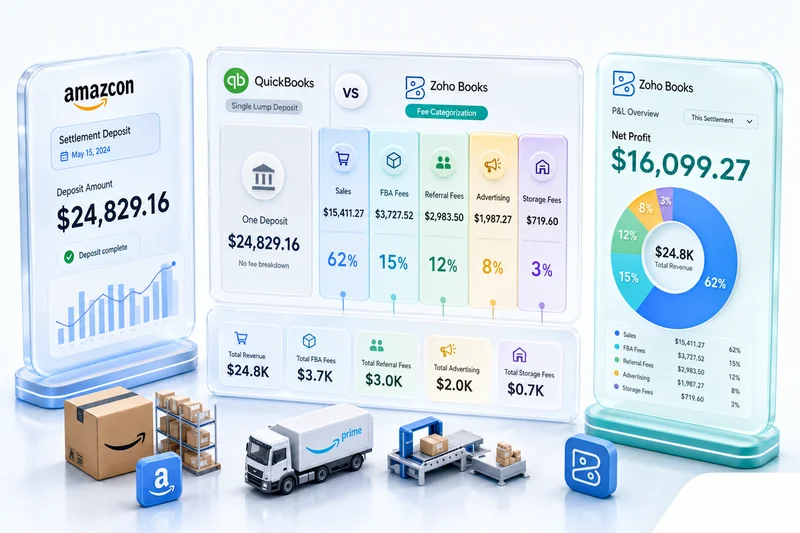
When Amazon deposits $4,200 into your bank account, that number is the result of: gross product sales, minus referral fees, minus FBA pick-and-pack fees, minus monthly storage, minus any advertising spend, minus returns and refund processing fees, plus any reimbursements for lost or damaged inventory.
If you record that $4,200 as "Amazon Sales," your books are wrong in three different ways before you've even opened the P&L. Getting the actual numbers means reading the settlement report (15+ line items) and posting each one to the correct account.
Standard accounting software won't do this on its own. You need either a third-party add-on that imports and categorises the settlement data, or a person doing it manually every fortnight.
The inventory-accounting gap
Accurate COGS on Amazon means knowing what each unit actually cost you: purchase price, freight, prep fees, inbound shipping to Amazon's fulfilment centres. That data lives in your purchasing and inventory records. Most accounting software doesn't share a database with your inventory system, so COGS either gets entered manually or gets approximated. Neither is reliable at scale.
Multi-currency without extra cost
Amazon operates marketplaces in the US, UK, Canada, Germany, Japan, and elsewhere. Selling across two or more of those means foreign currency transactions, exchange rate exposure, and multi-currency financial statements. Some accounting software includes this. Some charges extra. Some doesn't handle it well at all.
What Amazon accounting software actually needs to do
For Amazon sellers, accounting software needs to handle these specific requirements:
| Requirement | Why it matters |
|---|---|
| Import and parse Amazon settlement reports | Automates the fortnightly fee categorisation |
| Map 15+ fee types to distinct chart of accounts | Accurate revenue, COGS, and expense reporting |
| Handle order-date revenue recognition | Sales recorded when order placed, not when settled |
| Support multi-currency natively | Required for multi-marketplace sellers |
| Integrate with inventory for COGS | Accurate cost data per unit |
| Handle Marketplace Facilitator tax correctly | Avoids tax liability errors in US states |
| Connect to your CRM and operations stack | Needed if you sell across channels or need post-purchase automation |
Most sellers find out which of these they needed after they've already picked software that doesn't provide it. For a closer look at how fee reconciliation works in practice, see our eCommerce marketplace fee reconciliation guide.
The main options compared
QuickBooks Online
QuickBooks is the default choice for most small businesses, including Amazon sellers who haven't specifically researched their options. At low volume it works. Above roughly 200-300 orders per month, the weaknesses start showing.
It handles bank feeds, journal entries, payroll, and accountant access well. It has a large ecosystem of bookkeepers who know the platform. Where it falls down for Amazon: there's no native Amazon integration, so you need a third-party add-on ($20-$50/month) to import settlement reports. Multi-currency costs extra. Inventory management is basic and won't handle FBA fulfilment centre splits or landed cost calculation. The add-on stack adds both monthly cost and fragility. If the integration breaks, reconciliation stops.
For a single-channel Amazon seller at low volume who already has a QuickBooks accountant, it's fine. For sellers scaling past 500 orders a month, or selling on multiple channels, the add-on architecture becomes a real problem.
Xero
Xero is QuickBooks' main competitor and has similar strengths and weaknesses for Amazon sellers. The UI is arguably cleaner and its UK presence is stronger. Multi-currency is included from mid-tier plans. But native Amazon integration still requires a third-party add-on.
If you're UK-based and your accountant prefers Xero, it's a reasonable choice for lower-volume operations. The integration story for high-volume multi-channel sellers is similar to QuickBooks.
Zoho Books
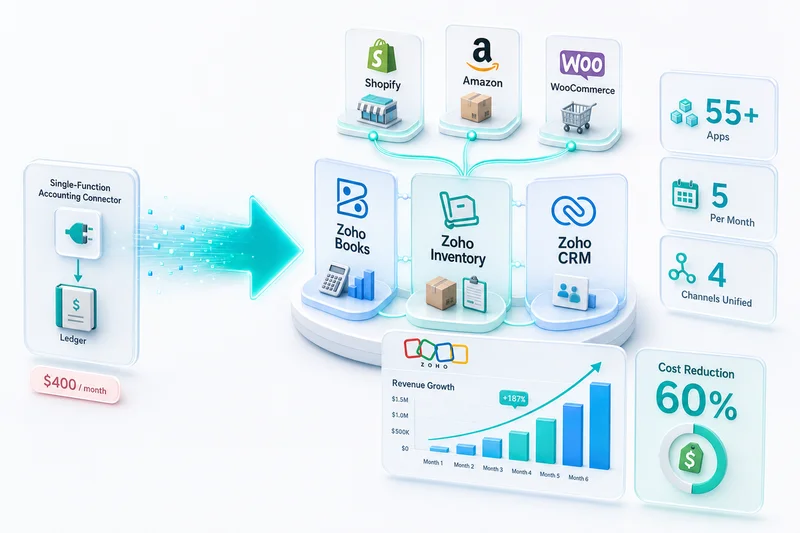
Zoho Books is part of the Zoho ecosystem, which also includes Zoho Inventory, Zoho CRM, Zoho Analytics, and Zoho Creator for custom workflows. That integration is its main advantage for Amazon sellers who need more than just accounting. For a detailed look at how the full Amazon-to-Zoho connection works, see our Amazon Zoho integration solution.
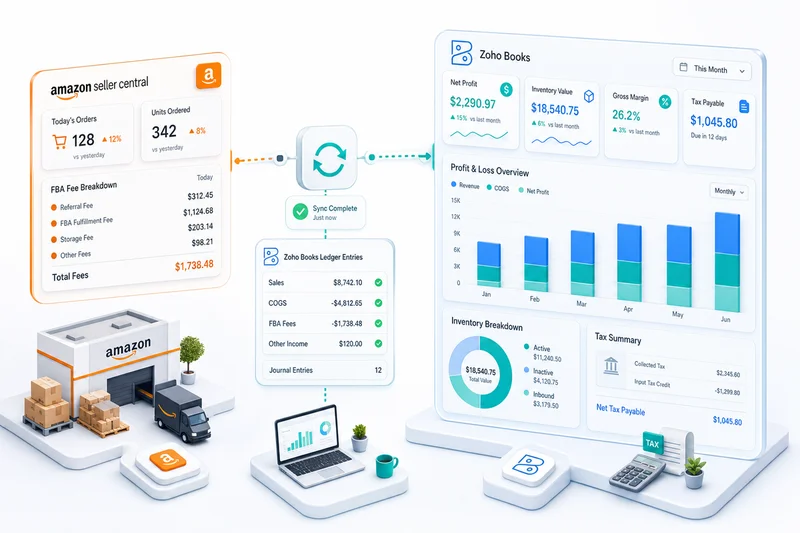
It connects to Amazon via Zoho Inventory for order and inventory data. Multi-currency is included. Because inventory and accounting share the same database, COGS flows from actual purchase records without manual re-entry. The chart of accounts is flexible enough to map all 15+ Amazon fee types correctly. And if you later add Shopify, WooCommerce, or other channels, those connect into the same system rather than requiring separate software.
The tradeoff is upfront configuration time. The platform is more capable, so there are more decisions to make at setup. It's also less common among general bookkeepers, so you'll want a Zoho-trained accountant or a Zoho partner to configure it correctly. That setup cost is real, but it pays back quickly through reduced ongoing manual work.
For sellers running over 300 orders per month, selling on multiple channels, or planning to connect accounting to CRM or operations tools, Zoho Books is the option that doesn't need bolt-ons for every new requirement. Running cost is typically 40-60% lower than QuickBooks plus its third-party Amazon add-ons.
How to choose
Pick based on your situation, not the brand:
Use QuickBooks or Xero if you're under 200 orders/month on Amazon only, your accountant already knows one of these platforms, you're not planning to sell on other channels, and the $20-$50/month add-on cost is fine.
Use Zoho Books if you're over 300 orders/month or scaling quickly, you sell (or plan to sell) on multiple channels, you want inventory and accounting on the same platform, you need multi-currency without paying extra, or you want to automate operations beyond just accounting.
Getting the setup right matters more than the software
The most common mistake Amazon sellers make is connecting the integration and assuming the books are correct. Accurate books require a correctly designed chart of accounts. For Amazon, that means someone who knows Amazon-specific eCommerce accounting deciding how each fee type maps to your P&L.
Referral fees belong in Cost of Sales, not operating expenses. FBA storage fees go in COGS. Reimbursements for lost inventory belong in Other Income, not Product Sales. Advertising spend needs its own account so your true ACOS is visible. These decisions get made once at setup and affect every financial report you produce from that point on. For a structured walkthrough of the full account mapping for Amazon and Shopify channels, see our eCommerce chart of accounts guide for Zoho Books. For a breakdown of the four implementation failures that produce inaccurate Amazon financials even when the integration is technically working, see what Zoho Books does right for Amazon sellers.
Zolify has configured Zoho Books for Amazon sellers across 100+ eCommerce implementations, with a CA reviewing every chart of accounts before go-live. The setup takes 3-6 weeks and produces books that are audit-ready from day one. We're an Official Zoho Authorized Partner, which means direct Zoho support access and a team that's seen the edge cases generic consultants escalate to forums.
For sellers who want ongoing accuracy without managing it themselves, our managed accounting service handles the full stack: chart of accounts, monthly reconciliation, and CA oversight.
If your current Amazon accounting is built on manual imports, quarterly reconciliation sessions, or a bookkeeper who records settlement deposits as revenue, book a free consultation and we'll show you exactly where the numbers are drifting.
Frequently Asked Questions
Most Amazon sellers start with QuickBooks or Xero because they're familiar. At low order volumes (under 200 orders a month) both work. Above that, the gap between generic accounting software and eCommerce-native options like Zoho Books becomes significant. QuickBooks needs third-party add-ons for Amazon data ($20–$50/month each), doesn't handle multi-warehouse FBA inventory natively, and its fee mapping for settlement reports requires manual configuration that few accountants get right. Zoho Books integrates natively with Zoho Inventory, handles multi-currency out of the box, and connects to Amazon via API for automated settlement reconciliation.
You need both, and they serve different functions. Accounting software handles transaction recording, fee categorization, and reconciliation (the ongoing data work). An accountant (or ideally a CA) handles tax strategy, compliance decisions, and periodic review to make sure the software is configured correctly. The common mistake is using an accountant as a data entry substitute. That's expensive and error-prone. The right setup: good software does the daily work; your accountant does judgment calls and filings.
At under 100 orders per month, spreadsheets are manageable. Above that, you're likely making errors and definitely spending more time than the software cost would justify. Amazon settlement reports contain 15+ line item types. Manually sorting those into a spreadsheet each fortnight produces the 4% error rate typical of manual data entry, which means you're making bookkeeping errors on every twentieth transaction. At 500 orders a month, that's 20 mistakes per period, each one compounding.
For Amazon sellers specifically, three differences matter most. First, multi-currency: Zoho Books includes multi-currency support in its base tiers; QuickBooks charges extra. Second, native inventory: Zoho Inventory integrates directly with Zoho Books, so inventory valuation, COGS, and reorder data share a single system. QuickBooks requires separate inventory software or third-party apps. Third, ecosystem: Zoho Books is part of a platform that also includes CRM, analytics, and operations tools, relevant for sellers who need to connect post-purchase workflows, not just record transactions.
Amazon collects and remits sales tax on your behalf in Marketplace Facilitator states (which now covers most of the US). Your accounting software needs to record this correctly: the gross sale goes to revenue, the tax Amazon collected and remitted is a pass-through. It should not inflate your tax liability. If your software records the gross sale including Amazon-collected tax as your taxable income, you're overpaying. Zoho Books handles Marketplace Facilitator tax correctly when configured for Amazon; the key is the initial chart of accounts setup and account mapping.
See exactly where your Shopify, Amazon, or WooCommerce ops are leaking — free.
Get a personalised eCommerce Ops Audit: inventory gaps, accounting leaks, and order-flow bottlenecks — with a Zoho fix roadmap. Delivered in 48 hours, at no cost.