eCommerce Peak Season Readiness: Prepare Your Zoho Operations Before Q4
By the time Black Friday demand hits, it's too late to fix broken inventory sync, misfiled marketplace fees, or support queues with no routing rules. Here's how to audit and harden your Zoho operations in August before Q4 pressure arrives.
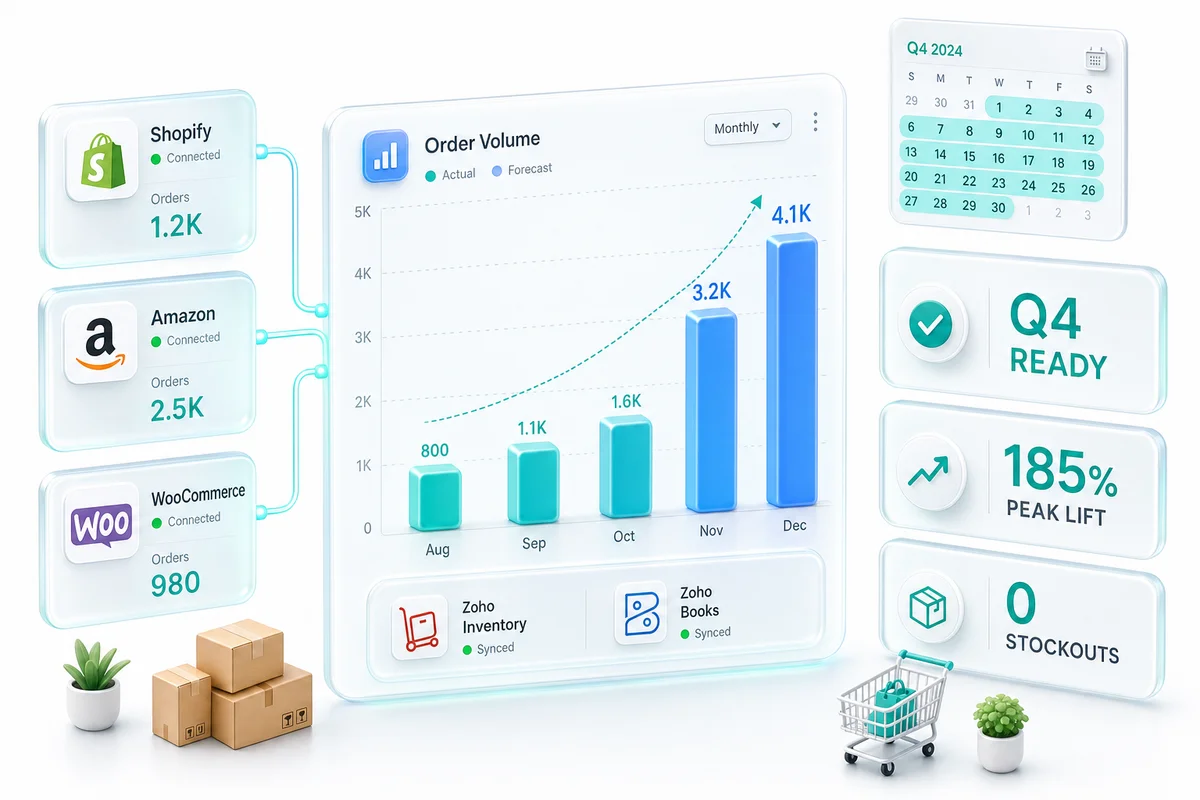
Most eCommerce sellers discover operational gaps in November, not August. A reorder point that handled 50 orders per day silently fails at 200. A multi-channel accounting setup that looked correct in April generates a reconciliation backlog by the time Black Friday payouts arrive. These are not Black Friday problems. They are August problems that have not surfaced yet.
August is the right time to audit your Zoho eCommerce peak season operations and fix what will break before Q4 demand exposes it. Across 100+ eCommerce operations built on Zoho, the sellers who prepare in August arrive at Q4 with headroom. Those who wait until October spend November reacting.
Why peak season operations fail predictably
Q4 does not break healthy operations. It breaks operations that were marginal to begin with. The patterns that cause November failures are consistent across Shopify, Amazon, and WooCommerce sellers:
- Reorder points set during initial Zoho Inventory setup, never updated for growth or seasonality
- Marketplace fee mapping that works for 500 transactions per month but creates a reconciliation backlog at 3,000
- Integration sync that handles typical order volumes but queues errors silently under peak load
- No monitoring dashboards, so problems surface through customer complaints rather than automated alerts
Each of these is identifiable and fixable in August. None requires a full system rebuild. What it requires is a structured audit across your Zoho stack before October volume starts climbing.
Zoho Inventory: the reorder point audit
Inventory stockouts during peak season are the most expensive operational failure in eCommerce. A stockout on a top-10 SKU in November does not just lose that sale. It loses ranking on Amazon, delists the product from Shopify search if it is showing unavailable, and sends the customer to a competitor who then retains them.
The root cause in most cases: a reorder point calculated at launch when you were moving 20 units per day and never updated after sales reached 60.
The formula for a peak-season-ready reorder point:
Reorder Point = (Peak Daily Sales × Supplier Lead Time in Days) + Peak Safety Stock
Where peak daily sales is your projected November/December volume (often 2.5-3x your August rate) and peak safety stock accounts for higher demand variance and slower supplier delivery during Q4 logistics crunch.
Example: A Shopify seller moving 50 units per day in August with a 14-day supplier lead time and a projected 2.5x Q4 multiplier:
| Variable | Calculation | Result |
|---|---|---|
| Peak daily sales | 50 × 2.5 | 125 units/day |
| Lead time buffer | 125 × 14 | 1,750 units |
| Peak safety stock (7 days) | 125 × 7 | 875 units |
| Reorder Point | 2,625 units |
Most sellers running this volume have the reorder point set at 700, the number from their original setup. They will place emergency orders at 3-4x normal unit cost in November.
The Zoho Inventory and warehouse management solution covers the system configuration and automation options in detail. For Q4 prep, the priority is running this calculation across your top 50 SKUs by November revenue and updating Zoho Inventory before September 1.
Also check purchase order automation. If Zoho Inventory is configured to auto-generate POs when reorder thresholds are hit, verify that preferred vendor records and reorder quantities are current. Stale vendor data sends an automated PO to the wrong supplier or quotes last year's pricing.
For a complete view of your inventory exposure, run Zoho Inventory's Inventory Summary report filtered to items below reorder point right now. Any item already below its (likely underestimated) reorder point in August is a stockout candidate by October without intervention.
Zoho Books: clearing accounts and reconciliation health
The accounting failure pattern for peak season is predictable. A seller who spends 6 hours per month reconciling in July spends 30 hours in December. Not because December is five times harder but because the reconciliation method that was good enough for low volume breaks under high volume.
The most common structural gap is the absence of clearing accounts for multi-channel selling.
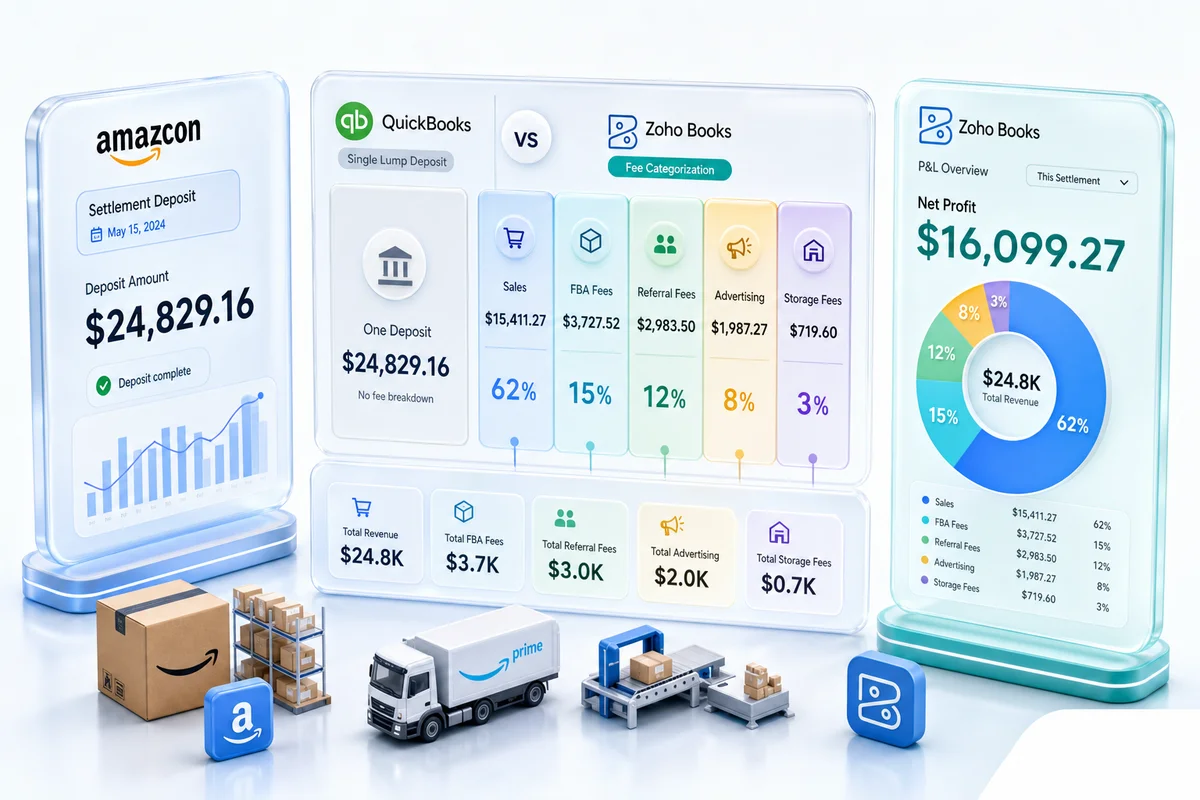
Shopify pays out every 2-3 days, netting platform fees against gross sales. Amazon settles every 14 days with a detailed remittance that includes marketplace fees, FBA fees, advertising credits, and refunds. WooCommerce settles in real time through a payment gateway. If all three deposit entries are being recorded as revenue, your gross sales figure is wrong, your platform fees are untracked, and per-channel P&L is invisible.
The fix requires a clearing account structure per channel. Setting up Zoho Books for multi-channel eCommerce reconciliation covers the exact account structure. The pre-Q4 action is to implement this before October payouts arrive, not in December when you are trying to reconstruct three months of mixed entries.
A second audit item: open reconciliation items from the previous 90 days. Go to Zoho Books, run the bank reconciliation report, and count items unreconciled older than 30 days. Each one is a discrepancy that will compound during Q4 volume. Clear them in August or you will reconcile Q4 against a dirty baseline.
For marketplace fee mapping, Shopify charges transaction fees, payment processing fees, and app fees across multiple line items. Amazon has 15+ fee categories. Correct mapping of each fee type to the right expense account in Zoho Books is what separates a usable P&L from a number that requires manual reconstruction. The marketplace fee reconciliation guide for Zoho covers the full account mapping by platform.
Pre-Q4 accounting checklist:
- Clearing accounts configured for Shopify, Amazon, and WooCommerce separately
- All fee categories mapped to expense accounts (not lumped into "Platform Fees")
- Bank reconciliation clean: zero items older than 30 days
- Q4 reporting views built in Zoho Books (channel P&L, gross margin by SKU)
Multi-channel integration: stress-test your sync before peak
A Shopify-Zoho or Amazon-Zoho integration that processes 150 orders per day without errors does not automatically handle 800 orders per day cleanly. Failure modes under load differ from low-volume errors.
Order sync latency. How long between an order placed on Shopify and that order appearing in Zoho Inventory for fulfillment? At typical volume, this might be 2-5 minutes. At Black Friday volume, if the integration queue backs up, it could be 40+ minutes, meaning your pick-pack-ship team is working from stale data. Check your integration queue behavior and set an alert threshold.
Error handling and retry logic. What happens when a sync call fails? Integrations without retry logic drop records silently. In September, run a deliberate test: create 50 orders in quick succession and verify each appears correctly in Zoho Inventory. Look for duplicates (a retry logic bug) or missing records (a failure-without-retry bug).
Inventory sync across channels. If you are selling the same SKU on Shopify and Amazon, Zoho Inventory should be the single source of truth for available stock on both channels. When one unit sells on Amazon, Shopify's available stock should decrement. Verify this under realistic conditions. A missed sync during peak means canceling orders for products showing available but already sold.
WooCommerce-specific check. WooCommerce integrations often use webhook-based order sync. Under high order volume, webhooks can fail without visible errors if the receiving server is slow to respond. Confirm your WooCommerce-Zoho integration is using a queued processing model, not synchronous webhook handling.
The multi-channel eCommerce operations solution covers integration architecture for sellers running three or more channels simultaneously. For sellers seeing any sync inconsistencies in August, this is the window to fix them before they multiply.
Zoho Desk: routing rules before the volume spike
Customer support volume during Q4 typically runs 3-5x normal. A Zoho Desk setup that routes everything to a shared inbox or assigns tickets via round-robin without category logic will collapse under that volume. Response times triple, SLAs break, and escalations generate more tickets than the original issues.
The three routing rules to build before peak:
Shipping delay tickets. Create an inbox rule that matches subject lines or body text containing "where is my order," "tracking," and "not arrived," then routes them to a dedicated shipping view with a 4-hour SLA. These are the highest-volume ticket type in November and the most time-sensitive for customer satisfaction.
Return and refund tickets. Route tickets mentioning "return," "refund," or "wrong item" to a returns specialist queue with a 24-hour SLA. These require more time per ticket but are less time-critical than shipping inquiries.
High-value order escalations. Build an automated tag for orders above a revenue threshold (for example, orders above $500) and route tagged tickets to senior support with a 2-hour SLA. A high-value customer lost to a slow response during peak costs more than the additional handling time would have.
Also build response templates for these three categories. A template that takes 2 minutes to customize is faster than a blank reply written from scratch, multiplied across 200-300 tickets per day.
Zoho Analytics: the peak season monitoring dashboard
Operational problems during Q4 surface in two ways: a customer complains, or an alert fires. The latter is better. Build your monitoring dashboard before peak, not during it.
Three dashboard panels that matter most for Q4 eCommerce operations:
Real-time order velocity by channel. Orders per hour, broken down by Shopify, Amazon, and WooCommerce. A sudden drop in Shopify orders when Amazon volume is normal may indicate a Shopify integration issue rather than a demand drop. A spike above your fulfillment capacity threshold means calling in additional staff or pausing new orders on affected channels.
Inventory burn rate by SKU. At current sales velocity, which items will hit reorder point within 7 days? This is the early warning system for stockouts. Build this as a Zoho Analytics report pulling from Zoho Inventory data, filtered to your top 50 SKUs by November revenue and sorted by days-to-reorder.
Reconciliation age by channel. How many transactions from Shopify, Amazon, and WooCommerce are unreconciled in Zoho Books and for how long? A growing backlog is an early signal the reconciliation process is falling behind before it becomes an end-of-month crisis.
Connect each panel to Zoho Analytics alerts. An email alert when inventory burn rate on a top-5 SKU indicates stockout within 5 days gives your procurement team enough lead time to react. A ticket volume alert that fires when hourly Zoho Desk tickets exceed 2x baseline triggers staffing decisions before queues back up.
The 30-day pre-Q4 ops audit schedule
Given an August start, here is a structured four-week schedule:
| Week | Focus | Key Deliverable |
|---|---|---|
| 1 | Zoho Inventory | Reorder points updated for top-50 SKUs at peak volume; PO automation verified; supplier lead times confirmed |
| 2 | Zoho Books | Clearing accounts per channel active; open reconciliation cleared; fee mapping verified by platform |
| 3 | Integrations | Sync latency measured; error handling tested at 5x normal order volume; multi-channel inventory allocation confirmed |
| 4 | Monitoring | Peak season dashboard live in Zoho Analytics; alert thresholds set; Zoho Desk routing rules and templates active |
This structure matches the ops audit Zolify runs for eCommerce clients before peak. Across 100+ eCommerce implementations, the most common outcome is finding 2-3 high-risk gaps that each take 1-2 days to resolve, manageable in August and not manageable in November.
The cost of waiting until October
A reorder point update in August takes 2 hours. The same fix in November is preceded by an emergency supplier call, an expedite fee, and a week of out-of-stock status on your highest-revenue SKUs.
A clearing account structure in August takes 3-4 hours of Zoho Books configuration. The same fix in December requires retroactively reclassifying three months of mixed entries and rebuilding your Q4 P&L from platform remittance reports.
The integration stress test in August catches a retry logic bug that drops 3% of orders. The same bug found in November means three weeks of unresolved discrepancies and a manual reconciliation across 40,000 orders.
The audit that identifies these gaps costs the same effort in August as October. The resolution effort is 5-10x lower in August because you are fixing problems against a clean baseline rather than untangling failures already embedded in production data.
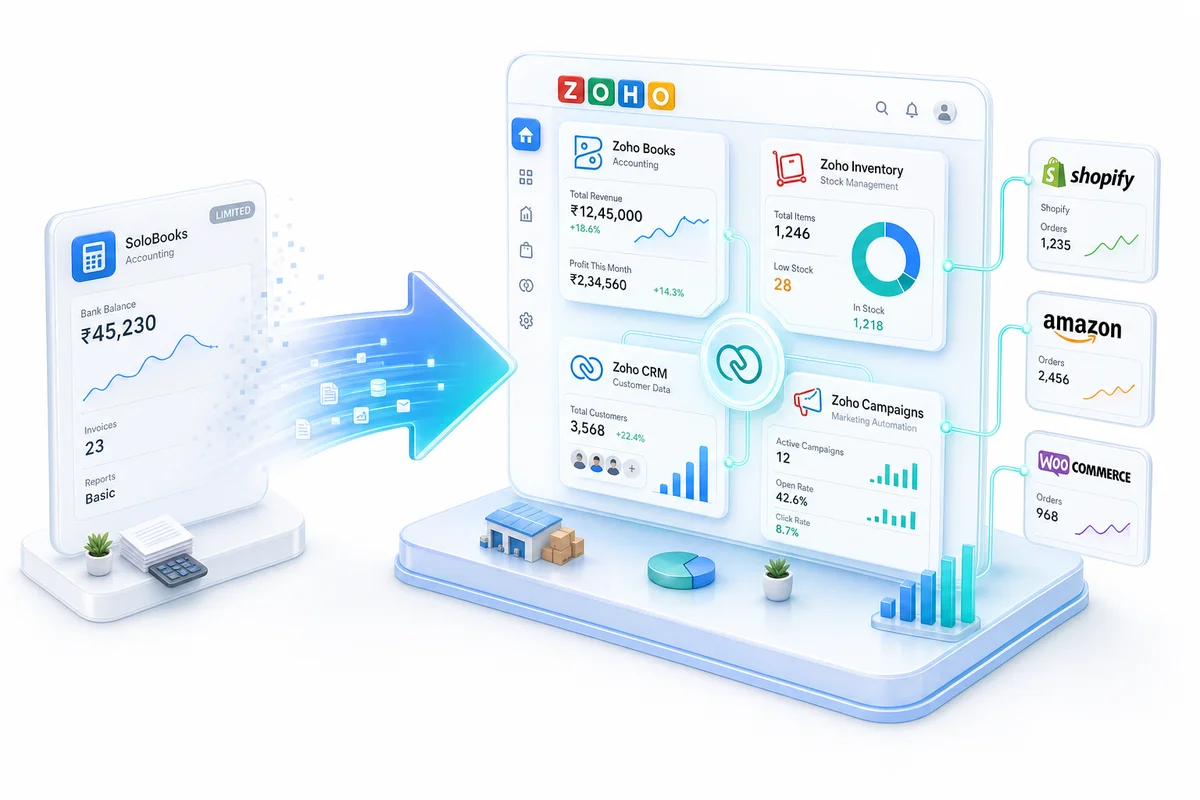
Zolify's eCommerce Ops Audit covers Zoho Inventory, Zoho Books, and your multi-channel integration stack. The CA on our team validates every financial data flow before we sign off. As an Official Zoho Authorized Partner with 100+ eCommerce operations in production across Shopify, Amazon, and WooCommerce, we know which gaps generate emergencies and which are cosmetic.
Get an eCommerce Ops Audit before Q4. The window to fix problems without firefighting closes in September.
Frequently Asked Questions
August is the right window. You need 8-10 weeks to audit reorder points, clear open reconciliation, test multi-channel sync, and build monitoring dashboards before October when pre-holiday order volume starts climbing. Sellers who start in October are already reacting to problems instead of preventing them.
Run the inventory valuation report in Zoho Inventory and look at your top 50 SKUs by revenue. For each, calculate: (peak daily sales × supplier lead time) + peak safety stock. If the current reorder point is below that number, you will stock out during peak. Then apply a seasonal multiplier. If November sales run 2.5x your August rate, your safety stock should reflect November's demand, not August's.
Recording net payout deposits as revenue. Amazon pays every 14 days, Shopify on a rolling basis, WooCommerce in real time through a payment gateway. If you are not using clearing accounts for each channel, your books mix gross sales, platform fees, and refunds into a single deposit figure. By November this means your P&L is wrong, your per-channel margin is invisible, and reconciling December takes most of January.
Yes, but only if routing rules, ticket templates, and escalation paths are configured before the spike. A Zoho Desk setup without routing rules assigns tickets manually or via round-robin regardless of category, meaning a return query and a payment dispute land in the same queue. Pre-building rules that route by subject keyword, channel, and priority means your team handles 3x volume without tripling response time.
Rarely a full rebuild. Most peak season failures come from three fixable gaps: reorder points not updated since initial setup, clearing accounts never configured for multi-channel reconciliation, and integrations never tested above typical order volumes. A structured audit in August identifies which of the three applies. A full rebuild is only necessary when the original implementation had fundamental architectural errors.