Amazon Accounting Software: Why FBA Sellers Need More Than QuickBooks
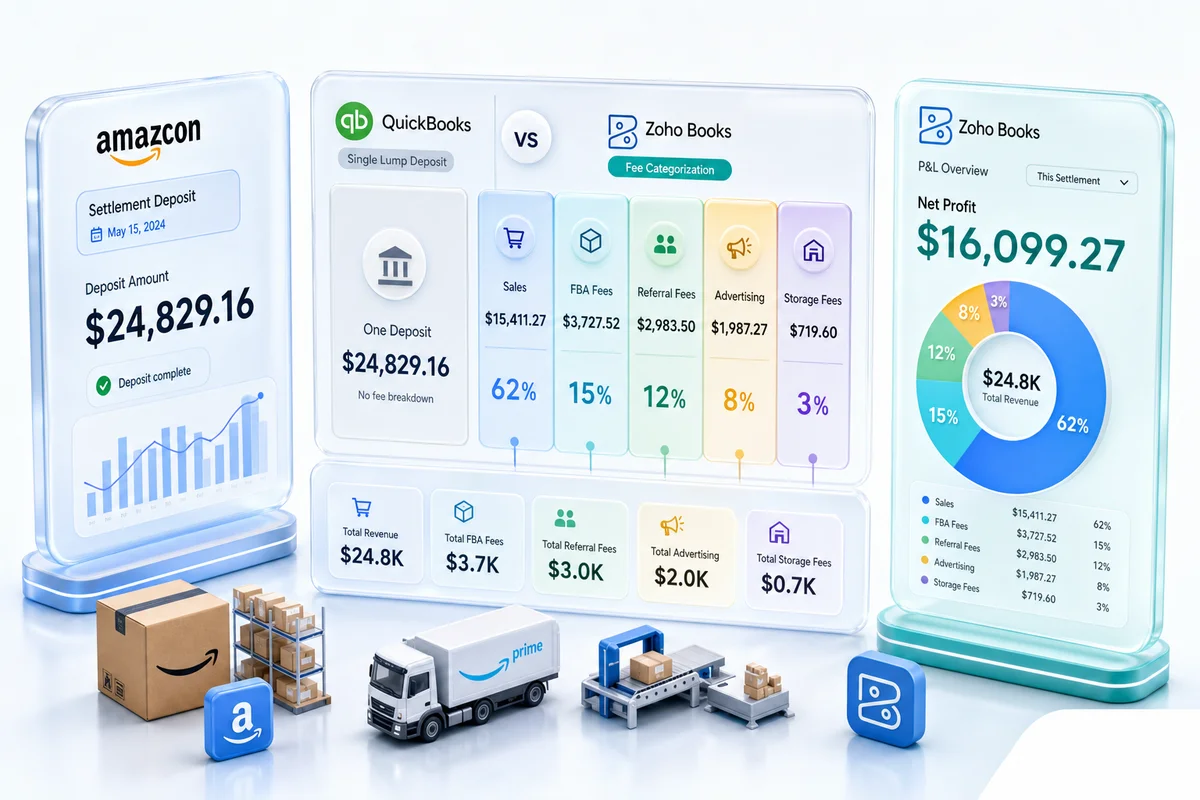
Amazon settlements arrive every two weeks with 15+ fee types embedded in a CSV most accountants misread. QuickBooks records the net deposit as revenue and calls it done. That's not accounting - it's a liability.
Amazon sellers who start with QuickBooks usually hit the same wall. Revenue looks fine on the dashboard. Then tax season arrives and the accountant asks why the gross sales figure does not match actual Amazon deposits. The answer is that QuickBooks recorded each biweekly settlement as revenue - net deposit, single line - and the 15+ fee categories embedded in each settlement report were never booked anywhere.
This is not a bookkeeping error. It is an architecture problem. QuickBooks was not designed for marketplace sellers. The right amazon accounting software handles what Amazon actually generates: settlement reports, not invoices; fee netting, not simple bank feeds; FBA inventory valuation, not just on-hand stock.
What makes Amazon accounting different
Regular business accounting assumes a revenue event looks like this: goods delivered, invoice issued, payment received. Amazon accounting does not work this way.
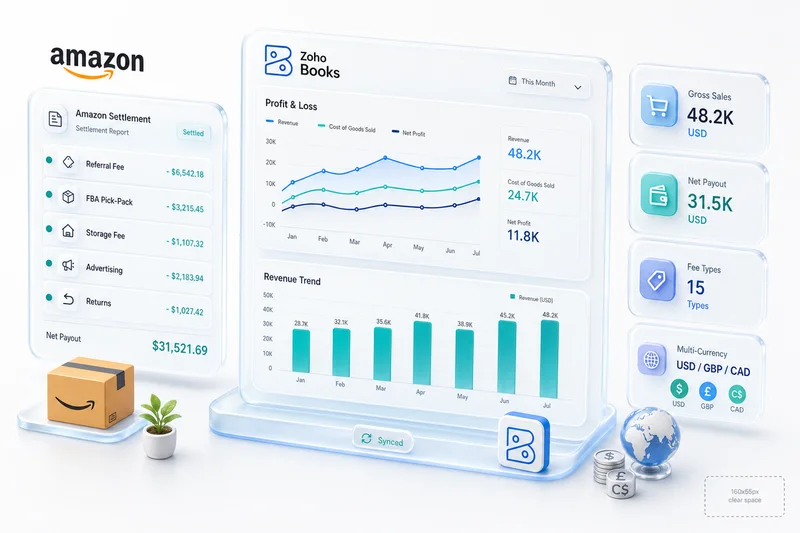
Amazon controls the transaction. A sale happens when a customer buys from your listing. Amazon collects payment, deducts fees, holds funds for 14 days, and releases a net settlement. What arrives in your bank account is not revenue. It is gross sales minus referral fees minus FBA fees minus advertising charges minus returns, after Amazon's reserve cycle.
The settlement report that documents all of this is a CSV with 20+ columns: product sales, shipping credits, product sales tax, selling fees, FBA transaction fees, advertising fees, customer returns, FBA inventory credits, refund commissions, and several categories that vary by marketplace. Amazon FBA accounting requires mapping each of these to the correct account in your chart of accounts, every settlement cycle, across every marketplace you operate.
For a seller with $40,000/month in Amazon revenue, the fee load typically runs 30-38% of gross. If that fee structure is not correctly captured, the P&L shows phantom margin and the tax filing understates deductible expenses.
Where QuickBooks breaks down for FBA sellers
QuickBooks handles what it was built for: bank feeds, invoices, payroll, basic expense tracking. For a traditional business with straightforward revenue and direct vendor relationships, it works well.
FBA sellers hit three specific failure points.
Settlement reconciliation. QuickBooks imports the bank deposit from Amazon's settlement. That deposit is a net figure after all fees. There is no mechanism in standard QuickBooks to split that deposit into gross sales and fee categories without manual journal entries. Sellers either record the net as revenue - wrong - or spend hours each fortnight manually entering 15+ line items from the CSV, which is unsustainable at scale.
FBA inventory valuation. Amazon holds inventory in its fulfillment centers on your behalf. That inventory has value that belongs on your balance sheet. QuickBooks has no native integration with FBA inventory data. FBA stock is either absent from the balance sheet entirely, or maintained manually in a spreadsheet alongside QuickBooks. Neither produces accurate financial statements. eCommerce bookkeeping requires FBA inventory as an asset, valued at landed cost, updated with every inbound and outbound movement.
Multi-marketplace complexity. Amazon operates in 20+ countries. A UK seller also selling on Amazon.de and Amazon.fr has transactions in GBP, EUR, and potentially USD simultaneously, with separate VAT obligations per country. The settlement structure per marketplace carries different fee rates, different reserve cycles, and different tax treatment. QuickBooks Online handles multi-currency to a degree, but the configuration required for marketplace sellers with accurate per-country tax reporting is not what QuickBooks is designed for.
For sellers under $10,000/month with a single marketplace, these limitations are manageable with manual workarounds. For sellers scaling past $20,000/month, or expanding to a second marketplace, those workarounds consume more time than the actual business operations justify.
What the right amazon seller accounting software actually does
The correct architecture for Amazon accounting is not a bank feed. It is a clearing account structure.
When an Amazon settlement arrives, the accounting entry should not record the net deposit as revenue. It should book gross product sales to revenue, book each fee category to the appropriate expense account, book returns to a sales returns account, and post the net of all the above to a clearing account (Amazon Settlement Clearing). The actual bank deposit then matches against the clearing account to close the reconciliation.
This structure keeps gross revenue accurate, makes each fee category visible on the P&L, and produces a reconciliation trail that auditors can follow. eCommerce accounting software that skips this structure produces numbers that look right on the surface but do not survive scrutiny during a VAT audit or acquisition due diligence.
The right software also handles FBA inventory as a balance sheet asset with perpetual tracking: cost per unit, quantity in FBA, quantity in transit, quantity reserved by Amazon's fulfillment holds. This feeds COGS calculation correctly - units sold reduce FBA inventory and move to cost of goods sold, not the reverse.
For international sellers, multi-currency needs to operate at the transaction level, not the account level. Each Amazon marketplace generates transactions in its local currency. The home currency equivalent is calculated at the exchange rate on the settlement date. Tax reporting in the seller's home country requires functional currency figures; VAT reporting in each marketplace country requires local currency amounts. Software that conflates these two reporting requirements creates problems that take months to unwind.
Why Zoho Books fits FBA at scale
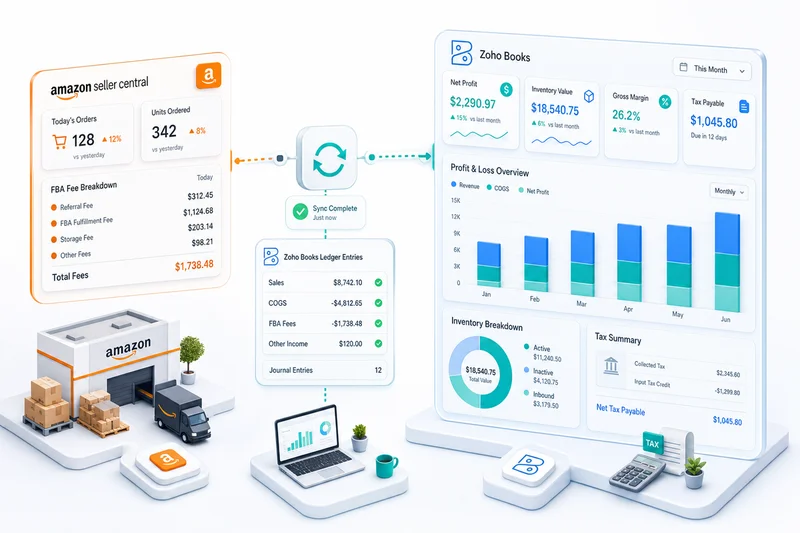
Zoho Books handles the clearing account structure natively. The Amazon-Zoho integration connects Seller Central directly to Zoho Books, pulling settlement data automatically and mapping each line item to the correct account based on fee type. The integration creates the clearing account entries, books gross sales to revenue, splits fees into their correct expense accounts, and handles returns as sales reversals rather than revenue offsets.
Fee mapping is configurable per marketplace. A seller on Amazon.com and Amazon.co.uk can define different chart-of-account mappings for each, reflecting different fee structures and tax treatments. UK VAT on Amazon.co.uk sales books to a VAT liability account. US sales tax collected by Amazon in marketplace facilitator states books separately, because Amazon remits it directly and it should not appear in the seller's revenue or tax payable accounts.
FBA inventory flows from Amazon into Zoho Books as an inventory asset. Each inbound shipment creates an inventory receipt; each unit sold creates a COGS entry. The balance sheet reflects current FBA inventory value without manual updates or end-of-month spreadsheet reconciliation.
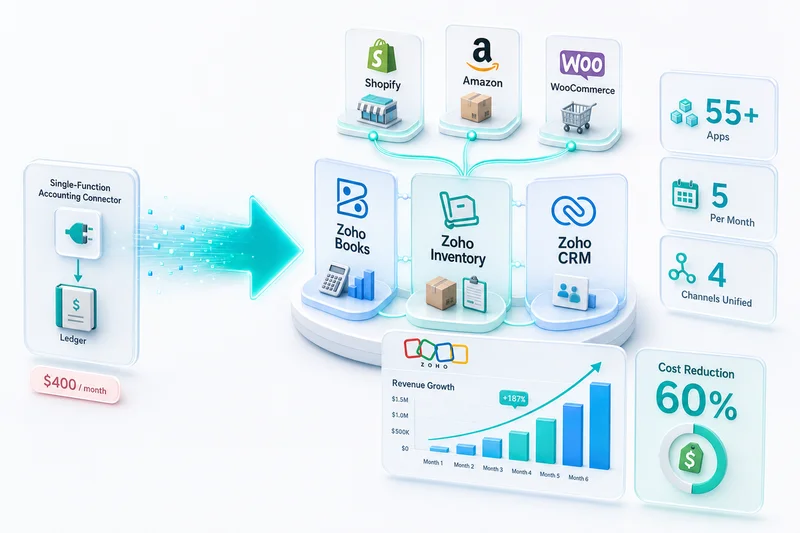
Zoho Books also integrates with Zoho Inventory for sellers operating across Shopify, WooCommerce, or other channels alongside Amazon. That integration maintains a single inventory ledger across all channels, prevents oversell by updating available stock in real time, and feeds Zoho Books COGS automatically from a single source of truth.
Zolify's Chartered Accountant validates the chart-of-accounts mapping and fee categorization for each Amazon seller's setup before it goes live. As an Official Zoho Finance Partner with 100+ Amazon seller implementations, the configuration is not a template. It reflects the actual fee structure of the seller's marketplace mix. eCommerce tax accounting requirements differ significantly between US, UK, and EU sellers; the Zoho Books setup reflects those differences from the start.
The Amazon Seller Central to Zoho Books integration
The integration operates on settlement cycles, not transaction-by-transaction. When a settlement period closes, Amazon generates the report. The integration pulls it automatically, processes the line items, and creates journal entries in Zoho Books within minutes - no manual import, no CSV parsing.
For sellers who want transaction-level detail, individual order records in Zoho Books rather than settlement summaries, the integration supports that configuration as well. Transaction-level recording increases the volume of entries but provides per-order visibility into sales, fees, and margin that settlement-level recording cannot.
Multi-currency conversion uses the exchange rate Amazon published on each settlement date, matching the rate Amazon applied. This alignment ensures functional currency figures in Zoho Books reconcile cleanly against local currency settlement amounts, which matters for sellers managing cross-border tax obligations.
For sellers currently on QuickBooks, Zolify handles the migration. Historical settlement data can be imported and reclassified, the chart of accounts migrated, and the Amazon integration configured without starting the Zoho Books file from scratch. Migration typically runs 2-4 weeks depending on historical data volume and marketplace complexity.
When to switch and what the process looks like
Three conditions reliably push sellers to make the switch from QuickBooks to a purpose-built Amazon accounting setup.
The first is monthly Amazon revenue above $20,000. At that volume, settlement fee line items accumulate fast enough that manual categorization runs 4-6 hours per settlement cycle - every two weeks, consistently. The second is expansion to a second marketplace. Adding Amazon.co.uk or Amazon.de introduces currency complexity and different fee structures that QuickBooks handles manually or not at all. The third is preparation for external investment or acquisition, where clean financial records and an auditable accounting methodology shift from nice-to-have to required.
The eCommerce industry page covers the full Zoho stack for Amazon sellers at different revenue stages. The accounting layer is the foundation; inventory, analytics, and CRM layers stack on top once the financial data is correct.
For sellers evaluating a switch, Zolify starts with a financial records audit: review the current QuickBooks setup, identify what is booked correctly and what needs reclassification, and scope the migration before any commitment. This prevents the most common migration problem - carrying incorrect historical data into the new system and discovering the error during a VAT audit six months later.
For sellers who have set up Zoho Books and want to optimize the Amazon configuration, the complete guide to Amazon seller accounting in Zoho Books covers chart-of-accounts structure, settlement mapping, and fee categorization in detail. For a plan-by-plan cost comparison between QuickBooks and Zoho Books including the connector tax that Amazon sellers pay, see Zoho Books vs QuickBooks for eCommerce Sellers.
Book a free Amazon accounting audit with Zolify - we will review your current settlement reconciliation setup and identify exactly what needs to change.
Using A2X or a similar connector with QuickBooks? See why eCommerce sellers switch from A2X to Zoho's native stack.
Sellers who supply Amazon directly as a Vendor Central 1P vendor — where Amazon issues purchase orders, pays on net-30 to net-90 terms, and remits net of chargebacks and deductions — need a different accounting architecture from FBA settlement-based accounting. The Amazon Vendor Central accounting guide for Zoho Books covers the correct chart of accounts structure, how to handle shortage claims and compliance chargebacks in separate contra-revenue accounts, and the invoice-to-remittance reconciliation workflow that 1P suppliers need.
Frequently Asked Questions
Zoho Books handles what FBA sellers actually need: 15+ Amazon fee categories mapped to correct accounts, clearing account reconciliation for biweekly settlements, FBA inventory valuation tracked separately from on-hand stock, and multi-currency support for international marketplaces. For sellers doing over $20K/month in Amazon revenue, Zoho Books integrated with Amazon Seller Central eliminates the manual work QuickBooks requires.
QuickBooks handles bank feeds and invoices reliably. It was not built for marketplace sellers. The core problem is settlement reconciliation: Amazon pays sellers every 14 days, netting gross sales against referral fees, FBA fees, advertising credits, returns, and reimbursements into a single deposit. QuickBooks imports this deposit as one line item. Recording it as revenue overstates gross sales, understates fees, and produces a cost structure that does not reflect actual FBA economics.
Zoho Books maps each fee category from the Amazon settlement report to a specific account in your chart of accounts. Referral fees go to a selling fee expense account. FBA fulfillment fees go to a separate fulfillment expense account. Advertising credits are offset against advertising spend. Returns and refunds are booked against a sales returns account, not netted against revenue. This separation makes your P&L accurate and your tax position defensible.
Yes. The Zoho Books integration with Amazon Seller Central pulls settlement data automatically, maps fees to accounts, and creates the clearing account entries needed for accurate reconciliation. The integration also handles multi-currency conversion for sellers operating on multiple Amazon marketplaces, maintaining separate currency ledgers and a functional currency P&L.
The practical trigger is when reconciliation becomes a significant monthly time cost - typically at $15,000–$25,000/month in Amazon revenue, or when selling on more than one marketplace. At that volume, Amazon biweekly settlement reports generate enough fee line items that manual categorization in QuickBooks takes 4-6 hours per settlement cycle. Zoho Books, integrated with Amazon, reduces that to under 30 minutes for most sellers.
See exactly where your Shopify, Amazon, or WooCommerce ops are leaking — free.
Get a personalised eCommerce Ops Audit: inventory gaps, accounting leaks, and order-flow bottlenecks — with a Zoho fix roadmap. Delivered in 48 hours, at no cost.