Zoho Projects vs Monday.com: Which Project Management Tool Fits Your Business?
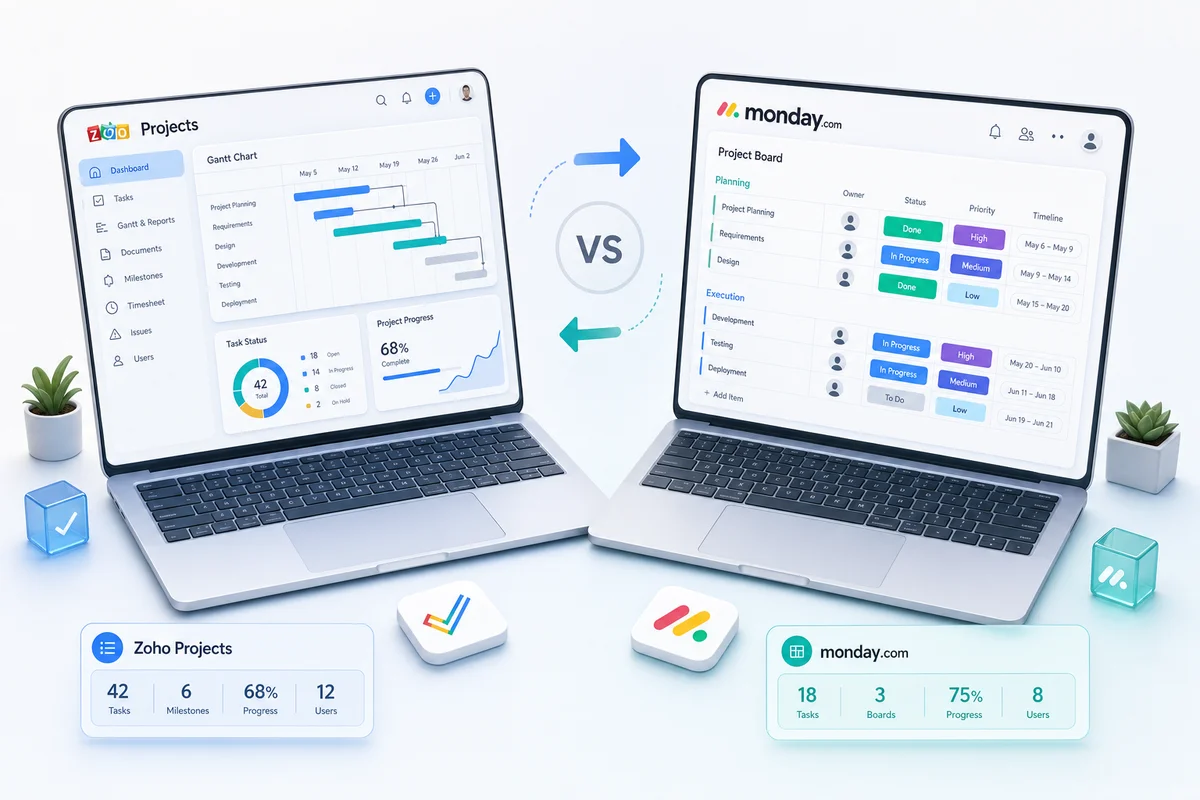
Monday.com is flashy and popular. Zoho Projects costs 75% less and connects natively to your CRM, accounting, and support tools. Here's when each one is the right call.
If you already use Zoho CRM or Zoho Books, Zoho Projects is almost certainly the better choice. The native integrations are worth more than the price gap, and the price gap is already enormous. If you don't use any Zoho products and your team cares a lot about interface polish, Monday.com makes more sense. Everything else is a tiebreaker.
That said, most teams overthink this. Here's the actual comparison.
TL;DR: Zoho Projects costs 75% less than Monday.com, includes a client portal, and connects natively to Zoho CRM and Zoho Books. Monday.com has a better-looking interface and a wider third-party app marketplace. If your business runs on Zoho tools, the integration depth alone justifies the switch. If it doesn't, Monday.com is the safer default.
Pricing: the obvious difference
| Plan | Zoho Projects | Monday.com |
|---|---|---|
| Entry | $4/user/month | $12/user/month |
| Mid-tier | $6/user/month (Premium) | $17/user/month (Standard) |
| Full-featured | $6/user/month (Premium) | $24/user/month (Pro) |
| Enterprise | $13/user/month | $30+/user/month |
For a 15-person team on the most popular tier:
- Zoho Projects Premium: $90/month
- Monday.com Pro: $360/month
- Annual difference: $3,240
At 50 users, the gap is $10,800 per year. At 100 users, $21,600. That's not rounding-error money.
And if you're already on Zoho One ($45/user/month), Zoho Projects is included alongside CRM, Books, Desk, Analytics, and 40+ more apps. The entire Zoho One subscription still costs less than Monday.com Pro alone.
Feature comparison
Both tools cover core project management well:
| Feature | Zoho Projects | Monday.com |
|---|---|---|
| Task management | Yes | Yes |
| Subtasks and dependencies | Yes | Yes |
| Kanban, Gantt, Calendar views | Yes | Yes |
| Built-in time tracking | Yes | Yes |
| Automation rules | Yes (rules-based) | Yes (visual builder) |
| Client portal | Yes (built-in) | Guest access only |
| Process enforcement (Blueprint) | Yes | Limited |
| CRM integration | Native (Zoho CRM) | Middleware required |
| Accounting integration | Native (Zoho Books) | Third-party only |
| Third-party app marketplace | Smaller | 200+ integrations |
| Interface polish | Functional | More polished |
The list view doesn't capture the difference that actually matters: depth of integration. A checked box in Monday.com's "CRM integration" row means you can push data through Zapier. In Zoho Projects, it means your CRM deal record shows live project status without any middleware at all.
Where Zoho Projects wins
Native business tool integration
When a deal closes in Zoho CRM, a project can auto-create in Zoho Projects with pre-configured tasks, assigned team members, and a timeline. Project hours flow directly into Zoho Books as billable entries. Support tickets from Zoho Desk link to project tasks without a single API call on your end.
Monday.com integrates with comparable categories of tools, but almost always through Zapier, Make, or shallow native connectors. The data sync is surface-level. You won't get CRM deal context on a Monday.com board in the same way.
For professional services firms with a time-tracking-to-billing pipeline, this integration depth is worth more than the price gap. If you want to see the full workflow, our Zoho Projects guide for agencies covers the setup.
Why this matters for Zoho users specifically
This isn't just a nice-to-have. Teams that use Monday.com alongside Zoho CRM and Books end up with three systems that don't talk to each other. Project status lives in Monday.com, deal stage lives in CRM, invoices live in Books. Someone (usually on a spreadsheet) bridges them.
The integration argument for Zoho Projects compounds. It's not just that it's cheaper; it's that adding Monday.com to a Zoho-based business creates coordination work that didn't exist before.
Client portal
Zoho Projects ships with a client portal where external clients see project progress, milestones, and deliverables, but not internal discussions, time logs, or financial data.
Monday.com handles client visibility through guest access: clients get invited to specific boards and see the same structure as your team, just with certain columns hidden. It works, but setting up a clean client-appropriate view takes more configuration.
For agencies and consulting firms, the Zoho Projects portal is more polished and requires less ongoing management.
Blueprint (process enforcement)
Blueprint defines exactly how tasks move through stages: required fields, mandatory approvals, and permitted transitions. If a task can't move to "Under Review" without a linked document, Blueprint enforces that. Nothing slips through because someone forgot to check a box.
Monday.com can restrict column changes through automations, but there's nothing as structured as Blueprint's process definition. For compliance-heavy work or quality-controlled deliverables, that difference is meaningful.
Zolify operator proof
Over 100 implementations across Zoho CRM, Books, Projects, and Inventory have given us a clear view of where Monday.com-to-Zoho migrations succeed and where they stall. The stalls are almost always in two places: automation rebuild (Monday.com automations don't translate directly to Zoho's workflow rules) and time-tracking migration (historical data rarely imports cleanly).
Zolify has a CA on staff and holds Official Zoho Authorized Partner status. When we run a Monday.com to Zoho Projects migration, we're not improvising the data mapping or guessing at account structures. If you're evaluating the switch, our guide on choosing a Zoho consultant covers what to look for in an implementation partner and what red flags to avoid.
Where Monday.com wins
Visual design and UX
Monday.com's interface is genuinely better-looking. Color-coded boards, smooth animations, intuitive drag-and-drop. For teams where adoption hinges on the tool feeling approachable, this is real.
Zoho Projects is functional and clean, but it looks like business software, not a consumer product. That's fine if your team adopts tools based on capability. It matters if adoption is your biggest migration risk.
Third-party app marketplace
Monday.com has 200+ integrations. If your stack runs heavily on tools like Slack, Figma, GitHub, or Notion, and you don't use Zoho for anything else, Monday.com's connector ecosystem is broader.
Zoho Projects compensates with native Zoho ecosystem integration. That's a fair trade if you're in the ecosystem. It's not if you aren't.
Flexibility as a work OS
Monday.com markets itself as a "Work OS" for CRM-lite, HR tracking, and marketing workflows, not just project management. You can build almost anything on it. Zoho Projects is specifically a project management tool.
If you want one platform for everything and have no other Zoho products, Monday.com's flexibility is appealing. But if you already have Zoho CRM for sales and Zoho Books for accounting, using Monday.com for projects creates a data island. Project status doesn't connect to deals. Tracked time doesn't connect to invoices. You're back to copying data between tabs.
When to choose each
Choose Zoho Projects when:
- You use (or plan to use) Zoho CRM, Books, or other Zoho apps
- You need time tracking connected to billing
- You're cost-conscious and 75% savings matter to the business case
- You need a client portal for external project visibility
- You manage structured projects with defined phases and approvals
Choose Monday.com when:
- Your team has no Zoho products and no plans to add them
- Visual polish is a top priority for adoption
- You need the tool to flex beyond project management
- You rely on third-party tools that integrate better with Monday.com than Zoho
Migrating from Monday.com to Zoho Projects
If you've decided to switch, the migration covers five steps:
- Export boards and tasks from Monday.com (CSV or API)
- Map columns to Zoho Projects fields (status, priority, assignee, dates)
- Import into Zoho Projects with project structure intact
- Rebuild automations in Zoho Projects' workflow rules
- Train your team on the new interface
The automation rebuild is where most migrations take longer than expected. Monday.com automation logic doesn't have a 1:1 equivalent in Zoho Projects' rule builder, so each automation needs to be rebuilt from intent rather than copied.
See our Monday.com to Zoho Projects migration guide for the detailed process. If you're also factoring in what the full Zoho setup will cost, our Zoho eCommerce implementation cost guide covers real cost ranges from 100+ projects.
Book a free consultation if you want help evaluating whether the switch makes sense for your team.
Frequently Asked Questions
Yes, significantly. Zoho Projects Premium costs $6/user/month. Monday.com Pro costs $24/user/month. For a 15-person team, that's $90/month vs $360/month — Zoho Projects is 75% cheaper. Both tiers include time tracking, Gantt charts, and automation. Zoho Projects is also included in Zoho One ($45/user/month for 40+ apps combined).
For most project management use cases, yes. Zoho Projects covers task management, Gantt charts, time tracking, resource management, automation, and client portals. Monday.com has an edge in visual board customization and third-party integrations. Zoho Projects wins on native CRM and accounting connections, plus significantly lower cost.
Yes. Zoho Projects supports Classic (list), Kanban (board), and Gantt (timeline) views. Tasks can be viewed in any format. The Kanban view supports drag-and-drop between columns that can represent status, priority, assignee, or custom fields.
Yes. Task data, project structures, and team assignments migrate cleanly. Monday.com supports CSV export; Zoho Projects supports CSV import. For migrations with automations and dependencies, Zolify handles the transition end-to-end. We've completed 100+ Zoho implementations and have a CA on staff to ensure business continuity. See our Monday.com to Zoho Projects migration guide for the full process.
Zoho Projects. It has a built-in client portal where external clients see project progress, milestones, and deliverables — without seeing internal tasks, time logs, or financials. Monday.com uses guest access, where guests see the same board as your team with configurable column restrictions. For agencies and consulting firms, Zoho Projects' portal is cleaner and easier to manage.
See exactly where your Shopify, Amazon, or WooCommerce ops are leaking — free.
Get a personalised eCommerce Ops Audit: inventory gaps, accounting leaks, and order-flow bottlenecks — with a Zoho fix roadmap. Delivered in 48 hours, at no cost.