eCommerce Accounting Automation: Eliminate Manual Data Entry From Your Books
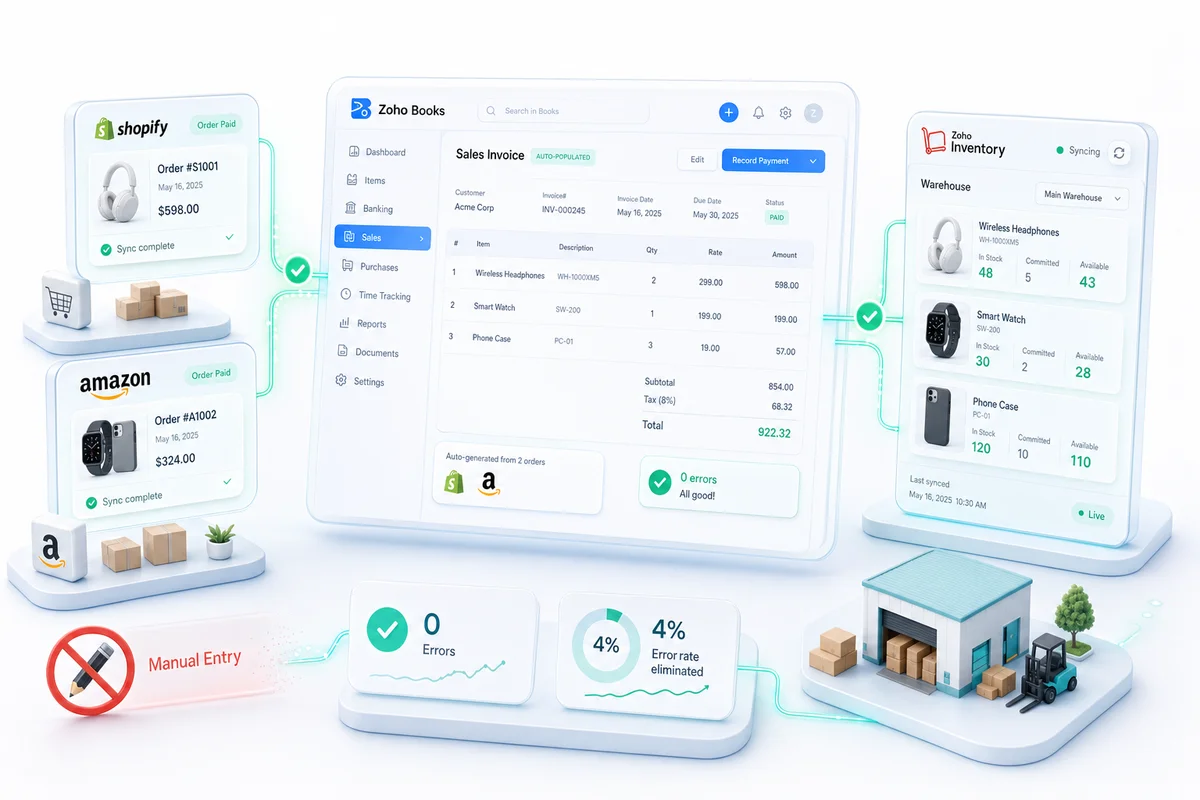
Manual data entry causes a 4% error rate without verification. At 500 orders a month, that's 20 accounting mistakes every 30 days. Here's how Zoho Books and Zoho Inventory automate the full eCommerce accounting flow from order placement to financial reporting.
Every eCommerce seller reaches a transaction volume where manual data entry stops being an inconvenience and starts being a liability. Research puts the error rate for unverified manual data entry at 1–4%. At 4%, a seller processing 500 orders a month produces 20 accounting errors monthly: wrong COGS figures, misclassified fees, unreconciled refunds. Those errors compound. A wrong COGS entry in August skews gross margin through every month until someone catches it at the quarterly review, or at tax time.
October is when this problem becomes urgent. BFCM order volumes run 5–10x normal velocity. The sellers who enter peak season with a manual accounting process spend the first week of December trying to reconcile what happened in the last week of November. The sellers who automated their books in October spend that week fulfilling orders. For a closer look at what manual entry costs before the numbers get this bad, see eCommerce bookkeeping: how to stop losing money on manual data entry.
Shopify, Amazon, and WooCommerce sellers simultaneously handle hundreds of different fee types, multi-state tax obligations, and settlement reports that arrive on different cycles. No spreadsheet handles that cleanly at scale.
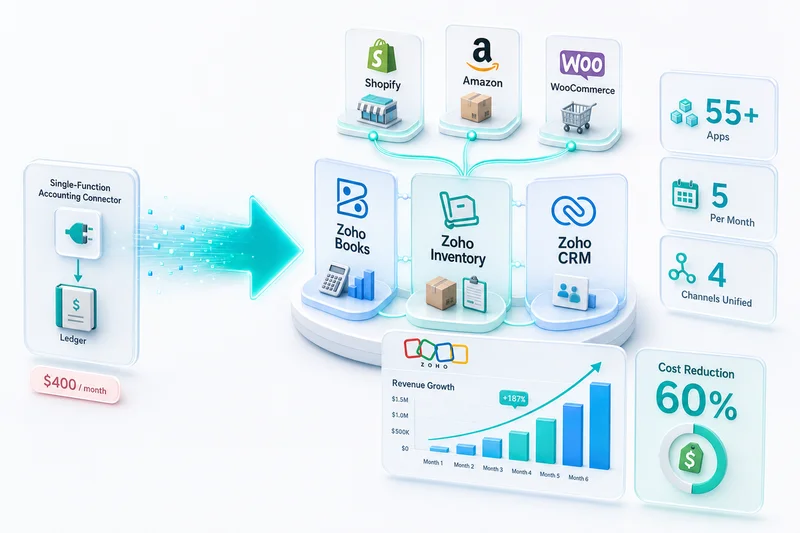
eCommerce accounting automation connects your storefronts directly to your accounting system. Orders, fees, refunds, and inventory movements record themselves. Errors come from edge cases in the data, not from a human mistyping a number. For a broader look at how Zoho handles eCommerce operations across inventory, CRM, and accounting together, see the Zoho for eCommerce guide.
TL;DR: eCommerce accounting automation connects Shopify, Amazon, WooCommerce, eBay, and Etsy to Zoho Books and Zoho Inventory via API integration. Sales, marketplace fees, refunds, and COGS record automatically. The setup requires custom integration because each platform has different fee structures and data formats. Once running, the books reflect real operations in real time. October is the last practical setup window before BFCM.
What eCommerce accounting automation actually covers
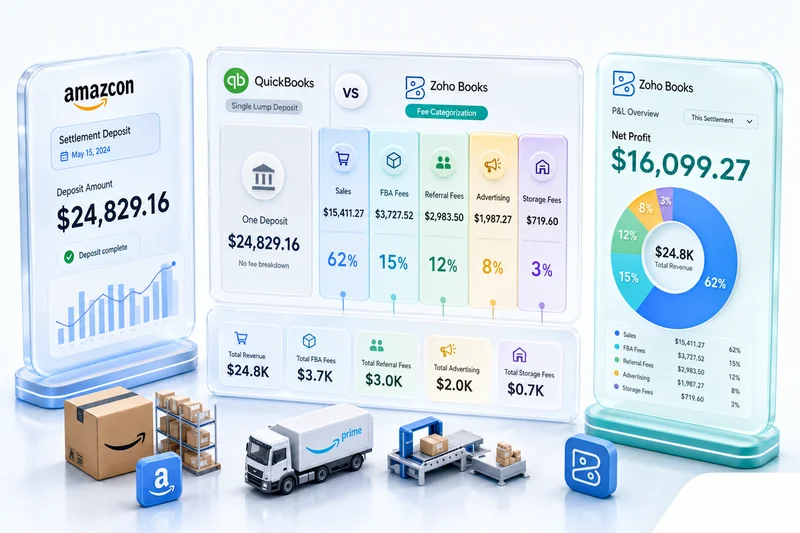
Most sellers think accounting automation means bank feeds. Bank feeds capture deposits (the net amount after all fees), which is not the same as recording sales at gross and fees in their own accounts. Recording bank deposits as revenue understates gross sales and hides the fee structure from your P&L.
Manual vs automated eCommerce accounting at a glance:
| Task | Manual process | Automated with Zoho |
|---|---|---|
| Sales recording | Enter each order into accounting | Invoice created automatically at gross |
| Marketplace fees | Download reports, classify by hand | Each fee type maps to correct account |
| COGS tracking | Calculate from spreadsheet on hand | Decremented on sale from actual cost basis |
| Refunds | Manual credit note, manual stock adjustment | Credit note + inventory reversal triggered by refund event |
| Bank reconciliation | Match net deposits to open invoices by hand | Deposits matched automatically; fee offsets applied |
Bank feeds handle payment matching only. Full automation requires API-level integration with each platform's data to cover all five flows.
Why each platform requires separate integration logic
Shopify, Amazon, WooCommerce, eBay, and Etsy each export transaction data in different formats with different fee structures. One generic connector applied to all five produces wrong results.
Shopify separates gross sale, Shopify Payments processing fee (2.9% + $0.30 per transaction on the Basic plan), and shipping revenue. Refunds generate separate refund records rather than credit notes. The Shopify Payments payout report rolls multiple orders into a single bank deposit.
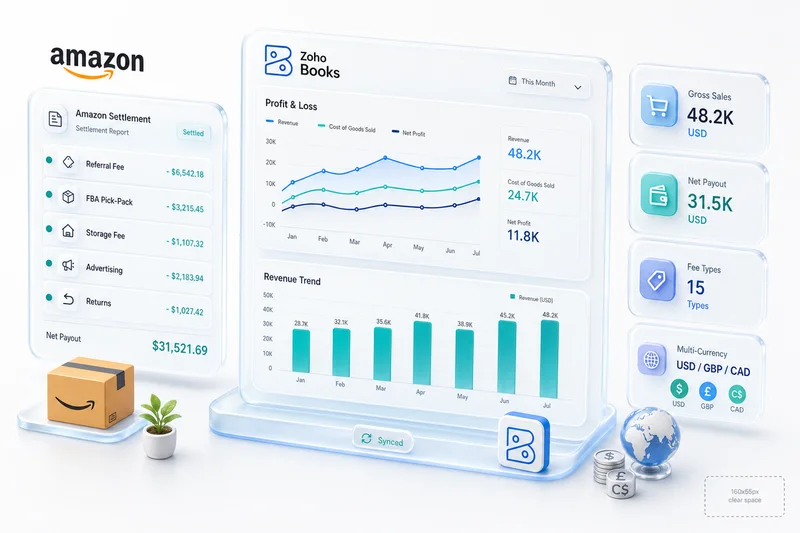
Amazon produces settlement reports every 14 days covering gross sales, referral fees (8–15% depending on category), FBA fees per unit, advertising charges, and returns. Each fee type belongs in a different expense account. Amazon settlements lag actual sale dates by up to two weeks, meaning the accounting date and the cash date are different.
WooCommerce connects to your own payment gateway (Stripe, PayPal, Square). Fees come from the gateway, not WooCommerce itself. Gateway fee structures differ from marketplace fee structures.
eBay charges a final value fee (typically 10–15% of the sale price including shipping) plus a fixed $0.30 per transaction, and an ad rate on qualifying promoted listings.
Etsy charges a transaction fee, payment processing fee, listing renewal fees, and offsite ads fees for sellers above $10,000 in annual sales. Each belongs in a different account. Combining them produces wrong gross margin and invisible advertising spend.
A single "fees" account that pools all platform charges produces an unusable P&L for any seller running more than one channel.
Talk to someone who has built this across 100+ Shopify, Amazon, and WooCommerce implementations to see what the right setup looks like for your channels.
Why October is the right setup window
BFCM runs November 28 through December 2 in 2026. Most multi-channel integrations take 3–6 weeks for a single storefront; three-channel setups (Shopify, Amazon, WooCommerce) need 6–10 weeks including chart of accounts configuration, fee mapping, and CA review.
Starting in October gives the integration time to run in production before peak volume. An integration that has not processed 1,000 real orders behaves differently under 10,000. Platform edge cases surface during normal operations: a gift card redemption handled differently by Shopify, an Amazon settlement that spans a month boundary, a WooCommerce refund processed through a different gateway than the original sale. Better to catch those in October at 300 orders a day than in November at 3,000.
There is also a reporting reason. BFCM revenue booked into a clean automated system produces an accurate November P&L by December 5. BFCM revenue reconciled manually from settlement reports produces a November P&L by mid-December, after most reorder decisions for January have already been made on incomplete data.
For sellers already working through inventory readiness for the quarter, the BFCM inventory planning guide for Shopify and Amazon sellers covers the parallel October configuration work in Zoho Inventory: seasonal reorder points, multi-channel stock allocation, and purchase order automation before the November spike.
The ROI case for automating before BFCM
The cost to build eCommerce accounting automation depends on channel count and complexity. Single-channel setups (one Shopify store connected to Zoho Books and Zoho Inventory) typically run $2,500–$6,000. Multi-channel setups start at $6,000. Both numbers look different when measured against what manual accounting costs at Q4 scale.
On the labor side: a seller processing 500 orders a month manually spends 5–10 hours a week on accounting data entry and reconciliation. At BFCM volumes, that doubles. At a bookkeeper rate of $40–$60 per hour, 10 hours a week is $1,600–$2,400 per month in labor. Automation eliminates the manual entry component. The bookkeeper's time shifts to exception review and CA oversight.
Error rates compound the same way. Twenty accounting errors per month at 500 orders scales to 80–100 errors at 2,000–2,500 BFCM orders. Each error requires human time to identify and correct. At 30 minutes per error, that is 40–50 hours of cleanup. At bookkeeper or accountant rates, the correction cost alone runs $1,600–$4,000 in a single BFCM month.
For a $6,000 multi-channel implementation, the combined savings from labor and error elimination produce a payback period of 2–4 months at normal volume. At BFCM volume in year one, the math closes in a single quarter.
These numbers are conservative. They exclude the cost of decisions made on wrong data: incorrect COGS that misprices a product category for December, misclassified fees that distort the ROI on an Amazon advertising campaign, an unreconciled refund batch that delays a supplier payment because the cash position looked different than it was.
How Zoho handles each data flow
Zoho Books and Zoho Inventory form the core of an automated eCommerce accounting stack. The integration layer between the platforms and Zoho handles format translation and fee mapping.
Order-to-invoice
When an order is placed on Shopify, shipped from Amazon FBA, or fulfilled from WooCommerce, the integration creates an invoice in Zoho Books for the gross sale amount. The invoice uses the transaction date, not the deposit date. Tax treatment is applied based on the customer's location and your nexus configuration.
Zoho Inventory decrements stock at the same time. The integration pulls the cost per unit from the item record and records COGS in Zoho Books on the same transaction. Gross margin is available at the product level, not just in aggregate. For sellers running stock across multiple channels, multi-channel inventory management through Zoho covers how stock sync and reorder logic works across warehouses and storefronts.
Marketplace fee recording
Fee data comes from each platform's settlement or payout report. The integration maps each fee type to the correct account in Zoho Books:
- Shopify: Transaction fees to Cost of Sales; Payment processing to Cost of Sales; Monthly plan fee to Operating expense
- Amazon: Referral fee to Cost of Sales; FBA fulfillment fee to Fulfillment cost; Advertising to Advertising expense; Storage fees to Operating expense
- eBay: Final value fee to Cost of Sales; Promoted listings to Advertising expense
- Etsy: Transaction fee to Cost of Sales; Offsite Ads to Advertising expense; Listing renewal to Operating expense
Refunds and returns
A return on Shopify generates a refund event. The integration creates a credit note in Zoho Books, reverses the COGS entry, and adjusts stock in Zoho Inventory. The net effect on the books matches what actually happened: revenue reduced, inventory restored, fees reversed where the platform refunds them.
Returns that involve Amazon FBA disposal rather than physical return to your warehouse get a different treatment: inventory write-off rather than stock reinstatement. The integration handles this based on the return type in Amazon's data rather than applying one rule to all return events.
Bank deposit reconciliation
Each platform's deposit is a net amount after fees. The integration creates a payment received record in Zoho Books that matches the open invoices covered by the deposit, applies the fees as offsets, and reconciles to what arrives in your bank account. Bank reconciliation shows cleared rather than a collection of net deposits you have to identify manually.
Zoho Books supports direct bank feed connections and custom rules for automated transaction categorisation. The integration layer adds the platform-specific fee logic on top of that base functionality: Amazon's 14-day settlement cycles, Shopify's payout netting, and eBay's final value fee structure each map to the correct accounts in your chart of accounts. For a closer look at how marketplace fee reconciliation works in practice, see the eCommerce marketplace fee reconciliation guide.
Reconciliation automation covers the inbound money flow. For the outbound side, Zoho Books also automates the full supplier AP cycle: PO creation, 3-way matching against goods receipts, multi-approver bill workflows, and scheduled batch payments. For Shopify and Amazon sellers managing 10 or more active suppliers, eCommerce accounts payable automation in Zoho Books covers the full AP configuration before Q4 volume arrives.
What automation does not replace
Automation handles volume transactions at scale. It does not replace judgment. Sellers who want the judgment layer handled for them (ongoing reconciliation, CA review, and per-channel P&L) rather than building it themselves are better served by managed accounting services than by a self-managed automation stack.
Inventory write-offs require review. The integration can flag items based on data signals (zero movement for 90 days, stock on hand with no open orders) but the decision to write off involves business judgment.
Chart of accounts setup is a one-time configuration task that requires accounting expertise. Getting COGS, Cost of Sales, and Operating Expense structured correctly for your business and jurisdiction is the work that makes everything downstream accurate. Automated systems built on a wrong chart of accounts produce wrong reports efficiently.
Tax compliance decisions (nexus determinations, economic nexus thresholds across states, VAT treatment for international orders) require qualified human review. Zoho automates the calculation once the rules are configured; setting those rules correctly for your specific situation is an expert task. For eCommerce sellers with multi-state exposure, the eCommerce tax accounting software guide covers how nexus configuration works inside Zoho Books and where the human review steps sit.
1099-K reporting adds another layer at year-end: each processor's gross form total differs from Zoho Books revenue for documented reasons, and that difference needs a reconciliation schedule before filing. Automated fee categorization helps build the schedule, but it does not produce it automatically. The eCommerce tax accounting software guide covers how to handle year-end tax reconciliation across Shopify, Amazon, and other processors.
Get help setting up eCommerce accounting automation, including chart of accounts configuration, CA review, and go-live validation across your channels.
Getting the automation built correctly
The integration work is not off-the-shelf connector configuration. It is custom API integration built for your specific fee structures, chart of accounts, and multi-channel data flows. A connector that pools fee types, does not handle refunds correctly, or does not reconcile Amazon's 14-day settlements to the correct sale dates produces numbers that look automated but require as much cleanup as manual entry.
Zolify has built eCommerce accounting automation for Shopify, Amazon, WooCommerce, eBay, and Etsy sellers across 100+ implementations. Every integration includes a CA reviewing the chart of accounts structure and fee mapping before go-live, so the accounting logic is correct from day one, not discovered to be wrong at the quarterly review. As an Official Zoho Finance Partner, we have access to Zoho's partner resources for handling edge cases: Amazon settlement timing, multi-currency Etsy payouts, Shopify's handling of gift cards and store credit.
If you are evaluating partners to build this, seven questions reveal whether an eCommerce operations partner has the production depth your integration requires: track record, CA/CPA on team, platform-specific experience, and post-launch support.
If your current process involves manually entering orders from Shopify into Zoho, or manually categorising Amazon settlement reports, get an eCommerce ops audit and we'll map what an automated setup looks like for your specific channels before BFCM.
Frequently Asked Questions
eCommerce accounting automation connects your storefronts (Shopify, Amazon, WooCommerce, eBay, Etsy) directly to your accounting system so sales, fees, refunds, and COGS are recorded automatically without manual data entry. Zoho Books and Zoho Inventory form the core of this automated stack: orders sync in real time, inventory is decremented, invoices are created, and fees are categorised by type, without a human touching each transaction.
Zoho connects to Shopify, Amazon, WooCommerce, eBay, and Etsy via API integration. When a sale occurs, the integration creates an invoice in Zoho Books for the gross amount, decrements inventory in Zoho Inventory, records the marketplace fee in the correct expense account, and updates COGS automatically. Payments that arrive in your bank match against open invoices. The result is an accurate, current set of books without manual entry at any step.
Research consistently puts manual data entry error rates at 1–4% without verification processes. At 4%, a business processing 500 orders a month produces approximately 20 accounting errors monthly. These errors compound: a COGS figure entered wrong in August becomes a wrong gross margin in August, September, and October until caught. The cost is not only the time to fix mistakes. It includes management decisions made on incorrect data.
Yes. Custom Zoho integration maps each fee type to the correct account in Zoho Books: Amazon's referral fee, FBA fee, and advertising charges each go to their own expense account rather than pooling into one 'Amazon fees' bucket. The same logic applies to Shopify's transaction fee and payment processing fee, eBay's final value fee, and Etsy's transaction and offsite ads charges. Clean fee categorisation produces accurate gross margin and makes advertising ROI visible by channel.
October is the practical window. BFCM order volumes run 5–10x normal velocity, and an integration that has not been tested at scale will surface data quality issues exactly when you cannot afford the cleanup time. A Zoho Books integration set up and validated in October runs in production through November and December with known behaviour. Single-channel implementations take 3–6 weeks; multi-channel setups need 6–10 weeks. If BFCM starts November 28, October is the last viable month to begin.
See exactly where your Shopify, Amazon, or WooCommerce ops are leaking — free.
Get a personalised eCommerce Ops Audit: inventory gaps, accounting leaks, and order-flow bottlenecks — with a Zoho fix roadmap. Delivered in 48 hours, at no cost.