Shopify Accounting Software: Why Zoho Books Beats QuickBooks for Online Sellers
Q4 is when Shopify sellers actually evaluate accounting software. Not January. Not during year-end close. Now — before Black Friday and before the first week of January becomes crisis mode. Here's why Zoho Books fits Shopify operations better than QuickBooks, and the cases where it doesn't.
Q4 is when Shopify sellers actually evaluate accounting software. Not January, when you're already in crisis mode finishing the year-end close. Not in the middle of a Black Friday rush. Right now — November and early December — when there's still time to switch before the new fiscal year starts clean.
Most merchants don't think of it this way. They pick QuickBooks in year one because everyone else did, then stick with it because switching mid-year feels like too much disruption. That logic mostly holds. Switching mid-year creates a split-year accounting problem: two systems, two charts of accounts, and one very confused tax preparer. But switching in November? You go live on Zoho Books by December 15, your last Shopify Payments payout of the year reconciles correctly, and January opens with a clean slate.
We've seen this play out across over 100 eCommerce migrations. Here's where Zoho Books fits Shopify operations better than QuickBooks, and the cases where it doesn't.
TL;DR: Zoho Books Professional costs $40/mo. QuickBooks Plus, the minimum tier for inventory tracking, costs $100/mo. Add the A2X connector most Shopify sellers need for QuickBooks ($20-75/mo), and the monthly bill starts at $125. That's a 68% gap for comparable functionality, with Zoho Books' Shopify Payments reconciliation now handling what used to need manual workarounds (Zoho Books Pricing, November 2026; QuickBooks Pricing, November 2026). Already set on Zoho? See our Shopify-Zoho integration guide for the technical setup. New to Zoho Books? Our Zoho Books setup guide for accountants covers chart of accounts templates, bank reconciliation, and eCommerce configuration.
What Shopify sellers actually need from accounting software
Shopify sellers deal with accounting problems most businesses never hit. Shopify Payments takes 2.4%–2.9% plus $0.30 per transaction. Third-party processors add another 0.5%–2%. Currency conversion adds 1.5%–2% more (Shopify Help Center, 2026). Every order generates a revenue entry, a fee deduction, and possibly a currency conversion — before anyone asks for a refund.
The feature checklists on G2 and Capterra won't help here. What matters is whether your accounting software handles the operational reality of running a Shopify store, month after month, without your books turning into a mess.
Payment gateway fee separation (not just "revenue in")
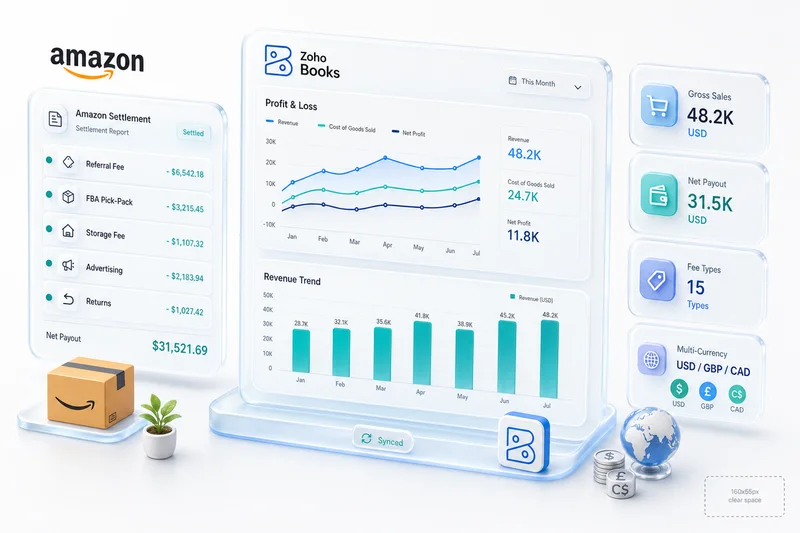
When a customer pays $100 on your Shopify store, you don't get $100. You get roughly $97.10 after Shopify Payments takes its cut. Your accounting software needs to record the $100 sale, the $2.90 processing fee, and the $97.10 net deposit — automatically. If it can't separate these, your revenue is overstated by 2.4%–2.9% on every transaction.
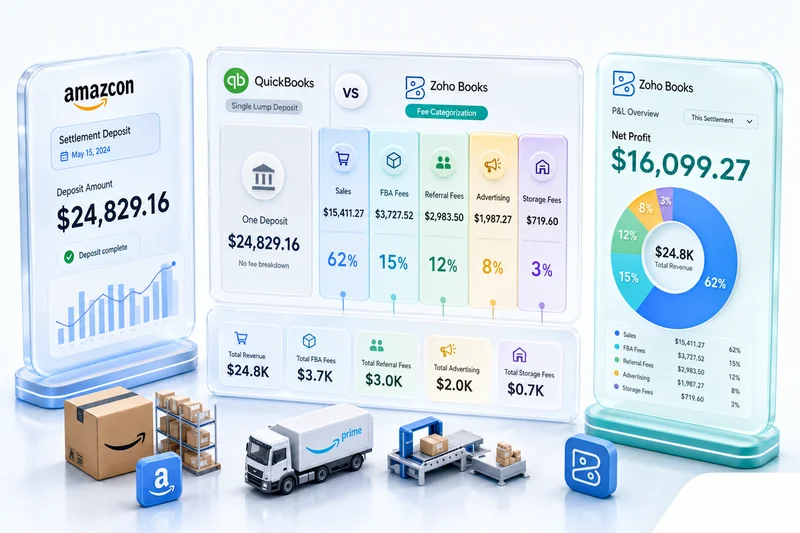
QuickBooks handles this only through a third-party app. Zoho Books, connected through the Zoho ecosystem, maps these fee categories during initial setup.
2026 update: Zoho Books added batch payout reconciliation for Shopify Payments in mid-2026. Previously, reconciling a Shopify Payments payout meant manually matching the batch payout amount against individual order transactions. Now Zoho Books automatically matches each payout to its constituent orders, with the fee breakdown visible as line items in the reconciliation screen. Multi-currency payout batches reconcile against the exchange rate at time of sale, not payout date — which eliminates the unrealized gain/loss variance that caused reconciliation gaps for international sellers. If you haven't updated your Zoho Books Shopify connector configuration since mid-2026, it's worth doing before December's payout cycle closes.
Our CA configures the chart of accounts so processing fees land in their own expense category from day one, not lumped into a generic "bank charges" line. For the detailed setup, see our Shopify Payments fee reconciliation guide for Zoho Books.
Refund accounting that doesn't inflate your sales numbers
The average eCommerce return rate hit 16.9% in 2024. Online-specific returns reached 24.5% (National Retail Federation / Happy Returns, 2025). Fashion sellers see 30%–40%. Every return triggers a revenue reversal, a fee adjustment (partial or full), an inventory restock, and sometimes a restocking fee — four accounting entries for a single returned item.
Most Shopify sellers we've migrated had inflated revenue numbers, sometimes by 15%–20%, because their accounting software recorded gross sales but didn't properly reverse the fee component on refunds. They were paying estimated taxes on revenue they'd already returned to customers.
That gap between "accounting software that connects to Shopify" and "accounting software configured for Shopify" gets expensive fast.
Multi-currency for international Shopify stores
Cross-border eCommerce reached $1.21 trillion in 2025, growing at 8.71% annually (Capital One Shopping Research, 2026). If you sell internationally on Shopify, every transaction involves a currency conversion. The exchange rate at time of sale differs from the rate when the payment settles into your bank account. That difference creates unrealized gain/loss entries your accounting software needs to track.
Zoho Books handles multi-currency natively on all plans. QuickBooks Online locks multi-currency behind the Plus plan at $100/mo, and even there the exchange rate handling is less granular than Zoho Books' API provides.
Inventory valuation tied to COGS
You can't calculate accurate profit margins without accurate cost of goods sold. That means picking an inventory valuation method (FIFO, weighted average, or specific identification) and applying it consistently. QuickBooks Plus handles basic inventory. Zoho Books Professional connects natively to Zoho Inventory, which covers warehouse management, batch tracking, and composite items. If you're managing multi-channel inventory across Shopify and other storefronts, that native connection matters. QuickBooks needs add-ons for all three.
QuickBooks vs Zoho Books for Shopify sellers
For most Shopify sellers, the real decision comes down to two platforms. Everything else is either too basic for eCommerce volume or too expensive to justify.
Where QuickBooks still wins
QuickBooks isn't wrong for everyone.
More CPAs and tax preparers in the US know QuickBooks than any other platform. If your accountant insists on it, switching creates friction you need to account for. (Zoho Books exports clean trial balances and financial statements that any competent CPA can work with, but "competent" is doing some work in that sentence.)
QuickBooks Payroll is tightly integrated and widely used. Zoho Payroll exists but has a smaller footprint in the US market.
Where Zoho Books pulls ahead
The price gap isn't small. Zoho Books plans run $15–$79/mo depending on tier. QuickBooks runs $60–$200/mo — and Shopify sellers need to add an integration connector like A2X ($20–75/mo) because QuickBooks has no native Shopify sync. Zoho Books' Shopify integration is native, included in the plan.
For a mid-size seller who needs inventory tracking and multi-currency:
- Zoho Books Professional: $40/mo, native Shopify integration included
- QuickBooks Plus: $100/mo + A2X connector starting at $20/mo = $120+/mo
- Difference: 68% savings with Zoho Books, and one fewer third-party dependency that can break when Shopify updates its API
For the complete cost breakdown across accounting tiers, see Zoho Books vs QuickBooks for eCommerce sellers, which also covers Amazon and WooCommerce scenarios.
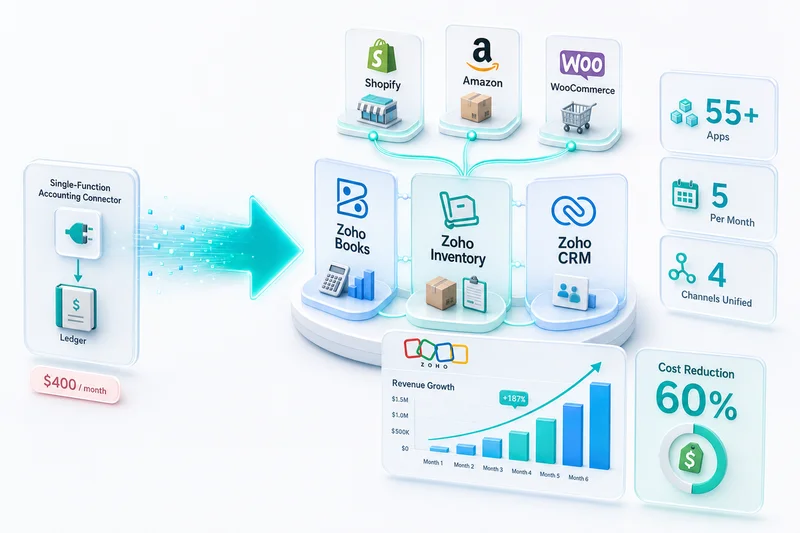
Zoho Books connects natively to Zoho Inventory, Zoho CRM, Zoho Analytics, and Zoho Campaigns. A Shopify seller using QuickBooks Plus ($100/mo) + a CRM ($25–75/mo) + an inventory app ($30–100/mo) pays $155–275/mo for what Zoho One provides at $45/user/mo.
Zoho's API is also more extensible for custom integrations. Need to automatically create a purchase order when inventory drops below a threshold after a Shopify sale? Zoho's API handles that without middleware. QuickBooks' API is more restrictive on financial write operations.
For new sellers: Zoho Books has a functional free plan for businesses under $50K revenue. Starting on Zoho Books Free and upgrading as you grow is a smoother path than starting on QuickBooks and migrating later.
Sellers evaluating Xero specifically (common among those coming from AU, NZ, or UK operations) should also see Xero vs Zoho Books for eCommerce Sellers, which covers Xero's inventory gap, per-channel connector costs, and true monthly total for multi-channel operators.
What happens after you pick the software
83% of SMB finance leaders say automation is key to improving business efficiency (BILL / SMB Group, 2025). But automation built on a misconfigured chart of accounts just produces wrong numbers faster.
Most sellers skip the configuration step. They pick the software, connect the integration, and assume the defaults are fine. Six months later, their books are wrong and they don't know why. Our Chartered Accountant reviews every Shopify-to-Zoho configuration to make sure gateway fees, refund reversals, and multi-currency conversions land in the right accounts. See how we approach eCommerce implementations on Zoho.
Why "best accounting software" listicles get it wrong for Shopify
You've seen them. "10 Best Accounting Software for Shopify in 2026." They rank platforms by features, screenshots, and pricing tables. Not wrong, but not useful for making a real decision either.
They compare features, not eCommerce workflows
A feature checklist tells you QuickBooks has "inventory tracking." It doesn't tell you whether QuickBooks handles variant-level inventory for a Shopify store with 500 SKUs across 15 product types, each with size and color variants. What happens when a customer returns one color variant from a multi-item order? That's a workflow question, and feature tables don't answer it.
They ignore implementation complexity
Connecting Shopify to QuickBooks requires a third-party integration app. That app adds $20–50/mo in fees, introduces a third point of failure, and limits which data fields can sync. The listicle says both "integrate with Shopify." It doesn't mention the cost or the failure modes.
The Shopify sellers who come to us after a failed DIY setup almost always chose their accounting software from a listicle. They picked based on brand recognition (QuickBooks) or price (Wave) — not based on their actual order volume, fee structures, or multi-channel complexity. Rebuilding from a misconfigured setup costs 2–3x more than getting it right the first time.
They don't test at eCommerce data volume
Manual data entry without verification produces error rates as high as 4%, or 4 errors per 100 entries (DocuClipper, 2025). A Shopify store doing 500 orders a month? That's potentially 20 accounting errors. Every month. Compounding.
No listicle tells you what happens when you push 500+ invoices through your accounting software in a week. Does it slow down? Do API rate limits cause missed transactions? Does the integration handle Shopify's webhook retries correctly? You only find out at scale.
How Zolify sets up Zoho Books for Shopify sellers
Zolify isn't a software vendor. We implement and manage the full Zoho stack for Shopify sellers, Amazon merchants, WooCommerce stores, eBay and Etsy shops. Here's what a typical Shopify setup looks like.
Chart of accounts built for Shopify revenue streams
The default Zoho Books chart of accounts wasn't designed for eCommerce. It has generic categories like "Sales" and "Bank Charges." A Shopify seller needs revenue accounts broken out by product category, shipping revenue, and gift card redemptions. Expense accounts for Shopify Payments fees, third-party gateway fees, currency conversion fees, and app subscriptions. Liability accounts for gift card balances and customer deposits.
Shopify Plus merchants — with multi-storefront P&L, Shopify Markets multi-currency payouts, or subscription and bundle revenue recognition — need additional configuration beyond what a standard Shopify setup covers. See our Shopify Plus enterprise accounting guide for Zoho Books for the full configuration.
Our CA builds this chart of accounts before a single transaction syncs. A developer can connect APIs. An accountant knows which account type each Shopify transaction should actually hit. We have both.
Automated order-to-invoice pipeline
Once the chart of accounts is configured, orders flow from Shopify into Zoho Books automatically. Each order creates an invoice with the correct line items, gateway fees separated and categorized, tax amounts recorded by jurisdiction, and inventory quantities updated in Zoho Inventory at the same time.
Most of the time savings come from eliminating the manual reconciliation work that follows every batch of orders — not just data entry, but the investigation when numbers don't match. A study by MIT Sloan and Stanford found that AI-assisted accountants cut monthly financial close time by 7.5 days (CFO Dive, 2025). Properly configured automation gets you similar gains through a simpler mechanism: transactions that land in the right account the first time.
Month-end close time shrinks
eCommerce businesses spend 10–15 hours per week on manual data entry, reconciliation, and financial reporting (Klavena / IOFM, 2025). On top of that, businesses average 16 days per year correcting manual bookkeeping errors.
After a Zolify implementation, that workload drops significantly. Bank reconciliation matches automatically because the amounts in Zoho Books already account for Shopify's fee deductions. Revenue numbers are accurate because refunds were processed correctly from the start. Your CPA gets clean books, not a spreadsheet of corrections.
When Zoho Books is not the right choice for your Shopify store
We'd rather you pick the right software than pick Zoho Books because we recommended it.
Your CPA refuses to work with anything except QuickBooks, and switching CPAs isn't worth the hassle? Stay on QuickBooks. Any CPA who can't work with standard financial statements from Zoho Books is limiting your options in a way that'll matter eventually, but that's a separate fight.
Under $50K/year in revenue? Don't overthink this. Zoho Books Free works. So does Wave. Complicated accounting setups for simple businesses create more problems than they solve.
And if you only need accounting — no CRM, no advanced inventory, no marketing automation — QuickBooks Simple Start at $60/mo is solid. The Zoho ecosystem advantage only matters if you'll actually use more than one Zoho app.
The pricing math for a mid-size Shopify seller
Here's what the numbers look like for a seller who needs inventory tracking, multi-currency support, and a CRM:
QuickBooks route: QuickBooks Plus for inventory ($100/mo as of November 2026) + A2X Shopify connector ($25/mo) + a CRM like HubSpot Starter ($25–50/mo). Total: $150–175/mo, or $1,800–2,100/year.
Zoho One route: Books, Inventory, CRM, Analytics, Campaigns, and 40+ other apps at $45/user/mo. For 3 users: $135/mo, or $1,620/year. Shopify integration is included.
Zoho standalone route: Zoho Books Professional ($40/mo) + Zoho Inventory Standard ($79/mo) + Zoho CRM Standard ($20/user/mo × 3 = $60/mo). Total: $179/mo, or $2,148/year.
Zoho One wins on price for the full stack. Even the standalone Zoho route is comparable to QuickBooks once you add CRM and integration costs. The real difference: with Zoho, everything talks to everything natively. With QuickBooks, you're connecting third-party apps and hoping they don't break when Shopify updates its API.
Shopify sellers who switch from QuickBooks Plus + third-party apps to Zoho One typically save $600–1,100/year in software costs alone. The larger savings come from eliminated manual reconciliation time, usually 5–10 hours per month that someone on your team was spending on data entry the Zoho integration now handles automatically.
Shopify sellers who want only the finance and inventory layer — accounting, inventory, expenses, and subscriptions — without the full CRM and HR suite can also evaluate Zoho Finance Plus for eCommerce sellers, which sits between standalone Zoho Books and Zoho One in scope and price.
Shopify accounting at year-end: why the window is now
Late Q4 is when accounting software limitations get expensive for Shopify sellers. Three things converge at year-end that stress-test whatever setup you've been running all year.
If you're evaluating a switch, November is the practical window. A Zoho Books implementation takes 2–4 weeks. Start now, and you're live before December 15 — before the Shopify Payments payout cycle closes for the year, before the 1099-K reconciliation crunch, before January turns into damage control.
1099-K reconciliation
Shopify Payments generates a 1099-K for sellers who process over $600 in payments in a calendar year, which covers most active Shopify stores after the IRS lowered the threshold. The 1099-K reports gross payment volume — total sales charged, before returns, before chargebacks, before Shopify's fee deductions. If your accounting software has been recording net deposits rather than gross sales, the number on your 1099-K won't match your books.
In QuickBooks, correcting this at year-end means rebuilding revenue entries you considered closed months ago. In Zoho Books, configured correctly from setup, gross sales flow through the Shopify integration automatically. The 1099-K reconciliation is a five-minute verification, not a reconstruction.
The 2026 Zoho Books batch payout reconciliation update specifically addresses this: Shopify Payments payouts now reconcile at the order level, with gross sales and fee amounts tracked separately from day one. If you've been on Zoho Books but haven't updated your Shopify connector configuration since mid-2026, update it before December so the payout data flows correctly for the full year-end 1099-K.
Shopify Payments final settlement
Shopify closes its payout calendar around Dec 28–30, which means your last December settlement may arrive in January. If your accounting software can't handle period-end accruals cleanly, December revenue is understated and January is overstated. Zoho Books handles accrual accounting natively, but the Shopify Payments integration defaults to syncing on payout date. Getting it to sync on sale date requires configuration during setup. Zolify's CA configures the accrual sync as part of every standard implementation.
COGS finalization
Your gross margin isn't real until you've run a final COGS calculation against ending inventory. Q4 is your highest-volume quarter, returns inflate sold inventory counts, and bundles complicate the unit math. If inventory tracking sits in a third-party app disconnected from your accounting software, finalizing COGS means a manual reconciliation exercise running into January.
Zoho Books and Zoho Inventory share a live data layer — COGS updates as inventory moves. When December 31 hits, the number in your books already reflects every sale, return, and bundle. See the full configuration in our eCommerce COGS tracking guide for Zoho Books.
For a complete 10-step year-end close checklist covering marketplace settlement reconciliation, 1099-K verification, period locking, and platform-specific tasks for Shopify, Amazon, and WooCommerce sellers, see our eCommerce year-end accounting checklist for Zoho Books.
Getting started with a Shopify accounting assessment
If you want to get this right, it's not a 15-minute decision. Your Shopify store's fee structure, return rate, multi-currency exposure, and growth trajectory all shape the recommendation.
Zolify's eCommerce Ops Audit maps your current Shopify financial workflow, finds where data is leaking or misclassified, and recommends the right Zoho configuration for your operation. The audit covers:
- Chart of accounts review (or creation if you're starting from scratch)
- Shopify fee structure analysis: which fees are you paying, and are they categorized correctly?
- Multi-channel assessment: if you also sell on Amazon, WooCommerce, eBay, or Etsy, the accounting complexity multiplies
- Integration architecture: what connects to what, and where are the failure points?
- Timeline and cost estimate for implementation
For context on how the Shopify-Zoho integration fits into your broader eCommerce operations stack, that solution page covers the full data flow from Shopify orders through to Zoho Books, Inventory, and CRM.
Sellers who get accounting right early scale faster. They close books in hours, not days, and they know their real margins before year-end close rather than after it.
Shopify accounting is one layer of the broader eCommerce stack. For how Shopify connects alongside Amazon, WooCommerce, eBay, and Etsy in a unified Zoho operations backend, see Zoho for eCommerce: The Complete Operations Platform Guide. For Shopify sellers who want gross margin, COGS, and channel P&L dashboards built in Zoho Analytics — pulling from Zoho Books and Zoho Inventory — see the Shopify Zoho Analytics guide, which covers the three integration methods and the five dashboards to build first. For Shopify sellers who want ongoing CA-backed accounting management beyond the initial setup — monthly reconciliation, per-channel P&L delivery, and tax-ready financials — see what eCommerce accounting services cover.
Frequently Asked Questions
Zoho Books and Zoho Inventory both have Shopify integrations through the Zoho ecosystem, but the depth depends on what you need. For basic order sync, Zoho's native connectors work. For full financial automation (fee separation, multi-currency, refund reversals) a professional implementation through a team like Zolify makes sure every transaction type maps correctly. Zolify has done this setup for over 100 eCommerce businesses.
Yes, significantly. Zoho Books Professional costs $40/mo vs QuickBooks Plus at $100/mo as of late 2026. QuickBooks Shopify sellers also pay $20-75/mo for A2X or a similar connector — Zoho Books' Shopify integration is native, so there's no extra connector fee. That puts the total QuickBooks route at $120-175/mo vs $40/mo for Zoho Books Professional, roughly a 68% difference for comparable inventory tracking.
Zoho Books supports data import from QuickBooks: chart of accounts, contacts, open invoices, and historical transactions. Migration typically takes 2–4 weeks for a mid-size Shopify seller. The hard part isn't the data transfer — it's reconfiguring the chart of accounts for eCommerce categories like payment gateway fees, marketplace commissions, and refund accounting that QuickBooks' default setup usually lumps together.
Q4, specifically November or early December. Switching before year-end means your January close happens entirely in Zoho Books — one clean set of records, one system, no split-year accounting complexity. The implementation takes 2–4 weeks, so a November start lands you live before December's Shopify Payments payout cycle begins. Zolify's CA handles the cutover accounting so the transition doesn't create a gap in your books.
Your Shopify order history stays in Shopify; the migration doesn't touch it. What moves to Zoho Books is your accounting records: chart of accounts, open invoices, vendor balances, and historical transactions going back as far as you want to import. For year-end migrations, Zolify recommends importing at least the current fiscal year so your P&L and balance sheet are complete from day one. Your first January close in Zoho Books should reflect a full year, not just the months since you switched.
See exactly where your Shopify, Amazon, or WooCommerce ops are leaking — free.
Get a personalised eCommerce Ops Audit: inventory gaps, accounting leaks, and order-flow bottlenecks — with a Zoho fix roadmap. Delivered in 48 hours, at no cost.