WooCommerce to Zoho Integration: Orders, Inventory, and Accounting
WooCommerce gives you total control over your storefront. But that control creates backend complexity (variable products, subscription revenue, plugin dependencies) that generic Zoho setups can't handle. Here's how Zolify connects WooCommerce to the full Zoho stack.
WooCommerce powers over 4.4 million live stores globally, holding a 33% share of the eCommerce platform market according to StoreLeads (Q2 2026). That's a lot of WordPress-powered stores with full control over checkout, catalogs, and customer experience. With Black Friday and Cyber Monday seven weeks out, sellers who haven't unified their backend are running out of runway. The Zoho integration decisions you make now determine whether your WooCommerce operations scale through the Q4 peak or crack under it.
The average WooCommerce store runs 15 to 35 active plugins: payment gateways, shipping calculators, tax engines, subscription managers, inventory tools. Every plugin generates data. And none of it flows automatically into your accounting system, inventory management, or CRM.
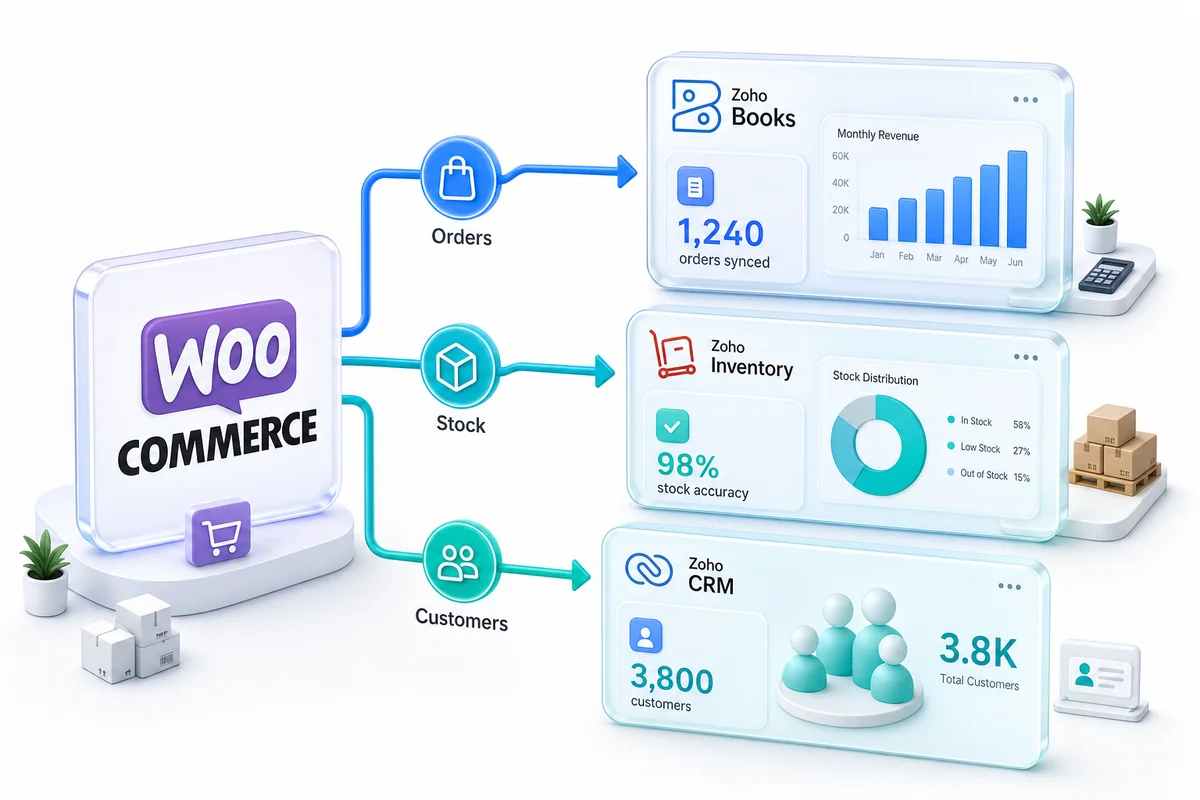
A WooCommerce to Zoho integration fixes this by connecting your WordPress storefront to a unified Zoho backend: Zoho Books for accounting, Zoho Inventory for stock management, and Zoho CRM for customer lifecycle data. This guide covers what that integration actually involves, the WooCommerce-specific quirks that trip up generic setups, and what the implementation process looks like from start to finish. For a platform-level view of how Zoho connects across eCommerce channels, see the Zoho for eCommerce guide.
TL;DR: WooCommerce stores generate complex data across 15-35 plugins (WooCommerce Developer Blog, 2024). A proper Zoho integration connects orders to Zoho Books, inventory to Zoho Inventory, and customers to Zoho CRM, handling variable products, subscription revenue, and multi-channel sync that generic connectors miss. With BFCM approaching, getting this right before peak season matters more than it does in any other quarter. Zolify builds these integrations with a CA on staff who gets the accounting right.
What does WooCommerce-to-Zoho integration actually cover?
Far more than pushing orders into an accounting tool. According to a 2022 Business Wire industry survey, 75% of eCommerce businesses still handle manual accounting tasks because of data errors across platforms, losing 5 to 7 full working days per month. A complete WooCommerce Zoho integration eliminates that manual layer by connecting three systems: financial operations, inventory management, and customer data.
WooCommerce sellers often start with a basic Zoho Books connection and think they're done. They aren't. Orders flow into Zoho Books, but inventory stays disconnected. Customer data never reaches CRM. Six months later, the team spends more time on manual reconciliation than before the "integration" existed.
Orders to Zoho Books
Every WooCommerce order should create a corresponding invoice in Zoho Books automatically. The integration needs to handle WooCommerce's particular data structure: line items with variable product attributes, coupon discounts applied at cart level, shipping charges from whichever shipping plugin you're running, and tax calculations from your tax engine (WooCommerce Tax, TaxJar, Avalara, or manual rates).
Revenue recognition gets tricky with WooCommerce. Unlike Shopify, where payment processing is relatively standardized, WooCommerce supports dozens of payment gateways: Stripe, PayPal, Square, Authorize.Net, direct bank transfers. Each gateway has different settlement timing, fee structures, and payout logic. The integration needs to handle all of them and map the right fees to the right accounts in Zoho Books. For the full step-by-step process to reconcile WooCommerce Stripe and PayPal payouts in Zoho Books — clearing accounts, batch settlement matching, COGS at fulfilment, and monthly close — see our order-to-cash guide.
Refunds matter too. When a customer gets a partial refund through WooCommerce, the credit note in Zoho Books needs to reference the original invoice, apply the correct amount, and adjust tax calculations. All automatic, not manual.
Product Inventory to Zoho Inventory
WooCommerce's product catalog is more complex than most platforms. You've got simple products, variable products (a t-shirt in 5 sizes and 3 colors = 15 SKUs from one product), grouped products, and external/affiliate products. Each type maps differently to Zoho Inventory.
Real-time stock sync means when a unit sells on your WooCommerce store, Zoho Inventory reflects the change immediately. If you're selling that same SKU on Amazon, Shopify, or eBay, every channel's available quantity updates together. According to CAPS Research (2024), average US retail inventory accuracy sits at just 63-66%. Real-time sync across channels is how you close that gap.
Zoho Inventory handles the purchasing side too: reorder points, purchase orders to suppliers, goods receipt notes, and landed cost calculations. When your WooCommerce product hits its reorder threshold, Zoho Inventory generates a draft purchase order without anyone watching stock levels manually.
For a detailed breakdown of how the WooCommerce–Zoho Inventory connection works (product sync field mapping, order flow, multi-warehouse routing, and the accounting bridge to Zoho Books) see our Zoho Inventory for WooCommerce guide.
Customers to Zoho CRM
WooCommerce stores collect customer data that most sellers never actually use. Every order contains a name, email, shipping address, purchase history, and product preferences. When that data flows into Zoho CRM automatically, your team can segment customers by lifetime value, trigger post-purchase email sequences through Zoho Campaigns, and spot repeat buyers before they churn.
According to Infoverity research (2025), 73% of shoppers use two or more channels when making purchases. If a customer buys from your WooCommerce store and later purchases from your Amazon listing, Zoho CRM should show both transactions under one customer record. That only works when every channel feeds into the same CRM.
What WooCommerce data quirks trip up generic setups?
Everything that makes WooCommerce powerful also makes it hard to integrate. According to DocuClipper (2025), human data entry carries a 1-4% error rate, or 100 to 400 errors per 10,000 entries. Automation drops that to 0.01-0.04%. But automation only works when the integration actually understands WooCommerce's data model.
Generic Zoho consultants configure Zoho Books for any business type. They set up a chart of accounts, connect a basic data feed, and move on. The WooCommerce-specific edge cases surface weeks later, and by then the consultant is on another project.
Variable products and variant-level inventory
A WooCommerce variable product might have a parent product ("Cotton Hoodie") with 20 variations (4 sizes x 5 colors). Each variation has its own SKU, price, stock quantity, and weight. Generic integrations often sync only the parent product, ignoring variations entirely. Or they create 20 separate products in Zoho Inventory without preserving the parent-child relationship.
What we've seen in implementations: The most common failure with WooCommerce-Zoho inventory sync is variant mapping. A store with 200 products and an average of 8 variants each has 1,600 SKUs. If the integration doesn't handle the parent-variant hierarchy correctly, your Zoho Inventory becomes an unmanageable flat list of 1,600 items with no logical grouping. We've rebuilt this for clients who had "working" integrations that were technically syncing data but operationally useless.
The integration needs to map WooCommerce's parent/variation structure to Zoho Inventory's composite item or item group structure, preserving the hierarchy, syncing stock at the variant level, and rolling up totals to the parent for reporting.
WooCommerce Subscriptions revenue recognition
The subscription eCommerce market hit $20.58 billion in 2025 and is growing at 9.36% CAGR according to Precedence Research. If you're running WooCommerce Subscriptions (or a similar plugin), every recurring payment creates an accounting event that needs specific treatment.
You can't record subscription revenue the same way as one-time product sales. Depending on your accounting method:
- Cash basis: Record revenue when each recurring payment arrives
- Accrual basis: Record the full subscription value when the contract starts, then recognize revenue monthly
Your chart of accounts needs separate revenue lines for subscription income vs. product sales. Deferred revenue accounts need to track unearned subscription income. Trial periods, upgrades, downgrades, and cancellations each have distinct accounting treatments.
Generic Zoho setups don't account for any of this. The integration books every payment as product revenue, and your financial statements end up misrepresenting your actual revenue mix.
Refunds, partial refunds, and restocking
WooCommerce's refund system is more flexible than most platforms. A customer can get a full refund, a partial refund on specific line items, or a partial refund on the entire order. The store can optionally restock the refunded items. Each scenario creates different entries in Zoho Books and Zoho Inventory.
A full refund with restocking: credit note in Zoho Books for the full amount, inventory quantities restored in Zoho Inventory. A partial refund without restocking (customer keeps the item but gets a price adjustment): credit note for the partial amount, no inventory change. A partial line-item refund with selective restocking: credit note for those line items only, inventory restored only for the restocked items.
Generic connectors usually handle the first scenario. The second and third break them. For a full breakdown of how returns and RMA flows work through Zoho, see our eCommerce returns management with Zoho guide.
How does Zolify configure your WooCommerce-Zoho backend?
According to DocuClipper (2025), automation cuts manual data entry work by 80%. But that 80% only materializes when the integration is built correctly from the start. Zolify's approach starts with accounting structure, not technology, because the chart of accounts determines whether the data is useful or just technically present.
As an Official Zoho Authorized Partner with a Chartered Accountant on staff, we bring something generic consultants and DIY Zapier setups can't: accounting domain expertise applied to eCommerce data structures.
Chart of accounts built for WooCommerce revenue
Before a single data point syncs, our CA reviews your revenue model and builds a chart of accounts that matches how WooCommerce actually generates money. For a typical WooCommerce store, that means:
Revenue accounts separated by type:
- Product sales (by category if needed for reporting)
- Subscription revenue (recurring)
- Deferred subscription revenue (accrual basis)
- Shipping income
- Digital product / download revenue
COGS accounts matched to WooCommerce's product types:
- Physical product cost (using FIFO or weighted average in Zoho Inventory)
- Subscription fulfillment costs
- Shipping costs (carrier charges as COGS, not operating expense)
Fee accounts for each payment gateway:
- Stripe processing fees
- PayPal transaction fees
- Other gateway fees
Why this matters more than the technology: We've audited WooCommerce stores where a "working" integration was syncing thousands of orders into Zoho Books, all into a single revenue account with no COGS separation, no gateway fee tracking, and no subscription vs. product revenue distinction. The data was in Zoho. It was completely useless for financial decision-making. The chart of accounts setup takes a few hours. Getting it wrong costs months of cleanup.
For a detailed walkthrough of eCommerce chart of accounts design and Zoho Books configuration, see our Zoho Books setup guide for accountants. For the category and revenue structure specific to online sellers, the eCommerce chart of accounts guide covers each revenue line and why it matters for COGS accuracy.
Real-time inventory sync across your catalogue
Zolify's WooCommerce integrations use the WordPress REST API to maintain real-time bidirectional sync between WooCommerce and Zoho Inventory. When stock changes in either system (a sale on WooCommerce, a purchase order received in Zoho Inventory, a manual adjustment) both systems reflect the update.
For multi-warehouse sellers, Zoho Inventory tracks stock by location. Your WooCommerce store shows the combined available quantity, but Zoho Inventory knows exactly which warehouse holds each unit. This matters for fulfillment routing and for understanding where your capital is tied up.
According to industry research (2024), carrying costs eat 20-30% of total inventory value annually. Accurate inventory data in Zoho Inventory helps you reduce overstock, which directly improves cash flow.
Customer segmentation in Zoho CRM from purchase data
Every WooCommerce order enriches the customer record in Zoho CRM. Over time, this builds a profile that goes beyond what WooCommerce's native customer list can show:
- Lifetime value calculated across all purchases and all channels
- Purchase frequency: monthly buyers vs. seasonal vs. one-time
- Product affinity: which categories or products each customer gravitates toward
- Recency scoring: when was their last purchase, and are they at risk of churning
This data powers Zoho Campaigns for email marketing. Instead of blasting your entire list, you segment: high-value customers get early access to new products, lapsed customers get win-back sequences, subscription customers get renewal reminders with upsell offers.
How do multi-channel operations work with WooCommerce + Amazon + Shopify?
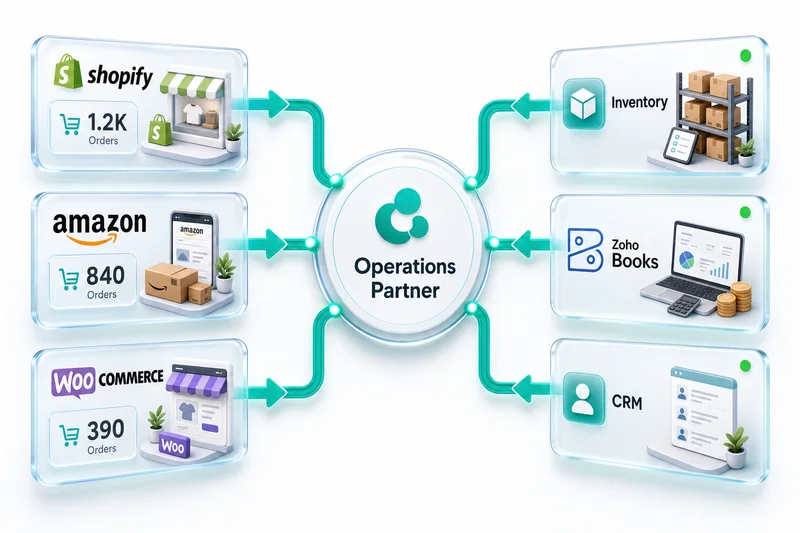
Retailers selling on three or more channels generate 140% more revenue than single-channel sellers, according to Fermat Commerce (2025). Many WooCommerce sellers already sell on Amazon, Shopify, eBay, or Etsy alongside their WordPress store. Zoho becomes the central nervous system connecting all of them.
Unified inventory pool across storefronts
The biggest operational risk for multi-channel sellers is overselling. A customer buys your last unit on Amazon while another customer simultaneously checks out on WooCommerce. Without a unified inventory pool, both orders process and one customer gets a cancellation email.
Zoho Inventory solves this by maintaining a single stock count that all channels draw from. When a unit sells on any channel (WooCommerce, Amazon, Shopify, eBay) Zoho Inventory deducts it and pushes the updated available quantity back to every connected storefront.
According to the National Retail Federation (2024), stockouts cost global retail $1 trillion in missed sales annually. For a multi-channel WooCommerce seller, unified inventory isn't optional. It's the difference between growing and losing customers.
For sellers managing this complexity, our multi-channel eCommerce operations page details how the full setup works across storefronts.
Consolidated P&L across channels in Zoho Analytics
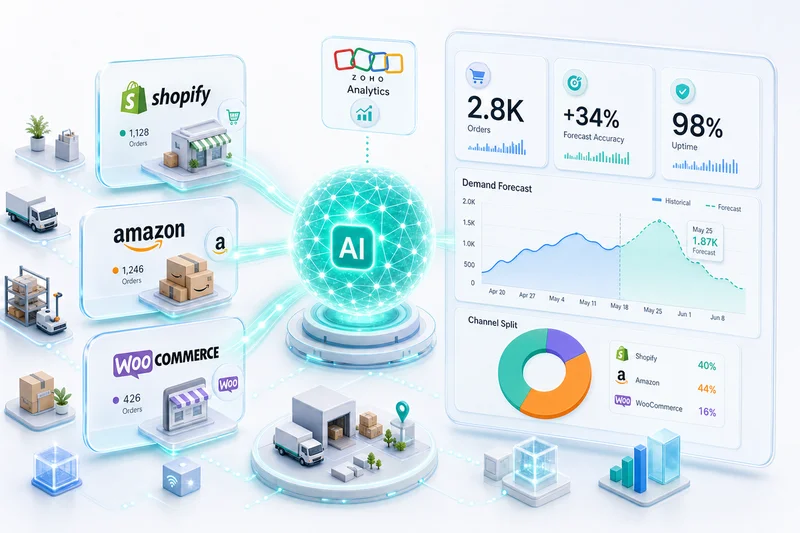
When every channel feeds into the same Zoho Books instance, financial reporting becomes genuinely useful. Zoho Analytics pulls from Zoho Books, Zoho Inventory, and Zoho CRM to build dashboards that answer the questions multi-channel sellers actually care about:
- Which channel is most profitable after all fees? WooCommerce has lower transaction costs (no marketplace commission) but higher customer acquisition costs. Amazon has built-in traffic but takes a larger cut. The numbers look different when you account for everything.
- What's the true margin on each product by channel? A product that's profitable on WooCommerce might be break-even on Amazon after FBA fees and advertising.
- Where is your inventory capital allocated? How much stock is in your warehouse for WooCommerce fulfillment vs. sitting in Amazon FBA centers?
You can't answer these questions when each channel's data lives in a different system. But you can answer them in minutes when everything consolidates through Zoho.
Is your WooCommerce-Zoho stack ready for BFCM?
Black Friday and Cyber Monday are seven weeks out. For WooCommerce sellers, that window is exactly long enough to fix the integration issues that will cause problems during the peak — if you start now. Once BFCM orders are landing, there's no time to rebuild anything.
Here's what to check before the peak hits.
API rate limits under high order volume
WooCommerce's REST API has rate limits. Your integration has rate limits too, usually set during initial build and never revisited. During BFCM, order volume can spike 5-10x your daily average in a matter of hours. Integrations configured for normal volume often hit rate limits, stall, and start dropping sync jobs silently. You don't notice until inventory counts drift and oversells appear in your Zoho Books.
Check your integration's retry logic and rate limit handling before November. If it doesn't have explicit retry on 429 errors, that's a known failure point. Fix it before the orders arrive.
Inventory sync frequency for peak season
Most WooCommerce-Zoho inventory syncs are configured with 5-15 minute polling intervals. That's fine for normal operations. During BFCM, a 15-minute lag means a fast-selling SKU can accept 30+ minutes of orders before Zoho Inventory pushes back an out-of-stock signal. By then, you've oversold.
For high-velocity SKUs (anything in your BFCM promotions), switch to real-time webhook-based sync rather than polling. Zoho Inventory supports webhooks; your WooCommerce integration should be using them for stock-sensitive products.
For a broader look at how Shopify and Amazon sellers handle BFCM inventory planning inside Zoho, the BFCM inventory planning guide covers stocking thresholds, reorder timing, and what to configure before Black Friday week.
Payment gateway payout changes
Stripe and PayPal both change payout behavior during BFCM. Stripe sometimes moves to daily payouts when transaction volume crosses certain thresholds. PayPal may hold higher-value transactions for review. If your Zoho Books reconciliation workflow is built around a fixed payout schedule, these changes break your bank reconciliation until you manually adjust.
Build a note into your November reconciliation workflow: expect non-standard payout timing between November 24 and December 2, 2026. Your clearing accounts in Zoho Books should stay open longer than usual during that window.
Abandoned checkout recovery in Zoho CRM
BFCM drives high cart abandonment rates because shoppers comparison-shop across dozens of stores. If you don't have an abandoned checkout recovery sequence running through Zoho CRM, you're leaving recoverable revenue on the table.
A basic recovery sequence: trigger when a WooCommerce checkout is initiated but not completed, send a first recovery email at 1 hour, a second at 24 hours with a small incentive, close the sequence at 72 hours. This isn't complex to build in Zoho CRM, but it takes time to test properly. Build and test it this week, not the week before Black Friday.
Once you've managed the BFCM peak, the WooCommerce monthly bookkeeping workflow for Zoho Books covers how to close November cleanly when your settlement data arrives in stages across December.
What does the setup process look like?
A WooCommerce-to-Zoho integration isn't a plugin install. It's an implementation project with distinct phases, and the timeline depends on your store's complexity.
| Phase | What Happens | Timeline |
|---|---|---|
| Discovery | Audit your WooCommerce setup: plugins, product types, payment gateways, tax configuration, shipping setup. Map your order-to-cash flow. Identify multi-channel connections needed. | Week 1-2 |
| Architecture | Design the Zoho backend: chart of accounts (CA-reviewed), Zoho Inventory item structure, Zoho CRM contact mapping, integration data flow. | Week 2-3 |
| Build | Connect WooCommerce to Zoho via WordPress REST API. Configure field mappings, variant handling, payment gateway fee separation, tax mapping. | Week 3-5 |
| Testing | Process test orders through every scenario: simple products, variable products, subscriptions, refunds (full, partial, with/without restock), multi-currency if applicable. | Week 5-6 |
| Go-Live | Parallel running period. Both old process and new integration run simultaneously. Validate that every transaction reconciles. Cut over when verified. | Week 6-8 |
| Optimization | Post-launch review at 30 days. Tune any edge cases. Set up Zoho Analytics dashboards. Train your team. | Week 8-10 |
Single-channel WooCommerce stores (one storefront, straightforward products) can complete in 4-6 weeks. Multi-channel setups connecting WooCommerce, Amazon, and Shopify to unified Zoho backends typically take 8-12 weeks.
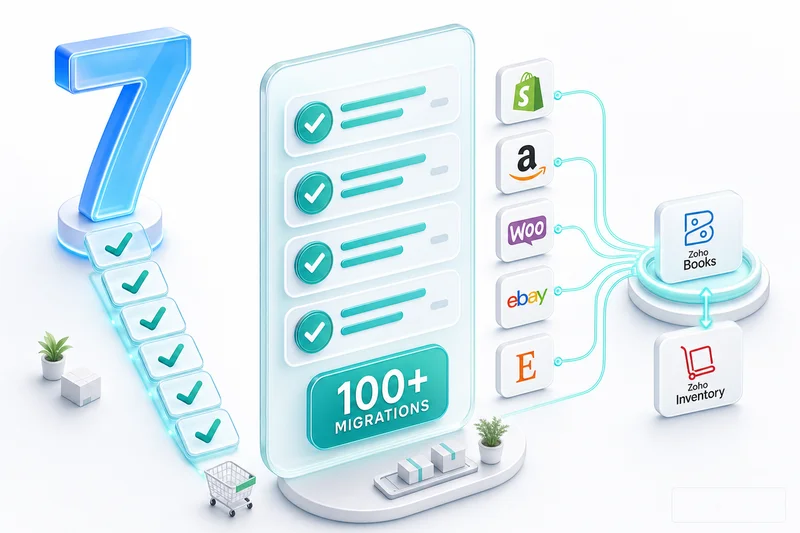
Zolify has completed 100+ migrations and integrations across eCommerce operations, many of them WooCommerce-to-Zoho specifically. Every implementation includes our CA reviewing your chart of accounts, because getting the financial structure right is the difference between an integration that produces useful data and one that produces noise. If you're weighing Zoho Books against QuickBooks first, our Zoho vs QuickBooks guide covers the full comparison.
Start with an eCommerce Ops Audit
The first step isn't buying Zoho licenses or installing plugins. It's understanding where your current WooCommerce operations are leaking time and money.
An eCommerce Ops Audit maps your existing setup: WooCommerce plugins, payment gateways, shipping configuration, inventory management (or lack of it), accounting workflow, and any other channels you sell on. The audit identifies exactly what needs to connect to Zoho, in what order, and what the expected impact looks like in hours saved and errors eliminated.
Whether you're running a single WooCommerce store or selling across WooCommerce, Amazon, Shopify, eBay, and Etsy, the starting point is the same: understand the current state, design the target architecture, build the integration that fits your operations.
Zolify is an Official Zoho Authorized Partner with a Chartered Accountant on staff and 100+ eCommerce implementations completed. We don't configure Zoho for generic businesses. We build eCommerce operations backends that work for online sellers.
Get an eCommerce Ops Audit and find out exactly what your WooCommerce-to-Zoho setup should look like.
Currently running QuickBooks for your WooCommerce accounting? Our WooCommerce accounting software guide: Zoho Books vs QuickBooks covers gateway fee separation, multi-state sales tax, and the 57% cost difference specific to WooCommerce stores.
Migrating your accounting alongside WooCommerce? See our QuickBooks to Zoho Books Migration Guide or Xero to Zoho Books Migration Guide.
Frequently Asked Questions
A single-channel WooCommerce store with straightforward products typically takes 4-6 weeks. Multi-channel setups connecting WooCommerce alongside Amazon, Shopify, or eBay to a unified Zoho backend take 8-12 weeks. Automation reduces manual data entry by 80% (DocuClipper, 2025), and the implementation investment typically pays back in reduced operational hours within the first quarter. If BFCM is the deadline, start no later than eight weeks out so you have time to test every edge case before orders spike.
Yes. WooCommerce, Amazon, Shopify, eBay, and Etsy can all connect to the same Zoho Books, Zoho Inventory, and Zoho CRM instance. Each channel's transactions remain identifiable by source, so you can run channel-specific P&L reports while maintaining a single set of books.
Yes. Subscription orders from WooCommerce Subscriptions (or similar plugins) receive specific accounting treatment: separate revenue accounts, deferred revenue tracking for accrual basis, and proper handling of trials, upgrades, downgrades, and cancellations. The subscription eCommerce market is valued at $20.58 billion (Precedence Research, 2025). If recurring revenue is part of your model, the chart of accounts needs to reflect it.
For very simple stores with under 100 orders per month and no variable products, Zapier can work as a stopgap. Beyond that, its polling delays (1-15 minutes), lack of variant-level inventory handling, inability to separate payment gateway fees, and no COGS calculation make it unreliable for eCommerce financial data. Under BFCM order volumes, Zapier's polling lag compounds: orders queue, inventory counts drift, and you end up with oversells that damage your seller metrics. At scale, Zapier also costs more per month than the recurring cost of a properly built integration.
At minimum, Zoho Books for accounting. For a complete eCommerce operations backend, add Zoho Inventory for stock management and Zoho CRM for customer data. Most multi-channel sellers also use Zoho Analytics for cross-channel dashboards and Zoho Campaigns for email marketing. Zoho One ($45/user/month) bundles all of these into one subscription, often cheaper than running separate tools for each function.
See exactly where your Shopify, Amazon, or WooCommerce ops are leaking — free.
Get a personalised eCommerce Ops Audit: inventory gaps, accounting leaks, and order-flow bottlenecks — with a Zoho fix roadmap. Delivered in 48 hours, at no cost.