WooCommerce Zoho Integration: Connect Orders, Inventory, and Accounting
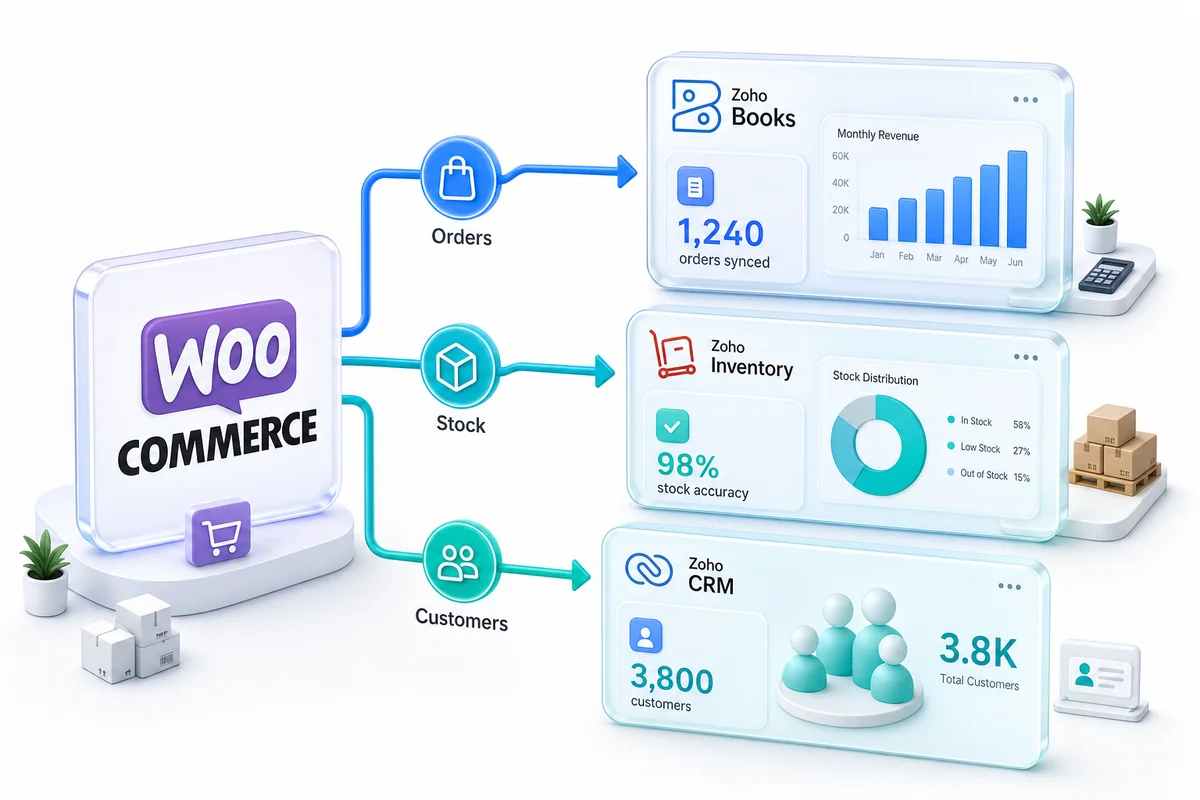
Integrating WooCommerce with Zoho connects three systems most stores manage separately: accounting, inventory, and customer data. Done correctly, every WooCommerce order creates an invoice in Zoho Books, updates stock in Zoho Inventory, and enriches a contact in Zoho CRM, with no manual data entry.
To integrate WooCommerce with Zoho, you connect your WordPress store to Zoho Books, Zoho Inventory, and Zoho CRM through the WordPress REST API. WooCommerce orders become invoices in Zoho Books automatically. Product stock syncs bidirectionally with Zoho Inventory in real time. Customer records flow into Zoho CRM with every order, building a profile that grows with each purchase. No manual exports, no CSV imports, no plugin-based workarounds.
What a WooCommerce Zoho integration connects
A WooCommerce store generates financial transactions, product inventory movements, and customer relationship data. Most stores handle these in separate tools, if at all. Zoho connects them.
Orders sync to Zoho Books as invoices, with the correct line items, discounts, shipping charges, tax calculations, and payment gateway fees separated by processor. Refunds create credit notes. Subscriptions get their own revenue accounts. Your P&L reflects what the store actually earned, not what landed in the bank.
Inventory is where the difference between a connected backend and a disconnected one shows up first. When a unit sells on WooCommerce, Zoho Inventory deducts it and pushes the updated stock count back. If you sell the same SKU on Amazon or Shopify, every channel draws from the same pool. Reorder points trigger purchase orders without anyone monitoring stock levels manually.
Customers are the part most WooCommerce sellers overlook. Every buyer becomes a contact in Zoho CRM, enriched with purchase history, lifetime value, and product preferences. That data powers targeted campaigns through Zoho Campaigns and shows you which customers are sliding toward churn before they disappear. For a dedicated walkthrough of syncing WooCommerce customer data, building buyer segments, and triggering post-purchase workflows, see our WooCommerce + Zoho CRM integration guide. For a full breakdown of what Zoho Campaigns includes, see our Zoho Campaigns pricing and features review.
Retailers selling on three or more channels generate 140% more revenue than single-channel sellers, according to Fermat Commerce (2025). The backend is usually what limits how many channels a seller can actually manage. A Zoho integration removes that limit.
Why WooCommerce integration is harder than it looks
WooCommerce gives you more control over your storefront than any hosted platform. That control creates data complexity that generic connectors cannot handle.
Variable products and variant-level inventory
A WooCommerce variable product with size and color attributes can represent 20 distinct SKUs under one parent listing. Generic connectors sync the parent product and ignore variants, which means Zoho Inventory ends up with a broken stock count for every attribute combination. A proper integration maps the parent-variant hierarchy to Zoho Inventory's item group structure, tracking each variant at SKU level with its own reorder point.
A store with 200 products and an average of 8 variants has 1,600 SKUs. If the hierarchy is not handled correctly, Zoho Inventory becomes a flat list of 1,600 items with no logical grouping and no reliable stock data. We have rebuilt this for clients who had "working" integrations that were syncing data but operationally useless.
Payment gateway diversity
WooCommerce supports dozens of payment gateways: Stripe, PayPal, Square, Authorize.Net, direct bank transfers. Each has different settlement timing, fee structures, and payout logic. The integration needs to separate gateway fees per processor and map them to the correct expense accounts in Zoho Books. Without that separation, gross revenue and net margin are the same line in your financial reports.
Subscription revenue accounting
The subscription eCommerce market is valued at $20.58 billion in 2025, growing at 9.36% CAGR (Precedence Research, 2025). If you run WooCommerce Subscriptions, recurring payments need specific accounting treatment: deferred revenue tracking for accrual basis, revenue lines separate from one-time product sales, and correct entries for trials, upgrades, downgrades, and cancellations. Generic connectors book every payment as product revenue, which means your financials are structurally incorrect from month one.
Refund complexity
WooCommerce supports full refunds, partial line-item refunds, partial order refunds, and optional restocking on any of them. Each scenario creates different entries in Zoho Books and different inventory adjustments in Zoho Inventory. Pre-built connectors typically handle full refunds. The rest require custom integration logic.
For a full walkthrough of how each of these scenarios plays out in a production implementation, see our WooCommerce to Zoho integration guide.
Three ways to connect WooCommerce to Zoho
Zoho Flow and Zoho Inventory's built-in WooCommerce connector work for simple catalogs with low order volumes and straightforward products. Variable product hierarchies, multi-gateway fee separation, and subscription revenue logic are outside what they handle.
No-code middleware like Zapier can move basic order data between WooCommerce and Zoho. Polling delays (typically 1-15 minutes) mean inventory updates lag behind sales. Variant-level inventory and gateway fee separation are not in scope. At scale, monthly middleware costs often exceed the cost of a properly built integration. Zapier moves data. It does not manage inventory state or accounting structure.
A custom integration built on the WordPress REST API is what handles WooCommerce's full data model: products with variants, complete order fee breakdowns, subscriptions, refunds, multi-warehouse stock. It processes events in real time rather than polling, and scales with your catalog without running into middleware rate limits. This is what Zolify builds.
WooCommerce Zoho integration for multi-channel sellers
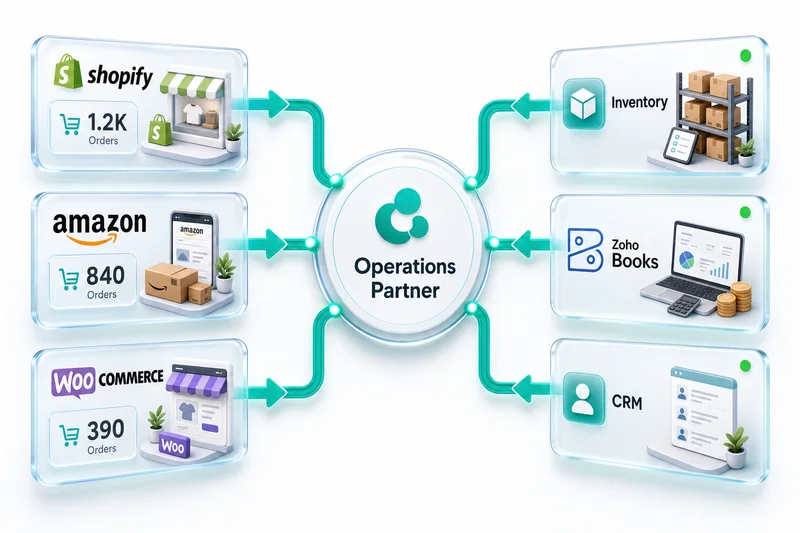
If you sell on WooCommerce alongside Amazon, Shopify, eBay, or Etsy, the integration needs to connect all channels to the same Zoho backend. Zoho Inventory becomes the single inventory pool. A unit that sells on Amazon reduces stock in WooCommerce within seconds. A purchase order received in Zoho Inventory updates every connected storefront's available quantity.
The accounting layer works the same way. Every channel's sales flow into the same Zoho Books instance but stay identifiable by source. You can run a WooCommerce-only P&L or a consolidated report across all channels. DocuClipper (2025) puts the time savings from automation at 80% of manual data entry work. Multi-channel sellers who have built this correctly spend that time on decisions rather than reconciliation.
For a detailed breakdown of how Zoho Inventory manages stock across Shopify, Amazon, and WooCommerce simultaneously, see our multi-channel inventory management with Zoho guide. Multi-channel sellers building out the full Zoho backend can explore our eCommerce operations services.
What Zolify brings to a WooCommerce Zoho integration
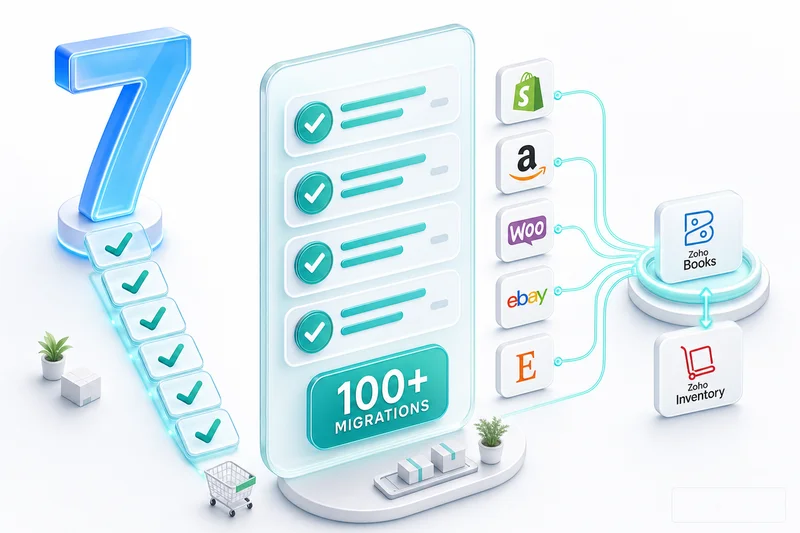
Zolify has completed 100+ eCommerce implementations across Shopify, Amazon, WooCommerce, eBay, and Etsy. A significant share are WooCommerce-to-Zoho specifically.
As an Official Zoho Authorized Partner, we build integrations on Zoho's native APIs. The integration runs on Zoho's infrastructure, does not add a middleware SaaS subscription on top of your Zoho costs, and holds up when Zoho releases API updates.
We have a Chartered Accountant on staff who reviews every implementation's accounting structure before a single order syncs. This matters because the chart of accounts determines whether your data is useful or just technically present. We have audited WooCommerce stores where thousands of orders were syncing into Zoho Books correctly in a technical sense (all into a single revenue account, no COGS separation, no gateway fee tracking, no subscription versus product revenue distinction). The data was in Zoho. It was operationally useless.
The CA review adds a few hours to implementation. Fixing a wrong chart of accounts after six months of orders have synced can take weeks.
Implementation timeline
| Phase | What happens | Timeline |
|---|---|---|
| Discovery | Audit WooCommerce plugins, product types, gateways, tax setup, channel connections | Week 1–2 |
| Architecture | Design Zoho backend: chart of accounts (CA-reviewed), inventory structure, CRM mapping | Week 2–3 |
| Build | Connect WordPress REST API to Zoho; configure field mappings, variant handling, fee separation | Week 3–5 |
| Testing | Process test orders across all scenarios: simple, variable, subscriptions, full and partial refunds | Week 5–6 |
| Go-live | Parallel running, validate reconciliation, cut over when verified | Week 6–8 |
Single-channel WooCommerce stores typically complete in 4–6 weeks. Multi-channel setups adding Amazon or Shopify take 8–12 weeks.
Start with an eCommerce Ops Audit
Knowing where your current WooCommerce setup leaks time and money is the starting point. An eCommerce Ops Audit maps your existing plugins, payment gateways, product catalog, inventory workflow, and accounting process. It identifies which Zoho apps you need, in what order, and what the integration will cost.
Zolify runs eCommerce Ops Audits for WooCommerce sellers at every scale: single-channel stores, multi-channel sellers running WooCommerce alongside Amazon and Shopify, and sellers preparing to migrate from QuickBooks.
Book an eCommerce Ops Audit and find out exactly what your WooCommerce-Zoho integration should look like. Or explore the full WooCommerce Zoho integration solution to see scope, timeline, and pricing.
Running WooCommerce and considering Zoho Books for accounting? Our WooCommerce accounting software comparison: Zoho Books vs QuickBooks covers gateway fee separation, multi-state sales tax, and the 57% cost difference specific to WooCommerce stores. For Zoho Inventory's WooCommerce-specific product sync, multi-warehouse routing, and real-time stock update behaviour, see our Zoho Inventory for WooCommerce guide.
Frequently Asked Questions
WooCommerce integrates with Zoho through the WordPress REST API. Orders sync to Zoho Books as invoices, inventory changes sync bidirectionally with Zoho Inventory, and customer records flow into Zoho CRM. The connection uses Zoho's native WooCommerce connectors, third-party middleware, or a custom API integration. For stores with variable products, subscription revenue, or multiple sales channels, a custom integration handles edge cases that pre-built connectors miss. Setup typically takes 4-8 weeks depending on catalog size and channel complexity.
At minimum, Zoho Books handles WooCommerce order accounting. For inventory management, add Zoho Inventory. For customer lifecycle management, add Zoho CRM. Most growing stores use all three together. Zoho One (from $45/user/month) bundles Books, Inventory, CRM, and 40+ other Zoho apps in a single subscription, typically cheaper than buying each separately.
Yes. Zoho Inventory connects to WooCommerce and additional sales channels including Amazon, Shopify, eBay, and Etsy. All channels draw from a single inventory pool in Zoho Inventory, so when a unit sells on Amazon, the WooCommerce product page reflects the updated stock count within seconds. This prevents overselling, eliminates manual stock reconciliation, and gives you one accurate inventory record regardless of how many storefronts you run.
Variable products require specific mapping. A WooCommerce variable product with multiple attribute combinations needs to map to Zoho Inventory's item group structure, with each variant tracked at its own SKU level. Generic connectors often sync only the parent product and miss variant-level stock. Subscription orders from WooCommerce Subscriptions need separate accounting treatment: distinct revenue accounts, deferred revenue tracking, and correct handling of trials, upgrades, and cancellations. A properly built integration handles both; a pre-built connector rarely does.
Integration cost depends on catalog complexity, order volume, channel count, and which Zoho apps are involved. Zolify provides fixed-fee proposals after a discovery call. Most WooCommerce sellers find the integration investment pays back in the first quarter through reduced manual reconciliation hours and eliminated data errors. Running a stack of premium WooCommerce plugins (each with monthly SaaS fees) often costs more than a properly built Zoho integration with a flat ongoing management cost.
See exactly where your Shopify, Amazon, or WooCommerce ops are leaking — free.
Get a personalised eCommerce Ops Audit: inventory gaps, accounting leaks, and order-flow bottlenecks — with a Zoho fix roadmap. Delivered in 48 hours, at no cost.