Multi-Channel Inventory Management With Zoho: BFCM & Q4 Setup Guide for Shopify, Amazon, WooCommerce, and eBay
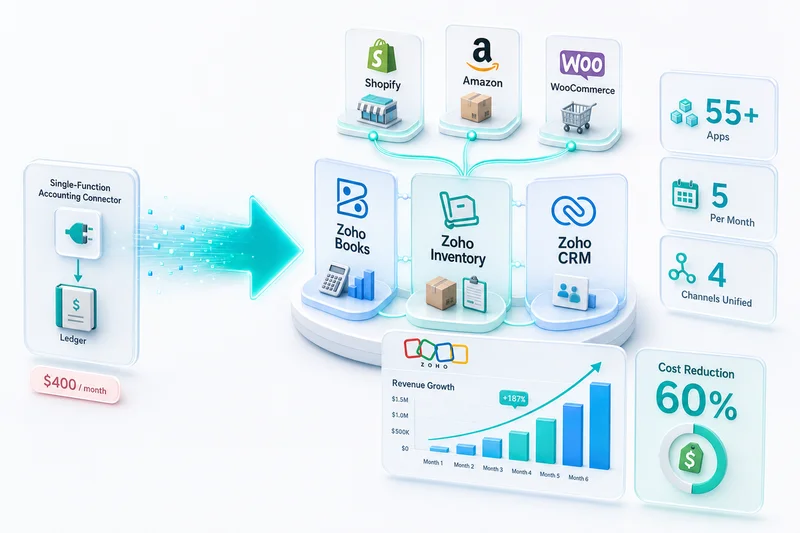
Multi-channel inventory breaks when each platform keeps its own count. Zoho Inventory solves this as a single master source across Shopify, Amazon (FBA + FBM), WooCommerce, and eBay, with COGS flowing automatically to Zoho Books on every fulfillment event.
October 31 is one week before Black Friday. If you're running Shopify, Amazon, WooCommerce, and eBay without a single master inventory source right now, Q4 will produce oversells. Not maybe. Shopify flash sales and Amazon deal event spikes hit simultaneously, and any setup where each channel keeps its own count cannot survive that overlap without cancelled orders somewhere.
Multi-channel inventory management with Zoho means using Zoho Inventory as the single master source of stock truth across every platform you sell on (Shopify, Amazon FBA and FBM, WooCommerce, and eBay) so that one order on one channel triggers a real-time decrement every other channel reads immediately. Get this configured now, before BFCM velocity hits, and you run Q4 from a position of control. Configure it after your first oversell batch and you're reconciling cancelled orders while your team is buried in peak-season support.
For broader context on how multi-channel inventory fits your eCommerce stack, see the multi-channel inventory management guide. For context on the full Zoho eCommerce stack before diving into setup, see the Zoho for eCommerce guide. If you're still evaluating whether Zoho Inventory is the right fit before working through setup steps, the Zoho multi-channel inventory overview for Shopify, Amazon, and WooCommerce covers the why and what before the how. For BFCM-specific reorder point setup and channel stock allocation before the November spike, see the BFCM inventory planning guide for Shopify and Amazon sellers. For operational management once the system is live (oversell triage, reconciliation workflows, and peak-season reorder point adjustments for Shopify, Amazon, and WooCommerce), see the multi-channel inventory operations guide for Zoho.
Bottom line: Zoho Inventory connects natively to Shopify, Amazon Seller Central, WooCommerce, and eBay. When configured correctly as a multi-channel master source (with SKU mapping done before channel connection, warehouses split by fulfillment type, and reorder points set to FBA lead times with Q4 buffer), it eliminates oversells, unifies stock tracking, and feeds accurate COGS to Zoho Books automatically on every fulfillment event.
Zoho Inventory vs the alternatives: what multi-channel sellers actually use
Most sellers arrive at this decision from one of three directions: platform-native tools, a sync middleware app, or nothing (manual updates). Here's how they compare for a four-channel setup heading into Q4.
| Feature | Zoho Inventory | Shopify + Amazon native tools | Sync middleware apps |
|---|---|---|---|
| Single master stock pool | Yes | No (4 separate counts) | No (4 synced copies) |
| FBA vs self-fulfilled separation | Yes, per warehouse | No | No |
| Real-time eBay inventory updates | Yes, native | No native eBay connection | API polling (15–60 min gaps) |
| COGS auto-journal on fulfillment | Yes, to Zoho Books | No, manual | No, manual |
| Auto purchase orders by warehouse | Yes | No | No |
| Q4 reorder lead time config | Yes (per-warehouse buffer) | No | No |
| Landed cost allocation | Yes | No | No |
| Additional monthly cost | Included in Zoho plan | None | $50–500/month extra |
The middle column is where sellers get surprised at scale. Shopify's multi-location inventory doesn't talk to Amazon Seller Central. Amazon Seller Central doesn't push counts to WooCommerce. Sync middleware reduces the gap but doesn't eliminate it: you still have four separate counts that the middleware tries to keep equal. A single demand spike during a deal event is enough to expose that gap.
Why multi-channel inventory is harder than it looks
The mechanics of selling on four platforms aren't complex. The inventory problem is. Shopify holds its own inventory count. Amazon holds its own. WooCommerce holds its own. eBay holds its own. None of those four systems communicate with each other by default. The moment a sale happens on one channel faster than the sync interval, every other channel is looking at a stale number.
The overselling problem: when two channels fight over the same units
Three units in stock. Shopify sells two. Amazon sells two. Shopify's update reaches Amazon's system 40 seconds too late. You've just committed to four units you don't have. This isn't a fringe case. It's the predictable result of any setup where inventory syncs run on intervals rather than in real time. We've seen Shopify flash sales hit during an Amazon sync gap and produce 30+ cancelled Amazon orders in a single afternoon.
The native platform tools don't fix this. Shopify's built-in multi-location doesn't talk to Amazon. Amazon Seller Central doesn't talk to WooCommerce. Every channel was designed to own inventory, not share it.
COGS complexity: different fulfillment costs across FBA, self-fulfilled, and drop-ship
FBA fulfillment costs more per unit than shipping from your own warehouse but often less than a 3PL for small items. When you're selling the same SKU across all four channels with different fulfillment methods, your cost of goods sold per channel differs. That difference matters for channel P&L: which channel is actually most profitable once you account for fulfillment cost, not just margin at the sale price.
If COGS is recorded as a single blended number, you can't compare Shopify vs Amazon profitability. You're flying on a guess. The eCommerce chart of accounts guide for Zoho Books covers how to configure per-channel COGS accounts correctly, including valuation method selection and the account structure that ensures COGS records at the right point in the Zoho Inventory layer.
Purchase orders for multi-channel: when to replenish and how much per channel
FBA inbound takes 14–21 days from when you ship to Amazon warehouses until inventory shows as available to sell under normal conditions. In Q4 that window stretches to 21–28 days as Amazon's receiving centers process higher inbound volumes. A reorder point that works for self-fulfilled inventory doesn't work for FBA. Set them the same way and you run out of FBA stock while a shipment sits in an Amazon receiving queue.
How Zoho Inventory works as a multi-channel master source
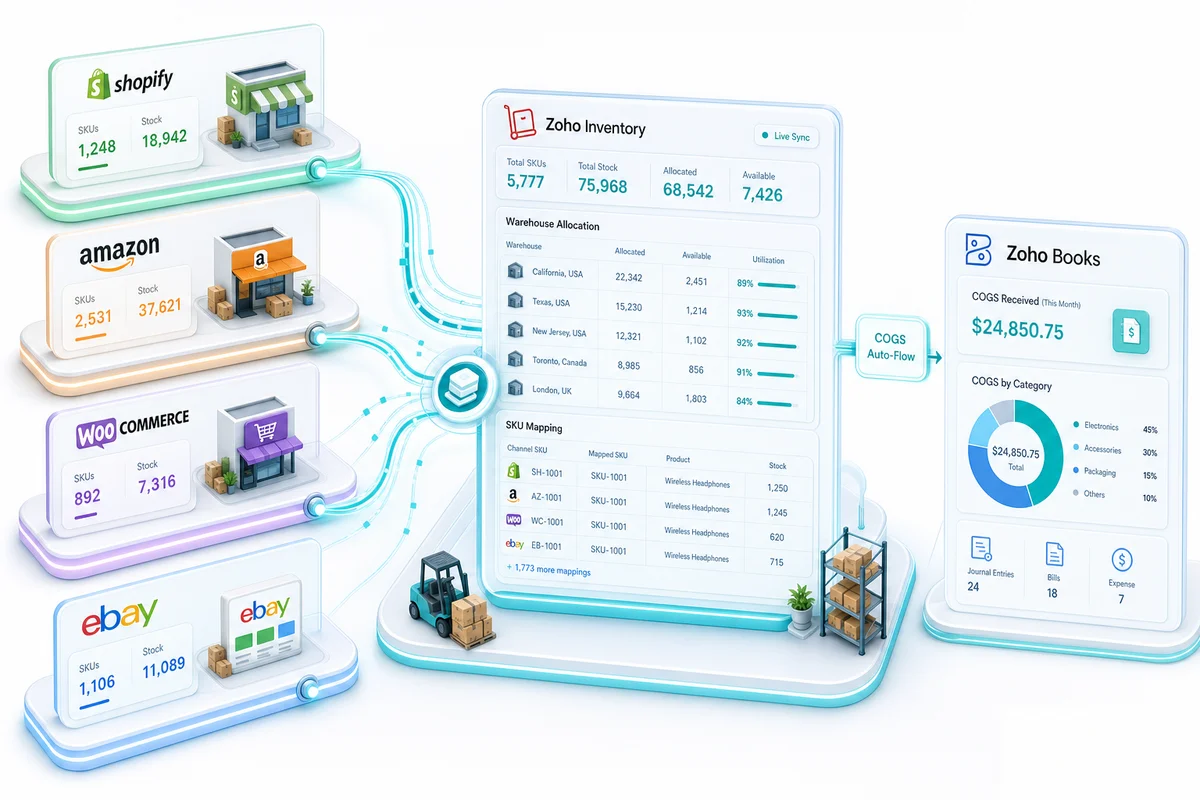
The architecture that fixes multi-channel inventory is a single database all channels read from and write to. Zoho Inventory is that database. Every channel connects to one Zoho inventory pool. Orders from any channel decrement that pool. Stock counts push back to all connected channels from one source.
The single inventory pool concept
Zoho Inventory holds one master stock count per SKU per warehouse location. When a Shopify order arrives, Zoho decrements the count. When an eBay order arrives simultaneously, Zoho decrements the same count. Neither order sees a stale number because both read from the same source. The count on Shopify and eBay reflects the Zoho number, not a locally stored copy.
This is the structural difference between a master source and a sync tool. A sync tool keeps four separate counts and tries to keep them equal. A master source has one count and all channels read from it.
Channel connections: Shopify, Amazon, WooCommerce, eBay, Etsy
Zoho Inventory has native API connections to Shopify, Amazon Seller Central, WooCommerce, eBay, and Etsy. No middleware required. Orders flow in, inventory updates flow out, through Zoho's direct integrations. For a detailed look at how the Shopify connection works, see the Shopify Zoho integration guide. For Etsy sellers ready to expand to Amazon and Shopify (adding both channels to an existing Etsy inventory pool), the Etsy and Zoho integration guide covers how the Zoho Inventory and Books connections are structured from day one of the second-channel launch.
Warehouse locations: allocating stock by fulfillment type
Zoho Inventory supports multiple warehouse locations. Each location holds its own stock count. You can have a "FBA Warehouse" for Amazon-fulfilled stock and a "Main Warehouse" for self-fulfilled Shopify and WooCommerce orders. When a Shopify order comes in, Zoho draws from Main Warehouse. When an Amazon FBA order comes in, Zoho tracks it against the FBA Warehouse count. Each location can have its own reorder rules. For sellers running three or more locations (own warehouse, FBA, and a 3PL), the Zoho Inventory multi-warehouse guide covers the more complex configuration: inter-warehouse transfer orders, per-location Shopify sync, and how to keep the FBA asset balance accurate when stock sits in transit between your warehouse and Amazon's receiving centers.
Reorder points and auto-POs across multi-channel demand
Zoho Inventory's reorder points trigger automatic purchase orders when stock at a specific warehouse drops below your threshold. For FBA, you set the threshold higher than self-fulfilled to account for transit time. When FBA stock at the FBA Warehouse drops below your reorder threshold, Zoho can create a draft PO automatically. Your purchasing team confirms and sends. Lead time doesn't catch you off guard.
Setting up Zoho Inventory for multi-channel eCommerce: step by step
The sequence matters here. Connecting channels before completing SKU mapping creates duplicate product records in Zoho that are painful to clean up. Do these steps in order.
Step 1: connect your channels (Shopify, Amazon, WooCommerce, eBay)
Each connection lives in Zoho Inventory under Integrations. For Shopify: install the Zoho Inventory app from the Shopify App Store, then authorize the connection in Zoho. For Amazon: connect your Seller Central account using your MWS or SP-API credentials through Zoho's Amazon integration panel. WooCommerce uses an API key generated from your WordPress admin. eBay uses OAuth authorization through Zoho's eBay connector.
Connect one channel at a time. After each connection, verify that orders are pulling in and that inventory pushes are working before adding the next channel.
Step 2: map your SKUs across channels (do this before connecting)
SKU mapping tells Zoho which product record to update when an order arrives from each channel. Amazon uses ASINs. Shopify uses variant IDs. WooCommerce and eBay use their own product references. In Zoho Inventory, each product record has a field for channel-specific mapping. Fill these in before enabling live sync.
If you have 500+ SKUs, export your Zoho product list and your channel product lists to a spreadsheet, run a VLOOKUP to match them, then batch-import the mappings. Doing this manually at scale is error-prone. Get the mapping right once before you switch on live sync.
Step 3: configure warehouse locations for FBA, self-fulfilled, and 3PL
Create a separate warehouse in Zoho Inventory for each physical location where stock is held. At minimum: a Main Warehouse for self-fulfilled orders and an FBA Warehouse for Amazon-managed stock. If you use a 3PL, add a third location.
Set opening stock quantities at each warehouse to match your actual physical count on the day you go live. This is your starting baseline. Everything from this point is tracked by Zoho: adds from purchase orders, decrements from orders, adjustments from returns.
Step 4: set allocation rules (which channels draw from which warehouses)
In Zoho Inventory, channel-warehouse allocation rules define which warehouse fills orders from each channel. Shopify and WooCommerce orders draw from Main Warehouse. Amazon FBA orders are Amazon-fulfilled but tracked in the FBA Warehouse. eBay orders can draw from Main Warehouse or a dedicated 3PL location depending on your fulfillment setup.
If you sell on Amazon both FBA and FBM (Merchant Fulfilled Network), you need two Amazon fulfillment paths: FBA orders decrement FBA Warehouse, MFN orders decrement Main Warehouse.
Step 5: configure reorder points with channel lead time in mind
Each warehouse gets its own reorder point per SKU. For Main Warehouse, your reorder point should cover your supplier lead time plus a safety buffer. For FBA Warehouse, add Amazon's inbound processing time on top of supplier lead time. If your supplier takes 7 days and Amazon takes 14–21 days to make inbound stock available-to-sell, your effective FBA reorder lead time is 21–28 days, not 7.
In Q4, Amazon's receiving centers slow down in late October and November as inbound volume from all sellers spikes. Add an extra 7–14 days to your standard FBA reorder lead time for any SKUs heading into peak season. If your normal FBA reorder lead time is 21 days, set it to 28–35 days through January. The Zoho Inventory reorder points guide covers seasonal threshold calculation in detail, including how to reset these back to baseline after Q4 without losing your velocity data.
Set FBA reorder points accordingly. Underestimate this and you'll run out of FBA stock on a regular basis while shipments sit in Amazon's receiving queue. If you haven't established velocity baselines for your SKUs yet, the Zoho Inventory reorder points guide covers how to set reorder thresholds per channel to prevent FBA stockouts during peak periods.
Amazon FBA + Shopify: the most common multi-channel setup in Zoho
The combination of Amazon FBA and Shopify is the starting point for most of the multi-channel setups we configure. Shopify handles DTC. Amazon handles marketplace. FBA fulfills Amazon orders (and optionally Shopify orders through Multi-Channel Fulfillment). Zoho ties them together.
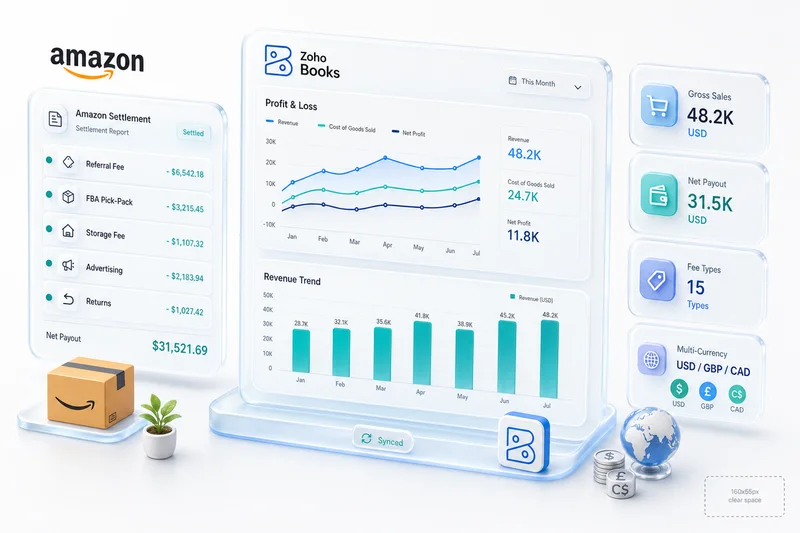
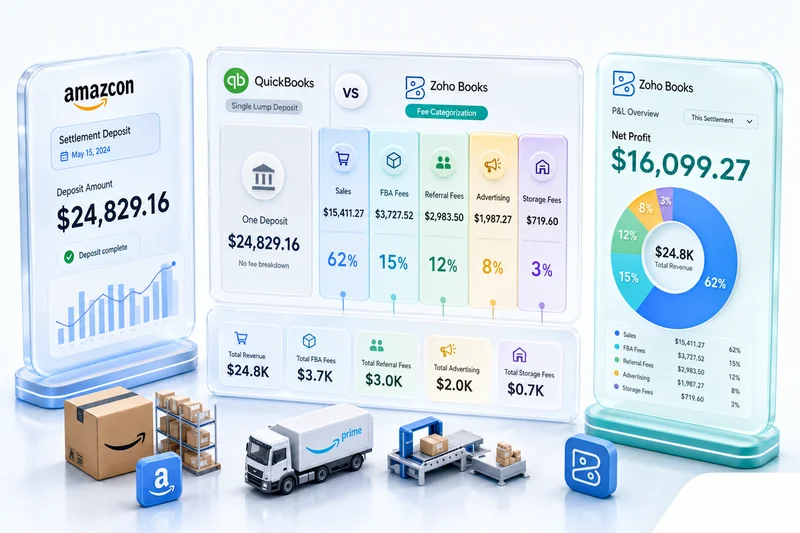
For a deep dive on Amazon FBA accounting and how COGS flows through settlement reports, see the Amazon FBA accounting guide.
Tracking FBA units at Amazon warehouses vs your own stock
The FBA Warehouse in Zoho reflects what you've shipped to Amazon, not what's available to sell. Amazon's own available-to-sell count is what matters for listing availability. Zoho tracks the FBA pool as an asset (inventory you own, held at Amazon warehouses). The gap between what Zoho shows as FBA inventory and what Amazon Seller Central shows as available-to-sell is normal: it's inbound stock, reserved stock, and stock under review.
Zoho's Amazon integration pulls the available-to-sell number from Seller Central and uses that for fulfillment decisions. Your Zoho FBA Warehouse balance is the accounting record of what you've sent. Amazon's number is the operational record of what can ship today.
Preventing oversells: reserve FBA inventory as a separate pool
The most common multi-channel oversell pattern involves using the same SKU for both Shopify (self-fulfilled from Main Warehouse) and Amazon FBA, without splitting the inventory pools. An order on Shopify decrements the shared count. If that decrement pushes the Amazon listing below its buffer, Amazon doesn't update immediately. Another Amazon order comes in against the pre-decrement number. You've oversold.
The fix: FBA stock and Main Warehouse stock are never in the same pool. Each is a separate Zoho warehouse. A Shopify order can never decrement FBA stock. An Amazon FBA order can never decrement Main Warehouse stock. The channels draw from physically separate inventory.
COGS tracking: FBA fulfillment cost vs self-fulfillment cost side by side
An FBA order's COGS includes product cost plus FBA fulfillment fees. A Shopify self-fulfilled order's COGS includes product cost plus your own shipping and handling cost. These are different numbers for the same SKU.
Zoho Inventory's integration with Zoho Books records the product cost component of COGS automatically on fulfillment. FBA fees from Amazon's settlement reports need to be mapped into Zoho Books as a separate cost-of-sales account (not operating expenses). Get both right and your channel P&L shows what Shopify actually earns vs what Amazon actually earns, after all costs, not just after product cost.
WooCommerce + eBay in the Zoho multi-channel stack
WooCommerce and eBay both pull from the same Main Warehouse in most setups. They don't need separate inventory pools unless you're using a dedicated fulfillment location for one of them.
WooCommerce orders pulling into Zoho Inventory in real time
Zoho Inventory's WooCommerce integration uses WooCommerce's REST API. Orders placed on WooCommerce push to Zoho as sales orders in near real time. Zoho decrements inventory, records the sale, and can trigger fulfillment actions (pick lists, packing slips, shipping label requests). If you're using a 3PL that connects to Zoho, the fulfillment chain runs automatically. For a detailed look at how the WooCommerce integration works end-to-end, see the WooCommerce Zoho integration guide.
eBay listings: inventory sync without the manual refresh
eBay's native multi-quantity listing system reserves stock against each active listing. Without a master source, you manually adjust listing quantities after each sale or set a buffer that often leaves you with phantom available stock. Zoho's eBay integration pushes the current Zoho quantity to your eBay listings continuously. You don't touch listing quantities manually. When a sale happens anywhere, eBay's quantity reflects the updated Zoho count.
One configuration point: set eBay sync frequency as frequently as Zoho's integration allows. eBay is the channel most commonly set up with infrequent sync (hourly or manual), which creates an oversell window. Real-time or near-real-time sync closes it. During BFCM, when order velocity across all channels spikes simultaneously, an hourly eBay sync gap is enough time for several oversells on your highest-volume listings.
Managing 4 channels from one Zoho dashboard
The operational payoff of getting multi-channel inventory right in Zoho is a single view of your entire business. Zoho Inventory's dashboard shows orders across all channels, stock levels by warehouse, and low-stock alerts, all from one login. You're not toggling between Shopify admin, Amazon Seller Central, WooCommerce backend, and eBay Seller Hub. Everything that matters for fulfillment decisions lives in Zoho.
Multi-channel inventory and accounting: how Zoho Books connects
Accurate inventory counts don't help if every fulfillment event still needs a manual COGS journal entry. When your accountant is adjusting cost entries at month-end, the books are always a period behind, and the adjustments introduce errors that compound across quarters. During Q4, with 3-5x normal order volume, manual COGS recording breaks entirely.
COGS flows automatically from Inventory to Books on each fulfillment event
When Zoho Inventory is connected to Zoho Books, each sales order fulfilled in Inventory triggers a COGS journal entry in Books. The entry uses the cost method you've configured (FIFO is the most common for eCommerce). Product cost, at the correct per-unit rate, hits Cost of Goods Sold in Books at the moment the item ships, not at month-end, not when someone gets around to it. This is the accounting automation that removes the most manual work from monthly close.
For a broader look at eCommerce inventory management software options and where Zoho fits in the landscape, that guide covers the full category.
Accounts payable: automating supplier payments when PO volume spikes in Q4
High-velocity Q4 reorder activity means more purchase orders, more supplier invoices, and more payments to process. When those purchase order costs land in Zoho Books, automated accounts payable workflows reduce the reconciliation work between peak-season POs and supplier invoices. The eCommerce accounts payable automation guide for Zoho Books covers how to configure three-way PO matching, auto-payment scheduling, and multi-currency supplier payments inside Zoho Books, which becomes essential when Q4 replenishment creates 5-10x your normal PO volume.
Channel P&L: seeing which channel is actually most profitable
With COGS flowing correctly from Inventory to Books, you can build a channel P&L in Zoho Books or Zoho Analytics that shows gross margin by channel. Shopify gross margin includes Shopify payment processing fees and your self-fulfillment shipping cost. Amazon gross margin includes referral fees, FBA fulfillment fees, and storage fees. eBay gross margin includes final value fees and payment processing.
When all of those flows are set up correctly in Zoho Books, you run one report and see which channel is actually making money, not which channel has the highest revenue. The Zoho Analytics for eCommerce guide shows how to build those dashboards (channel P&L by platform, inventory turns by SKU, and customer LTV by acquisition source) from the same Books and Inventory data flows described above.
Purchase order costs and landed cost allocation
Zoho Inventory's landed cost feature lets you allocate freight, customs, and other purchase costs across the products in a purchase order. When a container shipment arrives with a $3,000 freight charge covering 12 SKUs, Zoho can distribute that cost by weight, quantity, or value, adding it to each product's unit cost automatically. That landed cost flows through COGS when the items sell, so your margin calculation reflects the full cost of getting the product, not just the supplier invoice price.
Common mistakes when setting up Zoho multi-channel inventory
Most of the problems we see in Zoho multi-channel setups come from three configuration errors. All three are preventable. The 10 Zoho Inventory setup mistakes guide covers a broader list of issues that surface at 6–12 months post-implementation, including costing method mismatches and channel allocation edge cases that don't appear until order volume scales.
Not mapping SKUs before connecting channels (duplicate product creation)
Connecting channels before SKU mapping is the most disruptive mistake. When Zoho doesn't know that Amazon ASIN B08XYZ123 and Shopify variant 1234567890 are the same product, it creates two separate product records. You now have duplicate inventory for the same physical item: one that depletes when Amazon orders come in, one that depletes when Shopify orders come in, neither reflecting actual stock. Cleaning this up after the fact requires merging products, recalculating opening balances, and reconciling any transactions that ran against the wrong records.
Map all SKUs in a spreadsheet before enabling live channel sync. An hour of mapping saves days of cleanup.
Setting reorder points without accounting for FBA inbound lead time
The default reorder point logic works well for in-house or 3PL fulfillment where lead time is predictable and relatively short. FBA is different. Stock shipped to an Amazon fulfillment center goes through receiving, counting, and slotting before it shows as available to sell. That process takes 7–21 days depending on the time of year (longer in Q4), your product category, and whether Amazon is dealing with backlog at the receiving center.
If your supplier takes 10 days and Amazon takes 14 days in transit and receiving, your FBA reorder point needs to cover 24 days of sales velocity at the FBA warehouse, not 10. In Q4, add another 7–14 days. Sellers who set reorder points based on supplier lead time alone run out of FBA stock on a predictable cycle, and the cycle lands hardest during the weeks they can least afford it.
Connecting eBay without setting sync frequency (oversell risk)
Zoho's eBay integration has a configurable sync frequency for inventory pushes. The default is not always the most frequent option. Sellers who connect eBay and leave sync frequency at default, or don't check it at all, end up with hourly inventory updates going to eBay. During a sale event or a flash deal, an hour is enough time to sell items on eBay that no longer exist in Zoho. Set eBay sync to the highest available frequency when you first connect.
When Zoho Inventory may not be enough
Zoho Inventory handles multi-channel setups at the scale most growing eCommerce sellers are running. There are real scenarios where it hits limits.
Very high SKU count (10,000+) across 4+ channels
Zoho Inventory performs well for sellers in the hundreds to low thousands of SKUs. At very high SKU counts (10,000+ active products across four or more channels), performance on bulk operations (mass price updates, full catalog syncs) can slow down. If you're at this scale, the setup and configuration work is more complex, and you'll want to evaluate whether Zoho Inventory's plan limits and API rate handling work for your daily order volume before committing.
Complex 3PL integration requirements
If your 3PL uses a WMS system that doesn't have a native Zoho connector, integrating that WMS with Zoho Inventory requires custom API work. Zoho has a REST API that supports this, but it's a development project, not a configuration task. Plan for it if your fulfillment setup involves a non-standard 3PL.
Manufacturing and assembly operations (consider Zoho Manufacturing)
Sellers who manufacture or assemble finished goods from components, rather than buying finished products, need bill-of-materials functionality that tracks component inventory as well as finished goods. Zoho Inventory handles basic bundles and composite items, but complex manufacturing workflows (multi-stage production, work orders, capacity planning) belong in Zoho Manufacturing. If your business is part manufacturing and part multi-channel selling, a Zoho One setup covers both.
How Zolify implements multi-channel inventory in Zoho
We've configured Zoho Inventory as the multi-channel master source across 100+ eCommerce implementations. One recent example: a seller running 2,000 SKUs across Shopify, Amazon (FBA + FBM), WooCommerce, and eBay out of three warehouse locations. FBA reserve inventory tracked as a dedicated Zoho warehouse separate from two self-fulfilled warehouses. Reorder points set per warehouse with FBA lead times built in (21–28 days from ship date to available-to-sell during Q4, reverting to 14–21 days in standard periods). COGS auto-flowing from Inventory to Zoho Books on every fulfillment event. Our CA (Chartered Accountant) on staff validates COGS configuration at month-end to confirm channel P&L accuracy before books close, and confirms that FBA fee mapping into Zoho Books is capturing the full landed cost per channel, not just product cost.
That configuration doesn't happen by turning on channel connections and accepting defaults. It requires SKU mapping completed before any channel goes live, warehouse allocation rules tested with real orders before going fully live, and reorder point calculations based on actual lead time data from each channel, not generic defaults.
As an Official Zoho Authorized Partner, we work directly within Zoho's platform with no middleware, no third-party connectors, and no additional monthly fees for the inventory layer. Our implementations follow a three-phase approach.
Discovery: mapping your channel mix, SKUs, and warehouses
Before any Zoho configuration, we document your full channel mix, fulfillment model per channel, warehouse locations, SKU count, and existing product identifiers on each platform. We identify SKU mapping gaps (products with mismatched IDs across channels), fulfillment edge cases (same SKU sold FBA and FBM simultaneously), and any existing inventory management tools that need to be replaced or decommissioned.
This phase catches the configuration decisions that, if made wrong, are expensive to fix later: costing method, warehouse structure, channel allocation logic.
Implementation: configuration, channel connections, and allocation rules
We build the Zoho Inventory configuration to spec: warehouse locations created, opening balances entered, SKU mapping completed, channels connected one by one and tested, allocation rules set, reorder points configured per warehouse with correct lead times. Books integration enabled and COGS flow tested with a sample fulfillment event before going live across all channels.
For more on how the multi-channel eCommerce solution fits the full operational picture, that page covers scope.
Training: running your first multi-channel month-end close
We run the first month-end close with your team. We walk through the Zoho Inventory reports (stock movement by warehouse, channel order reports, reorder alerts), the Zoho Books COGS entries triggered by Inventory, and the channel P&L layout in Books. By the end of the first close, your team knows exactly what to look at, what's automated, and what still needs a manual check.
Get a multi-channel inventory assessment
If you're running two or more sales channels and inventory accuracy is a recurring problem (oversells, drift, manual reconciliation, COGS guesswork), the underlying issue is almost always architecture, not effort. The fix is configuring a master source correctly, not working harder inside broken channel-native tools. With BFCM six weeks away, the window to get this right before peak season is now.
Zolify offers an eCommerce Ops Audit that covers your current channel setup, inventory configuration, and accounting integration. You'll leave knowing exactly what's wrong, what needs to change, and whether Zoho Inventory is the right fit for your scale.
Get an eCommerce Ops Audit. Or if you're ready to start with a specific channel, the Shopify Zoho integration and Amazon Zoho integration solution pages cover each channel's configuration in detail.
Frequently Asked Questions
Yes. Zoho Inventory has native integrations for Shopify, Amazon Seller Central, WooCommerce, and eBay. All four channels connect to one inventory pool in Zoho, so when an order arrives on any channel, the stock count decrements in Zoho first and the updated count pushes to every other channel immediately. You configure one master inventory, not four separate ones.
Zoho Inventory supports multiple warehouse locations. You create a dedicated warehouse for FBA stock and a separate warehouse for your self-fulfilled or 3PL inventory. FBA orders draw from the FBA warehouse, Shopify and WooCommerce orders draw from your own warehouse. Each warehouse has its own reorder point so you can replenish FBA and self-fulfilled stock independently based on each location's lead time.
SKU mapping links your internal Zoho product code to the channel-specific product IDs on each platform. Amazon uses ASINs, Shopify uses variant IDs, WooCommerce and eBay use their own references. Before connecting any channel, you map each Zoho SKU to its channel equivalent so Zoho knows which product to decrement when orders arrive from any channel. If you skip this step, Zoho creates duplicate product records and your inventory counts are wrong from day one.
Yes. When Zoho Inventory is connected to Zoho Books, each fulfillment event triggers an automatic COGS journal entry based on your configured costing method (FIFO or weighted average). You do not need to manually record cost of goods sold. The cost flows from Inventory to Books on the exact date and quantity of each shipment, which means your channel P&L in Zoho Books reflects actual fulfillment costs, not estimates.
The three changes that matter most before Black Friday are: raising FBA reorder points to account for Amazon's Q4 inbound processing backlog (typically 21-28 days in November vs 14-21 days the rest of the year), setting eBay sync to its highest available frequency, and confirming your SKU mapping is clean across all four channels. Once Zoho is running as the master source, BFCM demand on any channel decrements the same pool in real time. The setup guide below covers all three in sequence.
See exactly where your Shopify, Amazon, or WooCommerce ops are leaking — free.
Get a personalised eCommerce Ops Audit: inventory gaps, accounting leaks, and order-flow bottlenecks — with a Zoho fix roadmap. Delivered in 48 hours, at no cost.