Amazon Seller Accounting Software: What Zoho Books Does Right (And What Generic Tools Miss)
Most accounting software treats Amazon settlement deposits as revenue. They are not. Zoho Books, configured correctly by someone who knows Amazon's fee structure, fixes this. Here is what that implementation actually involves.
Amazon sellers run into a specific accounting problem that generic software does not solve well. The payout that hits your bank account every two weeks is not your revenue. Amazon calculates that deposit after deducting FBA fulfillment fees, referral fees, shipping credits, refunds, and reimbursements across hundreds or thousands of transactions. If your accounting software treats that deposit as a revenue line item, your financials are wrong from the first month.
Zoho Books handles this correctly when set up by someone who understands Amazon's fee structure. That setup is the subject of this post. For a full walkthrough of the Zoho Books configuration process for Amazon sellers, see our Amazon seller Zoho Books accounting guide.
What Amazon sellers actually need from accounting software
Generic accounting software is built for businesses that issue invoices and collect payments from known customers. Amazon FBA does not work that way. Sellers ship inventory to Amazon's warehouses, customers buy through Amazon's marketplace, Amazon collects payment, deducts its fees, and sends a net settlement deposit every 14 days. That structure creates accounting requirements that most software ignores.
FBA payouts are not the same number as revenue
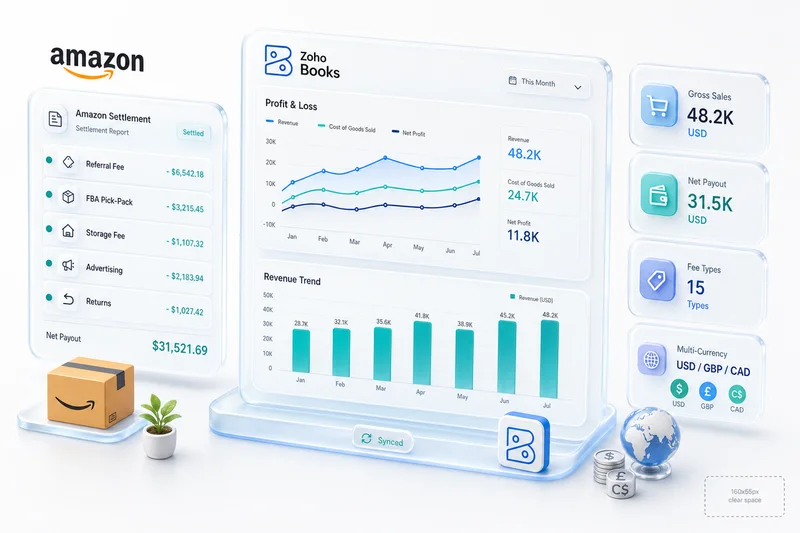
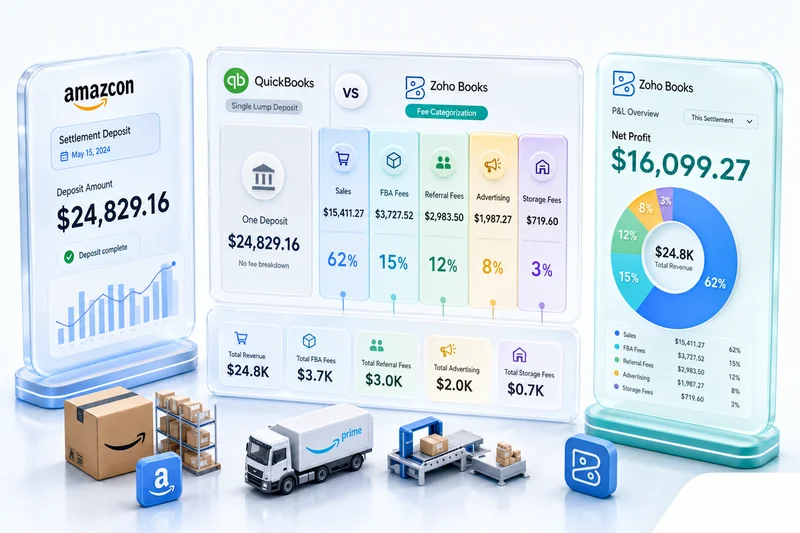
An Amazon settlement deposit might show $18,400 in your bank account. Your gross sales that period could be $24,700. The gap is Amazon's take: referral fees, FBA fulfillment fees, storage fees, and any refunds Amazon processed on your behalf. Accounting software that maps the $18,400 deposit to a revenue account shows $6,300 less revenue than you actually generated and misses the expense breakdown entirely.
Zoho Books, configured correctly, records the full $24,700 as gross revenue and maps each fee category to the appropriate expense account. Your P&L shows what actually happened.
Marketplace fee reconciliation after refunds and reimbursements
Amazon refunds are more complex than a simple credit back. When a customer returns an item, Amazon may or may not refund the original referral fee. When Amazon loses or damages FBA inventory, they issue a reimbursement at their assessed value, which may differ from your actual cost. Each of these has a different accounting treatment. A system that lumps refunds and reimbursements into a single line item produces misleading gross margin figures.
Multi-channel revenue split across Amazon, Shopify, and eBay
Most FBA sellers also sell on Shopify, eBay, or both. Each platform has different fee structures, different payout timing, and different tax treatment. Accurate P&L reporting requires splitting revenue and costs by channel, not combining everything into a single sales figure. For how Shopify's order-to-cash flow connects to the same Zoho Books instance, see our Shopify order-to-cash automation guide.
Why Zoho Books works for Amazon sellers
Bank feed mapping designed for Amazon settlement deposits
Zoho Books allows custom bank rules that parse Amazon settlement deposits against the matching settlement report. When configured with the right account mapping, each deposit automatically allocates gross sales, FBA fees, referral fees, and refunds to separate accounts. This eliminates the manual reconciliation that sellers using QuickBooks or Xero typically do at month-end.
Multi-currency support for cross-border Amazon sellers
Amazon sellers on the UK, EU, or Australian marketplaces deal with multi-currency payouts. Zoho Books handles multi-currency transactions natively, with exchange rate management and realized/unrealized gain tracking. This is handled through configuration, not a workaround or add-on.
Native inventory pairing with Zoho Inventory for FBA COGS
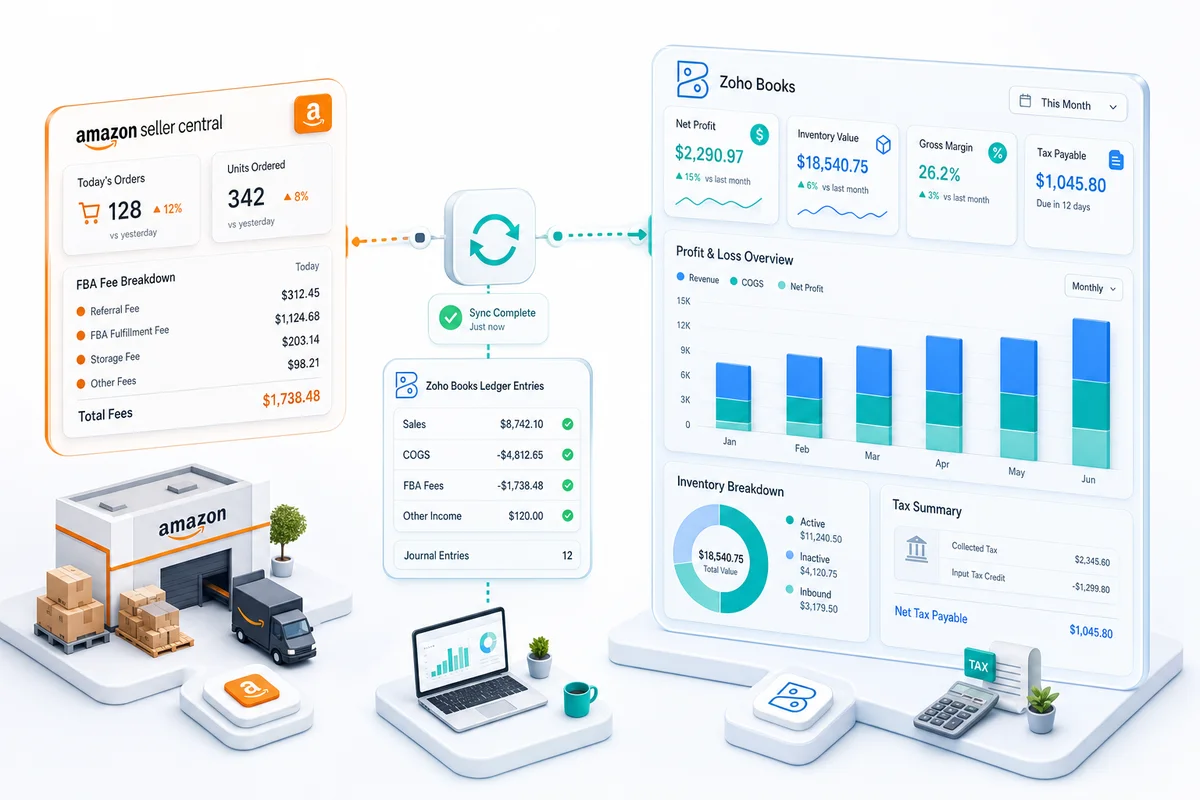
Zoho Books connects directly to Zoho Inventory. For FBA sellers, this means purchase orders flow from Zoho Inventory to Zoho Books as inventory receipts, and COGS entries post at fulfillment (when Amazon ships the order) rather than at purchase. That timing matters for accurate gross margin reporting, particularly for sellers with long inventory lead times. According to Amazon Seller Central's documentation on FBA inventory and fees, inventory storage and fulfillment costs are tracked at the ASIN level, the same level at which Zoho Inventory manages stock.
Where most Zoho Books implementations fail Amazon sellers
The failures are not random. After 100+ Amazon-to-Zoho implementations, the same four mistakes appear consistently. All four are accounting errors, not technical errors. A developer who configures Zoho Books without accounting input produces financials that look correct but measure the wrong things.
Failure 1: Amazon payouts mapped to the wrong revenue account
The most common mistake is creating a bank rule that maps the entire Amazon settlement deposit to a single revenue account. This treats the payout as revenue when it is a net of several components. The fix is a chart of accounts with discrete accounts for Amazon gross sales, FBA fees, referral fees, shipping credits, and refunds, then a bank rule that allocates each deposit across those accounts based on the settlement data.
Failure 2: FBA fee categories missing from the chart of accounts
Amazon has more than a dozen distinct fee types: fulfillment fees, storage fees, referral fees, removal order fees, long-term storage surcharges, and several others. Implementations that create a single "Amazon fees" expense account lose all visibility into which fee categories are growing. Sellers who see their profitability shrink quarter over quarter often cannot identify which fee is the culprit because the data was never separated.
Failure 3: COGS recorded on shipment, not fulfillment
FBA COGS should be recorded when Amazon fulfills the customer order, not when you ship inventory to Amazon's warehouse. Implementations that post COGS at the inbound shipment stage overstate costs in months when you're building inventory and understate them in high-sales months. For sellers managing seasonal inventory, this distortion makes gross margin reporting unreliable.
Failure 4: Refund and reimbursement lines misclassified
Amazon customer refunds reduce revenue. Amazon reimbursements for lost or damaged FBA inventory are not revenue. They are a recovery of inventory cost. These two transactions have different accounting treatments. Implementations that map both to the same account overstate revenue in months with significant reimbursements and produce incorrect net sales figures.
How Zolify builds Zoho Books for Amazon sellers
CA-led chart of accounts design before any integration work
Every Zoho Books implementation Zolify builds for Amazon sellers starts with a Chartered Accountant designing the chart of accounts. The CA builds a custom account structure mapped to Amazon's actual fee categories, not a default Zoho Books setup. The CA reviews Amazon's settlement report format, identifies every line item that appears in production for that seller's account type (FBA, FBM, or both), and maps each to the correct account before the integration is configured.
This step catches the four failure patterns above before they produce a month of bad data. A developer working without accounting input skips this step because nothing breaks at go-live. The errors only appear when you try to read the financials.
What 100+ Amazon-to-Zoho implementations taught our team
The patterns above are documented, not hypothetical. Across 100+ eCommerce-to-Zoho implementations as an Official Zoho Authorized Partner, Zolify has built Zoho Books setups for FBA sellers, FBM sellers, and multi-channel sellers running Amazon alongside Shopify and WooCommerce. The reimbursement misclassification issue, in particular, appeared in roughly half the audits we ran on existing self-configured or generalist-consultant setups.
Ask any Zoho consultant to walk through how they handle Amazon reimbursement accounting specifically. Generalist consultants, even experienced US-based ones who charge $150-250/hr, tend to pause here. eCommerce implementation depth is not the same as general Zoho expertise.
Zoho Books vs. QuickBooks, Xero, and FreshBooks for Amazon sellers
Where generic accounting software falls short for marketplace sellers
QuickBooks and Xero are built for businesses that issue invoices. Amazon FBA does not work that way. Both require third-party connectors to parse Amazon settlement data, which adds cost and a dependency on a tool that is not part of either platform's native stack. FreshBooks is designed for freelancers and small service businesses; it lacks the inventory integration that FBA sellers need for COGS tracking.
None of these are bad products for their intended use case. They are wrong for Amazon sellers who need settlement parsing, FBA fee categorization, and COGS tracking from a connected inventory system. For a broader comparison of how Zoho Books stacks up against these tools for eCommerce businesses, see our eCommerce accounting software guide.
Why Zoho's integrated stack wins for multi-channel eCommerce
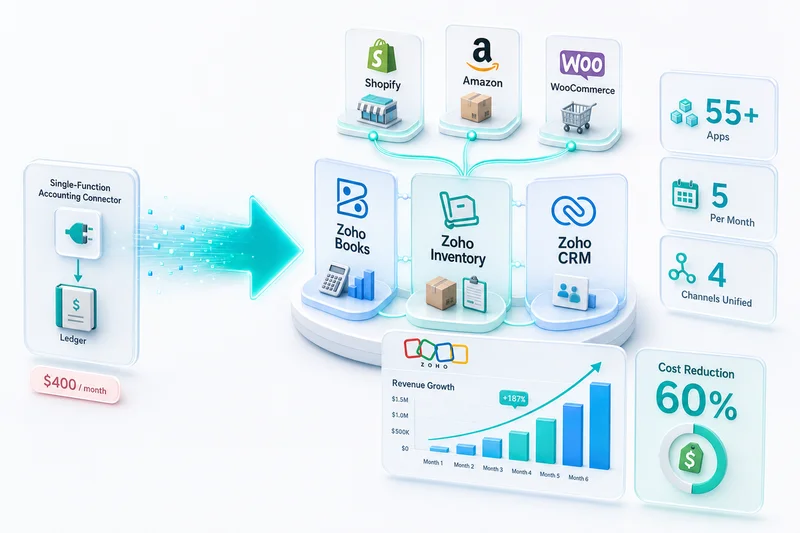
Zoho Books, Zoho Inventory, and Zoho Analytics are designed to share data natively. For a multi-channel seller running Amazon and Shopify, orders from both channels flow into Zoho Inventory as the stock master, invoices route to Zoho Books with channel-specific account mapping, and Zoho Analytics pulls from both without manual exports to produce channel profitability reports.
QuickBooks and Xero can approximate parts of this with third-party connectors, but each connector is an additional cost, an additional failure point, and a layer of mapping that needs maintenance when Amazon or Shopify changes their data format.
Is Zoho Books the right accounting software for your Amazon business?
When Zoho Books is the clear choice
Zoho Books makes sense for Amazon sellers who:
- Run FBA with significant volume (100+ orders per month) where manual reconciliation is no longer practical
- Sell across multiple channels (Amazon plus Shopify, WooCommerce, or eBay) and need channel-level P&L reporting
- Want a connected inventory and accounting system without third-party middleware
- Are migrating from QuickBooks or Xero and want to consolidate into the Zoho ecosystem
When you should start somewhere simpler
If you are an early-stage Amazon seller doing fewer than 50 orders per month across a small catalog, the setup investment for a properly configured Zoho Books instance may exceed the value you get from it in the first year. At that scale, a simpler tool with manual reconciliation is often a better use of time and money. The right question is whether the cost of a correct implementation is less than the cost of the accounting errors you are currently making.
Getting your Amazon accounting right from the start
Getting Amazon accounting wrong is easy. The payout deposits look clean in your bank feed, the total reconciles, and nothing breaks until you try to read a P&L or calculate your actual margin by ASIN. By then, months of data need correction.
If you're selling on Amazon with Zoho Books or evaluating whether Zoho Books fits your business, request an eCommerce Ops Audit from Zolify. Our CA reviews your current setup, identifies the miscategorization errors, and gives you a corrected chart of accounts before anything else is touched. Zolify serves eCommerce sellers across Shopify, Amazon, and WooCommerce as an Official Zoho Authorized Partner with 100+ implementations delivered. See our eCommerce operations services for the full scope of what that implementation covers.
FAQ
Is Zoho Books good for Amazon sellers? Yes, with the right setup. Zoho Books handles Amazon settlement deposits, FBA fee categorization, multi-currency payouts, and Zoho Inventory pairing for COGS tracking. The caveat is that a generic setup will get the chart of accounts wrong. Amazon payouts are not revenue. They are net deposits after Amazon deducts fees, refunds, and reimbursements. A Zoho Books implementation that maps those deposits directly to a revenue account produces inaccurate financials from day one.
How do I connect Amazon to Zoho Books? Amazon connects to Zoho Books through Zoho Inventory, which is the integration layer. In Zoho Inventory, you enable the Amazon integration, connect your Seller Central account, and map your Amazon products to Zoho Inventory items. Zoho Inventory then syncs orders to Zoho Books as invoices or sales receipts. The accounting configuration requires a custom chart of accounts built for Amazon's fee structure.
What accounting software is best for FBA sellers? Zoho Books is a strong choice for FBA sellers who want an integrated stack connecting accounting, inventory, and analytics without third-party middleware. The built-in connection to Zoho Inventory handles FBA COGS tracking when both products are properly configured. QuickBooks and Xero can work for FBA sellers but need additional connectors to handle Amazon settlement parsing, which adds cost and another failure point.
Does Zoho Books handle Amazon settlements? Yes. Zoho Books records Amazon settlement deposits correctly when the chart of accounts is designed for Amazon's payout structure. Each settlement is a net figure combining gross sales, FBA fees, referral fees, shipping credits, refunds, and reimbursements. Zoho Books records the gross amounts across the correct accounts, with fees mapped to expense categories and refunds to contra-revenue. This requires custom account mapping and does not happen correctly with a default Zoho Books setup.
Can Zoho Books track FBA inventory costs? Yes, through Zoho Inventory. When both are configured for your Amazon catalog, FBA inventory costs flow from purchase orders in Zoho Inventory to COGS entries in Zoho Books at fulfillment, not at shipment. This timing distinction matters for FBA sellers because Amazon fulfills from warehouse stock received weeks earlier. Recording COGS at shipment overstates costs in low-sales periods and understates them in high-velocity periods.
Related reading: Best accounting software for Amazon FBA sellers | Amazon accounting software vs QuickBooks
Frequently Asked Questions
Yes, with the right setup. Zoho Books handles Amazon settlement deposits, FBA fee categorization, multi-currency payouts, and Zoho Inventory pairing for COGS tracking. The caveat is that a generic setup will get the chart of accounts wrong. Amazon payouts are not revenue. They are net deposits after Amazon deducts fees, refunds, and reimbursements. A Zoho Books implementation that maps those deposits directly to a revenue account produces inaccurate financials from day one.
Amazon connects to Zoho Books through Zoho Inventory, which is the integration layer. In Zoho Inventory, you enable the Amazon integration, connect your Seller Central account, and map your Amazon products to Zoho Inventory items. Zoho Inventory then syncs orders to Zoho Books as invoices or sales receipts. The accounting configuration (specifically how Amazon settlement deposits, FBA fees, and refunds are categorized) requires a custom chart of accounts built for Amazon's fee structure.
Zoho Books is a strong choice for FBA sellers who want an integrated stack that connects accounting, inventory, and analytics without third-party middleware. The built-in connection to Zoho Inventory handles FBA COGS tracking when both products are properly configured. QuickBooks and Xero can work for FBA sellers, but they lack native inventory integration and need additional connectors to handle Amazon settlement parsing, adding cost and another failure point.
Yes. Zoho Books can record Amazon settlement deposits correctly when the chart of accounts is designed for Amazon's payout structure. Each settlement deposit from Amazon is a net figure that combines gross sales, FBA fees, referral fees, shipping credits, refunds, and reimbursements. Zoho Books records the gross amounts across the correct accounts, with fees mapped to expense categories and refunds to contra-revenue. This requires custom account mapping and does not happen correctly with a default Zoho Books setup.
Yes, through Zoho Inventory. When Zoho Books and Zoho Inventory are both configured for your Amazon catalog, FBA inventory costs flow from purchase orders in Zoho Inventory to COGS entries in Zoho Books at fulfillment, not at shipment. This distinction matters for FBA sellers because Amazon fulfills orders from warehouse stock that may have been received weeks earlier. Recording COGS at shipment overstates costs in low-sales periods and understates them in high-velocity periods.
See exactly where your Shopify, Amazon, or WooCommerce ops are leaking — free.
Get a personalised eCommerce Ops Audit: inventory gaps, accounting leaks, and order-flow bottlenecks — with a Zoho fix roadmap. Delivered in 48 hours, at no cost.