Dropshipping with Zoho: Orders, Supplier POs, and COGS Without a Warehouse
Dropshipping removes warehouse overhead but creates a specific accounting problem: every order generates a supplier PO, a COGS entry, and a supplier invoice that all need to reconcile without physical goods ever touching your location. Zoho Inventory handles the drop-ship fulfillment flow natively; Zoho Books manages the supplier AP side. The setup requires deliberate configuration to work correctly, and Q4 is when misconfigured setups break.
Dropshipping on Shopify or WooCommerce removes the warehouse, but it does not remove the accounting work. For every customer sale, there is a supplier invoice, a COGS entry, and an accounts payable transaction that needs to reconcile against the revenue; none of it involves physical goods entering your location. At a few orders per day, this is manageable manually. At 200 orders per month across multiple suppliers and channels, it becomes a full-time job unless your back-end is built to handle it.
Zoho Inventory has a native drop shipment workflow that generates supplier POs automatically from sales orders. Zoho Books manages the supplier invoices, accounts payable, and COGS recognition. Together they give dropshippers the same operational structure as inventory-holding sellers: linked orders, supplier billing, and per-product margin visibility. No warehouse required.
That structure matters most in Q4. BFCM order volume regularly runs 8 to 10x a normal week. Suppliers with adequate stock in September can exhaust top SKUs within 48 hours of the BFCM window opening. Dropshippers who have not configured backup supplier routing or pre-positioned POs before October hit that wall when it costs the most.
For context on how Zoho handles more complex eCommerce fulfillment models, see our multi-channel inventory management with Zoho guide.
How drop shipment works in Zoho Inventory
The core drop-ship flow
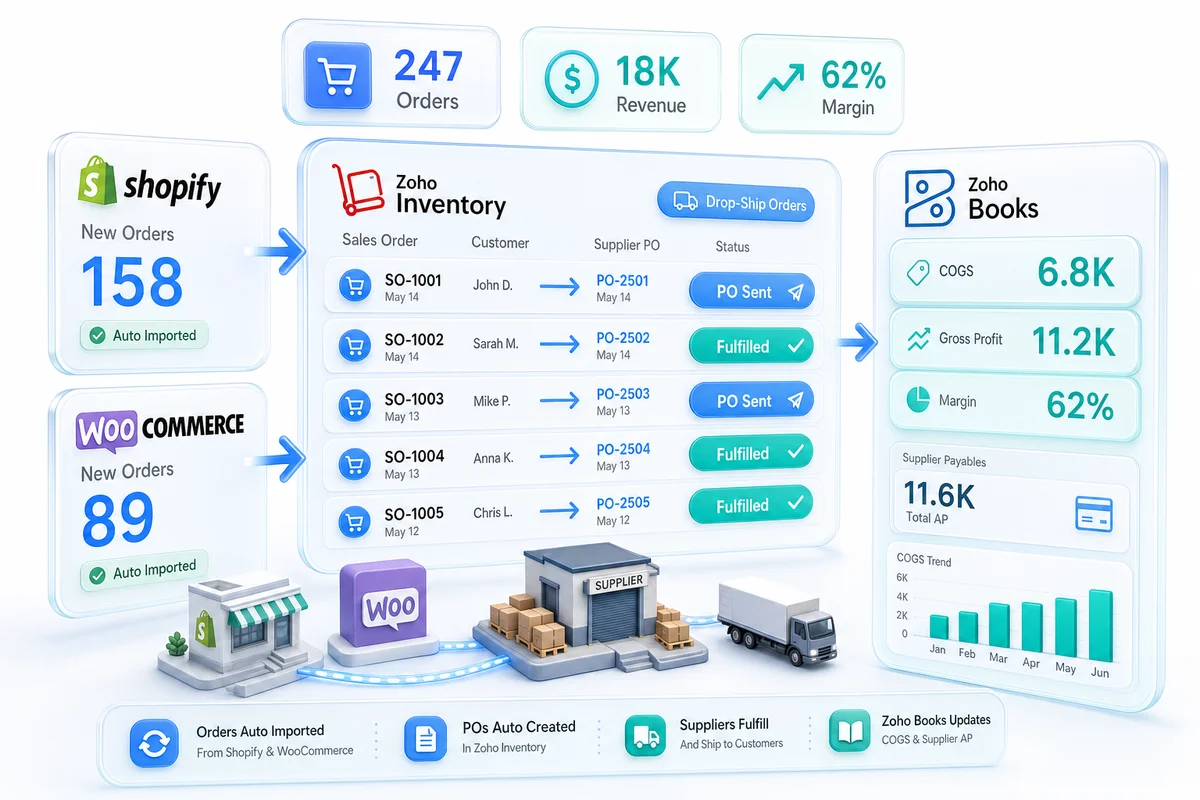
The drop-ship workflow in Zoho Inventory connects a customer sales order directly to a supplier purchase order without any inventory movement in your own location. The flow works like this:
- A customer places an order on Shopify or WooCommerce.
- The order syncs into Zoho Inventory as a sales order.
- You (or an automation rule) mark the order line items as drop-ship.
- Zoho Inventory generates a linked purchase order to the designated supplier for those items.
- The PO goes to the supplier via email, supplier portal, or API depending on the relationship.
- The supplier ships directly to the customer.
- You update the PO when the supplier confirms shipment; the linked sales order marks as fulfilled.
- The supplier invoice arrives; you record the bill in Zoho Books against the PO.
Each step is traceable. The sales order and purchase order are linked, so you can see the status of both from either record. You can tell at a glance which supplier is fulfilling which customer order, and where any order stands in the fulfillment chain.
Setting up drop shipment in Zoho Inventory
The drop-ship option appears at the sales order line-item level in Zoho Inventory. When adding an item to a sales order, you check the Drop Shipment checkbox for that line. Zoho then prompts you to select the supplier for that item.
The supplier must exist in your vendor list (synced from Zoho Books) and must be assigned to that item through the item's vendor mapping. Setting up vendor mapping per item before orders arrive is the most important configuration step in any dropshipping setup. It determines which PO goes to which supplier automatically when orders come in. Without it, every order requires manual supplier assignment.
For dropshippers carrying catalog items from multiple suppliers, Zoho Inventory lets you set a preferred vendor per item and one or more backup vendors. When the preferred vendor is unavailable, you select the backup from the PO generation screen rather than rebuilding the PO from scratch.
COGS tracking without physical inventory
Why dropshipping still needs COGS configuration
A common assumption in dropshipping setups: since you never hold inventory, inventory accounting is not relevant. This is wrong. You still have cost of goods sold. The supplier charge for each unit is your COGS; the difference between that and your selling price is your gross margin. That margin needs to be tracked at the transaction level to understand product profitability and manage supplier negotiations as your catalog grows.
In a standard inventory model, COGS posts when goods are shipped from your warehouse and the inventory asset value decreases. In a drop-ship model, there is no inventory asset to decrease, so the COGS mechanics differ, but the accounting impact is the same.
How Zoho Books records drop-ship COGS
In Zoho Books, drop-ship COGS flows through the supplier bill. When the supplier invoice arrives and you create a bill against the linked PO, the bill amount posts to your COGS account. The sales invoice records the revenue at selling price. The difference between the two is your gross margin for that transaction.
Setting the right COGS account in Zoho Books requires deliberate chart of accounts design. Drop-ship COGS should map to the same COGS account as the same product sold from your own inventory, so your product profitability reports are consistent regardless of fulfillment method. If drop-ship and stocked COGS land in separate accounts, your P&L becomes hard to read as your product mix shifts.
For a broader look at how COGS fits into eCommerce accounting, see our eCommerce accounting software guide.
Multi-supplier orders and per-line COGS
When a single customer order contains items from two different suppliers, Zoho Inventory creates separate POs per supplier automatically. Each PO, when billed, creates a separate COGS entry in Zoho Books. The sales invoice remains one document covering the full customer order.
This matters for margin analysis. If one order contains three items from different suppliers with different costs, Zoho Books breaks COGS down to the item level once both the sales invoice and supplier bills are recorded. You can see which product on that order made or lost margin.
Supplier billing and accounts payable
Purchase orders and the AP queue
In Zoho Books, the supplier management side of dropshipping runs through the standard accounts payable workflow: purchase orders, bills (supplier invoices), and payments. What is specific to dropshipping is that every customer sale generates a supplier bill. Billing volume scales directly with order volume, not with warehouse receipt activity.
For high-volume dropshippers, the AP queue in Zoho Books grows quickly. Zoho Books supports bulk bill workflows and recurring bill templates for suppliers with standardized pricing. If your supplier sends a batch invoice covering 100 orders rather than one invoice per order, you can match that batch bill against the corresponding POs during reconciliation.
Payment terms per supplier are configured at the vendor level in Zoho Books. A supplier on Net 30 terms gets invoices that age appropriately on your AP aging report. Zoho Books generates payment due alerts before the due date, so cash management for supplier payments is handled systematically. For dropshippers processing high order volumes, our guide on eCommerce accounts payable automation in Zoho Books covers how to reduce manual bill-matching as transaction counts scale.
Routing multiple suppliers
| Scenario | How Zoho Handles It |
|---|---|
| Single item, one preferred supplier | PO auto-generated to preferred supplier |
| Single item, backup supplier needed | Override supplier at PO generation |
| Multi-item order, items from different suppliers | Separate PO per supplier, same sales order |
| Multi-channel (Shopify and WooCommerce), same dropship logic | Both channels route through the same Zoho Inventory drop-ship workflow |
| Supplier-specific pricing per customer tier | Price books in Zoho Books applied at the sales order level |
For complex routing (item A goes to Supplier X unless Supplier X is out of stock, at which point it goes to Supplier Y), Zoho Flow handles the conditional logic. When inventory data from the supplier is available via API, Zoho Flow can check stock status before the PO fires. See our Zoho Flow eCommerce automation guide for how automation rules connect across Zoho Inventory and Books.
For connecting Shopify to Zoho Inventory for drop-ship order routing, see our Shopify-Zoho integration service.
Dropshipping across Shopify, WooCommerce, and Amazon
A dropshipper on multiple channels has the same supplier PO workflow regardless of where the customer order originated. The Shopify order and the WooCommerce order both land in Zoho Inventory as sales orders; both go through the drop-ship PO generation process; both produce bills in Zoho Books when the supplier invoices.
The channel of origin is tracked on the sales order in Zoho Inventory, so you can segment revenue and COGS by channel in Zoho Analytics. If your Shopify margin for a product runs consistently at 22% and your WooCommerce margin for the same product runs at 18% due to different promotional pricing, that gap is visible without manual reconciliation.
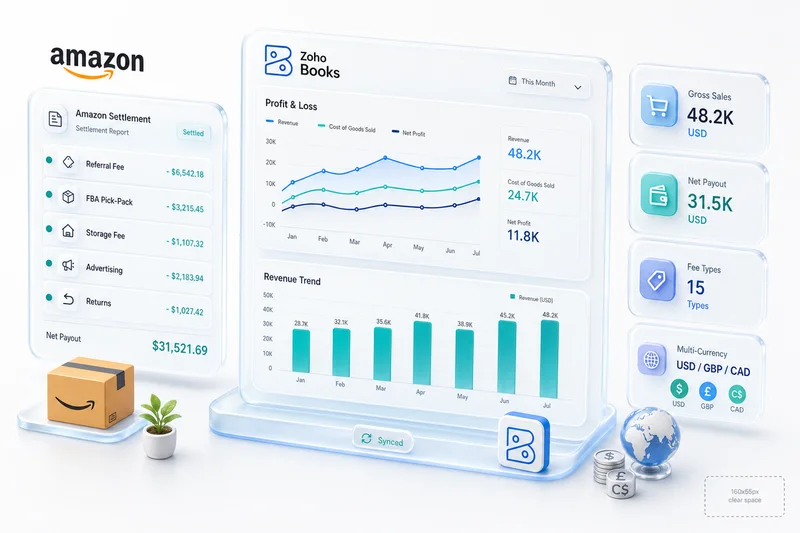
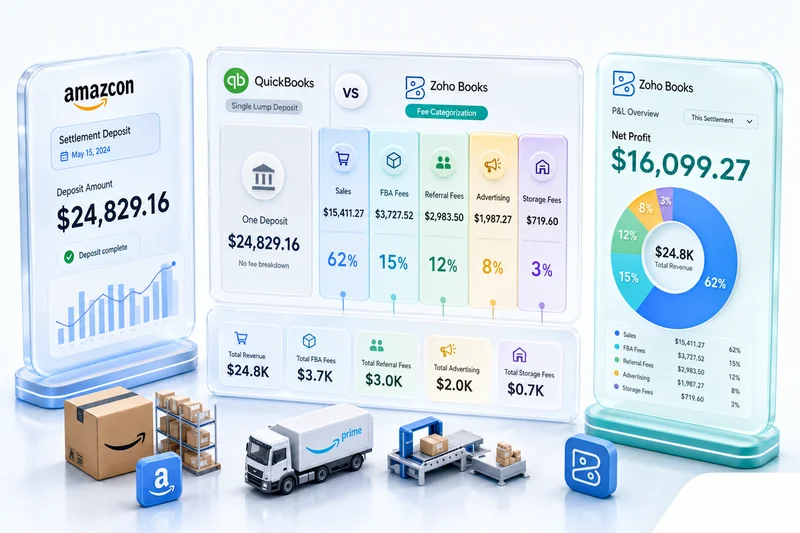
For Amazon dropshipping, the operational flow is the same but the accounting has additional complexity: Amazon's marketplace fees are deducted from settlement payouts, not charged separately. Those fees need to map to the correct expense accounts in Zoho Books, distinct from supplier COGS. See our eCommerce marketplace fee reconciliation guide for how marketplace fee accounting works in Zoho Books.
The Zoho Inventory Amazon integration covers the technical connection between Amazon Seller Central and Zoho Inventory for order sync.
Dropshipping through Q4 and BFCM: supplier management before the rush
Black Friday and Cyber Monday are the pressure test for any dropshipping operation. Order velocity climbs 8 to 10x over a typical week. Suppliers with adequate stock in October can exhaust top SKUs within 48 hours of the BFCM window opening. The failure mode is almost always the same: orders land, the preferred supplier cannot fulfill, no backup was ever configured in Zoho, and customer service queues fill with delay complaints.
The Zoho tooling exists to prevent that scenario. It has to be configured in October, not November.
Before BFCM, review your top 20 SKUs by order volume and confirm a backup vendor is assigned in Zoho Inventory for each one. When a preferred vendor cannot fulfill a drop-ship PO, Zoho prompts for the backup at PO generation rather than leaving the order stuck in limbo.
For high-velocity SKUs where you have a blanket or pre-authorization arrangement with a supplier, Zoho Inventory supports open POs that suppliers can ship against without a new PO per customer order. This compresses fulfillment time for your fastest-moving products during the BFCM window.
Drop-ship AP scales directly with order volume. A 10x order spike means a 10x increase in outstanding supplier invoices within 30 to 45 days. Review your AP aging forecast in Zoho Books before BFCM and confirm payment terms with suppliers before that spike hits. Net 30 terms that work fine at normal volume create real cash flow risk during the peak window if you have not mapped the payment schedule.
Overseas supplier lead times need attention in advance. AliExpress-sourced products regularly ran 20 to 30 days for some categories in Q4 2025. If those lead times repeat in Q4 2026, customers placing Shopify orders in late November may not receive goods within the holiday window. Configure fulfillment lead time visibility in Zoho Inventory and update your Shopify product listings to reflect realistic delivery windows before BFCM, not after reviews start arriving.
For a complete Q4 preparation checklist covering Zoho inventory operations, see our BFCM inventory planning guide for Shopify and Amazon sellers.
What Zolify configures on a dropshipping implementation
Dropshipping setups in Zoho look simple but have several points where configuration errors produce real problems: vendor mapping gaps that break PO auto-generation, COGS accounts that accumulate incorrectly, return workflows that create orphaned credits, and multi-channel syncs that duplicate orders.
Zolify has implemented Zoho for dropshippers across Shopify, WooCommerce, eBay, and Amazon. Over 100 eCommerce implementations in production, each validated by our CA on staff before go-live. The CA validates every COGS account mapping and AP workflow so the books are correct from day one, not fixed retroactively after months of misclassified costs.
As an Official Zoho Authorized Partner, Zolify builds dropshipping integrations that handle the edge cases: split orders across suppliers, returns from customers on drop-shipped items, multi-currency supplier billing, Q4 backup routing for BFCM, and channel-specific margin visibility. For the full scope of what a Zoho dropshipping build covers, see our eCommerce operations implementations. If your current dropshipping setup involves manual reconciliation between orders and supplier invoices, that is precisely what an eCommerce Ops Audit identifies and resolves.
Dropshipping operations fit within the broader Zoho eCommerce platform. For how supplier POs, inventory, accounting, and multi-channel order management connect across Shopify, WooCommerce, Amazon, and eBay, see Zoho for eCommerce: The Complete Operations Platform Guide.
Frequently Asked Questions
Yes. Zoho Inventory has a built-in drop shipment workflow. When you mark a sales order line item as a drop shipment, Zoho automatically generates a linked purchase order to the designated supplier. The PO tracks the shipment from the supplier directly to the customer. Once the supplier ships, you update the PO; once the supplier invoice arrives, you record the bill in Zoho Books against the linked PO.
In a drop-ship model, you never physically receive the goods, so there is no inventory asset to reduce. COGS is driven by the supplier purchase price recorded on the purchase order. When the PO is billed in Zoho Books, the cost posts to your COGS account. The difference between the sales invoice amount and the supplier invoice amount is your gross margin per order. Zoho Books tracks this at the transaction level, so you can see per-order and per-product margin without a separate spreadsheet.
Zoho Inventory lets you assign a preferred vendor to each item. When a drop-ship sales order contains items from multiple suppliers, Zoho generates separate purchase orders for each supplier automatically, one PO per supplier, each containing their respective items. For more complex routing rules (primary supplier for standard orders, backup supplier for out-of-stock situations), Zoho Flow can add conditional logic to the PO generation process.
Drop-ship returns follow the same path as regular returns with one difference: the customer returns the item to the supplier, not to your warehouse. In Zoho Inventory, you create a sales return against the original order. On the supplier side, you create a vendor credit or debit note in Zoho Books against the original purchase order. Whether the supplier credits your account or ships a replacement determines how the credit note is applied. High-return products need a clear supplier return policy established before the Zoho configuration makes sense.
Yes. Shopify orders sync into Zoho Inventory through the native integration. When a Shopify order arrives for a drop-ship item, it moves through the drop-ship workflow in Zoho Inventory: the linked PO generates automatically, gets sent to the supplier, and the order status updates in Shopify when the supplier confirms shipment. The integration handles order status updates bidirectionally: customers see accurate fulfillment status in Shopify while your operations team tracks the supplier PO in Zoho.
See exactly where your Shopify, Amazon, or WooCommerce ops are leaking — free.
Get a personalised eCommerce Ops Audit: inventory gaps, accounting leaks, and order-flow bottlenecks — with a Zoho fix roadmap. Delivered in 48 hours, at no cost.