eCommerce Inventory Management Software: Why Zoho Inventory Outperforms the Alternatives for Online Sellers
Generic inventory software can track stock. But when you sell on Shopify, Amazon, and WooCommerce at the same time, stock tracking alone isn't enough. Here's why multi-channel sellers outgrow standalone tools, and what a real ops stack looks like.
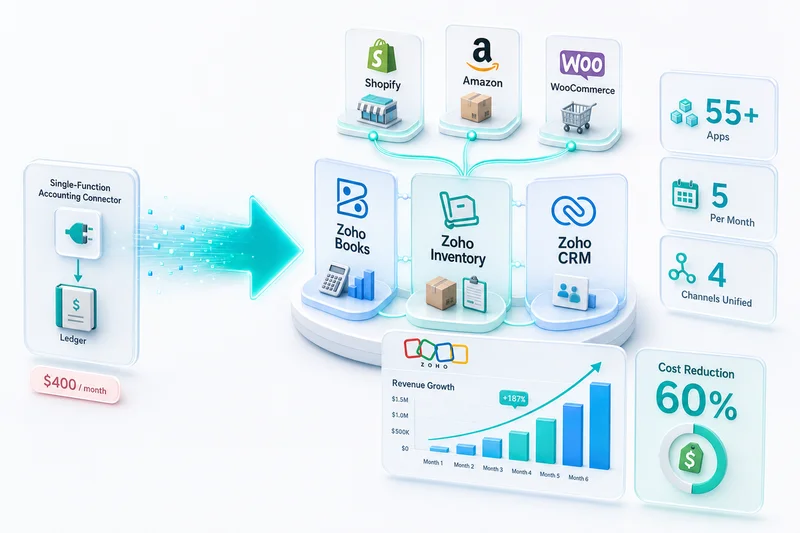
Selling on Shopify is manageable. Add Amazon as a second channel, then WooCommerce, and inventory becomes the hardest operational problem you've got. The right eCommerce inventory management software prevents a Shopify flash sale from depleting stock before your Amazon channel notices, stops phantom oversells on eBay, and makes sure your COGS figures are calculated automatically rather than estimated at month-end. After 100+ eCommerce implementations, we've found that most sellers don't outgrow their inventory tools because the tools are bad. They outgrow them because standalone tools don't connect to the rest of the ops stack. For a complete picture of how Zoho's inventory, accounting, and CRM apps connect as an eCommerce system, see the Zoho for eCommerce guide.
TL;DR: 34% of eCommerce sellers now operate on two or more marketplaces, and those sellers see 104% higher gross merchandise volume (Mirakl 2026 Seller Report, 2026). More channels create stock sync failures, COGS blind spots, and integration costs that erode that revenue gain. With Q4 and BFCM approaching, the stakes are higher: a stockout during a flash sale or an Amazon Prime event can wipe out weeks of prep. Zoho Inventory at $29–$249/mo solves multi-channel stock sync, COGS, and accounting in one connected system, for a fraction of what Cin7 ($349+/mo) or Linnworks ($449+/mo) cost.
Top 5 eCommerce inventory management tools (2026)
Five platforms account for most of the market. Here's where each lands:
| Platform | Starting price | Native accounting | Multi-channel sync | Who it's for |
|---|---|---|---|---|
| Zoho Inventory | $29/mo | Yes (Zoho Books) | Shopify, Amazon, WooCommerce, eBay, Etsy | Multi-channel sellers who need inventory + accounting in one stack |
| Cin7 | $349/mo | No (QuickBooks/Xero add-on) | Strong | Larger operations willing to pay for separate accounting integration |
| Linnworks | $449/mo | No | Very strong | Complex warehouse operations; middleware required for accounting |
| Ordoro | Lower | No | Basic | Sellers whose main bottleneck is label printing, not inventory ops |
| Brightpearl / Extensiv | $1,000+/mo | Partial | Strong | Enterprise retailers and 3PLs with dedicated warehouse staff |
For sellers in the $500K–$15M GMV range, Zoho Inventory is the lowest total-cost option once you account for the middleware subscriptions Cin7 and Linnworks require.
What eCommerce inventory management software actually needs to do
Most sellers discover the hard way that tracking stock quantities is only the beginning. According to CAPS Research (2024), the average US retail inventory accuracy rate sits at 63–66%, meaning roughly a third of what's listed doesn't match what's physically available. For multi-channel eCommerce, that gap translates directly into cancelled orders and negative seller metrics on Amazon and eBay.
Real-time stock sync across Shopify, Amazon, and WooCommerce
Every channel needs the same stock number, updated the moment a sale happens anywhere. This sounds obvious until you've watched a Shopify flash sale move 200 units while Amazon still shows 200 available, because you only had 200 total. By the time Amazon's sync catches up, you've sold the same inventory twice and you're staring at an order cancellation metric hit.
Real-time sync requires the inventory system to hold a single master quantity per SKU and push updates to every channel simultaneously. Polling-based integrations (Zapier, basic webhooks on a schedule) check for changes every 5–15 minutes. That interval is long enough to cause oversells during peak traffic and holiday events.
Automatic COGS calculation when orders ship
In our implementations, eCommerce sellers without automated COGS calculation either skip it at month-end or estimate it by averaging purchase costs. Both approaches produce gross margin figures that are off by 15–25%.
The correct COGS for a shipped order is the actual cost of those specific units, pulled from your purchase records and applied using your costing method (FIFO is most common for eCommerce). Your inventory software needs to record that cost journal entry automatically when the shipment confirms, not at month-end, not manually.
For how COGS flows from inventory into your books, see the eCommerce accounting software guide.
Reorder point automation (not just low-stock alerts)
A low-stock alert tells you you're running out. A reorder point triggers a draft purchase order to your supplier automatically when stock hits a threshold based on your lead time and sales velocity. That's the difference between a tool that reports problems and one that starts fixing them.
If your supplier takes 14 days to ship and your Amazon channel moves 10 units per day, your reorder point isn't 10 units. It's 140 plus a safety stock buffer. Setting this correctly per SKU requires knowing your channel-level velocity, not just your total sales rate. The Zoho Inventory demand forecasting setup guide walks through the full configuration sequence: pulling velocity baselines, adding seasonal buffers, setting supplier lead times, and calculating per-SKU reorder points.
Multi-warehouse and fulfillment location tracking
Sellers using FBA, a 3PL, and their own warehouse simultaneously need to know which units are where. A WooCommerce order from a Texas customer shouldn't ship from Portland if you've got FBA stock sitting closer to the buyer. Software that tracks "total units" without distinguishing location is useless past a single fulfillment point.
We've seen sellers lose $8,000–$15,000 per year in unnecessary shipping costs because their inventory system had no concept of fulfillment location. Orders routed to the wrong warehouse are expensive and slow, and slow delivery drives negative reviews on every platform.
Returns and refund inventory reconciliation
The average eCommerce return rate is 16.9%, with online-only returns averaging 24.5% (National Retail Federation, 2024). Fashion sellers see 30–40%. Each return creates an inventory restock entry, but only if the item is in sellable condition. Your inventory system needs to tell the difference between units returned to available stock and units that are damaged, disposed of, or quarantined for inspection.
If every return automatically restocks at full quantity, you'll eventually ship damaged goods. If no returns restock automatically, you'll undercount available inventory and leave units sitting in a returns pile that don't show up anywhere in your sellable stock.
Best eCommerce inventory management software: 5 platforms sellers actually use
Dozens of inventory management tools exist. In practice, eCommerce sellers end up using five. When evaluating inventory management software for eCommerce, the right choice depends on your channel mix, order volume, and whether you need inventory connected to accounting and CRM, or just stock count tracking.
Cin7, Ordoro, Linnworks: feature-rich but stack-agnostic
Cin7 starts at $349/mo. Linnworks starts at $449/mo. Both offer strong multi-channel sync, purchase order management, and warehouse tracking for complex inventory operations. They're mature platforms with solid feature sets.
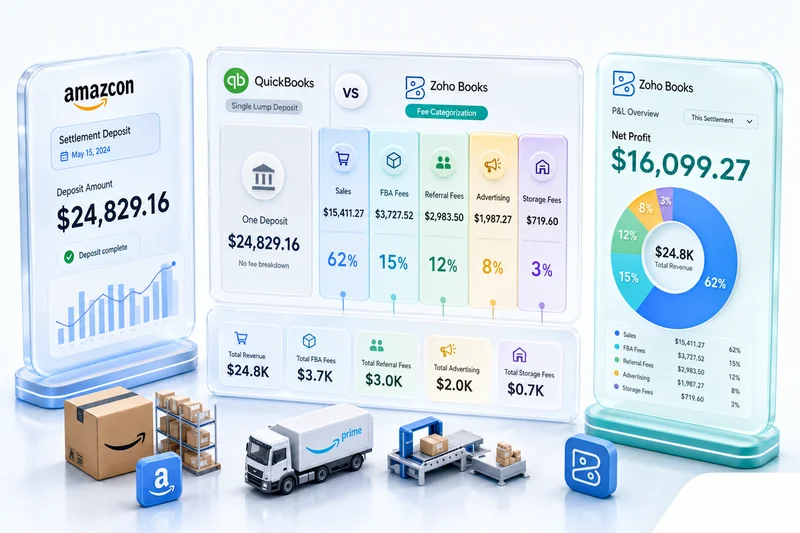
The limitation is what they don't include: accounting. Both require a separate integration to QuickBooks, Xero, or another accounting platform. That integration typically costs $50–$150/mo in middleware, plus developer time when it breaks. And middleware integrations do break. Your inventory and accounting data go out of sync until someone notices and investigates.
Ordoro sits at a lower price point and focuses on shipping label creation alongside basic inventory tracking. It's reasonable for sellers whose primary need is label printing, but it's not a full inventory management system for complex multi-channel operations.
Shopify Inventory: built-in but limited to one channel
Shopify's native inventory tracking comes free with every plan and works well for single-channel sellers. You get location-based tracking, variant support, and reorder notifications. If Shopify is your only channel, there's nothing wrong with using it.
The problem starts the moment you add Amazon. Shopify inventory and Amazon Seller Central are two separate systems with no native connection. You need a third-party app to sync stock between them, which reintroduces polling delays and a middleware subscription fee.
Shopify's built-in inventory is where many sellers start. It's not where they should stay past their first channel expansion. For a detailed look at connecting Shopify to a full Zoho backend, see the Shopify to Zoho integration guide.
Zoho Inventory: the full-stack eCommerce operations play
As purpose-built ecommerce inventory software, Zoho Inventory runs $29–$249/mo depending on plan and order volume. It has native connectors for Shopify, Amazon, WooCommerce, eBay, and Etsy — all five major channels where multi-channel sellers operate. Stock sync is event-driven through webhooks, not scheduled polling intervals.
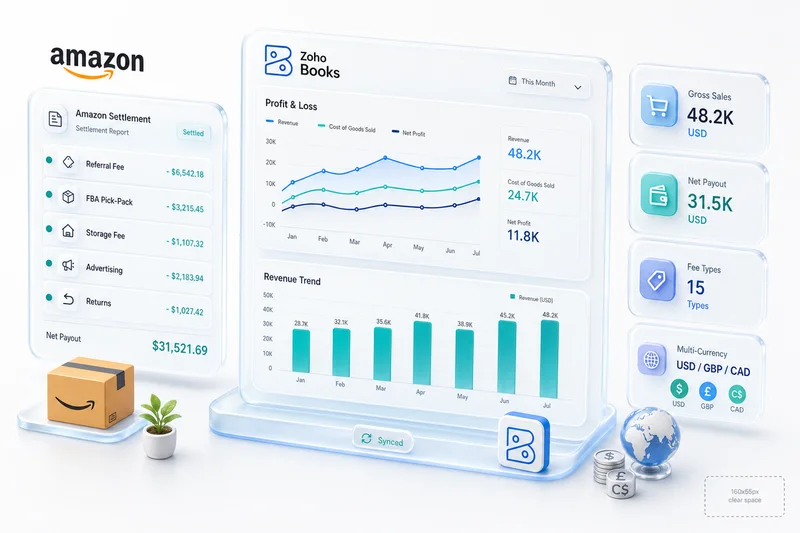
The real advantage over standalone tools is the native Zoho Books integration. When an order ships, Zoho Inventory creates the COGS journal entry in Zoho Books automatically. No middleware. No manual entry. No accounting estimate at month-end. Your gross margin report is accurate the day after a shipment, not the week after someone reconciles a spreadsheet. The multi-channel Zoho Inventory setup guide covers the channel configuration and costing setup in detail. Sellers evaluating Zoho Inventory as a full order management system — covering order routing, fulfilment rules, Brightpearl/Linnworks comparisons, and automated invoicing — will find the complete breakdown in the eCommerce order management software guide.
Excel/Google Sheets: where every seller starts (and outgrows)
Almost every eCommerce seller starts with a spreadsheet. You track SKUs, quantities, purchase costs, and reorder dates in tabs. It works until it doesn't — usually around 50–100 SKUs and 200+ monthly orders across two channels.
The breaking point is always manual. Someone forgets to update the sheet after an Amazon sale. A formula breaks and nobody notices for a week. Your VA updates the Shopify tab but not the eBay tab. By the time you realize the spreadsheet is wrong, you've already oversold.
Spreadsheets have no concept of COGS calculation, purchase order management, or channel-specific stock allocation. They're a starting point, not an operations system.
Extensiv/Brightpearl: enterprise-grade, enterprise-priced
Extensiv (formerly 3PL Central/Skubana) and Brightpearl target enterprise retailers and 3PLs with complex warehouse operations. Brightpearl pricing isn't publicly listed — it's quoted based on transaction volume, typically landing well above $1,000/mo for mid-market sellers.
For a $2M–$10M annual GMV seller, that price structure is difficult to justify. You're paying for WMS-grade picking workflows, multi-entity accounting, and enterprise reporting that most operations at that scale don't require. The right time to evaluate Brightpearl or Extensiv is when your 3PL is specifically requesting it or when you're managing multiple physical warehouses with dedicated warehouse staff.
Getting Zoho Inventory ready for Q4 and BFCM
Q4 is where inventory software earns its keep — or exposes its gaps. November BFCM events, Amazon Prime Big Deal Days, and holiday restocking all land within a 60-day window when most SKUs sell 2–4x faster than average. Sellers who haven't configured their inventory system for that velocity don't just miss revenue. They collect cancellation rate hits, negative reviews, and suppressed listings that take months to recover from.
There are three configuration decisions that matter before BFCM arrives.
Reorder points are the first one most sellers get wrong. Default settings are typically calibrated to year-round sales averages, which means they're understating Q4 demand by 2–3x for most categories. In Zoho Inventory, you can set seasonal reorder thresholds per SKU, so the system drafts purchase orders against holiday-period velocity rather than a number that stopped reflecting actual demand in August.
FBA inbound cutoffs are the second. Amazon sets a hard deadline — typically mid-October — after which new inventory sent to FBA may not arrive before Black Friday. That deadline forces a stock allocation decision: what ships via FBA, what goes merchant-fulfilled, and what stays at a 3PL. Zoho Inventory's multi-warehouse setup makes that allocation visible. You can see FBA in-transit stock, current FBA available, and own-warehouse stock on one screen before you make the call.
Per-channel stock caps are the third. If your Shopify store is running a BFCM flash sale at the same time your Amazon listing is live, both are drawing from the same master stock count. Without per-channel allocation, a flash sale can drain shared inventory before your Amazon channel has a chance to fulfill. Zoho Inventory lets you set available quantities per channel so a promotion on one platform doesn't create a fulfillment crisis on another.
For a complete BFCM prep checklist, see our BFCM inventory planning guide for Shopify and Amazon sellers.
Why multi-channel sellers outgrow standalone inventory management software
The problem isn't the inventory software itself. Most inventory management systems sit in the middle of your operations, connecting purchasing on one side to accounting and fulfillment on the other. A standalone tool handles the middle but leaves you to build the connections yourself.
The integration tax: connecting inventory to accounting, CRM, and shipping
Every connection between two standalone systems has a cost: the monthly subscription for the connector, the developer time when it breaks, the reconciliation work when the sync lags. Adding a QuickBooks integration to Linnworks costs $30–$60/mo for the connector, accepts that inventory data flows to accounting on a schedule rather than in real time, and creates a second failure point you need to monitor.
That "integration tax" compounds as your stack grows. We've audited eCommerce businesses spending $400–$600/mo on middleware subscriptions to connect tools that should've been native to begin with. The same operational coverage through Zoho One costs $45/user/mo for the entire suite: inventory, accounting, CRM, and analytics.
When middleware breaks (an API update from a platform, a plan change from the connector app, an expired credential) data stops flowing. By the time someone notices the books are off, the reconciliation work takes days and sometimes requires adjusting historical records.
Data fragmentation: when each channel has different stock numbers
This is the most common inventory problem we encounter during new client onboarding. Shopify shows 45 units. Amazon shows 52. The WooCommerce admin shows 38. The actual physical count is 41. Which number do you trust?
None of them, until you reconcile manually — which typically takes hours of exporting from every channel and cross-referencing against purchase history. You're doing this because no single system owns the master stock count.
A properly configured inventory system is the master. Every channel is a subscriber. When stock changes on any channel, the master count updates and pushes the new number back to every other channel. No ambiguity about actual available inventory. For a detailed walkthrough of how Zoho Inventory implements this architecture for Shopify, Amazon, and WooCommerce running simultaneously, see multi-channel inventory operations with Zoho.
The COGS problem: inventory tools that don't talk to your books
Standalone inventory tools track units. They don't track cost accounting. When you ship a product that cost $18 to source, the inventory system records the unit deduction. The COGS entry (that $18 against revenue) has to come from somewhere. If inventory and accounting don't share a database, that "somewhere" is a manual calculation or an integration that may or may not run before month-end.
For eCommerce sellers with multiple cost layers (landed cost, FBA fees, return rates by SKU), manual COGS calculation isn't just tedious. It's wrong at the margins. We've seen sellers running at negative gross margin on their fastest-moving SKUs because COGS was understated and pricing didn't account for it — discovered only during a year-end review. The eCommerce accounting software guide covers how to structure COGS correctly across multiple channels.
How Zoho Inventory handles Shopify, Amazon, and WooCommerce differently
Zoho Inventory was built as part of the Zoho Finance suite, not assembled from integrations. That matters because each eCommerce platform creates its own inventory problems, and what breaks on Shopify is often different from what breaks on Amazon or WooCommerce.
Shopify: flash sales and BFCM velocity
Shopify sellers face a specific problem that generic inventory tools don't handle well: promotional speed. A BFCM flash sale can move 200 units in 20 minutes. If your inventory system uses scheduled polling, Amazon still shows full stock for the next 10 minutes while those units are already sold.
Zoho Inventory's Shopify connector uses webhook-based sync. An order on Shopify decrements the master count immediately and pushes updated quantities to every other connected channel. Draft orders in Shopify (common for wholesale and B2B sales) are also tracked, so reserved inventory doesn't appear available on Amazon while a draft order is pending.
For the complete Shopify connection setup — including SKU mapping and the FBA conflict resolution for sellers running both channels — the Shopify to Zoho integration guide covers it in detail.
Amazon: FBA stock allocation and Q4 cutoff management
Amazon sellers face a different version of the same problem. FBA stock and merchant-fulfilled stock need tracking separately. An FBA sale draws from the Amazon warehouse, not your own. If your inventory system lumps them together, your available counts are wrong across every channel, and you're allocating stock to the wrong fulfillment path.
Zoho Inventory treats FBA as a virtual warehouse location. You see FBA in-transit, FBA available, and own-warehouse stock separately. When an FBA sale closes, only the FBA count decrements. Your own-warehouse availability updates separately for WooCommerce and merchant-fulfilled Amazon orders.
During Q4, this separation matters most for the FBA inbound cutoff decision. You can see exactly how much FBA stock is currently en route, what's available now, and what needs to shift to merchant-fulfilled before the cutoff — all on one screen, without reconciling multiple reports. For more on multi-warehouse tracking in practice, see our inventory and warehouse management solution.
WooCommerce: variable products, subscriptions, and gateway fees
WooCommerce sellers deal with complexity that generic connectors handle badly: variable products (one parent, multiple variants with separate stock counts), subscription products (recurring orders that need reserved inventory before each fulfillment cycle), and split gateway fees that affect COGS if not separated correctly.
Zoho Inventory's WooCommerce connector maps variable products to their correct variant SKUs in the item catalog. Subscription orders get reserved inventory allocated before the fulfillment cycle runs, so you don't discover a stockout the morning recurring orders are due to ship. Gateway fee separation (Stripe fees, PayPal fees) routes through Zoho Books rather than being absorbed into COGS — the accounting stays clean even when WooCommerce payment data is messy.
For sellers managing supplier payments alongside WooCommerce operations, the eCommerce accounts payable automation guide covers how Zoho Books handles the full supplier payment cycle from PO through approval and payment release.
When Zoho Inventory is NOT the right choice
Zoho Inventory is the right ecommerce inventory management software for most multi-channel sellers in the $500K–$15M GMV range. But there are three situations where it isn't.
If your operation runs through a 3PL that requires WMS-grade pick-and-pack workflows (bin locations, put-away logic, wave picking, carrier manifests) Zoho Inventory doesn't provide warehouse floor management at that level. You'd need Extensiv or a dedicated WMS feeding back into your accounting system.
If you're already deeply committed to NetSuite or SAP for finance and operations, migrating to Zoho Inventory to connect with Zoho Books introduces more disruption than it resolves. The native integration advantage assumes Zoho Books is your accounting platform. If it isn't, standalone tools connected to your existing ERP may be the better path.
And if you sell exclusively on Shopify with no plans to add a second channel and your order volume is under 200/month, Shopify's built-in inventory is genuinely sufficient. Don't add implementation complexity for problems you don't yet have.
What a professional eCommerce inventory setup looks like
A standard Zoho Inventory implementation covers three configuration layers that determine whether the system actually works for your eCommerce operation, or just looks like it does during the demo.
Chart of items built for eCommerce (bundles, variants, kits)
Your item master needs to reflect how you actually sell. A t-shirt with 5 sizes and 4 colors is 20 variant SKUs, each tracking separately. A product bundle sold as a kit needs a composite item so a bundle sale decrements the correct quantities from each component. A digital component needs a service item designation that doesn't trigger inventory deduction.
Getting this wrong at setup is expensive to fix later. We've taken over Zoho instances where every size variant was configured as a separate parent product — no parent-level reporting, no variant-level inventory visibility, manual workarounds for every fulfillment report. Rebuilding the item master after six months of order history is a multi-week project.
Automated order routing by fulfillment location
If you have stock in multiple locations, Zoho Inventory needs routing rules that determine which location fulfills which type of order. Amazon Prime orders might always ship from FBA. WooCommerce orders to the West Coast route to your California warehouse. eBay orders route to your East Coast location.
These rules prevent your team from manually choosing a warehouse for every order, and prevent the expensive mistake of shipping cross-country when regional stock is available. Automated routing is a configuration task that runs itself after setup.
Month-end inventory reconciliation process
Even with automated inventory management, a monthly reconciliation process matters. Physical counts need to match system counts. FBA stock needs reconciliation against Amazon's fulfillment reports to account for units lost or damaged in their centers (and the reimbursements Amazon owes). Aged stock needs review for write-down.
Sellers who skip month-end reconciliation for six months or more typically discover variances of 5–15% between their system counts and physical reality. Catching a 2% variance monthly takes 30 minutes. Catching a 12% variance after six months takes days, and often requires adjusting historical records and restating prior-period financials.
Our CA reviews inventory reconciliation as part of monthly close for clients on managed accounting engagements. Discrepancies get caught and resolved before they compound.
Get an eCommerce operations audit
If your ecommerce inventory software is letting counts diverge between channels, your COGS is calculated manually each month, or you're not sure whether your stock numbers are accurate across all fulfillment locations, the cost of that fragmentation shows up in your gross margin, your fulfillment error rate, and the hours your team spends reconciling data that should reconcile itself.
Zolify is an Official Zoho Authorized Partner with a CA on staff and 100+ eCommerce implementations behind us. We audit multi-channel eCommerce operations, identify where inventory, accounting, and channel data are fragmented, and build the Zoho stack that connects them.
Start with an eCommerce operations audit. We'll review your current stack, map where stock counts are unreliable, and give you a concrete picture of what a unified Zoho inventory and accounting setup looks like for your specific operation — before you commit to anything.
Switching to the Zoho ecosystem? Our migration guides cover the full process from QuickBooks, Xero, Salesforce, HubSpot, and more.
Frequently Asked Questions
For sellers operating across Shopify, Amazon, WooCommerce, eBay, and Etsy, Zoho Inventory is the strongest fit at $29–$249/mo. It offers native connectors for all five platforms, built-in COGS calculation via Zoho Books integration, and multi-warehouse tracking, without the $349+/mo price tag of Cin7 or Linnworks. Standalone tools are cheaper upfront but create integration costs that quickly erase the savings.
Costs range from free (Zoho Inventory free plan under 50 orders/month) to $449+/mo for enterprise tools like Linnworks. Most growing multi-channel sellers land on Zoho Inventory at $79–$179/mo, Cin7 at $349+/mo, or Linnworks at $449+/mo. The real cost isn't the subscription — it's the accounting integration middleware you'll need on top of standalone tools, typically $50–$150/mo extra.
Yes. Zoho Inventory maintains a single master stock count per SKU and pushes quantity updates to every connected channel when a sale happens on any one of them. When a Shopify flash sale moves 50 units, Amazon and WooCommerce see the updated availability within minutes, not after the next manual sync. This prevents the overselling problem that causes fulfillment failures on your second and third channels. See our Shopify to Zoho integration guide for how the connection is configured.
Three things matter before BFCM. First, set reorder points against Q4 sales velocity, not your year-round average — most SKUs move 2–4x faster in November. Second, allocate stock between FBA and merchant-fulfilled before Amazon's Q4 FBA inbound cutoff, typically in mid-October. Third, configure per-channel stock caps so a Shopify flash sale can't drain your Amazon allocation before you notice. Our BFCM inventory planning guide walks through each step for Shopify and Amazon sellers.
Zoho Inventory isn't right for sellers with complex 3PL relationships requiring WMS-grade pick-and-pack workflows, businesses deeply committed to NetSuite or SAP, or sellers whose entire operation runs on Shopify under 200 orders per month and fits within Shopify's built-in inventory tools. For those cases, the integration overhead of moving to Zoho Inventory doesn't pay back in meaningful operational improvement.
See exactly where your Shopify, Amazon, or WooCommerce ops are leaking — free.
Get a personalised eCommerce Ops Audit: inventory gaps, accounting leaks, and order-flow bottlenecks — with a Zoho fix roadmap. Delivered in 48 hours, at no cost.